

Auto reply
Trigger → one responseA single trigger and a single response. Someone messages outside business hours and gets one message back. No branching, no memory.
Get 8 tools, 1 workspace and 0 monthly fees with WhatsApp automation software.
WhatsApp automation software handles repetitive WhatsApp conversations without a person typing every reply. It answers common questions, qualifies leads, and sends opt-in campaigns and order updates. Then it passes anything it can’t resolve to a human agent, so your team only steps in when it matters.

★★★★★
across USA, UK, India, UAE & more
WhatsApp automation software is an application that handles WhatsApp conversations on a business's behalf: replying to messages, running chatbot flows, sending approved campaign messages and recording every contact, according to rules the business configures, without a person typing each response.
It is not a WhatsApp product. Meta provides the messaging channel; automation software is a separate layer that connects to it and decides what gets sent, when, and to whom.
That distinction matters commercially, because it means every business running WhatsApp automation pays two parties: Meta, for the messages themselves, and a software vendor, for the tools that send them. Most comparison content covers only the second.
Messages the business on WhatsApp
Delivers messages.
Bill 1 · per messageDecides what gets sent, when, and to whom.
Takes over when a person is needed
Three terms get used interchangeably and shouldn't be
Fixed AdaptiveA single trigger and a single response. Someone messages outside business hours and gets one message back. No branching, no memory.
A multi-step flow. It asks questions, branches on the answers, collects information, and can hand the conversation to a person at a defined point.
Reads the conversation and generates a response in natural language rather than picking from a script. It handles phrasing the flow author never anticipated, and it's the layer that most needs a human in the loop, because it can be confidently wrong.
Most businesses need all three for different situations. That's the actual argument for buying a platform rather than a single-purpose tool.
Read our complete guide to WhatsApp automation software06 answers · one panel
😤 The Real Problem
Most teams patch together a separate WhatsApp bulk campaign tool, a WhatsApp chatbot software, and a WhatsApp auto reply app. They don’t share data, leads slip through
🔀
Bulk sender doesn’t know what your chatbot captured. Chatbot doesn’t know who your campaign already messaged. You’re running blind.
⏰
Lead captured Friday via chatbot. Manually transferred Tuesday. Called Thursday. That lead is already buying from your competitor.
💸
$49/mo here. $79/mo there. $29/mo for the one you barely use. You’re renting software you’ll never own — forever.
📊
Campaign data lives in one tool. Chatbot data in another. You can’t see the full picture, so you make decisions on partial data.
🌏
Countries Served
📨
WhatsApp Open Rate
⚡
Automation Modules
💰
One-Time Price From $
Installation is included with every Zipprr licence. See the setup on a live demo first.
Get a free demoThe free Business App for one person at low volume, or the WhatsApp Business Platform for flows, multiple agents and campaigns. Everything after this depends on the choice, so make it deliberately rather than defaulting.
Meta requires business verification and a phone number not already tied to a personal WhatsApp account. Build this into your timeline, because Meta publishes no approval SLA and anyone promising you a specific turnaround is guessing.
Zipprr is self-hosted: server, database, then the application. Installation is included with the licence.
Start with the two highest-volume questions you actually get, not the most impressive automation you can imagine. An out-of-hours auto reply and one qualification flow cover most of the value. Read 100 recent conversations before you build anything; the real top three questions are usually not the ones you'd guess.
Any message you send outside a 24-hour window needs an approved template. Add a consent checkbox wherever you collect numbers: website form, checkout, in person.
⚙️ Platform Modules
The reason these are one product rather than eight is the shared contact database. A lead captured by the chatbot at 2am is already tagged and segmentable when you build a campaign that afternoon — no export, no re-import, no reconciling two contact lists.
🤖
Reads the conversation and drafts a reply for your agent to approve, edit or discard — draft-first for money, dates or upset customers.
📣
Reach thousands of opt-in contacts with built-in delivery pacing and a live broadcast dashboard.
🧩
No-code conversation builder. Qualify leads, collect details, handle FAQs and route to humans automatically.
⚡
Set a trigger once (keyword, time range or first contact) and the right automated reply fires 24/7
👥
One contact database powering all 8 modules. Import CSV, capture via chatbot, segment and tag every number.
📤
Extract the full participant list from any group you belong to and load it straight into campaign audiences.
🪪
Look up a contact’s name, status and photo before first contact to turn cold outreach into personalized openers
📊
Delivery rates, chatbot drop-off and auto reply volumes, unified across every module — data for decisions, not decoration.
Sorted by how much work each removes, not by how impressive it sounds.
Opening hours, pricing, delivery times, location, return policy, availability. In most businesses a small number of questions account for the majority of inbound messages, and measuring your own tells you exactly which flows to build first.
Auto Reply + ChatbotWhat time do you open tomorrow?Opening hours
AnsweredHow much is delivery to my area?Delivery times · pricing
AnsweredCan I return an item I bought last week?Return policy
In flowMessages arriving at 11pm currently wait until morning. An auto reply that sets a return time and captures the enquiry turns a dead message into a queued lead.
Auto ReplyA short flow covering budget, location, timeline and intent turns a raw enquiry into a scored record, so your salesperson opens a qualified conversation instead of starting one.
Chatbot BuilderConfirmations, dispatch notices, delivery windows, reminders. The highest-value automations, because they're both repetitive and the thing customers message about most.
Launches, restocks, seasonal offers and re-engagement to contacts who agreed to hear from you, segmented by tag or behaviour rather than blasted to everyone.
CampaignsEvery conversation writes back to one contact record, so segmentation improves over time instead of being rebuilt for each send.
Contact ManagementRecognising when a conversation needs a person, and getting it to the right one with history attached.
Fourteen criteria, in the order they'll actually decide the outcome. Zipprr doesn't win all fourteen and this section doesn't claim it does.
A six-point leak audit is faster than reading all fourteen criteria below.
Run a six-point leak audit firstThe lead-generation playbook goes deeper on that specific use case.
Read the lead-generation playbookThe most consequential question and the one most vendor pages skip. Software built on the WhatsApp Business Platform operates within Meta's supported path. Software that automates WhatsApp Web or an unofficial client sits outside Meta's terms: cheaper up front, with account suspension as the tail risk. Ask directly and get the answer in writing.
Software fee plus Meta's per-message fees. A vendor who won't separate these is a vendor whose quote you can't compare. Ask whether they mark up Meta's rates.
Ask to build a three-branch flow yourself during the demo. Every vendor calls their builder no-code; the demo tells you the truth.
Which model? Draft-first or auto-send? Whose API key, and who pays for inference? "AI-powered" on its own means nothing.
Can you segment by tag, behaviour and campaign history, or only send to everyone?
Where does it live, can you export it, and what happens to your conversation history the day you stop paying?
Does history transfer? Can you route by skill or territory? Meta requires an escalation path, so verify it's a real feature rather than a checkbox.
Direct integrations, a documented API, webhooks, or nothing.
First response time, resolution rate, flow drop-off, opt-out rate. Not messages sent.
Per-seat pricing is where subscription costs escalate fastest as a team grows.
Meta's limits start at 250 unique customers in a rolling 24 hours and rise with your account's quality rating. Work out where you'll sit at your intended volume.
Cloud subscription, self-hosted licence, or source code. This determines your switching cost more than any feature does.
What's covered, for how long, through which channel, and what renewal costs.
Opt-in handling, template management, opt-out processing, and if you operate in the EU, India or California, how the vendor handles GDPR, the DPDP Act or CCPA.
Teams build flows for the questions they assume they get.
Hover for the fixRead 100 recent conversations first; the real top three are usually not what you'd guess.
Unsegmented, high-frequency sends drive blocks and opt-outs. Opt-outs drop your quality rating, and a low rating cuts your messaging limits. The mechanism is direct, and it's the most common self-inflicted failure in this category.
Hover for the fixSegment instead of blasting.
A flow that traps people does more damage than no automation at all.
Hover for the fixEvery chatbot needs a "none of these apply" branch that reaches a person fast.
A generated reply that invents a delivery date or a price creates a bigger problem than the original delay.
Hover for the fixDraft-first for anything involving a commitment.
Submitting marketing content as a utility template gets it rejected, and repeat mis-categorisation affects your account standing.
Hover for the fixMatch the category to what the message actually does.
Automation is for the repetitive majority, not the difficult minority.
Hover for the fixComplaints, refunds and negotiations should reach a human immediately.
WhatsApp automation is explicitly permitted. Meta's Business Messaging Policy says businesses may use automation when responding during the 24-hour window, provided there are prompt, clear and direct escalation paths to a person. What Meta restricts is how you get permission and how you send at scale.
Automation is allowed inside the 24-hour window, with prompt, clear and direct escalation paths to a person.
Summary of the WhatsApp Business Messaging Policy
Meta's requirement is specific: the person gave you their number and confirmed they want messages from you on WhatsApp, with your business named at the point of consent. Website forms, checkout checkboxes, in-chat confirmations and in-person sign-ups all work. A purchased list does not, and neither does "they messaged us once about something else".
Meta requires you to respect opt-out requests made either on or off WhatsApp, including removing that person from your contact list. If someone opts out by email, they're out of your WhatsApp segments too.
Unsegmented high-frequency sends drive blocks and opt-outs, opt-outs drive your quality rating down, and a low quality rating cuts your messaging limits.
Meta's Business Terms prohibit developing or using applications that interact with its Business Services without written consent, and prohibit scraping or extracting data from them. Operating a service that uses WhatsApp in violation of those terms gives Meta the right to limit or remove access. Tools that automate WhatsApp Web or use unofficial clients sit outside that path, and the cost of a suspension is the number your customers already have saved.
Enforcement is Meta's decision and no third party can indemnify you against it. What a responsible vendor can offer is the compliant path, pacing controls, opt-in and opt-out handling, and template management. Anyone promising immunity is telling you something they cannot know.
Illustration: in-chat opt-in with the business named and the opt-out stated.
🔄 Live Workflow
📣
Contacts → Bulk Campaigns → Reports.
Segment an audience, launch a WhatsApp bulk campaign with delivery pacing, and results flow straight into Reports — no export.
💬
Chatbot → Auto Reply → AI Reply
The chatbot qualifies the lead, WhatsApp auto reply covers off-hours, and AI WhatsApp reply hands agents a context-aware draft.
🧲
Profile Info → Reports → Group Export
Better context in, cleaner data out, and a contact list that keeps growing via WhatsApp group export.
⚔️ Comparison
Most WhatsApp tools do one job and retrofit the rest with bolt-on integrations — and a separate monthly bill for each. Zipprr AI WhatsApp was built as one system from day one: contacts, campaigns, chatbot data and reports share one foundation, and you own the source code outright.
| Feature | Zipprr AI WhatsApp | Single-Module Tool | Typical SaaS Suite |
|---|---|---|---|
| All-in-One Workspace | ✓ 8 modules | ⚡ Partial | ⚡ Partial |
| AI Smart Reply | ✓ Yes | ✕ No | ⚡ Beta |
| Bulk Campaigns + Auto Pacing | ✓ Yes | ✓ Yes | ✓ Yes |
| Integrated Contact DB | ✓ Shared | ✕ Siloed | ✕ Siloed |
| Group Participant Export | ✓ Yes | ✕ No | ✕ No |
| Unified Cross-Module Reports | ✓ Yes | ✕ No | ✕ No |
| One-Time Price | ✓ From $490 | ✕ Monthly | ✕ Monthly |
| Full Source Code Ownership | ✓ Yes | ✕ No | ✕ No |
| 24/7 Inbound Coverage | ✓ Yes | ⚡ Partial | ⚡ Partial |
💰 ROI Calculator
Every tool your WhatsApp operation needs — built together from day one, sharing one contact database and one dashboard.
$490 for Standard, $890 with mobile apps. No monthly fee, no per-agent billing, no renewal. Meta's message fees are separate and paid to Meta.
One-timeNot a hosted account — the application. You can modify it, brand it, and deploy it on infrastructure you control.
Modify · brand · deployContact records and conversation history live in a database you own. Nothing to export if you change your mind about a vendor, because the vendor doesn't hold it.
Nothing to exportA lead the chatbot captures overnight is already tagged and segmentable when you build a campaign the same afternoon.
Shared database| Month | Subscription at $25/month | Subscription at $100/month | Zipprr licence |
|---|---|---|---|
| 0 | $0 | $0 | $490 |
| 5 | $125 | $500 | $490 |
| 12 | $300 | $1,200 | $490 |
| 20 | $500 | $2,000 | $490 |
| 24 | $600 | $2,400 | $490 |
| 36 | $900 | $3,600 | $490 |
💳 Pricing
No monthly subscriptions, no per-seat fees, no vendor lock-in. Zipprr hands you the full source code, so you can customise it, host it yourself, white-label it or resell it. However, a typical SaaS stack costs the purchase price again every year.
Standard
One-time payment · Source code included
🛡️ 7-day money-back guarantee
🔥 Most Popular
Pro
One-time payment · Everything included
🛡️ 7-day money-back guarantee
❤️ Real Results
Replaced 3 separate tools with AI WhatsApp. Our team now manages 4× more conversations and spends zero time copying contacts between platforms.
The chatbot qualifies every inbound lead before my sales rep ever touches it. We converted 28% more leads in the first month without adding headcount.
The one-time price alone saved us $3,600 vs. our old SaaS stack. Best ROI decision I've made in 5 years of running this agency. Period.
Auto Reply handles all our weekend inquiries. We went from missing 60% of off-hours leads to capturing nearly every single one of them.
Export Participants is genius. We're in 12 WhatsApp groups where our customers gather. That's now 4,000+ targeted contacts we didn't have before.
Setup was same-day. Purchased, installed, first campaign live before lunch. That speed matters for a small business owner. Incredible product.
Can we customize the platform?
Yes, every solution can be tailored to your business.
100% Source Code Ownership
Complete control from day one
Custom Branding
Your logo, colors and identity
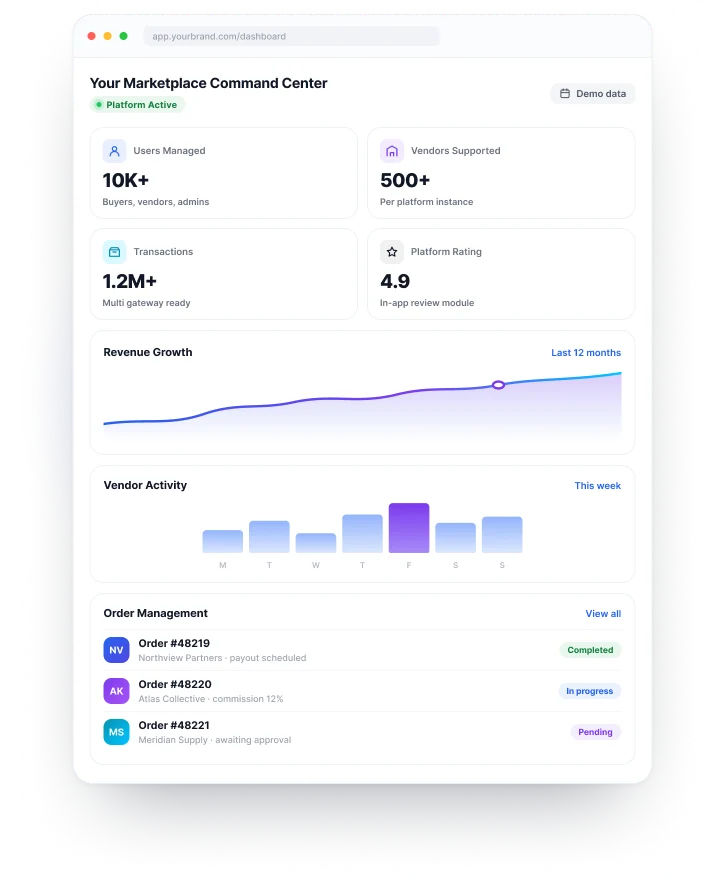
Multi Vendor Ready
Manage sellers, roles and payouts
Built To Scale
Grow without limits
🌐 Who It’s For
🛒
Recover abandoned carts, send order updates, and run flash-sale bulk campaigns automatically.
↑ 28% conversion lift
🏡
Chatbot qualifies every inbound lead before a rep replies; auto reply covers off-hours enquiries.
↑ 40% more qualified leads
🎓
Automate enrolment enquiries, reminders, and re-engagement campaigns for dropped students.
↑ 60% fewer missed leads
✈️
Send seasonal promos to past customers and build new lists with WhatsApp group export.
5× outreach volume
💼
White-label the platform and resell WhatsApp automation as a managed service — you pay once.
New recurring revenue stream
🏥
Send appointment reminders and post-visit follow-ups, and deflect FAQs with the chatbot.
↓ 70% no-show rate
❓ FAQ
WhatsApp automation software sends bulk campaigns, runs chatbots and fires automated replies from one shared contact database. For example, AI WhatsApp by Zipprr bundles eight modules (campaigns, chatbot, auto reply, AI reply, contacts, group export, profile info and reports) into one self-hosted platform. Also, you buy it once and own it outright.
AI WhatsApp is a one-time purchase, not a subscription. Because you pay once from $490, you own the full source code and never pay monthly or per-seat fees. An equivalent SaaS stack, however, would cost roughly the same amount again every year.
No. Your existing WhatsApp Business account is enough to start. However, the WhatsApp Business API matters at high message volumes or when several agents share one inbox, so you do not need it set up first for your first campaigns and testing.
Yes, if you message opt-in contacts, use approved templates and pace your sends. The bulk campaign tool builds in delivery pacing to stay within WhatsApp's rate limits, which is the main reason bulk sends get flagged elsewhere. Also, start at lower volumes to build sender standing, because no vendor can promise immunity from a ban.
Yes. The WhatsApp chatbot software is fully no-code. First, you set a trigger, write each message and map the reply branches visually. If you can sketch a conversation on paper, you can build it inside AI WhatsApp without a developer.
Installation is same day. After purchase, the Zipprr team installs the platform, so all eight modules are ready immediately. Most teams launch their first bulk campaign within a few hours, and there is no lengthy onboarding call or developer setup. However, Meta business verification and template approval run on Meta's timeline.
Yes. Because you own the source code, you can white-label the platform and sell WhatsApp automation as a managed service. Many agencies do exactly this: they pay once and bill clients monthly. The Pro bundle includes a multiple license for resale. Book a free demo to see the white-label setup first.
WhatsApp auto reply is a single trigger and response: a keyword or time fires one pre-written message. However, a chatbot is a multi-step flow that asks questions, branches on answers and collects data. So use auto reply for speed, and use the chatbot when the conversation needs to go somewhere specific.
Use the WhatsApp group export module. It pulls the full member list from any group you belong to and loads those contacts into your database, tagged and ready to segment. However, send campaigns only to contacts who have opted in.
WhatsApp messages average around a 98% open rate versus roughly 20% for email, because they arrive beside personal chats. For promotions, reminders and re-engagement campaigns, businesses usually see that engagement gap within their first few WhatsApp sends.
Any business with high, repetitive WhatsApp volume gets the best results: e-commerce, real estate, education, travel, clinics and marketing agencies. In each case, the pattern is lots of WhatsApp activity and not enough hours to handle it manually, which is exactly what automation removes.
Still have questions about WhatsApp automation software? Book a free demo or chat with the Zipprr team on WhatsApp.
🚀 Start Today
The WhatsApp automation software your team rents separately today was always meant to work as one system. Zipprr AI WhatsApp connects it, and you own it outright. As a result, you get cleaner operations, accurate reporting and no monthly invoice. Book a free demo to see it running on your own use case.
🛡️ 7-day money back
💻 Full source code
⚡ Same-day setup
🔄 Lifetime updates
🌍 50+ countries served
Monacgo: 7/1253 Subramania Siva Street, NGO colony, Nagamalaipudukottai, Madurai – 625019, Tamil Nadu, India.
Mobile: +91 9789308131
Monacgo: 403 Starkweather Ave, Cleveland, OH 44113, United States
Mobile: +1 (585) 632-0256
Email: [email protected]
Disclaimer: The keywords Gojek, Airbnb, Uber, UberEats, UrbanClap, Amazon, Carousell, ChatGPT, Youtube, Facebook, Turo, Practo, TaskRabbit, TikTok, Udemy, Whatsapp, Tinder and Letgo are solely used for marketing purposes, and we are not associated with any of the mentioned companies in any form. The source code and design of our products are fully owned by sellers. We are not using any of their copyrighted materials.

