

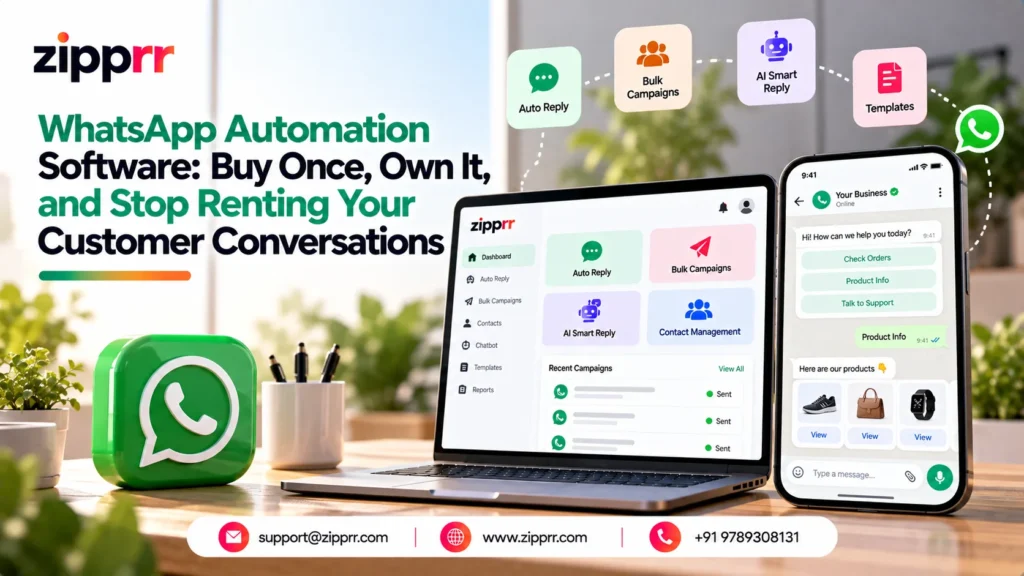
Most businesses that automate WhatsApp end up paying for it twice: once for the software subscription, and again in the hours spent switching platforms when the price goes up next year. Zipprr’s WhatsApp automation software was built around a different idea: pay once, install it on your own server, and own the code for as long as you use it.
That “buy once and own” model is the core of the product, and it’s a genuine departure from how most WhatsApp tools are priced today. Most competitors charge a recurring, per-agent subscription that keeps climbing as your team and message volume grow. Zipprr instead sells a one-time license, which means your cost is fixed the day you buy it.
More businesses are shifting routine customer conversations onto WhatsApp simply because it’s where customers already are, rather than an inbox they have to check separately. That shift is exactly why WhatsApp automation software has become a practical purchase instead of a nice-to-have: the volume of repetitive questions on the channel keeps growing, and answering each one manually doesn’t scale.
This article walks through what’s actually inside the software, how the pricing works, who it’s built for, and, because plenty of buyers use this exact software to build a business on top of, the different ways you can turn a one-time purchase into a recurring revenue stream of your own. If you’d rather see it running before reading further, you can always explore Zipprr’s AI Chat software alongside it, since many businesses run WhatsApp and website chat automation side by side.
Launching a platform like this? Zipprr clone scripts start at $490 with 100% source code, a 7-day refund and 90 days of free support. Book a free demo or chat with us on WhatsApp.
What's Actually Inside Zipprr's WhatsApp Automation Software
Zipprr’s WhatsApp automation software is built on the official WhatsApp Business Platform API, not an unofficial workaround. That matters because it’s the difference between a tool Meta supports long-term and one that risks getting your number restricted.
The product isn’t a single feature bolted onto WhatsApp. It’s a set of connected modules that all share one contact database. A lead your chatbot captures at midnight is already tagged and ready to be included in a campaign the next morning, with no exporting or re-importing between tools.
Here’s what’s included across the modules:
- AI-assisted replies: drafts a response based on the conversation so far, which your team can approve, edit, or send as-is.
- No-code chatbot builder: build multi-step conversation flows with branching logic, without writing a line of code.
- Automated triggers: fire a fixed reply based on a keyword, a time window, or a first-time contact, so nobody messages you outside business hours and hears nothing back.
- Campaigns and broadcasts: send to a segment of your contact list with delivery pacing and a live dashboard, for opted-in contacts only.
- Unified contact management: one record per customer, built from CSV imports, chatbot captures, and manual tagging.
- Reporting and analytics: delivery rates, chatbot drop-off points, and reply volume in one place.
Because the source code ships with the purchase, everything above runs on infrastructure you control. Your conversation history, contact data, and customizations stay on your server rather than inside a vendor’s cloud, which is worth knowing before you compare it against a subscription competitor that stores everything on their side.
This ownership structure is also why agencies use it as a base product rather than a single-client tool. You can explore Zipprr’s full product catalog to see the other self-hosted, one-time-license products built on the same philosophy, from AI chat software to industry-specific marketplace platforms. For a deeper walkthrough of how the underlying mechanics work, this complete guide to WhatsApp automation software covers the trigger, logic, and handoff model in more detail than a product page usually does.
How the Modules Work Together, in Practice
The reason these are described as one connected system rather than eight separate tools is the shared contact database sitting underneath everything. Picture a customer who messages at 11pm asking about pricing: the auto-reply trigger fires immediately with a holding message, the chatbot builder takes over to ask a couple of qualifying questions, and by morning that contact is already tagged and segmented in your database.
Your team wakes up to a warm lead with context attached, not a blank message thread they have to reconstruct from scratch. That handoff (automation capturing the early information, a human closing the loop) is the pattern most buyers end up building their flows around.
What to Know Before You Buy
- Self-hosting means self-responsibility. You’ll need basic server access for installation, and updates are applied by you or your developer rather than pushed automatically by a vendor.
- Message templates need Meta’s approval. Any business-initiated message outside the 24-hour customer service window has to use a pre-approved template, which is a WhatsApp Business Platform rule, not a Zipprr limitation.
- Consent still matters. Campaigns and broadcasts only reach contacts who’ve opted in. Pacing controls how fast messages go out, but it doesn’t substitute for actual permission.
A Quick Word on What Automation Should (and Shouldn't) Handle
Not every WhatsApp message belongs in front of a bot. Automation is genuinely useful for repetitive, low-risk questions: hours of operation, pricing, order status, and appointment confirmations all fit well.
Anything involving a refund, a complaint, or a decision with financial consequences should route to a human quickly. The chatbot builder is designed with this handoff in mind: every flow should end in either a resolved answer or a clear path to a person, never a dead end.
Ready to See It in Action?
Reading about modules only tells you so much. A live walkthrough shows how the chatbot builder, campaigns, and contact database actually connect. Book a free demo and we’ll run through the flows relevant to your business, message us directly on WhatsApp at +91 97893 08131, or email [email protected] if you’d rather send your questions in writing first.
Pricing, Ownership, and How Buyers Actually Monetize This Software
Zipprr’s WhatsApp automation software is sold as a one-time payment, not a subscription. There are two plans: Standard and the Pro Bundle, and the difference between them comes down to whether you need native mobile apps alongside the web platform.
Both plans include full source code, installation, 90 days of support, and regular updates. The ownership model doesn’t change between tiers, only the app-store deliverables do.
What’s easy to miss on a first read is that this same license is also a small business in its own right for a lot of buyers. Agencies, freelancers, and local consultants use the one-time purchase as the foundation for a recurring service they sell to their own clients, an approach covered in more depth in Zipprr’s lead-generation playbook for WhatsApp automation. The table below covers both angles: what each plan costs, and the revenue paths people actually build on top of it.
| Category | Name | Cost | What's Included / What It Does | How It Generates Revenue |
|---|---|---|---|---|
| Pricing Plan | Standard | $490 one-time | 100% source code, website installation, 90 days support, regular updates | You own the software outright with no monthly SaaS bill eating into margins |
| Pricing Plan | Pro Bundle | $890 one-time | Everything in Standard, plus native Android app, iOS app, and app store submission | Lets you (or your client) offer a branded mobile app, not just a web dashboard |
| Revenue Stream | White-Label Agency Reselling | Your pricing | Deploy the software under your own brand for multiple clients | Charge clients a monthly retainer or setup fee while you pay Zipprr once |
| Revenue Stream | Done-For-You Setup & Chatbot Design | Your pricing | Install the software and build the chatbot flows for a client's specific business | One-time implementation fee per client engagement |
| Revenue Stream | Managed WhatsApp Marketing Service | Your pricing | Run ongoing campaigns, segment lists, and report results for local businesses | Monthly management fee, similar to how agencies charge for social media management |
| Revenue Stream | Lead Qualification as a Service | Your pricing | Use the chatbot to qualify inbound leads before handing them to a client's sales team | Per-lead pricing or a fixed monthly retainer |
| Revenue Stream | Vertical-Specific Bundles | Your pricing | Pre-built flows for a niche: real estate inquiries, appointment booking, order tracking | Premium pricing justified by industry-specific setup and support |
Notice that the revenue-stream rows don’t have a fixed price. That’s intentional. What you charge depends on your market, your existing client base, and how much setup and ongoing management you’re willing to provide. The one-time license cost is the only fixed number in the equation, which is what makes the economics predictable enough to plan a service business around.
It helps to think of the total cost as two separate layers billed by two different companies. Zipprr charges once for the software itself; Meta separately charges per message once you’re sending at volume, based on the message category and the recipient’s country. Keeping these layers distinct matters when you’re quoting a client: the software price is fixed and one-time, but the messaging cost scales with usage and is paid to Meta, not to Zipprr.
A few things worth knowing about the ownership terms before you buy:
- Both plans come with a 7-day money-back guarantee, so there’s a short window to confirm the software fits before you commit fully.
- Neither plan includes Meta’s own per-message fees. Those are billed separately, directly by Meta, based on message category and recipient country.
- If you plan to resell or white-label the software for multiple clients, confirm the exact licensing terms with the Zipprr team before scaling that model. This determines what “own it” covers for a resale scenario specifically.
This is also where the self-hosted structure earns its keep for service-based buyers. If you’re running a managed WhatsApp service for other businesses, like the ones outlined in the table, having the software and data on your own infrastructure means you’re not exposed to a vendor’s pricing changes mid-contract. Businesses running similar service-based models, for example home services companies using something like Zipprr’s on-demand services marketplace platform, often pair a booking platform with WhatsApp automation to handle confirmations and follow-ups without adding headcount.
Want a ready-made platform like this?
Skip months of development. Uber Clone, Airbnb Clone, Uber Eats Clone, TaskRabbit Clone and Gojek Clone ship with 100% source code. Book a free demo or chat with us on WhatsApp.
Who This Is Actually Built For, and How to Get Started
The honest answer is that not every business needs this. If one person handles WhatsApp for your business and you’re under roughly 50 conversations a day, the free WhatsApp Business app is genuinely enough. You don’t need automation software yet.
WhatsApp automation software earns its cost once a few specific things start happening in your business:
- The same five or six questions get asked over and over, at all hours of the day.
- Leads arrive faster than your team can respond, and slow first replies are costing you sales.
- More than one person needs the same view of a customer’s conversation history.
- You want to run opt-in marketing campaigns without manually messaging each contact.
Certain industries see this pattern especially clearly. E-commerce sellers use it for order-status lookups and shipping updates, while real estate teams use the chatbot to capture budget, location, and timeline before a lead ever reaches an agent.
Education providers use it to answer fee and enrollment questions that spike right before intake deadlines. Rental and booking businesses, the kind built on platforms like Zipprr’s equipment rental marketplace software, use it to confirm bookings and send pickup reminders automatically, which cuts down on no-shows without adding a support hire. E-commerce sellers specifically can see this pattern worked through in detail in Zipprr’s guide to automating order-status lookups on WhatsApp.
How to Choose Between the Standard and Pro Bundle
The decision usually comes down to one question: do you need a branded mobile app, or is a web-based dashboard enough for your team?
- Choose Standard if your team will manage WhatsApp from a browser and you don’t need to hand a branded app to clients or field staff.
- Choose the Pro Bundle if you’re an agency reselling this to clients who expect their own app, or if your team specifically needs mobile access outside a browser.
Getting Started, Step by Step
Implementation follows a fairly predictable path once you’ve decided on a plan:
- Book a demo to see the actual chatbot builder, campaign dashboard, and reporting screens before you buy.
- Confirm your WhatsApp Business Platform setup and opt-in contact list are ready, since campaigns require both.
- Complete installation with the Zipprr team, using the included setup support.
- Build your first automated flow: start with one high-volume question, not your entire support process.
- Use the 90-day support window to refine flows based on real conversations, not assumptions.
One more thing worth stating plainly: because this is a one-time purchase rather than a subscription, there’s no forced end date. If you stop needing active support after the included window, the software keeps running on your server exactly as it did before. Nothing shuts off because a subscription lapsed.
Common Mistakes to Avoid When Setting This Up
- Automating the whole conversation instead of the repetitive part. Start with one high-volume question (pricing, hours, or order status) and expand only once that flow is working well.
- Skipping the human handoff path. Every chatbot flow needs a clear exit to a person, especially for anything involving money, dates, or an upset customer.
- Sending campaigns without real opt-in. A contact list built from old spreadsheets or scraped numbers isn’t the same as a list of people who agreed to be messaged, and Meta’s policy treats the two very differently.
- Underestimating server requirements. Since this is self-hosted, confirm your hosting setup can handle your expected message volume before going live with a large campaign.
For businesses evaluating this alongside other automation tools, it’s worth remembering that the same “buy once and own” logic applies across the whole Zipprr catalog. It’s a consistent pricing philosophy, not a one-off promotion on this single page.
Still Weighing the Numbers?
A quote is easier to judge once you’ve seen the actual dashboard and chatbot builder rather than a features list. Schedule a free demo to walk through both plans live, message our team on WhatsApp at +91 97893 08131 for a quick answer, or email [email protected] with your specific use case and we’ll tell you which plan actually fits.
1. What is WhatsApp automation software?
2. How much does Zipprr's WhatsApp automation software cost?
3. Do I need the WhatsApp Business Platform (API) to use this software?
4. What's the difference between the Standard and Pro Bundle plans?
5. Is WhatsApp automation allowed by Meta?
6. Can I white-label and resell this software to my own clients?
7. What happens if I stop paying after the support period ends?
8. Do incoming customer messages on WhatsApp cost anything?
9. Can multiple team members use WhatsApp automation software at once?
10. Is WhatsApp automation software worth it for a small business?
The Bottom Line
Zipprr’s WhatsApp automation software is built around a straightforward trade: pay once, own the source code, and skip the recurring bill that most competitors build their pricing around. At $490 for Standard or $890 for the Pro Bundle, the numbers are transparent from the start, and the eight-module setup covers the automation most businesses actually need: replies, chatbot flows, campaigns, contact management, and reporting, all sharing one database.
Whether you’re automating your own customer conversations or building a client-facing service on top of the license, the economics stay the same: a fixed cost up front, and no subscription creeping upward as you grow. For businesses that want the same ownership model applied to other parts of their operations, an AI-driven product like Zipprr’s AI Lawyer software runs on the identical one-time-purchase philosophy, just built for a different industry entirely.



