

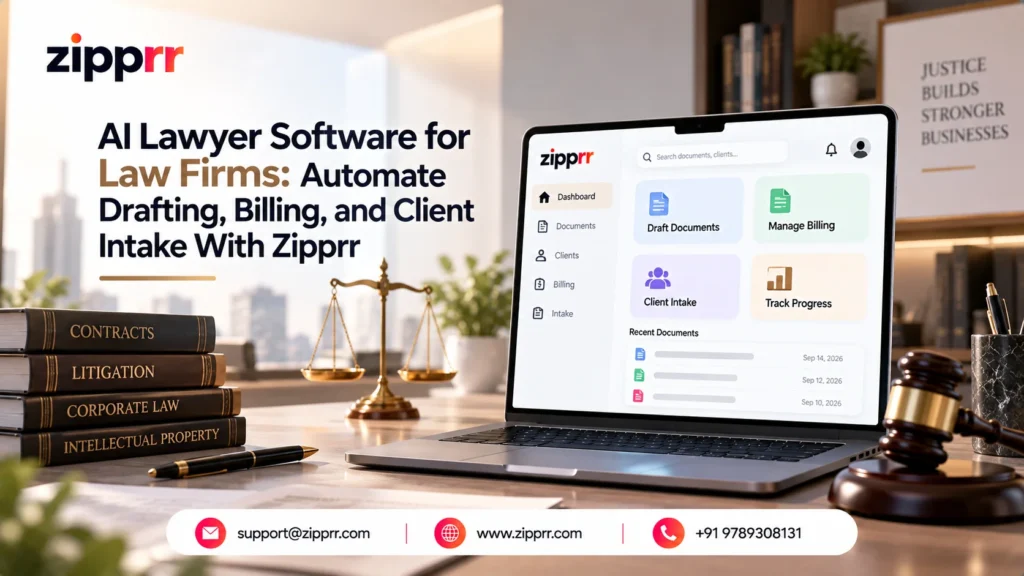
Most law firms lose billable hours the same way: an associate drafting a routine agreement from a stale template, a paralegal re-entering the same client details into three systems, a filing deadline tracked in someone’s head instead of a calendar. AI lawyer software is built to close that gap directly inside the way your firm already works, not replace how you practice law.
Zipprr’s AI Lawyer Software is a practice management platform built specifically for firms and attorneys, not a generic office tool retrofitted for legal work. It handles document drafting, contract review, deadline tracking, billing, and client intake in one system, so your team stops re-entering the same case data across five different tabs.
This guide is written for the people who’ll actually use it: solo attorneys, firm partners, and in-house counsel deciding whether an AI legal assistant for attorneys is worth adopting, what it costs, and what it changes about a normal week at the office.
Is This Right for Your Law Firm?
The platform is built broadly enough to serve most practice types, but the reasons to adopt it differ by firm:
- Solo attorneys who need drafting and billing handled without hiring a full-time paralegal
- Corporate and commercial teams reviewing a high volume of vendor and client contracts
- Immigration firms tracking hard USCIS filing deadlines across dozens of active cases
- Real estate attorneys managing closing documents and title-related paperwork under time pressure
- In-house and startup legal departments that need lightweight case and document tracking without a full enterprise rollout
Book a Demo for Your Firm
The fastest way to know if this fits your practice is to see it running against a case type similar to your own. Book a free demo and walk through the actual attorney dashboard, message the team on WhatsApp at +91 97893 08131 with your specific practice area, or email [email protected] with the case types you handle most.
What Zipprr AI Lawyer Software Actually Does for Your Practice
The platform is organized as 19 connected modules rather than one bolted-together tool, which matters because a firm’s drafting, deadlines, and billing all touch the same case file. When those pieces don’t talk to each other, someone ends up re-entering the same client information three separate times.
Document drafting and contract review sit at the center of daily use:
- AI document drafting across 500+ document types, covering all 50 US states and federal courts, so a firm isn’t manually adapting templates for every jurisdiction.
- Contract review with automated risk flagging and obligation mapping, useful for firms reviewing high volumes of vendor and client contracts.
- AI timeline tracking that maps filing and compliance deadlines automatically, particularly relevant for immigration practices working against strict USCIS dates.
The drafting engine covers the document categories a firm actually produces day to day: engagement letters, pleadings, discovery requests, settlement agreements, immigration petitions, and real estate closing documents. An attorney still reviews and finalizes anything client-facing, but the first draft doesn’t start from a blank page.
AI-assisted drafting can meaningfully cut the time spent preparing repetitive documents, though actual time saved depends on document complexity, how templates are configured, and how much review your firm requires before filing. Treat any vendor-reported speed claim as a starting point for your own testing during a demo, not a guarantee for every matter type.
Beyond drafting, the software handles the operational side of running a practice. LEDES billing and IOLTA-compliant accounting are built in, which matters most for solo attorneys and small firms, where a compliance mistake on trust accounting can trigger a bar complaint even when the underlying legal work was sound.
A 24/7 AI legal assistant gives case-aware answers to routine questions, and a plain-English AI knowledge search lets staff query precedent libraries without needing exact Boolean search terms. This tends to matter most for a new associate or paralegal during their first few months, before they’ve memorized where everything in the firm’s document history actually lives.
Adaptive client intake forms include built-in conflict-of-interest checking, so a new lead doesn’t slip through without the firm knowing about a potential conflict first, capturing it, qualifying it, and routing it without a paralegal re-typing the same information into three different systems. For a closer look at how the intake-to-drafting pipeline fits together day to day, Zipprr’s guide to launching an AI lawyer platform walks through it in more depth.
On the technical side, the platform ships with:
- Native iOS and Android mobile apps with offline access, useful for attorneys who need case files in a courtroom with unreliable Wi-Fi.
- A visual workflow builder with 35 pre-built automation templates for repetitive processes like intake-to-onboarding or document approval chains.
- 50+ integrations, including Google Calendar, Outlook, Stripe, and Zapier, plus legal-specific connections to LexisNexis and Westlaw.
- One-click migration paths from Clio, MyCase, and PracticePanther for firms switching from an existing practice management tool.
The calendar integrations deserve a specific mention, since a missed court date is one of the more expensive mistakes a firm can make. Syncing deadline tracking directly into Google Calendar or Outlook means a filing date doesn’t live only inside the legal software where someone has to remember to check it.
The LexisNexis and Westlaw connections matter for research-heavy practices in particular, since it means an associate researching a novel issue doesn’t have to leave the case file, pull up a separate research tool, and then manually copy citations back into the drafting workspace. Keeping research and drafting in the same window is a small change that adds up over a full caseload.
Ethics, Confidentiality, and the Duty of Technological Competence
Adopting AI tools in practice raises real questions attorneys are right to ask before signing off on anything client-facing:
- Confidentiality and privilege: the platform runs on SOC 2 Type II certification, AES-256 encryption with TLS 1.3 in transit, and isolated, encrypted processing sessions for documents, per the vendor’s published specifications, with GDPR and CCPA alignment and full audit logging.
- Human judgment stays central: the drafting, timeline, and review tools remove repetitive administrative work; they do not replace a licensed attorney’s review of a document before it’s signed or filed.
- Technological competence: many U.S. state bars, following ABA guidance, now expect attorneys to understand the technology they use on client matters well enough to supervise it properly, which is a reason to evaluate a tool like this directly rather than delegate the decision entirely.
- Malpractice exposure: firms considering AI drafting tools generally keep the same review standard they’d apply to a junior associate’s first draft, since responsibility for the final filed document stays with the attorney of record.
None of this is legal advice about your own bar’s specific rules, which vary by jurisdiction and firm policy; it’s worth confirming your obligations with your own bar association or malpractice carrier before rolling AI drafting into client work at scale.
Pricing and What Your Firm Actually Gets
Zipprr sells AI Lawyer Software as a one-time purchase rather than a recurring per-seat license. Your firm buys the source code and installs it as its own platform, so there’s no monthly bill that climbs as you add attorneys.
There are two plans:
- Standard ($490, one-time): full source code, website installation, 90 days of support, and regular updates. No mobile apps included.
- Pro Bundle ($890, one-time): everything in Standard, plus native iOS and Android apps and app store submission handled for you.
Both plans include a 7-day money-back guarantee, and there are no forced add-ons or hidden charges layered on after purchase. The table below breaks down what each plan includes and what it changes for your firm day to day:
| Plan | Cost | What's Included | What It Changes for Your Firm |
|---|---|---|---|
| Standard Plan | $490 one-time | Full source code, website installation, 90 days support, regular updates | Drafting, billing, intake, and deadline tracking run in one system instead of five disconnected tools |
| Pro Bundle | $890 one-time | Standard plan + native iOS/Android apps + app store submission | Attorneys get offline case access from a phone in court or between office visits |
| Contract Review Module | Included in both plans | Automated risk flagging and obligation mapping | Corporate and commercial teams review vendor and client contracts more consistently, matter to matter |
| AI Timeline Tracking | Included in both plans | Automatic filing and compliance deadline mapping | Fewer deadlines depend on one person's memory or a sticky note on a monitor |
| LEDES Billing & IOLTA Accounting | Included in both plans | Built-in trust accounting and billing compliance | Removes the need for a separate legal billing tool just to stay compliant |
| Migration from Clio, MyCase, or PracticePanther | Included in both plans | One-click migration tooling | Switching platforms doesn't mean re-entering years of case history by hand |
| 90-Day Support Window | Included in both plans | Direct support during rollout | Your team has help getting configured correctly before going fully live on client matters |
Because it’s a one-time cost rather than a per-seat subscription, the price doesn’t change as your firm adds attorneys or paralegals to the platform. That’s a meaningfully different economic model from most practice management software, where the bill grows every time you hire.
Firms sometimes ask whether the lower Standard price means missing features. It doesn’t: both plans include the full drafting, billing, intake, and deadline-tracking modules; the only difference is native mobile app access. For a fuller picture of why other firms have made the switch, Zipprr’s explainer on why law firms use AI lawyer software is a useful next read.
Real-World Use Cases by Practice Type
Each practice type gets value from a slightly different part of the platform. A solo attorney is usually trying to avoid hiring a full-time paralegal, so the appeal is time saved on drafting and billing admin without adding headcount. A corporate legal team cares less about saving admin time and more about consistency: contract risk gets flagged the same way every time, regardless of which associate reviewed it.
Immigration firms live and die by deadline compliance, so automatic timeline tracking against USCIS dates is often the single feature that matters most for this practice type. Real estate attorneys want closing document accuracy and speed, since a delayed closing document can hold up an entire transaction chain involving buyers, sellers, and lenders.
That real estate attorney use case is worth seeing directly rather than reading about, since closing-document accuracy tends to make its own case once a firm sees it running on the AI Lawyer Software product page.
In-house and startup legal departments tend to want the lightest possible footprint: enough structure to stay organized without adopting an enterprise rollout built for a 50-attorney firm. A department of one or two counsel usually just needs contract review and a place to track deadlines, not a system built for a much larger legal team.
Immigration practices tend to see the clearest day-to-day change, since petition deadlines don’t move and a single missed filing date can mean a client loses status they were otherwise eligible to keep. Automated timeline mapping against USCIS-style deadlines gives a case manager one place to check instead of cross-referencing a spreadsheet against a calendar every morning.
Rolling this out inside an existing firm is not a multi-month IT project. Setup is typically completed in under two hours for a standard deployment, and a realistic first-month sequence looks like this:
- Install and configure: deploy the platform, apply your firm’s branding, and set up user roles for partners, associates, and staff.
- Migrate existing case data: use the one-click migration tools if you’re moving from Clio, MyCase, or PracticePanther, or start fresh if you aren’t.
- Run a pilot matter: test drafting and billing on one active case type before rolling it out firm-wide, so any configuration issues surface early.
- Train staff on the intake and drafting flow: the modules most staff touch daily are worth a short internal walkthrough before go-live.
- Turn on mobile access: if you’re on the Pro Bundle, get attorneys set up with the iOS and Android apps for offline case access.
The 90 days of included support on both plans gives your firm a runway to get fully onboarded and configured correctly before you’re troubleshooting alone, and regular updates continue past that window so the platform doesn’t stand still.
One honest caveat: no software eliminates the need for attorney judgment on substantive legal questions. The drafting, timeline, and review tools remove repetitive administrative work, not a licensed attorney’s review of a contract before it’s signed or filed. Any firm evaluating this should set that expectation with staff from day one, rather than treating the AI output as final.
Before You Buy: Quick Verification Checklist
Whatever software your firm ends up choosing, it’s worth confirming these before committing to a plan:
- Product demo — see the actual attorney-facing dashboard against a matter type similar to yours, not just screenshots
- Data handling and security — confirm how client data is encrypted and stored before any pilot matter goes live
- Migration support — ask exactly what transfers automatically from your current system and what doesn’t
- Support coverage — know what’s included in the 90-day window and what happens after it ends
- Staff training needs — plan for a short internal walkthrough before rolling it out across the whole firm
Final Thoughts: Is This the Right Fit for Your Firm
Zipprr’s AI Lawyer Software is worth a serious look if your firm is still running drafting, billing, deadlines, and client intake as separate, disconnected steps. The $490 Standard or $890 Pro Bundle purchase gets your firm a working platform covering all of it, with a 90-day support window to get configured correctly and a 7-day money-back guarantee if it isn’t the right fit.
The honest answer to whether it’s right for your firm depends on your document mix, your deadline pressure, and how your staff currently spend their non-billable hours. For a deeper look at how the platform works day to day before you commit, Zipprr’s AI lawyer software explainer is worth a read.
About Zipprr
Zipprr builds ready-to-deploy software platforms, including AI Lawyer Software, that businesses can own outright and run as their own. For a law firm, that means installing a complete practice management system without an ongoing subscription or a long development timeline.
Talk to Us About Your Firm's Workflow
Every firm’s document mix and deadline pressure looks a little different, so the best next step is usually a direct conversation rather than another page of features. Grab a free demo slot to see the admin dashboard against your own practice area, message the team on WhatsApp at +91 97893 08131 for a quick answer on a specific feature, or email [email protected] with what your firm currently uses so the team can walk through the migration path with you.



