
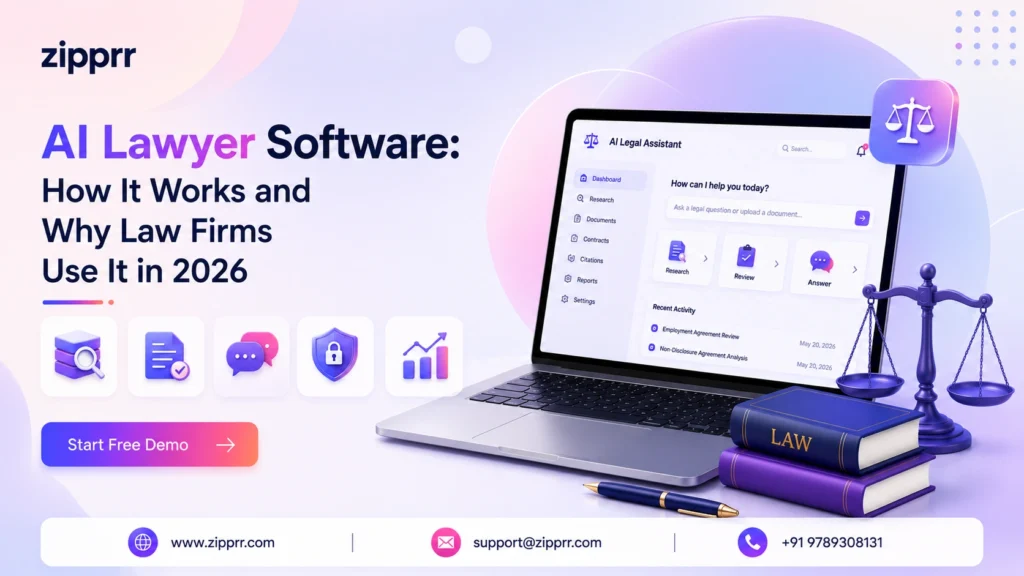
Legal work is slow, expensive, and full of repetition. Lawyers spend hours reading contracts, searching for the right case, and drafting the same clauses again and again. That is exactly the kind of work AI is good at.
An AI lawyer will not argue your case in court or sign off on legal strategy. But it can do the heavy lifting behind the scenes, so real lawyers spend their time on judgment, clients, and strategy instead of paperwork. In this guide, we explain what an AI lawyer is, how it works, where it helps most, and where you still need a human. We keep it simple, practical, and honest about the limits.
What Is an AI Lawyer?
An AI lawyer (also called an AI legal assistant or AI attorney assistant) is a software tool that uses artificial intelligence to perform legal tasks that normally take a human many hours. It reads and understands legal language, so it can review contracts, find relevant laws and cases, draft documents, and answer common legal questions in plain English.
Think of it as a very fast, tireless junior assistant. It never gets bored reading a 90-page agreement, it remembers every clause, and it works around the clock. But like a junior assistant, its work needs to be checked by someone qualified before it is used.
It helps to be clear about what an AI lawyer is and is not:
| An AI lawyer is | An AI lawyer is not |
|---|---|
| Software that speeds up legal tasks | A licensed, practicing attorney |
| A research and drafting assistant | A replacement for legal judgment |
| A tool to spot risks and missing terms | A guarantee that your document is correct |
| A way to make legal help more affordable | A source of official legal advice |
| Available 24/7 | Accountable in court for its output |
The core idea is simple. An AI lawyer handles the repetitive, time-heavy parts of legal work so that trained professionals can focus on the parts that need human thinking: strategy, negotiation, ethics, and client relationships.
You will also hear related terms. Legal AI software and AI law firm software usually describe the full platform a firm uses. An AI legal chatbot is the conversational part that answers questions. AI legal automation describes the workflows that run in the background. They are all pieces of the same picture.
How AI Lawyers Work
Most modern AI lawyers are built on large language models (LLMs), the same type of technology behind advanced AI assistants. These models are trained on huge amounts of text so they can understand and generate human language, including the formal language of contracts and court filings.
Here is how a typical AI legal assistant works, step by step:
- You give it an input. This could be a contract to review, a question to research, or a request to draft a document.
- It reads and understands the text. The AI breaks the language down, identifies key clauses, parties, dates, obligations, and risks.
- It compares against knowledge. Good legal AI tools check your document against standards, past agreements, playbooks, or legal databases, rather than guessing from memory.
- It produces an output. This might be a summary, a list of flagged risks, suggested edits (redlines), a research memo, or a first draft.
- A human reviews and approves. A lawyer or trained team member checks the output, corrects anything wrong, and makes the final call.
The best systems use a method often called retrieval-augmented generation. Instead of relying only on what the model “remembers,” the software pulls answers from trusted, up-to-date sources, your document library, verified case law, or a firm’s approved templates. This matters a lot in law, because accuracy is not optional.
Many platforms also connect the AI to other business tools. For example, an AI system might route client questions through a chatbot on your website, capture the details, and then hand off complex matters to a human. This is where a full AI lawyer software platform stops being a single tool and becomes part of a connected workflow.
Important limitation: AI models can “hallucinate,” which means they can produce confident answers that are simply wrong, including fake case citations. Independent research from Stanford’s CodeX center has found that general-purpose AI models fabricate legal citations in a meaningful share of responses, and specialized legal tools still make errors. This is why verification by a human is essential, not optional. We cover this in detail below, but please treat any figures or legal points as starting research, not final answers, and confirm them from official sources.
Benefits of an AI Lawyer
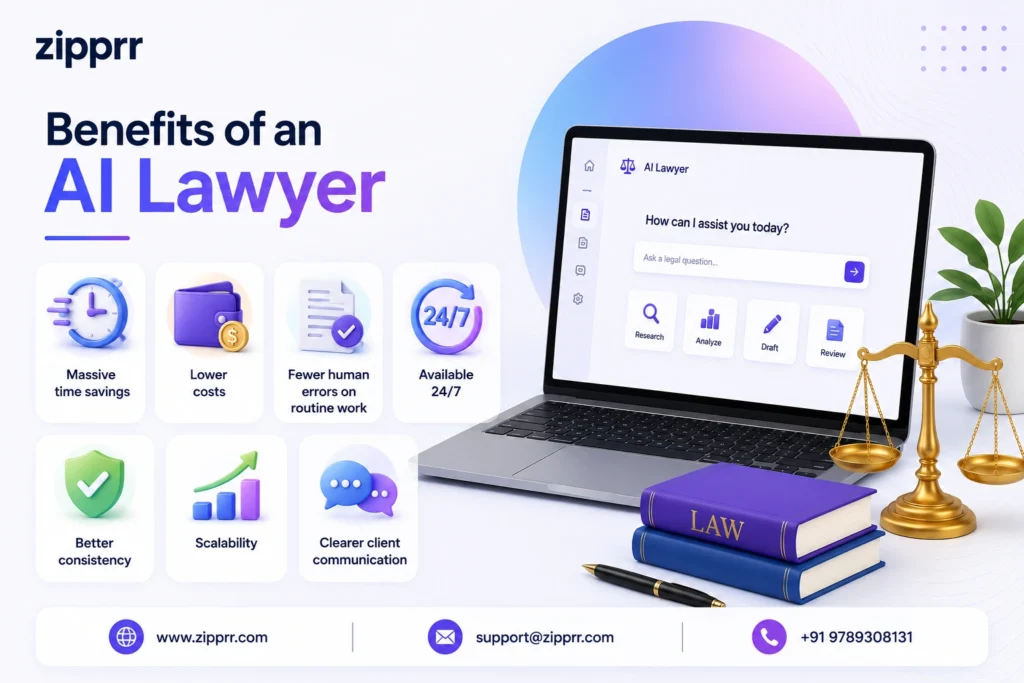
When used correctly, an AI lawyer delivers clear, practical value. Here are the main benefits.
1. Massive time savings
The biggest win is speed. Reviewing a contract by hand can take hours. Industry surveys in 2026 suggest legal teams often spend around three hours reviewing a single agreement, and AI tools can cut routine review time dramatically. That frees lawyers to handle more matters without burning out.
2. Lower costs
Faster work means lower bills. For small businesses, startups, and individuals who cannot afford large legal fees, AI legal assistants make basic legal help far more affordable. For firms, it means serving more clients without hiring at the same rate.
3. Fewer human errors on routine work
People get tired and miss things. AI does not lose focus on page 70. It can consistently flag missing clauses, inconsistent defined terms, wrong dates, and unusual language that a rushed human might skip.
4. Available 24/7
An AI legal chatbot can answer common questions at 2 a.m. on a Sunday. Clients get instant help for simple matters, and your team wakes up to organized, pre-sorted requests instead of a chaotic inbox.
5. Better consistency
AI applies the same standards every time. Every contract gets checked against the same playbook, so quality does not depend on which team member happened to handle it.
6. Scalability
When work doubles, you do not need to double your headcount overnight. AI absorbs spikes in routine volume, which is especially useful for growing firms and busy in-house teams.
7. Clearer client communication
AI can turn dense legal language into plain English summaries, so clients actually understand what they are signing. That builds trust and reduces back-and-forth.
Key Features to Look For
| Feature | Why it matters |
|---|---|
| Contract review and redlining | Flags risky clauses and suggests edits in minutes |
| Legal research | Finds relevant laws, cases, and precedent with sources |
| Document drafting | Generates first drafts of contracts, letters, and filings |
| Plain-language summaries | Explains complex documents so anyone can understand |
| Source citations | Shows why something was flagged, so you can verify |
| Human-in-the-loop controls | Keeps a person in charge of final decisions |
| Data security and privacy | End-to-end encryption, access controls, and no training on your data |
| Compliance monitoring | Watches for regulatory changes and deadlines |
| Integrations | Connects to your CRM, email, and other business tools |
| Audit logs | Records what the AI did, for accountability |
Two features deserve extra attention.
Transparency. A good AI lawyer explains its reasoning and cites its sources. If a tool flags a clause but cannot tell you why, you cannot trust it. Prefer tools that keep lawyers in control and clearly show their work.
Security. Legal data is highly sensitive. Look for platforms that offer strong encryption, role-based access, audit logs, and a clear promise that your documents will not be used to train their models. Standards like SOC 2 compliance are a good signal.
Beyond legal-specific features, the strongest platforms plug into the tools you already use, so new client details flow straight into your existing systems and nothing falls through the cracks between intake and follow-up. It also helps to see how everything fits together inside Zipprr’s AI lawyer software, so your whole stack works as one instead of living as separate islands.
Real-World Use Cases
Where does an AI lawyer actually help day to day? Here are the most common and valuable use cases.
AI contract review
This is the flagship use case. The AI reads a contract, flags risky or missing clauses, compares terms against your standards, and suggests edits. It is ideal for NDAs, vendor agreements, employment contracts, and lease reviews. A human still approves every change, but the first pass is done in minutes instead of hours.
AI legal research
Instead of digging through databases by hand, you ask a question in plain English and the AI returns relevant statutes, cases, and summaries, ideally with citations you can check. It is a powerful starting point, but every citation must be verified before it goes anywhere near a filing.
AI document drafting
Need a first draft of an NDA, a demand letter, or a standard agreement? The AI generates it from your templates and inputs. You edit and finalize. This turns a blank-page task into a quick review task.
Client intake and screening
An AI legal chatbot on your website can greet visitors, answer FAQs, collect case details, and book consultations. For high-volume practices, a legal AI platform lets clients start a conversation on the channel they already use, while the system captures everything your team needs before the first call.
Compliance monitoring
AI can track deadlines, watch for relevant regulatory updates, and alert your team before something is missed. This is especially useful for corporate legal teams juggling many obligations across regions.
Due diligence
In deals and audits, AI can rapidly sort through hundreds of documents to surface key terms, obligations, and red flags, a task that would take a human team days.
Automating website and messaging support
Many practices add a self-serve layer to their website so common questions get answered instantly and only complex matters reach a human. A well-built AI legal assistant software handles this layer and cuts repetitive load on your team.
Across all of these, the pattern is the same: AI does the first, fast pass; a qualified human makes the final decision.
AI Lawyer vs Human Lawyer
| Factor | AI Lawyer | Human Lawyer |
|---|---|---|
| Speed | Extremely fast | Slower, limited by hours in a day |
| Cost | Low per task | Higher hourly rates |
| Availability | 24/7 | Business hours |
| Routine tasks | Excellent | Capable but time-consuming |
| Legal judgment | Limited | Strong and essential |
| Courtroom advocacy | Not possible | Core strength |
| Empathy and negotiation | Very limited | Human strength |
| Accountability | None (a person is responsible) | Professionally and legally responsible |
| Risk of errors | Can hallucinate; needs checking | Makes fewer novel errors, but slower |
The clearest way to think about it: AI handles the “what,” humans own the “so what.” AI can tell you what a contract says and where the risks are. A human lawyer decides what those risks mean for your specific situation, how much they matter, and what to do about them. Judgment, ethics, strategy, and advocacy remain firmly human.
There is also a professional responsibility angle. Bar associations expect lawyers to stay competent with technology and to verify AI output. In the United States, for example, the American Bar Association’s Model Rules on competence, confidentiality, and candor toward the court all apply to AI-assisted work. The duty to check the AI’s work before it reaches a client or a court sits with the human, and it cannot be handed off.
Best Practices for Using an AI Lawyer
To get value from an AI lawyer without getting burned, follow these best practices.
- Always verify the output. Treat AI results as a first draft, never a final answer. Check every citation, figure, and clause against a trusted source before you rely on it.
- Keep a human in the loop. A qualified person should review and approve anything that goes to a client, a counterparty, or a court.
- Protect confidential data. Only use tools with strong security, and confirm your documents will not be used to train the vendor’s models.
- Start with low-risk tasks. Begin with first-draft summaries and routine reviews before trusting AI on anything high-stakes.
- Use clear, specific prompts. The quality of the input shapes the quality of the output. Give context, state the jurisdiction, and be precise.
- Write internal guidelines. Tell your team what AI can and cannot be used for, and require disclosure and verification.
- Keep records. Use tools with audit logs so you can see what the AI did and who approved it.
- Match the jurisdiction. Laws differ by country and state. Make sure the AI is working with rules that apply to your matter, and confirm them independently.
The teams that succeed with legal AI treat it as a skilled assistant that needs supervision, not as an oracle.
Common Mistakes to Avoid
Many problems with legal AI come from a handful of avoidable mistakes.
- Trusting AI blindly. The most serious mistake. There are documented cases where lawyers filed AI-generated legal briefs containing fake, non-existent case citations, and faced sanctions from judges as a result. The first widely reported example was in 2023, and courts worldwide have continued to penalize unverified AI filings since. Never file anything you have not checked yourself.
- Feeding in confidential data carelessly. Uploading sensitive client information to an insecure tool can breach confidentiality duties. Vet the platform first.
- Expecting AI to give real legal advice. AI can inform, but it does not replace advice from a licensed attorney who knows your full situation.
- Ignoring jurisdiction. A clause that is fine in one country may be unenforceable in another. AI can miss this if you do not tell it the context.
- Skipping the human review to save time. The time you “save” can turn into a far bigger cost if an error slips through.
- Choosing a tool on price alone. Weak security or poor accuracy will cost you more in the long run than a slightly higher subscription.
Avoiding these mistakes is mostly about mindset: use AI to work faster, but never to skip the checks that protect your clients and your reputation.
How to Choose the Right AI Legal Software
If you are ready to adopt an AI lawyer, here is a simple framework for choosing well.
- Define your top task. Are you mainly reviewing contracts, doing research, handling intake, or monitoring compliance? Pick a tool that is strong at your biggest need.
- Check accuracy and transparency. Ask how the tool avoids hallucinations, whether it cites sources, and whether it keeps humans in control.
- Confirm security and privacy. Look for encryption, access controls, audit logs, and a clear “we do not train on your data” policy.
- Test with real documents. Run a trial on your own contracts and questions. Measure how much editing the output actually needs.
- Look at integrations. The tool should fit your existing stack, email, CRM, chat, and phone, so it saves steps instead of adding them.
- Weigh support and training. Good onboarding makes adoption far smoother, especially for less technical teams.
- Start small and scale. Roll it out on one workflow, prove the value, then expand.
If you want help mapping the right setup to your specific workflows, take a closer look at AI lawyer software built for your firm and talk through your needs before you commit.
Talk to Our AI Experts
Have questions about putting an AI legal assistant to work in your practice? The fastest way to get real answers is a quick chat.
👉 Chat on WhatsApp, talk directly to our AI experts, describe your workflow, and get honest guidance on what AI can and cannot do for you. No pressure, no jargon.
Schedule a Free Demo
Reading about AI is helpful, but seeing it work on your own documents is where it clicks.
Book a free demo and you will:
- See the product in action, watch it review a real contract and answer real questions.
- Discuss your legal workflows, we look at how you actually work and where AI fits.
- Get personalized guidance, honest advice on what to automate first and what to keep human.
There is no obligation, and you will leave with a clear picture of whether an AI legal assistant is right for you.
Frequently Asked Questions
What is an AI lawyer?
Can an AI lawyer replace a human lawyer?
Is it safe to use an AI lawyer?
Do AI lawyers make mistakes?
How much does AI legal software cost?
What is AI contract review?
What is AI legal research?
Is an AI lawyer the same as an AI legal chatbot?
Can AI draft legal documents?
Does an AI lawyer give legal advice?
Is AI legal work confidential?
Which businesses benefit most from an AI lawyer?
Can an AI lawyer handle different jurisdictions?
How accurate are AI lawyers?
Will using AI get lawyers in trouble with the bar?
How do I start using an AI lawyer?
Can AI monitor compliance automatically?
What is the difference between legal AI software and AI law firm software?
Do I need technical skills to use an AI lawyer?
How is my data protected when using an AI lawyer?
Conclusion
An AI lawyer is one of the most practical uses of artificial intelligence today. It reads contracts in minutes, drafts documents from a blank page, researches the law, answers routine questions around the clock, and helps teams do more without burning out. For law firms, corporate teams, startups, and small businesses, that means faster work, lower costs, and more time for the parts of law that truly need a human.
But the message worth remembering is balance. AI is a powerful assistant, not a replacement for a lawyer. It can be confidently wrong, so every output needs a human check. It handles sensitive data, so security matters. And it informs decisions, but it does not make them, people do.
Used with care, an AI legal assistant lets skilled professionals spend less time on paperwork and more time on judgment, strategy, and clients. That is the real promise: not robots replacing lawyers, but better tools helping good lawyers do their best work.
If you want to explore what that looks like for your team, chat with our AI experts on WhatsApp or schedule a free demo. We will keep it simple, honest, and focused on what actually helps you.
This article is for general information only and is not legal advice. Laws and tools change quickly. Please verify any legal points, figures, or regulations with official sources and a qualified attorney before acting on them.