

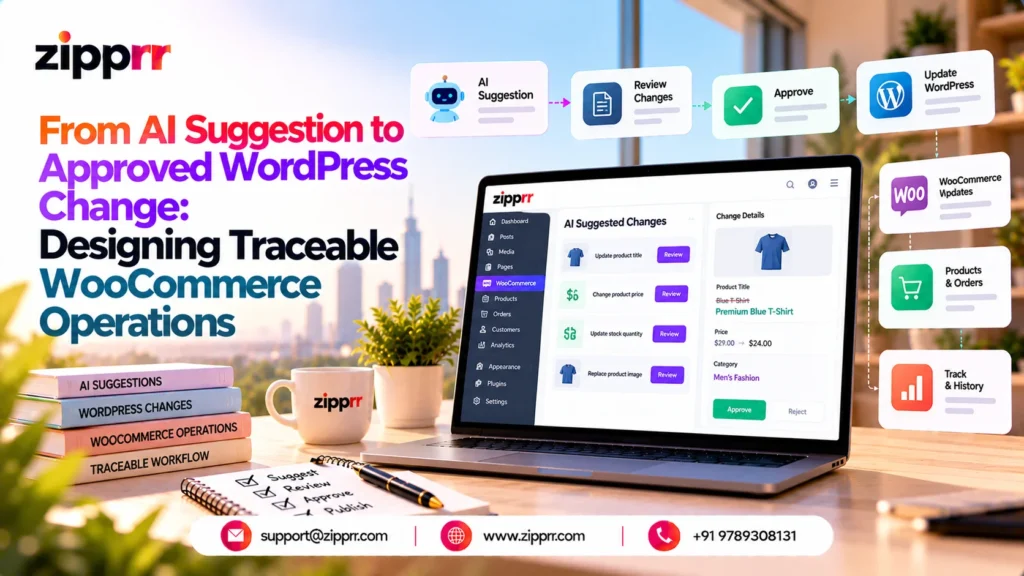
Note on evidence. This is an illustrative technical case study based on capabilities described for SophMate, a third-party WordPress and WooCommerce plugin listed on CodeCanyon by TechneKit. No customer deployment, interview, benchmark or production result was supplied, so none is reported. Zipprr did not build, own, deploy or test the product.
A catalog update, one Monday morning
It is 9:40 on a Monday and a store operator has a catalog problem. About 300 published products have no short description, thin meta descriptions and no image alt-text guidance. Editing them one by one would take days.
The operator opens the Copilot on the product list screen and asks for proposed improvements to the incomplete records, leaving prices and stock alone. This scenario is hypothetical. The interesting question is not whether a model can write copy. It is which records may change, who may authorize it, and how the store can prove later what happened.
Case snapshot
| Item | Detail |
|---|---|
| Scenario type | Illustrative product-catalog maintenance |
| Business context | A WooCommerce store with a few hundred products and a small team of operators and reviewers |
| Operational problem | Incomplete product content must be improved at scale without unreviewed edits to live pages |
| WordPress/WooCommerce dependency | Product records require WooCommerce. The core workspace itself runs without it, but this scenario would not |
| Main feature groups | Context-aware Copilot, Product Content Optimization, Knowledge Base, AI Action Planning, Human Approval and Governance, Long-Running Background Tasks, Audit Logs |
| Human decision points | Operator scopes the request. Reviewer approves, rejects or leaves the plan pending |
| External configuration | An AI provider account with its own key, scopes, quota and billing. Working WordPress background processing. Roles and capabilities assigned. Knowledge Base items written |
| Evidence status | Capabilities come from a supplied feature list. The architecture is a proposal. The scenario is constructed. Nothing here was measured |
Four labels appear where ambiguity matters. Supplied capability means the feature list describes it. Proposed architecture is my engineering recommendation connecting those capabilities. Illustrative scenario is the constructed example. Unknown means the available material does not establish it.
The engineering problem
Five connected difficulties sit behind a request that sounds simple.
- Fluent is not the same as usable. A model drafts a description in seconds, but it may ignore the tone guide or state a fact the product record does not support. The draft needs grounding, and a human needs to see what it was grounded in.
- Proposing is not authorizing. The person who spots the gap is often not the person who should approve edits to live product pages. Proposing, approving and executing need separate permissions.
- Provider calls cost money and move data. Each draft consumes quota, and each prompt carries store data to an external service. Limits have to apply before hundreds of requests fire.
- Batches outlive a chat turn. Three hundred writes will not finish inside one reply, and the store keeps changing while a plan waits for review.
- Evidence has to survive the work. Months later someone will ask who changed a description and why.
I use one test throughout, a five-question evidence chain: What was read? What was proposed? Who approved it? What was written? What was recorded? A design is traceable only if all five can be answered for every changed record. The chain is a proposed framing, not a feature of the product. The supplied list describes capabilities aimed at several of these difficulties. None is verified here.
Logical architecture
Only the layers this scenario needs are shown.
- Operator interface and page context. The Copilot works inside the WordPress admin and can use the current screen as context (supplied capability). This differs from a visitor-facing chat widget. A storefront chatbot answers customers, while an admin Copilot’s output can lead to site writes. For a visitor-facing example from Zipprr’s own catalog, see the Zipprr AI Chat Software guide. It is a separate product and does not carry the capabilities discussed here.
- Knowledge and operational data. Knowledge Base items such as a Tone Guide or Product Info, with citations, plus WooCommerce product data and readiness scoring (supplied).
- AI provider interaction. A bring-your-own provider. Several providers are supported, but that does not establish automatic failover.
- Validation and action planning. Capability, provider, budget and schema checks, risk classification, and a plan listing affected records with a diff or dry-run preview where supported (supplied).
- Reviewer approval. An approval queue where plans are approved, rejected or left pending (supplied).
- Execution adapter. The component that carries approved work into WooCommerce, with SEO metadata writes through Yoast SEO or Rank Math also approval-based (supplied).
- Background processing. Durable tasks on Action Scheduler with a WP-Cron fallback, plus watchdog checks, budgets and scoped pre-authorization grants (supplied).
- Run history and audit records. Proposals, approvals, rejections, executions and failures are recorded (supplied).
| Path | Step | What happens |
|---|---|---|
| Read | 1 | The Operator sends a request to the Copilot. |
| Read | 2 | The Copilot reads WooCommerce records and Knowledge Base items. |
| Provider (leaves the site) | 3 | The Copilot sends selected data to the AI Provider, which sits in the configured external boundary, and gets a draft back. |
| Proposal | 4 | The Copilot submits the draft to Validation and Action Planning. |
| Proposal | 5 | Validation and Action Planning places a pending plan in the Approval queue. |
| Proposal | 6 | The Reviewer approves or rejects the plan in the queue. |
| Write | 7 | Only approved work goes to the Execution Adapter. |
| Write | 8 | The Execution Adapter updates WooCommerce records directly, or hands large batches to the Background Task Runner, which updates them. |
| Record | 9 | Validation and Action Planning, the Approval queue, the Execution Adapter and the Background Task Runner each log events to the Run History and Audit Log. |
In plain terms, nothing reaches WooCommerce except through the write path, and the write path starts at the approval queue. The one path that leaves the site goes to the provider. That is where data exposure and provider cost are decided.
Following one request from draft to record
The request: “Find published products missing a short description or meta description, draft improvements in our tone, and don’t touch prices or stock.” This is a logical walkthrough, not a verified internal call sequence.
| Step | What happens | Output | If it fails |
|---|---|---|---|
| 1. Request and context | Operator submits the request on the product list screen. The Copilot receives page context and the operator's identity | A scoped task description | A request beyond the operator's permissions is refused before any provider call |
| 2. Read access | Read-only tools find products with content gaps. Readiness scoring ranks them | A candidate list | An empty or unreadable set ends the run with a report, not a proposal |
| 3. Knowledge retrieval | Tone Guide and Product Info items are retrieved with citations | Cited guidance for the prompt | No relevant item means drafts are marked ungrounded (proposed) |
| 4. AI draft | Selected product fields and guidance go to the configured provider | Draft fields per product | Timeout, quota exhaustion or refusal produces no plan, and the error is recorded |
| 5. Checks | Schema, capability, provider and budget checks run, and a risk level is assigned | Validated drafts with a risk level | Invalid records are flagged individually while valid ones continue (proposed) |
| 6. Plan and preview | The plan lists affected records and a diff or dry-run where supported. I propose also storing before-values and a freshness fingerprint per record | A pending plan in the queue | If no preview exists for a field, the reviewer sees the plan without one. Coverage is Unknown |
| 7. Reviewer decision | A user with approval capability approves, rejects or leaves it pending | A decision record | Rejected or pending plans never execute |
| 8. Execution | The adapter receives the approved scope and, in my proposal, compares each record with its baseline before writing | Writes or skips | A revoked permission or a changed record means skip and report (proposed) |
| 9. Background progress | Work beyond one turn continues as a durable task with watchdog checks and a budget | Progress events | A stalled scheduler is flagged by the watchdog. Timely execution is not guaranteed |
| 10. Report and audit | A final report is produced and audit events are preserved | A run history entry | Missing events break the evidence chain, so test for completeness |
The ordering matters more than the arrows. The approval record is written before the Execution Adapter is authorized, and the adapter’s last act is to record results. If a reviewer rejects the plan, or validation fails first, the flow ends with a record and no change to the store. The baseline comparison before writing is a proposed safeguard, not a documented behavior.
Three engineering decisions
1. How much does one approval cover?
- Problem: Approving 300 diffs one at a time invites rubber-stamping. Approving a whole batch blindly invites worse.
- Proposed approach: Approve the plan as a scoped batch with a sampled review of diffs, an exclusion list for records the reviewer rejects, and a hard cap on fields touched. Scoped pre-authorization grants are a supplied capability. Their exact granularity is Unknown.
- Alternative: Per-record approval for everything.
- Tradeoff: Batch scope saves reviewer time but concentrates risk in the sample. Per-record review is safer and slower.
- Verify: Whether a reviewer can exclude individual records, and what a grant allows beyond the approved plan.
2. What if a product changed after the proposal?
- Problem: Someone edits a description while the plan waits for approval. Executing the old plan silently overwrites that edit.
- Proposed approach: Store a fingerprint of the touched fields at proposal time and compare it at execution. Mismatches are skipped and listed in the final report.
- Alternative: Last write wins, or lock records during review.
- Tradeoff: Skipping protects human edits but leaves work unfinished. Locking blocks the team.
- Verify: Whether the plugin stores before-values or detects drift at all. The supplied list does not say.
3. How big should a background batch be, and when do retries stop?
- Problem: One large job loses everything when it fails. Unbounded retries burn provider budget.
- Proposed approach: Small checkpointed batches, a retry limit per record, and a pause when quota is exhausted rather than repeated failure.
- Alternative: One job per approval, retried as a whole.
- Tradeoff: Small batches add bookkeeping but make partial completion explicit and resumable.
- Verify: Task semantics on resume, whether a retried write can duplicate, and how budgets interact with retries.
Failure modes and recovery
Read it as a contract for what each plan can become. Only work that reaches Queued can touch the store, and Blocked is a holding state, not a failure. “Completed” should still carry a list of skipped records, otherwise a clean status hides partial work. The state names and transitions are illustrative, not documented product states.
| Failure | Possible consequence | Detection | Proposed response | Evidence status |
|---|---|---|---|---|
| Provider timeout or quota exhaustion | Drafts missing or batch stalls | Provider errors, budget checks | Pause, bounded retry, alert the operator. Do not assume failover to another provider | Budgets supplied. Retry behavior Unknown |
| Invalid AI-generated fields | Bad or empty content reaches a product page | Schema validation before planning | Reject that record, continue the rest | Schema validation supplied. Per-record handling proposed |
| Permission changes after approval | Execution by a user who no longer holds the capability | Capability check at execution time | Stop and record. Leave remaining records untouched | Capability checks supplied. Timing Unknown |
| Product edited after proposal | Human edit overwritten | Fingerprint mismatch | Skip and report | Proposed |
| Duplicate trigger delivery | Same plan executed twice | Idempotency key per plan and record | Ignore duplicates and log them | Proposed. Exactly-once is not claimed |
| Missed scheduler runs | Approved work waits indefinitely | Watchdog, cron-health checks | Alert and offer a manual run. Fix cron at the host | Watchdog and diagnostics supplied. Timeliness not guaranteed |
| Partial batch completion | Mixed catalog state | Per-record result counts | Report exact counts and offer a follow-up plan for the remainder | Failure records supplied. Reporting detail Unknown |
| Outdated Knowledge Base policy | Drafts follow stale tone or claims | Revision tracking, citations, reviewer reading them | Review the cited item before approval and re-run if it changed | Revision tracking and citations supplied. Citations do not guarantee correctness |
Rollback deserves a plain statement. Knowledge Base revision rollback and Theme Assistant rollback markers are described, but nothing in the supplied material establishes rollback for product writes. Recording before-values in the plan is the safest assumption.
Security and privacy boundaries
- Provider keys. Stored encrypted with AES-256-GCM using WordPress-derived keys (supplied), which is why correct WordPress salts are a listed requirement.
- Copilot files. Private AI-created and uploaded files use encrypted storage (supplied). This applies only if the scenario saves drafts or reports as files.
- Data sent to providers. Encryption at rest does not protect a prompt in transit to an external service. The scenario needs product text and Knowledge Base excerpts, not customer data, and sending less is a proposed practice. Customer-data sharing controls and PII masking are supplied capabilities.
- Logs and support bundles. Keys, passwords and tokens are redacted (supplied). Redaction is pattern-based, so do not paste secrets into free-text fields and expect them to be caught.
- Scoped tool access. The optional MCP server is not part of this scenario. If enabled, it uses site-scoped permissions and tool allowlists, and writes stay governed unless an administrator explicitly enables a separately confirmed bypass mode. This scenario assumes no bypass is enabled, and any other auto-execution setting in an installation should be checked the same way.
- Retention and deletion. Retention windows for conversations and audit logs, purge tools and audit anonymization are supplied. A short audit window can erase the evidence chain, so set retention to match how long you need to answer “who changed this.”
None of this establishes complete security or legal compliance. It describes controls to configure and test.
Validation and measurement plan
No tests were performed for this article. These are acceptance checks to run on a staging copy.
| Check | Expected result |
|---|---|
| An operator without propose capability makes the request | Refused, event recorded, no provider call |
| Provider output includes an out-of-schema or overlong field | That record rejected before planning, others proceed |
| A plan is created but never approved | Zero product changes after the scheduler runs |
| A product is edited after proposal, then the plan is approved | That record skipped or flagged, others written, report names it |
| The scheduler is interrupted mid-batch, then restored | Work resumes or is flagged, with no duplicated writes |
| Pick any changed product | All five evidence-chain questions answerable from the records |
| Metric | Definition | Data needed | Interpretation | Result |
|---|---|---|---|---|
| Approval waiting time | Time from plan creation to decision | Plan and decision timestamps | Long waits suggest reviewer capacity or plan size problems | Not measured |
| Write success ratio | Successful writes divided by attempted authorized writes | Execution results per record | Low values point to drift, validation or permission problems | Not measured |
| Partial-failure rate | Share of tasks ending with skipped or failed records | Final reports | A rising rate signals unstable data or scheduling | Not measured |
| Provider spend per completed task | Provider cost divided by completed tasks | Provider billing and task counts | Spikes can indicate retries or oversized prompts | Not measured |
| Audit-record completeness | Changed records with a full five-question chain divided by all changed records | Audit and run history sample | Anything below full coverage is an evidence gap | Not measured |
Practical limitations and next steps
Several answers sit outside this article’s reach.
- Source and documentation. Freshness checks, idempotency, retry rules and rollback scope need confirmation in the plugin’s code or documentation.
- Configuration. The controls only work if roles, budgets, approval policy and Knowledge Base content are set deliberately.
- Hosting. Background work depends on WordPress background processing. WP-Cron relies on site traffic or a system cron, so confirm how your host runs it.
- Provider reliability. Quotas and outages sit with the provider, and no automatic failover is established.
- Operational policy. Someone must decide who reviews, how fast, and what counts as high risk.
Fields or checks that the built-in tools do not cover become scoped backend work, the kind of extension offered under Zipprr’s PHP development services. If the workflow has to connect to a wider commerce stack, such as marketplaces or custom apps, that falls under ecommerce application development.
A sensible order: confirm the four Unknowns above, run the six checks on a staging copy, then start production with one low-risk field in one small category.
Discuss your own workflow
If you are weighing a similar WordPress or WooCommerce workflow, tell the Zipprr team your catalog size, the fields you want automated and who should approve changes. You can reach us through the contact page, on WhatsApp, or at [email protected].
Frequently Asked Questions
1. Can AI really automate WooCommerce product descriptions safely?
Yes for drafting, provided a human approves before anything is written and every write is recorded. AI handles tone and structure well but can guess facts the product record does not contain. In this case study, drafts become reviewable action plans, and nothing reaches WooCommerce until a reviewer approves. Safety comes from the approval path, not from the model.
2. How can I bulk edit WooCommerce products safely?
Work in small batches, preview every change, and keep a way to restore old values. Start with one field in one category, take a backup first, and check logs after each batch. In this scenario the plan also stores before-values and a freshness fingerprint, so products edited meanwhile are skipped rather than overwritten. Both safeguards are proposals, not confirmed plugin behavior.
3. Can AI-generated WooCommerce product descriptions hurt my SEO?
They can, if generic or inaccurate copy is published at scale. AI does not optimize for search on its own, so each draft still needs a human check for accuracy, uniqueness and search intent. Grounding drafts in a Tone Guide reduces repetition but guarantees nothing. For a structured review of titles, schema and content, see Zipprr SEO services.
4. Can AI tools write WooCommerce product descriptions in bulk without quality loss?
Often, but only with controls. Quality drops when attributes are empty, prompts are vague or nobody reviews the output. Fill product attributes first, ground drafts in approved wording, and sample-review before approving a batch. Marketplaces with many sellers face the same issue, and the Zipprr Amazon Clone script describes AI listing drafts that sellers review before publishing.
5. What does human-in-the-loop mean for an AI agent?
It means the agent pauses before a consequential action, shows a reviewer what it proposes, and continues only after approval, rejection or an edit. Read-only work usually needs no gate, while writes do. Here the approval queue is that gate. Visitor-facing chat uses a different pattern, live human takeover, as in Zipprr’s AI Chat Software.
6. How do you review AI-generated descriptions before publishing?
Review each one as a diff against the current text, checking facts against the product record, tone against your guide and wording against search intent. Sample across categories rather than reading only the first few. Reject anything that adds claims the record does not support. Where previews exist, use them. Preview coverage per field is Unknown in this case study.
7. What does the audit trail look like and include?
A useful trail links five things for every changed record: what was read, what was proposed, who approved it, what was written and what was recorded. The supplied feature list describes records for proposals, approvals, rejections, executions and failures. Whether each product write carries all five links needs testing, and short retention windows can erase the evidence.
8. Does Action Scheduler depend on WP-Cron?
Not strictly. By default Action Scheduler is started by WP-Cron and by a hook on admin requests, but it has no hard dependency on WP-Cron. Because WP-Cron relies on site traffic, tasks can still start late on quiet sites, and a server cron that triggers WP-Cron is the usual remedy. The supplied list describes Action Scheduler with a WP-Cron fallback.
9. Do I need a paid tool or API key to generate AI product descriptions in WooCommerce?
Usually you need an AI provider account and API key, and that provider bills your usage. The feature list behind this case study describes a bring-your-own provider model, with keys, scopes, quotas and billing kept separate from the plugin. Keys are stored encrypted, but cost control still needs budgets and limits.
10. How many products can I update at once with the WooCommerce REST API?
Guides commonly cite up to 100 items per batch request, so a 300-product catalog would need several calls. Check the current WooCommerce REST API documentation, since limits can change. Small batches also suit the checkpointed approach proposed here, but this case study does not establish that the plugin uses the REST API.
Zipprr’s Amazon Clone and other scripts mentioned are independently developed and are not affiliated with the brands they reference.



