

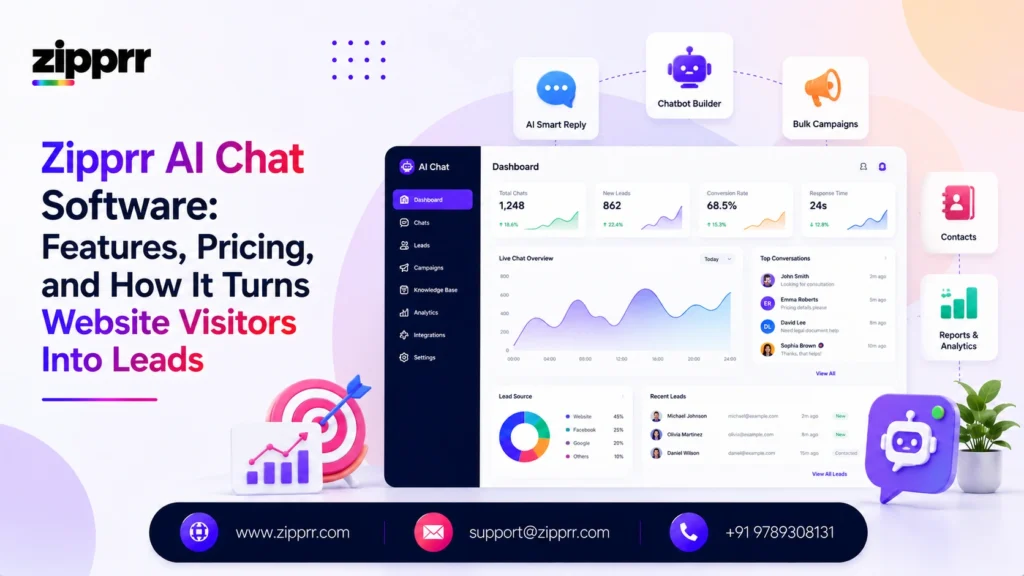
Every website loses visitors it never gets a chance to talk to. Someone lands on a pricing page, has a question, doesn’t see an answer fast enough, and leaves, usually for good. No one is watching the chat window at 11 p.m. on a Sunday, and that gap is exactly what Zipprr’s AI Chat Software was built to close: a self-hosted, script-tag-install chatbot that answers from your own content, captures leads, and hands off to a human the moment a conversation needs one.
This guide covers exactly what the AI Chat Software does, how it’s priced, who it’s built for, how it compares structurally to typical hosted chatbot subscriptions, and what to check before buying, without the vague “book a demo to find out” runaround.
Launching a platform like this? Zipprr clone scripts start at $490 with 100% source code, a 7-day refund and 90 days of free support. Book a free demo or chat with us on WhatsApp.
What Is Zipprr's AI Chat Software?
It’s positioned around a simple idea, stated directly on the product page: “AI Chat Software That Turns Every Page Into a Conversation That Closes.”
Unlike many chat widgets that charge per conversation or per seat on a recurring basis, this AI Chat Software is sold as a one-time purchase that includes the source code, meaning the business (or the agency reselling it) owns the installation outright rather than renting access to someone else’s platform. That single structural choice, ownership instead of rental, is the thread running through almost every other feature decision in the product, from where the data lives to how agencies are able to resell it.
Self-Hosted, One-Time Purchase: Why the Business Model Is Different
Most AI chat tools on the market today follow the same pattern: sign up for a hosted account, pay monthly per seat or per conversation volume, and your visitor data lives on the vendor’s infrastructure indefinitely. That model works, but it means costs scale with usage forever, and switching providers later means starting the knowledge base and configuration over from scratch on a new platform.
Zipprr’s AI Chat Software takes the opposite structural approach on several fronts:
| Typical hosted SaaS chatbot | Zipprr's self-hosted AI Chat Software |
|---|---|
| Recurring monthly or per-conversation billing | One-time purchase ($490 or $890) with source code included |
| Data stored on the vendor's servers | Runs on the buyer's own infrastructure |
| Reselling to clients often against terms of service | Multi-tenant, white-label architecture built for agency resale |
| Locked into the vendor's roadmap and pricing changes | Source code ownership means the installation isn't dependent on a vendor staying in business or raising prices |
This doesn’t make one model universally better. A hosted SaaS tool can mean less setup responsibility for a business with no technical resource at all. But for a business or agency planning to run this AI Chat Software for years, or to deploy it across many client sites, the economics and control of an owned, self-hosted installation change substantially compared to an open-ended subscription.
How the Installation and Setup Actually Works
One of the more practical details, especially for non-technical teams, is how lightweight the install is. The AI Chat Software deploys via a single script tag under 50 KB, works across every major website framework, and comes with 8 languages built in out of the box. A script tag that small matters more than it sounds: bloated third-party widgets are a common, avoidable cause of slow page-load scores, and a lightweight install avoids trading customer-communication gains for a page-speed penalty.
Once installed, the setup sequence looks like this:
- Connect the knowledge base. The system can crawl website URLs and sitemaps, pull from an RSS feed, or sync directly from Notion and Google Docs, so a business doesn’t have to manually re-type existing help content into a new format. Answers are delivered with citations back to the source content, which is a meaningful safeguard against the AI Chat Software confidently inventing an answer that isn’t actually backed by anything the business published.
- Configure workflows. A drag-and-drop workflow builder handles branching logic for lead qualification and routing, without requiring custom code. A service business might build a workflow that asks about property type and timeline before showing pricing; a SaaS company might branch based on whether the visitor is a free-trial user or evaluating a paid plan.
- Set the persona and appearance. Tone, colors, and behavior are configured from a dashboard, no developer needed to match brand voice or visual style. A formal B2B tool and a casual local service business shouldn’t sound identical, and this layer is what keeps the bot from feeling generic.
- Add lead capture forms. A no-code form builder triggers based on visitor engagement, for example after a visitor asks a pricing-related question, or after a set amount of time in the conversation, so contact details get captured mid-conversation rather than only at the very end, if at all.
- Connect integrations and billing. Depending on the use case, this includes CRM webhooks, Slack notifications for the team, or payment processors for businesses that want to charge through the chat flow itself.
- Go live and monitor. Responses stream token-by-token over a live connection (SSE), so answers feel closer to a real-time typed reply than a delayed, static response, a detail that affects perceived responsiveness even when the underlying answer takes the same amount of processing time.
None of this happens instantly on day one. Realistically, the fastest path to a useful deployment is a business that already has organized FAQ content, product documentation, or a Notion knowledge base ready to connect. A business starting from scattered, outdated, or nonexistent documentation will spend more of the setup phase writing content than configuring the AI Chat Software itself.
Core Features Breakdown
| Feature | What It Includes |
|---|---|
| Lightweight installation | One script tag, under 50 KB, works with any framework, 8 built-in languages |
| Knowledge base automation | Answers pulled from crawled URLs, sitemaps, RSS feeds, Notion, and Google Docs, with citations back to the source |
| Live streaming responses | Token-by-token reply delivery over SSE instead of a single delayed block of text |
| Human handoff | One-click transition from AI to a live operator mid-conversation |
| Lead capture | No-code form builder with engagement-based triggers |
| Workflow builder | Drag-and-drop branching logic for qualification and routing |
| Customization | Dashboard controls for persona, tone, color, and behavior, no coding required |
| Analytics | Conversation volume, deflection rate, lead conversion, and knowledge-gap detection |
| Multi-tenant architecture | Hard-isolated workspaces with granular roles, relevant for agencies managing multiple client accounts |
| Built-in billing | Stripe, PayPal, and Razorpay support with metered usage options |
A few of these are worth unpacking further, and the full breakdown of Zipprr’s AI Chat Software features is kept current on the product page since their value isn’t obvious from a one-line description alone.
Citations on knowledge-base answers matter more than they might seem. Any AI Chat Software that answers from a knowledge base can misfire, especially if the source content is ambiguous. Showing where an answer came from gives both the visitor and the business a way to sanity-check it, rather than trusting the reply blindly.
Knowledge-gap detection is arguably the most underrated feature on the list, because it flips the usual chatbot maintenance problem around. Instead of a business having to guess what content is missing, the analytics layer surfaces the specific questions the AI couldn’t confidently answer, which is a direct, prioritized to-do list for what to add to the knowledge base next.
Multi-tenant architecture with hard-isolated workspaces means one client’s data, workflows, and configuration can’t leak into another’s, a baseline requirement for any agency planning to manage several client deployments of this AI Chat Software from a single account.
Built-in billing through Stripe, PayPal, and Razorpay exists for a specific use case: businesses that want to charge customers directly through a chat-based flow, or agencies that want to meter usage for their own resold clients. It’s not a fee charged back to the buyer for using the AI Chat Software itself; the plans themselves are one-time purchases, as covered below.
What This Looks Like in Practice
It helps to walk through a hypothetical, illustrative scenario rather than just listing features in the abstract. Picture a WooCommerce store that sells outdoor furniture. A visitor lands on a product page at 9 p.m. asking whether a specific chair is available in a different color and how long shipping takes to their region. Instead of that question going unanswered until the next business day, the AI Chat Software pulls the answer from the store’s synced product documentation, cites the page it came from, and, because the workflow builder was configured to ask a follow-up question after any shipping-related query, offers to notify the visitor by email when the item ships.
If the visitor instead asks something the knowledge base genuinely doesn’t cover, a bulk order discount that isn’t documented anywhere, for instance, the system logs that as a knowledge gap rather than guessing, and the one-click handoff option lets the visitor request a human directly if they’d rather not wait. The store owner later sees that gap flagged in the analytics dashboard, adds a short bulk-order policy page, and the next visitor who asks the same question gets a real answer instead of a dead end.
That loop, question asked, answered or escalated, gap identified, content improved, is the actual mechanism behind the “deflection rate” and “knowledge-gap detection” metrics mentioned above, and it’s a good illustration of why the AI Chat Software is described as something to configure and maintain rather than something to install once and ignore.
Who This Is Built For
Based on how the product is structured, it fits a few distinct groups particularly well:
WooCommerce and e-commerce store owners: answering product questions and order-status lookups directly on-site, without a customer needing to dig through a help center or email support. Pre-sales questions, sizing, compatibility, shipping timelines, are exactly the repetitive, knowledge-base-answerable category this AI Chat Software is designed to absorb.
Support teams looking to deflect repetitive tickets: using the knowledge base and workflow logic to resolve common questions automatically while routing anything unclear to a live operator. This is the same idea explored in Zipprr’s related article on how AI-powered customer support can actually fix order problems, which looks at where automated answers genuinely help and where a human still needs to step in. The deflection-rate metric in the analytics dashboard exists specifically to quantify how much of that volume is actually being absorbed versus just logged.
Agencies and resellers: the multi-tenant architecture and white-label positioning make it possible to deploy and manage the AI Chat Software across multiple client sites from a single dashboard, then resell it as part of an agency’s own service offering, a materially different use case than a typical single-business chat widget. For an agency, the one-time purchase price becomes a cost basis against a recurring service fee charged to each client, rather than a recurring cost the agency itself has to keep paying per client.
Lead generation-focused businesses: service businesses, real estate platforms, and marketplaces that need to qualify and capture visitor interest around the clock, so a missed after-hours question doesn’t become a lost inquiry.
SaaS and subscription businesses: onboarding-stage “how do I do X” questions are a natural fit for the knowledge base and workflow combination, particularly when synced directly from existing product documentation in Notion or Google Docs rather than requiring a separate content rebuild.
Want a ready-made platform like this?
Skip months of development. Uber Clone, Airbnb Clone, Uber Eats Clone, TaskRabbit Clone and Gojek Clone ship with 100% source code. Book a free demo or chat with us on WhatsApp.
Integrations Ecosystem
The AI Chat Software connects to a fairly broad set of existing business tools rather than operating as an isolated widget:
- Website platforms: WordPress and WooCommerce, covering both content-driven sites and full online stores.
- Knowledge sources: Notion and Google Docs, so existing internal documentation can become the chatbot’s answer source without duplicating it elsewhere.
- Team communication: Slack, useful for real-time lead alerts or handoff notifications reaching the right person immediately.
- Payments: Stripe, PayPal, and Razorpay, for businesses monetizing chat-based flows directly.
- Automation and CRM: Zapier for connecting to virtually any other tool in a stack, plus direct webhooks into HubSpot, Salesforce, Mailchimp, and Pipedrive for teams already standardized on one of those platforms.
The CRM webhook support in particular is what prevents captured leads from becoming an isolated dataset that nobody follows up on. A lead captured through the chat widget but never synced anywhere still requires someone to manually check a separate dashboard, the exact kind of gap that undermines the point of automating lead capture in the first place.
Pricing Plans
Zipprr’s AI Chat Software pricing is structured as a one-time purchase rather than a recurring subscription, which is a meaningful structural difference from most SaaS chatbot tools that charge monthly per seat or per conversation:
| Plan | Price | Included |
|---|---|---|
| Startup | $490 (one-time) | Source code, installation support, 90-day support, app submission |
| Pro Most Popular | $890 (one-time) | Source code, installation support, 90-day support, app submission |
Because the source code is included in both plans, the business isn’t locked into ongoing per-conversation billing the way many hosted AI chat platforms are structured. The built-in Stripe/PayPal/Razorpay support exists for businesses that want to monetize their own chat-based flows, not as a fee charged back to the buyer for using this AI Chat Software.
When comparing this to a hosted alternative, the honest way to frame it is total cost of ownership rather than sticker price alone: a one-time purchase avoids indefinite recurring fees, but self-hosting does still carry the buyer’s own server and maintenance costs, and the 90-day included support window means longer-term upkeep becomes the buyer’s (or their agency’s) responsibility after that point.
Measuring Whether It's Working
The built-in analytics are designed around the metrics that actually indicate performance, not vanity numbers:
- Conversation volume: how much traffic is actually engaging the AI Chat Software in the first place. A low number relative to site traffic can indicate the widget isn’t visible or inviting enough, independent of how good the AI’s answers are.
- Deflection rate: the share of conversations resolved without a human agent stepping in. A rising deflection rate over time usually signals the knowledge base is maturing; a flat or falling one signals content gaps aren’t being closed.
- Lead conversion: how many chat conversations result in a captured lead through the form triggers, which is the metric most directly tied to the lead-generation use case.
- Knowledge-gap detection: where the AI lacked a confident answer, which points directly to what needs to be added to the knowledge base next rather than requiring manual conversation review to spot patterns.
It’s worth being direct about what this data can and can’t tell you: it shows how well the AI Chat Software is performing its job, answering, qualifying, and capturing, but actual sales outcomes still depend on pricing, offer, and how quickly a human follows up on the leads it captures. No chatbot, self-hosted or otherwise, can guarantee a specific increase in revenue or conversions on its own, and any framing that promises a fixed percentage lift should be treated with skepticism regardless of which vendor makes the claim.
Honest Limitations to Know Before You Buy
Answer quality depends entirely on what the knowledge base is built from. If the crawled website content, Notion pages, or Google Docs used as source material are thin or outdated, the AI Chat Software’s answers will reflect that. The AI doesn’t invent accurate information beyond what it’s given, and citations help catch this but don’t prevent it upstream.
Self-hosting means some technical setup responsibility sits with the buyer or their developer, even with installation support included. This isn’t a fully hands-off hosted SaaS experience, and teams without any technical resource at all should factor that into the buying decision before assuming a purely no-code experience end to end.
Complex, emotionally charged, or highly non-standard conversations still need a human. The one-click handoff exists specifically because the AI Chat Software isn’t designed to fully replace a support or sales team; it’s designed to filter and qualify so the team spends time only on the conversations that actually need a person’s judgment.
The 90-day support window is finite. Ongoing knowledge-base maintenance and workflow tuning after that window is the buyer’s (or their agency’s) responsibility, similar to any self-hosted software rather than an indefinitely maintained hosted service.
What to Check Before You Buy
- Do you need multi-tenant/white-label capability, or is this for a single website? This affects whether the Pro plan’s broader feature set is worth the price difference over Startup.
- Do your existing tools appear in the integration list, WordPress/WooCommerce, Notion, Google Docs, Slack, Stripe/PayPal/Razorpay, Zapier, or the HubSpot/Salesforce/Mailchimp/Pipedrive webhooks, or will you need custom development to connect something outside that list?
- Who will maintain the knowledge base after the initial setup and the 90-day support window ends: an internal team member, a retained developer, or an agency partner?
- Do you have (or can you get) developer support for the self-hosted installation, even though the script-tag install itself is lightweight and the day-to-day dashboard is no-code?
- Is a one-time cost preferable to a subscription for your budgeting model, given that ownership also means taking on hosting and maintenance responsibility long-term rather than a vendor handling it indefinitely?
- How much existing structured content do you already have, FAQs, product docs, Notion pages, versus how much will need to be written from scratch before the knowledge base is genuinely useful?
The Bottom Line
Zipprr’s AI Chat Software is built around a specific bet: that businesses and agencies would rather own their chat infrastructure outright, with real integrations, a real knowledge base, and no per-conversation billing, than rent another SaaS subscription indefinitely. For a WooCommerce store, a support team drowning in repetitive tickets, or an agency looking for a white-label product to resell, that ownership model is the real differentiator, not just the chat widget itself.
If any of the questions above are still open for your situation, the fastest way to get concrete answers is to look directly at Zipprr’s AI Chat Software product page for the current feature list and plan details before deciding between Startup and Pro.
Want to see Zipprr's AI Chat Software running on your own website?
Check out the full feature list and pricing at zipprr.com/ai-chat and reach out for a walkthrough of the Startup or Pro plan that fits your setup.



