

Why This Architecture Matters
Appify is a self-hosted, white-label mobile app builder SaaS. A buyer deploys it, connects their own accounts, and sells app creation to customers under their own brand.
The engineering problem is that an app-builder business is several products in one: a customer workspace, a visual editor, AI-assisted generation, subscription billing, an operator console, and infrastructure that compiles mobile binaries. Each has different load, cost and failure patterns. A shared-core, multi-module design also appears in other white-label platforms, such as Zipprr’s hyperlocal quick commerce software.
Appify answers this with two connected Next.js applications, one shared Supabase project, and a separate Docker-based build layer. This article walks through how those parts fit together, what they ask of the operator, and where the tradeoffs sit.
Launching a platform like this? Zipprr clone scripts start at $490 with 100% source code, a 7-day refund and 90 days of free support. Book a free demo or chat with us on WhatsApp.
About this analysis. This is a product architecture case study based on documented capabilities. It draws on the vendor’s CodeCanyon listing, its public documentation, and its public roadmap, all read on 7 October 2026. Vendor statements are treated as vendor claims.
No customer implementation, hands-on installation, security review or benchmark informs this article. It makes no claims about performance, uptime or business results. Appify is developed and sold by Dev010x, and this analysis is independent of the vendor. Points that are analysis rather than documentation are marked as inference.
The Engineering Problem
An app-builder SaaS has to reconcile concerns that pull in different directions:
- Editable AI output. Generated structure is only useful if customers can keep refining it.
- Interactive and batch work. Logging in and editing are short requests. Compiling a mobile app is a long job on different infrastructure.
- Costs that follow usage. AI calls and builds cost the operator money whether or not a customer pays, so plan limits matter.
- Two audiences. Operators manage plans, branding and capacity. Customers manage apps. Their screens and permissions differ.
- Different starting points. A new app, an existing WordPress site and an existing website are not the same input.
Putting many modules on one core is a familiar challenge for multi-service products too, including Zipprr’s white-label super app platform.
A reasonable reading of Appify’s design is that each concern gets its own boundary: separate operator and customer applications, one shared data store, and build servers outside the web deployment. That is inference about rationale, not a statement of the developers’ intent.
Platform Architecture
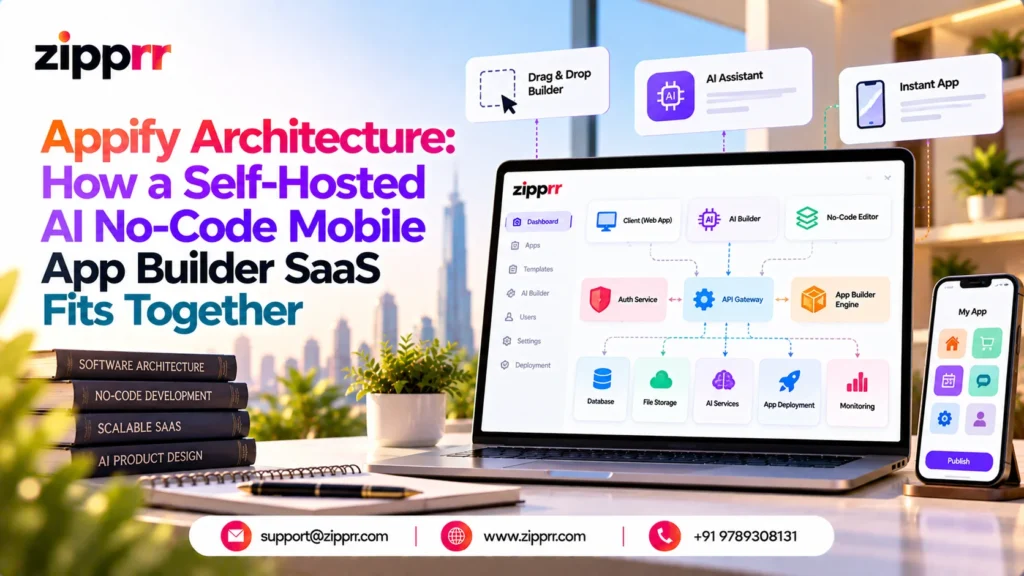
Appify runs as two Next.js applications that share one Supabase project. The App owns the business API, customer dashboard, visual editor and build orchestration. The Admin hosts the operator dashboard and the public landing page, and passes API calls to the App through a same-origin /api/v1 proxy.
The table below is a text version of the architecture diagram. Solid links follow the arrows in the vendor’s own architecture sketch. Dashed links mark optional parts, or links whose direction the documentation does not state. The mobile apps customers produce are outputs, separate from the platform itself.
| Connection | Type |
|---|---|
| Operator to Admin project | Solid, shown in vendor docs |
| Customers to App project | Solid, shown in vendor docs |
| Admin project to App project (proxies /api/v1) | Solid, shown in vendor docs |
| App project to Supabase project (Auth, Postgres, Storage) | Solid, shown in vendor docs |
| App project to OpenRouter (AI, optional) | Solid, shown in vendor docs |
| App project to Stripe (billing, optional) | Solid, shown in vendor docs |
| App project to Docker builder (Android APK and AAB) | Solid, shown in vendor docs |
| Admin project and Supabase project | Dashed: shared project, direction not stated |
| App project and license service | Dashed: purchase-code check only, direction not stated |
| App project and macOS builder (optional, for iOS) | Dashed: optional, direction not stated |
| Docker builder and macOS builder to app outputs | Dashed: direction not stated |
| Responsibility | Admin | App |
|---|---|---|
| Landing page and operator interface | Yes | No |
| Customer dashboard and authentication | No | Yes |
| Business API (/api/v1) | Proxies requests | Owns it |
| Visual editor and build orchestration | No | Yes |
| Database | Same Supabase project | Same Supabase project |
Because the Admin has no business API of its own, operator and customer views read plans and subscriptions from one source. That is an inference about the benefit, not a documented guarantee. The documentation also states that one Admin pairs with one App installation, and one installation belongs to one buyer or operator. Many customers, apps and builds can still run inside it.
For another white-label platform described in this format, see Zipprr’s technical case study of a peer-to-peer rental marketplace.
Technology Stack and Responsibilities
The documented stack is mainstream web tooling plus a dedicated build layer. Each piece has a clear job.
| Technology | Role in the platform |
|---|---|
| Next.js | Framework for both the App and Admin projects |
| TypeScript | Language of both source projects |
| Tailwind CSS | Part of the described codebase; presumably interface styling (inference) |
| Supabase Authentication | Operator and customer sign-in, including optional social login |
| PostgreSQL (Supabase) | Users, apps, plans, subscriptions, settings and build records, with ordered SQL migrations |
| Supabase Storage | Uploaded files |
| Flutter | Framework for custom apps; the Docker builder compiles Flutter projects into Android packages |
| Docker on Linux | Android APK and AAB builder, kept on a long-running server |
| macOS and Xcode | Optional iOS builds, using the operator's own Apple credentials |
| OpenNext and Wrangler | Deploy App and Admin to Cloudflare Workers |
| Node.js 20 or later | Alternative hosting path for App and Admin |
| WordPress REST API | Content source for the WordPress and WooCommerce workflow |
| OpenRouter | AI provider, needed only when AI features are enabled |
| Stripe | Checkout and webhooks, needed only for paid subscriptions |
“Self-hosted” here means the buyer deploys the applications in accounts they control. The sources describe the Supabase project as buyer-owned. They do not say whether it must run on Supabase’s hosted service or on a self-managed instance, so that is a question to settle with the vendor before planning infrastructure.
Three App Creation Workflows
Customers choose between three workflows. They start from different inputs and ask for different configuration work, so they are best read as three separate products on one platform.
| Workflow | Starting input | Customer configuration | Suitable use case |
|---|---|---|---|
| Custom Flutter app | A prompt or the visual editor | Screens, components, navigation, branding, Android and iOS project preparation | A new app designed inside the platform |
| WordPress and WooCommerce app | An existing WordPress site, read through its REST API | Branding of a mobile experience built from posts, pages, products and store content | A business that already runs WordPress or WooCommerce |
| Website-to-app (WebView) | An existing website, store, dashboard or web app | Icons, splash screens, navigation behavior, permissions, pull-to-refresh, mobile presentation | Packaging an existing web experience as a mobile application |
Custom Flutter Apps
This workflow focuses on creating and refining screens, components, navigation and branding within the platform. A customer can begin with a prompt, adjust the result in the visual editor, then configure branding and prepare Android and iOS projects from one workspace.
Teams that want a fully custom build instead of a visual builder can look at Flutter app development services.
WordPress and WooCommerce Apps
The customer connects an existing site, and the app presents its posts, pages, products and store content without replacing the website. The sources do not describe caching, offline behavior, checkout or authentication for this workflow, so those details should be tested against the specific site before promising them to clients.
Website-to-App Packaging
This workflow wraps an existing web experience in a mobile shell. The wrapped site remains the product, so its content, speed and behavior come from the site itself. The platform handles the mobile presentation around it.
In all three cases, a generated build is a file, not a store listing. Approval and publication on Google Play or the Apple App Store remain subject to each store’s own review and the customer’s own developer accounts.
AI-Assisted Generation and Visual Editing
Customers can describe an app in natural language and receive an initial structure that stays editable in the visual builder. The AI produces a starting point, and the customer remains responsible for refining it.
Documented capabilities:
- prompt-based app and screen generation
- editable layouts, components, menus, themes and navigation
- image and PDF context for compatible AI workflows
- configurable models and usage limits
- project history stored in the operator’s Supabase project
The operator connects OpenRouter, or a compatible provider, with their own API key and chooses the model. AI usage and cost therefore sit with the operator, which is why plan-level AI limits matter (see the billing section).
The sources do not describe model names, prompt design, generated file formats, validation steps or output accuracy, so this article does not either. Generation also does not deliver an app on its own. The customer still configures branding and signing, then requests a build.
The vendor’s public roadmap lists improvements to the AI creation flow as committed work, including saving behavior, plan limits, credit handling and retry protection. It also lists customer-supplied AI keys as a feature under consideration. Read together, this suggests AI usage currently draws on the operator’s allowance (inference), and that these areas are worth checking in the current release.
Build Infrastructure and Capacity
Compiling a mobile app is slow, resource-heavy work, unlike serving a dashboard page. Appify keeps it off the web deployment. The Docker builder runs on a Docker-capable Linux server, and the documentation says it should stay on a long-running host rather than in the Cloudflare Workers deployment.
For Android, the platform covers the full path:
- customers request APK or AAB builds from the App
- the operator registers builders in Admin and sees their status and queue
- builds expose statuses, logs and downloadable outputs
- build credits are tracked against plan allowances
Capacity grows by registering more builder servers. The sources do not describe scheduling, concurrency limits, retry behavior or build times, so linear scaling should not be assumed. Measure on your own hardware before setting plan limits.
iOS is optional and conditional. It needs a macOS host with Xcode and the operator’s own Apple signing credentials.
The vendor’s public roadmap is useful context here. It lists verified Android release signing and retry-safe builds with accurate credits as committed work, and production iOS signing for App Store builds as a feature under consideration. Before selling store-ready output to clients, check what the current release delivers for signing, retries and credit accuracy.
Want a ready-made platform like this?
Skip months of development. Uber Clone, Airbnb Clone, Uber Eats Clone, TaskRabbit Clone and Gojek Clone ship with 100% source code. Book a free demo or chat with us on WhatsApp.
Billing, Plans and Entitlements
Two of the platform’s costs scale with usage: AI requests and mobile builds. Plans are how an operator keeps those costs tied to what customers pay.
Admin lets the operator define free and paid plans with prices, trial settings, app limits, build credits, AI access and feature availability. Stripe handles checkout and webhooks, and Admin shows subscriptions and transaction history. The public landing page shows pricing cards synchronized with the same plan configuration. Payments go to the operator’s own Stripe account, and the vendor states that it takes no transaction fee or revenue share.
The sources document what can be configured. They do not document how limits are enforced: whether checks happen when a customer creates an app, requests a build or calls the AI, and what happens when a limit is reached. Test those paths before launching paid plans.
The roadmap lists billing and plan-display improvements, such as unlimited-build displays and invoice loading, as committed work. Treat billing screens as an area to verify in the current release.
Deployment and Operational Responsibilities
The operator owns the whole installation. The documented launch sequence is:
- Create one Supabase project and apply the included SQL migrations in order.
- Deploy the App, on Cloudflare Workers through OpenNext and Wrangler or on a Node.js 20+ host.
- Deploy the Admin separately and point it at the App URL.
- Activate the installation with the CodeCanyon purchase code and buyer email.
- Register the Docker builder, plus a macOS builder if iOS is wanted.
- Connect OpenRouter and Stripe if AI and paid billing are used.
- Set branding, plans, build credits and domains.
Only the purchase-code check contacts the vendor’s license service. Customer records, apps, billing data and API traffic stay on the operator’s infrastructure.
Updates are manual. The documented order is to back up Supabase and both environment configurations, apply only new migrations, then deploy the App before the Admin. The in-dashboard release screen records which release the operator approved. It does not download or install source code.
Costs sit outside the item price. Hosting, Supabase usage, AI credits, Stripe fees, build servers, domains, Apple Developer membership and Google Play registration are billed by their own providers.
Data control is not the same as security. Backups, regions, access policies and credentials are the operator’s to configure, and the vendor publishes a security reference. Owning the stack does not by itself provide security, privacy, compliance or data residency. The roadmap lists stronger permissions and customer data isolation as committed work, so review the current release’s access controls before hosting customers’ apps and data.
Tradeoffs and Limitations
The platform’s control comes with responsibilities. Some constraints are documented, and others follow from the design.
Documented Constraints
- Setup assumes comfort with environment variables, DNS, Supabase and Next.js deployment.
- One installation serves one buyer or operator, and one Admin pairs with one App installation.
- iOS builds need macOS, Xcode and the operator’s Apple credentials.
- AI and paid billing need OpenRouter and Stripe accounts.
- WordPress apps depend on an existing WordPress site, and WebView apps depend on the site they wrap.
- The public roadmap lists several items as planned or committed: Android and iOS signing, retry-safe builds, push notification delivery and scheduling, and browser device previews. Check the current release for each.
Inferred Tradeoffs
- The operator becomes responsible for build-server uptime, queue health and capacity planning.
- Two applications, a shared database and separate builders mean more moving parts than a single hosted tool.
- Manual updates need a backup, a migration step and a test for every release.
- Plan prices should account for AI and build costs, which the operator pays regardless.
- The roadmap’s only shipped item is the 1.0.0 initial public release, so the product is young. Weigh that against your tolerance for early-stage software.
Who the Platform Fits
The following are potential benefits based on documented capabilities, not measured outcomes.
- SaaS founders could start with a working dashboard, API, editor, billing layer and build pipeline instead of writing each from scratch.
- Digital agencies could offer website-to-app, WordPress, WooCommerce and Flutter apps under their own brand, through recurring plans or managed services.
- Developers get a TypeScript, Next.js and Supabase codebase they can extend for a client or a product.
- Technical operators keep the data, Stripe relationship, domains and build capacity in their own accounts.
Teams that need custom screens or integrations beyond what a visual builder offers may be better served by bespoke mobile application development than by a self-serve builder.
Operators who would rather launch a ready-made multi-service app than an app builder can compare Zipprr’s Gojek clone multi-service app.
An Illustrative Scenario
This is a hypothetical walk-through using documented capabilities. It is not a real project, and it has no measured results.
A small agency has one client with a WooCommerce store and another with a web dashboard. The agency deploys Appify under its own domains, defines two paid plans with different app limits and build credits, and registers one Docker builder. The store client uses the WordPress workflow and the dashboard client uses website-to-app packaging. Both request Android builds, and the agency watches each build’s status, logs and credit use from the platform. The agency still decides how to handle signing, store submission and support for each client.
Evaluating Appify
Appify’s central design choice is separation. Operator and customer applications are distinct, they share one buyer-owned database, and compilation runs on servers of its own. The tradeoff is that the operator owns the deployment, the integrations, the build fleet and the update process. If that matches your hosting, build and licensing plans, Appify is worth a closer look.
For another worked example of this format, see the white-label super app case study, or browse the Zipprr blog. Zipprr is not affiliated with Appify or Dev010x.
Frequently Asked Questions
1. What is Appify?
Appify is a self-hosted, white-label mobile app builder SaaS sold as one CodeCanyon item. It includes the Customer App and API, plus an Admin dashboard with an integrated landing page.
2. Do the App and Admin require separate purchases?
No. One purchase includes both source projects. They are deployed separately, and one purchase code binds the pair to one buyer installation.
3. Which kinds of apps can customers create?
Three kinds: custom Flutter apps, apps connected to WordPress and WooCommerce through the REST API, and website-to-app packages using a WebView.
4. Does Appify support iOS builds?
Optionally. iOS builds need a macOS host with Xcode and the operator’s own Apple credentials. Android APK and AAB builds use the included Docker builder.
5. What do I need to run it?
A Supabase project, hosting for the App and Admin (Cloudflare Workers or Node.js 20+), and a Docker-capable Linux server for Android builds. OpenRouter is needed only for AI features, and Stripe only for paid billing. Hosting, AI, payment, server and developer-account costs are billed by their own providers.



