

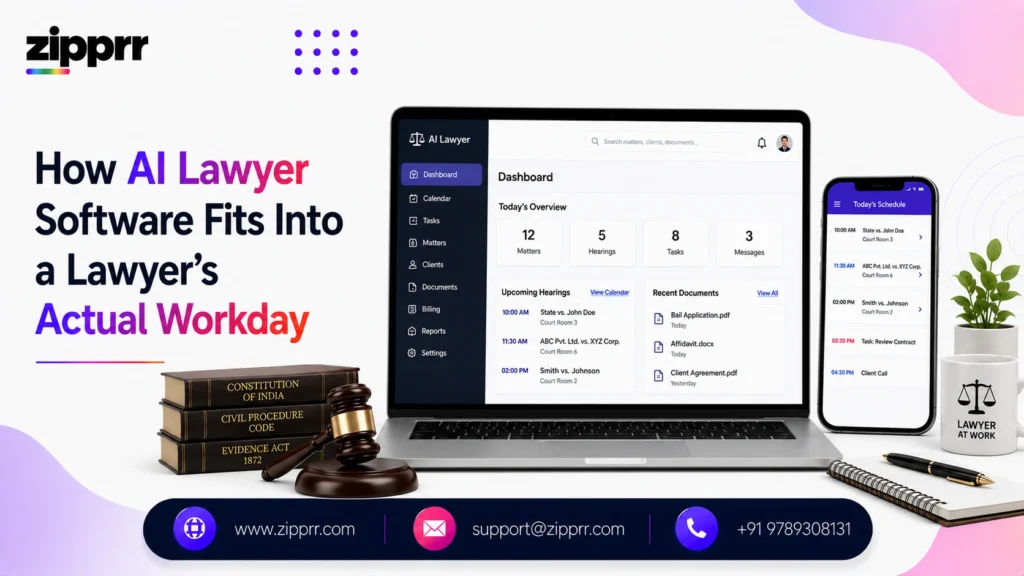
Most explanations of AI lawyer software stop at features: it drafts, it reviews, it tracks deadlines. That’s useful as a starting point, but it doesn’t answer the question most practicing attorneys actually have, which is narrower and more personal: what does this change about my Tuesday? Where does the time actually come from, what happens to client confidentiality, and is this something I can bring into my practice without creating new risk?
This piece is written for lawyers rather than for buyers browsing a feature list. It walks through a realistic before-and-after of a law firm’s workflow, the ethical and confidentiality questions that come up once you look past the marketing language, the economics of billable versus non-billable time, and the practical questions worth asking before adoption. For a broader walkthrough of core features and how the underlying technology works, our guide to how AI lawyer software works covers that ground in more depth; this piece focuses on fit, ethics, and day-to-day impact instead.
One boundary stays constant throughout: AI lawyer software does not practice law, does not give legal advice, and does not replace the licensed judgment a client is paying for. Everything below assumes a human reviewer stays in the loop on anything that leaves the office.
Launching a platform like this? Zipprr clone scripts start at $490 with 100% source code, a 7-day refund and 90 days of free support. Book a free demo or chat with us on WhatsApp.
A Law Firm's Day Without AI-Assisted Tools
It helps to start with what the friction actually looks like, because “saves time” is abstract until you see where the time goes.
A typical day at a small or mid-size firm often looks like this: the morning starts with triaging overnight emails and a stack of new client intake forms that arrived in inconsistent formats. Drafting a standard engagement letter or NDA means opening the last similar document, manually swapping names and dates, and hoping nothing from the old matter got left behind. A 30-page vendor contract needs a full read-through before a call at 2pm, line by line, because there’s no reliable way to know in advance which clauses are unusual. Deadlines live across a paper calendar, a shared spreadsheet, and whatever the paralegal remembers, which works until it doesn’t. By the end of the day, an associate has often spent more hours on structural, repeatable work than on the analysis and negotiation that actually required their law degree.
None of this is a knock on how firms currently operate. It’s simply the baseline that AI lawyer software is trying to change, and understanding it makes the “after” picture concrete rather than abstract.
The Same Day, With AI Lawyer Software in the Workflow
The structural shape of the day doesn’t disappear, but where time gets spent shifts. Client intake starts from a structured form instead of a scattered email thread, and the information arrives already organized into the categories the firm actually uses. The engagement letter or NDA starts as a system-generated first draft pulling from the firm’s own templates and jurisdiction-relevant language, so the attorney’s first touch is review and refinement rather than assembly from scratch. The 30-page vendor contract arrives for the 2pm call with unusual clauses, missing standard protections, and deviations from the firm’s playbook already flagged, so the read-through becomes a focused review of what’s actually different rather than a full line-by-line pass. Deadlines tied to the matter get logged automatically as documents are processed, sitting in one place instead of three.
The important thing to notice is what didn’t change: the attorney still reads the flagged clauses, still makes the judgment call on what’s acceptable, still finalizes and signs off on anything that goes to a client. What changed is where their attention gets spent first. That distinction, between removing structural busywork and removing professional judgment, is the whole design philosophy behind a credible AI lawyer platform.
Where the Time Actually Comes From
It’s worth breaking this down by workflow stage rather than by feature name, since that’s closer to how a lawyer actually experiences it.
Document assembly. Structurally repeatable documents like NDAs, engagement letters, and standard filings stop requiring a search through old files for the “closest match” template. A generated first draft, built from the firm’s own clause library and formatting standards, becomes the starting point instead of a blank page.
First-pass contract review. Instead of reading every clause with equal scrutiny, a reviewer starts from a version where unusual terms and missing protections are already highlighted, and spends their attention on judgment calls rather than detection.
Research and document organization. Long documents get summarized and key sections extracted, so time goes toward analyzing what a document means rather than hunting through it to find the relevant part.
Deadline and filing tracking. Dates tied to a matter get captured automatically as documents are processed, reducing reliance on someone remembering to enter them manually into a calendar.
Client intake. A structured intake process, sometimes paired with an AI chat tool that handles initial client-facing questions, means matters start with consistent information instead of a scattered back-and-forth.
None of these stages eliminates a role. They compress the mechanical portion of each one so the professional portion, the part requiring a license and judgment, gets more of the day.
Billable Hours, Non-Billable Work, and Where AI Actually Fits
This is the part that generic feature overviews tend to skip, and it matters more to a working attorney than almost anything else: what happens to the billable-hour model when a tool removes hours of drafting and review time?
The honest answer is that it depends on how a firm structures its billing and how it frames the change internally. For flat-fee and value-based engagements, faster turnaround on structural work is a straightforward win: the firm delivers the same outcome in less time without needing to justify hours spent. For firms still billing hourly on transactional work, the conversation is more nuanced, and it’s worth having explicitly with partners and associates rather than letting it go unaddressed.
Some firms use the time saved on drafting and first-pass review to take on more matters per attorney, effectively increasing capacity without proportional headcount growth. Others reallocate freed-up time toward higher-value negotiation, strategy, and client relationship work that was previously getting squeezed by administrative load. Non-billable time, like intake, deadline tracking, and internal document organization, is often where the clearest and least contentious savings show up, since it was rarely billed to a client in the first place.
What doesn’t change is the ethical obligation to bill accurately for time actually spent. If AI-assisted drafting cuts the time a task takes, that reduced time is what should appear on the invoice. Firms that treat this transparently, and explain to clients where efficiency gains are showing up, tend to build more trust than firms that stay quiet about how work gets done.
It’s also worth setting realistic expectations about timing. The time savings described above rarely show up in full during the first week or two. A firm’s first few matters through an AI-assisted workflow usually take about as long as before, because attorneys are still learning what to trust, what to double-check more carefully, and how the flagged output maps to their own judgment. The efficiency gain tends to compound over the following weeks as the firm’s own templates and clause preferences get loaded in and the review process becomes second nature. Firms that expect an immediate, dramatic shift often get discouraged too early; firms that treat the first month as a calibration period tend to see the benefit stick.
Confidentiality, Privilege, and Professional Responsibility
This is the section most product overviews gloss over, and it’s usually the first thing a practicing attorney actually worries about.
Attorney-client privilege and confidentiality
Legal work involves privileged and confidential information as a baseline condition, not an edge case. Before uploading any client document or matter detail into an AI lawyer platform, it’s worth confirming directly with the vendor: where is the data stored, who can access it, is it used to train any shared or third-party model, and does the platform support the confidentiality obligations specific to your practice area. A self-hosted or white-label deployment, where the firm or a reseller controls the infrastructure directly, is one way some firms address this, since it keeps document data inside an environment they manage rather than a third party’s shared systems.
The duty of technological competence
Many U.S. state bars, following American Bar Association guidance, now expect attorneys to understand the benefits and risks of relevant technology as part of basic competence, not as an optional extra. That cuts both ways: it doesn’t require using AI tools, but it does mean attorneys who do use them are expected to understand their limitations well enough to supervise the output responsibly, the same way a firm would supervise a paralegal’s draft.
Malpractice exposure
The risk isn’t the software itself; it’s treating its output as finished work product without review. An AI-generated draft that goes to a client unreviewed, or a flagged contract issue that gets missed because a reviewer trusted the tool too completely, creates the same kind of exposure as any other unreviewed work product leaving the office. The mitigation is procedural: a defined, visible review step for every AI-assisted output, documented as part of the firm’s standard workflow rather than left to individual discretion.
Client disclosure
Whether and how to disclose the use of AI-assisted tools to clients is partly a jurisdictional and ethical question and partly a trust-building one. Firms that are upfront about how technology fits into their process, framed around quality and turnaround rather than as a selling point alone, generally find clients more receptive than firms that treat it as something to hide.
Vendor terms and data processing agreements
Beyond the general confidentiality questions above, it’s worth reading the actual vendor agreement rather than relying on a sales conversation. Look specifically for language covering data ownership, breach notification timelines, sub-processor disclosure if the vendor relies on third-party infrastructure, and what happens to matter data on contract termination. A vendor unwilling to put these terms in writing is a meaningful signal on its own, independent of how good the product demo looks.
What Solo and Small-Firm Attorneys Should Weigh Differently
A solo practitioner or a two-to-five-attorney firm doesn’t have a dedicated IT department, a formal training budget, or a large associate pool to absorb the learning curve. That changes what matters most in an evaluation. Ease of setup and clarity of the review workflow tend to matter more than deep customization options that require ongoing administration. The ability to load a small, focused set of templates and clause preferences, rather than a sprawling enterprise clause library, is usually enough to see real time savings quickly. Cost predictability also carries more weight at this scale; a one-time-licensed, self-hosted deployment can be more attractive than an ongoing per-seat subscription when the firm is small enough that a subscription’s marginal cost per attorney is high relative to the value delivered.
For a solo attorney specifically, the honest pitch is leverage: AI lawyer software approximates some of the capacity a paralegal or associate would otherwise provide, without the fixed cost of a hire. It’s not a replacement for that judgment and support when volume genuinely requires it, but it can meaningfully extend how much a single attorney can handle well.
Want a ready-made platform like this?
Skip months of development. Uber Clone, Airbnb Clone, Uber Eats Clone, TaskRabbit Clone and Gojek Clone ship with 100% source code. Book a free demo or chat with us on WhatsApp.
What In-House Counsel Should Weigh Differently
In-house legal and compliance teams tend to deal with a narrower but higher-volume set of document types, most often vendor agreements, NDAs, and internal policy documents, and they answer to a business that measures turnaround time closely. For this audience, contract review speed and consistency against a defined playbook usually matter more than broad drafting flexibility across many document types. Integration with existing procurement or contract lifecycle tools matters more here than it does for a standalone firm, since in-house counsel are rarely the only stakeholders touching a given document. Auditability also carries more weight: being able to show, internally, why a contract was flagged or approved a certain way supports both compliance requirements and cross-functional trust with procurement and business teams.
There’s also a volume dynamic that’s different for in-house teams. A law firm’s document mix tends to vary widely across clients and matters, while an in-house team often reviews close variations of the same handful of agreement types repeatedly, vendor MSAs, NDAs, data processing addenda, order forms. That repetition is exactly the condition where a well-loaded playbook and clause library produce the most consistent, reliable flagging, which is part of why in-house legal departments are often some of the earliest and most satisfied adopters of this category of software.
Questions Worth Asking Before You Bring AI Lawyer Software Into Your Practice
Rather than a generic feature checklist, these are the questions that tend to surface real answers from a vendor:
Where does our document data live, and who can access it?
Get a specific answer, not a marketing summary. Ask about data residency, access controls, and whether documents are used to improve any shared or third-party model.
What does the review step actually look like?
A platform that shows exactly what was flagged and why, in a format a reviewer can quickly evaluate, is fundamentally different from one that just hands back a finished-looking draft.
Can we load our own templates and clause standards, and how much setup does that take?
Generic defaults are a starting point, not a destination. The realistic timeline to get the firm’s own standards loaded in matters more than the length of the default template library.
What happens to our data if we stop using the platform?
This matters more for a self-hosted or white-label deployment, where the firm may retain infrastructure and data even after a support relationship ends, than for a purely cloud-hosted subscription.
How does the platform handle jurisdictional differences?
If the firm practices across multiple states, ask specifically how formatting and requirements are handled for each, rather than assuming broad coverage by default.
What’s the actual onboarding and migration process?
A firm with years of existing templates and matter data needs a real answer about migration support, not an assumption that setup will be trivial.
Where It Still Falls Short
Being direct about limitations matters more in a legal context than almost any other, given what’s at stake when something goes wrong.
AI-generated output can be fluent and confident while still being wrong, a limitation known across the AI industry generally and not specific to any one legal platform. Jurisdictional nuance is easy to underestimate; software that offers jurisdiction-aware templates is a real advantage, but no firm should assume full, current coverage of every jurisdiction’s specific requirements without checking. Complex litigation strategy, novel legal questions, and high-stakes negotiation still require the judgment and experience that no software provides. And output quality is only as good as the templates and standards loaded into the system, which means a firm that skips the setup investment will get correspondingly generic results.
None of this is a reason to avoid the category. It’s a reason to build a defined review process around it from day one, rather than treating adoption as a plug-and-play decision.
How to Tell Whether It's Actually Working
Most firms adopt AI lawyer software on the strength of a demo, then never go back and check whether the real-world results matched the pitch. A few concrete, trackable measures make that easier to assess honestly rather than anecdotally.
Turnaround time on standard documents
Track how long it takes from intake to a client-ready draft for a handful of recurring document types, before adoption and again a month or two after. This is one of the clearest, least ambiguous signals, since it doesn’t require estimating hours saved from memory.
Review findings versus what was missed
Periodically spot-check a sample of flagged contracts against a full manual read-through, especially in the first few months. This tells you how much to trust the flagging on document types you handle often, and where it still needs closer attention.
Matters handled per attorney or paralegal
If the goal is absorbing more volume without proportional hiring, track whether that’s actually happening over a full quarter rather than a single busy week, since short-term volume swings can make a tool look more or less effective than it really is.
Deadline misses or near-misses
If deadline tracking was a motivating factor, this is a binary, easy-to-audit metric: did anything slip through in the months after adoption compared to the months before.
Staff sentiment, not just output metrics
Ask the associates and paralegals actually using the tool whether it’s making their day easier or just adding a review step on top of existing work. A tool that technically saves time but that staff routes around informally isn’t delivering the value the numbers might suggest.
None of these require sophisticated tracking infrastructure. A simple shared log that a paralegal updates weekly is usually enough to separate a genuinely useful adoption from one that looked good in a sales demo but never changed daily reality.
Getting Buy-In From Partners and Staff
The technology decision is often the easy part; getting a firm to actually change how it works is harder. A few things tend to make adoption smoother in practice. Starting with one high-friction workflow, most commonly contract review or intake, and proving value there before expanding tends to work better than a firm-wide rollout on day one. Involving the associates and paralegals who will actually use the tool daily in the evaluation, rather than having it selected top-down and handed to them, tends to reduce the quiet resistance that kills adoption after the initial rollout.
And being explicit about what the tool changes and doesn’t change, specifically that review and sign-off responsibility stays exactly where it was, helps address the unspoken concern that often sits behind hesitation: that the software is a step toward replacing rather than supporting the people doing the work.
Where This Leaves a Practicing Attorney
The realistic case for AI lawyer software isn’t that it changes what a lawyer does. It’s that it changes how much of the day goes toward the mechanical, repeatable parts of legal work versus the analysis, judgment, and client relationships that actually require a law degree. Firms that adopt it with a clear review process, honest billing practices, and a real answer to the confidentiality questions above tend to get durable value from it. Firms that treat it as a shortcut around professional judgment are the ones who run into trouble, and that risk sits with how the tool is used, not with the category itself.
Curious what this could look like in your own practice?
Schedule a free demo to see the review workflow firsthand, or explore Zipprr’s product lineup to compare deployment options before you decide.



