

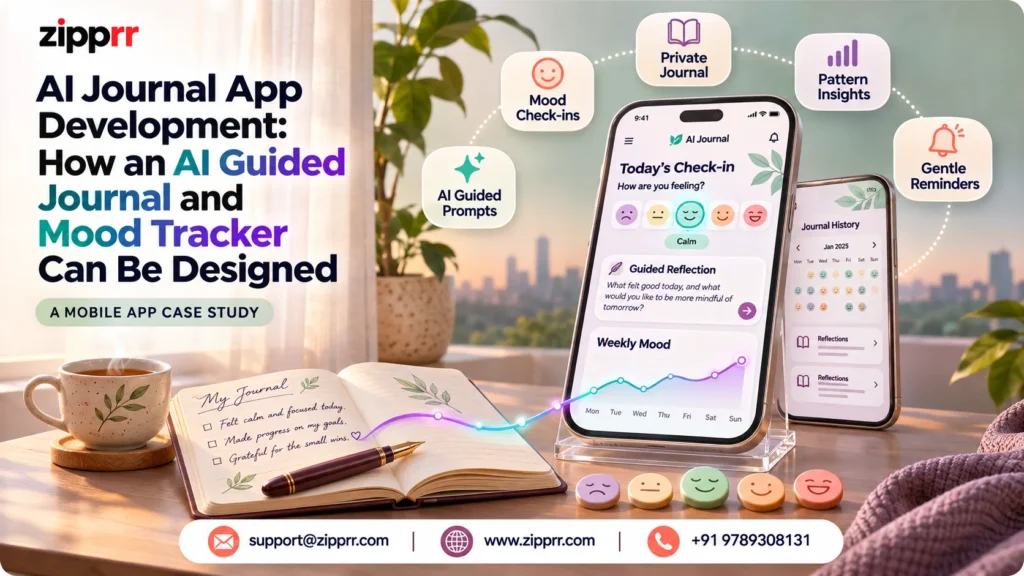
A product case study on AI journal app development: an AI guided journal and mood tracker for founders who plan a wellbeing platform.
AI journal app development is the work of planning a journaling product that joins guided prompts, mood tracking, pattern insights and strict privacy controls. This case study describes a proposed AI Guided Journal and Mood Tracker. It is a reference design, not a completed client project.
What Does AI Journal App Development Aim to Solve?
AI journal app development starts with a simple idea. People write to understand their day, and software can make that habit easier to keep. In addition, this case study describes a proposed AI Guided Journal and Mood Tracker. However, it is an AI-assisted platform for daily reflection, emotional awareness and personal growth.
The platform combines structured writing, mood records, insights, reminders and privacy controls in one workspace. Moreover, users write, record how they feel and review patterns over time. Also, AI supports them with prompts, summaries and follow-up questions.
No client, launch or customer results are claimed here. For example, the feature list defines the product scope. However, everything about architecture, data and AI workflow is labelled as a proposed design consideration or a recommended approach.
The central lesson is that trust decides everything in this category. Strong privacy controls, honest AI limits and a gentle tone matter as much as the features. Readers who want more technical write-ups can browse our Zipprr technical case studies.
The User Problem Behind AI Journal App Development
Many people want to reflect but struggle to keep the habit. Similarly, a blank page feels heavy. As a result, paper notebooks are hard to search, and generic notes apps give no sense of emotional patterns. Furthermore, existing tools often fall into two camps.
This gap creates a clear opportunity for AI journal app development. Then, a platform that joins writing and mood data can help users notice what shapes their days. At the same time, AI can lower the barrier to starting, since it can suggest a first question.
Product Goals and User Needs in AI Journal App Development
The proposed product has four goals.
These goals map to real user needs. Additionally, some users want guidance, while others want a quiet space. Finally, some track moods in seconds, whereas others write long reflections. Also, a flexible product has to serve both ends.
The intended audience includes people who journal for stress management, gratitude, focus or self-awareness. Therefore, founders building in this space also need operator-side tools, which we cover later.
Proposed User Journey From Sign-Up to Long-Term Review
Illustrative journey (not a real customer story). The steps below show how one person might use the product from first visit to long-term review.
- Sign up and set goals. The user creates an account, then chooses goals such as gratitude or focus during onboarding.
- Land on the dashboard. They see recent entries, a mood summary, a streak and quick actions.
- Check in and write. They log a mood, then answer a guided prompt or write freely.
- Reflect. The platform offers a short summary and a few follow-up questions.
- Review over time. Weeks later, the user opens the calendar, trends and theme views to look back.
- Stay in control. At any point, they can lock an entry, export their data or delete records.
The next section explains each product area in detail and shows how the pieces support one another.
Feature Coverage for AI Journal App Development
The features below are grouped by user value, not by screen. In addition, each group answers one question a user would ask.
Getting Started: Accounts, Profile, Onboarding and Dashboard
Access begins with email-based account creation and secure sign-in. However, the scope also includes password reset, session management and optional social sign-in. Moreover, together, these cover the basics without forcing one login method.
A personal profile lets users manage their name, avatar, time zone, language and journaling preferences. For example, these settings do real work. Similarly, they tailor prompts, reminders and insights, so the product feels personal from day one.
Guided onboarding introduces journaling goals and mood tracking. As a result, users pick goals such as stress management, gratitude, focus or self-awareness. Furthermore, those choices later shape which prompts and templates appear first.
The journal dashboard is the home base. Then, it shows recent entries, a mood summary, streaks and quick actions. From there, users reach writing, history, insights and saved prompts in one tap.
Writing: Entries, Prompts, Free-Writing and Templates
Daily journal entries are dated and include a title and rich-text content. Additionally, owners can edit, revisit, organize or delete their own entries.
Mood Capture: Check-Ins, Emotions and Context
A mood check-in can happen before, during or after an entry. Finally, users can pick labels, icons, colors or a numeric intensity scale. Offering several styles keeps check-ins quick on any device.
Finding and Revisiting: Tags, Search, Calendar and Favorites
Custom tags, topics and life areas organize entries. Examples include work, relationships, health and goals. Also, users can create their own, so the structure fits their lives.
Search and filters then make the archive useful. Therefore, users can search journal text and filter by date, mood, tag or entry type. As a result, old reflections and recurring topics become easy to find.
The calendar view shows activity and moods by day, week or month. In addition, it highlights completed entries, missed days and emotional patterns over time. However, the timeline and entry history complement it with a chronological list, so users can move between past reflections without losing context.
Favorites and bookmarks complete this area. Moreover, users can save important entries, prompts or insights, and a dedicated view collects them in one place.
AI Reflection and Insights in AI Journal App Development
The AI layer supports review rather than replacing the user’s own voice. For example, each capability below is framed as a non-clinical aid for reflection.
Growth: Gratitude, Goals, Habits, Streaks and Reminders
Positive moments and gratitude form a searchable record of wins and meaningful moments. On a hard day, users can look back at what went well.
Goals and intentions let users set personal intentions and connect entries to them. Progress reflections help them review what is working and what needs adjustment.
Habit and routine tracking adds another layer. Similarly, users can track routines such as sleep, exercise, meditation or reading, and compare them with wellbeing trends. As a result, the comparison is a prompt for thought, not a verdict.
Journal streaks count consecutive journaling or check-in days. Furthermore, they are optional, and they encourage consistency without penalizing missed days. That design choice protects motivation. Finally, reminders and notifications keep the habit alive. Then, users schedule daily or custom reminders and control timing, frequency and channels.
Want this feature scope for your own journaling platform?
See how a guided journal and mood tracker could fit your idea. Book a free demo, or message us on WhatsApp and tell us which modules matter most.
Technical Architecture for AI Journal App Development
Layers and Responsibilities
A Conceptual Data Model
A clear data model keeps privacy rules simple. Recommended core records include the following.
| Record | What it holds |
|---|---|
| User | Account, profile, time zone, language and preferences |
| Entry | Title, rich text, date, type, lock status and owner |
| Mood and emotion | Label, intensity, optional note and a link to an entry |
| Tag | A user-defined label linked to entries |
| Habit and goal | Tracked routines and intentions, with links to entries |
| Prompt and template | Library items with language and goal fields |
| Consent record | What the user agreed to, such as AI processing or analytics, with a timestamp |
Access Control, Search and Time Handling
Every query should be scoped to the signed-in owner. Additionally, users must reach only their own records, and the server, not the interface, should enforce that rule.
Search across entries and mood history needs careful planning. Filters by date, mood, tag and type are straightforward. Full-text search over private content, however, raises design questions about indexing and who can read the index. Finally, teams should decide this early.
Time zones matter more than most teams expect. Therefore, calendars, reminders and streaks all depend on a “day.” Storing timestamps with the user’s time zone, and calculating streaks in that zone, prevents confusing results when people travel.
AI Workflow and Responsible-Use Boundaries
Recommended approach. Treat AI as an optional helper that works only with consent. Also, the flow below keeps control with the user.
- The user opts in to AI processing in privacy settings.
- The backend builds a request from only the data needed, such as one entry or a short period.
- The AI returns a prompt, summary or follow-up question.
- The interface labels the output as AI-generated and keeps the original entry unchanged.
Data minimization helps here. However, send the least text needed, and avoid attaching profile details that add nothing. In addition, prompt rules should also ask for a supportive, non-diagnostic tone.
AI will sometimes fail or produce a weak answer. For example, the product should handle timeouts gracefully, show a plain message and let the user keep writing. Moreover, rate limits and usage caps protect both cost and reliability. As a result, teams that want a deeper view of provider layers can read our AI assistant mobile app case study, which covers a multi-provider chat design.
Planning a journaling or wellbeing platform?
If you are scoping a similar product, a short conversation can save weeks of guesswork. Book a free demo with a Zipprr expert, or message us on WhatsApp to talk through your idea.
Privacy, Data Controls and User Trust in AI Journal App Development
Trust is built through visible choices. Similarly, this section covers the controls that give users authority over their own data.
Private Entries and Consent Controls
Trust ledger: privacy
Export, Backup and Deletion Rules
Trust ledger: ownership
Retention and backup rules need a written policy. For example, teams should decide how long deleted data remains in backups. Then, this case study does not claim any compliance, certification or encryption method, because none has been verified for this product.
Accessibility, Mobile Experience, Language and Appearance
A reflective product must be usable by many people, in many moods and settings.
Admin Operations and AI Configuration
An admin dashboard lets administrators manage users, prompt libraries, templates and platform settings. Furthermore, it also shows operational metrics and moderation controls. Finally, these must stay separated from private journal content, so staff can run the service without reading anyone’s entries.
AI and system configuration covers the provider, model, prompt rules, usage limits and safety messages. Additionally, usage controls help manage cost and service reliability. For a related look at proxying AI calls and managing subscriptions on the server side, see our AI browser app development case study.
Safety, support and responsible use deserve their own operational plan. Therefore, the platform can display crisis and professional-support guidance when appropriate, without claiming diagnosis or treatment. Also, it also includes help content, reporting, feedback and clear limitations for AI-generated reflections. However, teams should review the wording of these messages with qualified advisers before launch.
Risks and Design Trade-Offs in AI Journal App Development
Every design choice in this category has a trade-off. In addition, the rows below pair each risk with a recommended approach.
Expected Product Value and Verified Outcomes
The expected value below is potential and not proven.
Any future claim should be backed by real measurements collected with user consent.
Lessons for Teams Starting AI Journal App Development
Frequently Asked Questions
AI Journal App Development Basics
1. What is AI journal app development?
This work covers planning and building a journaling product that uses AI for prompts, summaries and reflection. For example, the scope usually includes mood tracking, privacy controls and an admin panel.
2. Is this a completed client project?
No. As a result, it is a product-development reference case study. Then, the study describes proposed design choices, not a launched product or verified results.
Privacy and Safety Questions
3. Can an AI journal app diagnose mood disorders?
No. Finally, the proposed platform does not diagnose, treat or replace professional care. Its mood and tone outputs are non-clinical estimates meant to support reflection.
4. How should an AI journal app protect private entries?
Recommended practices include owner-only access, optional locked entries, consent for AI processing and data minimization. Therefore, this case study does not claim any specific encryption or compliance standard.
Features and Cost Questions
5. Which features matter most for a first version?
Accounts, daily entries, mood check-ins, search, reminders and privacy controls form a strong base. However, teams can add AI insights, habits and goals as the product matures.
6. How can teams control the cost of AI features?
Set usage limits, make AI opt-in, send only the needed text and monitor usage in the admin panel. Provider and model settings should be configurable.
Conclusion: Your Next Step in AI Journal App Development
An AI Guided Journal and Mood Tracker works best when it feels safe, simple and respectful. For example, guided prompts, mood records and gentle insights help users reflect. Privacy controls, honest AI limits and a separated admin layer help them trust the product.
If you are exploring AI journal app development for your own idea, we are happy to talk it through. As a result, you can book a free demo or reach us on WhatsApp. There is no pressure, only a conversation about what you want to build.
Ready to scope your journaling platform?
Pick the route that suits you. We will walk through the features, privacy design and AI workflow with you.