

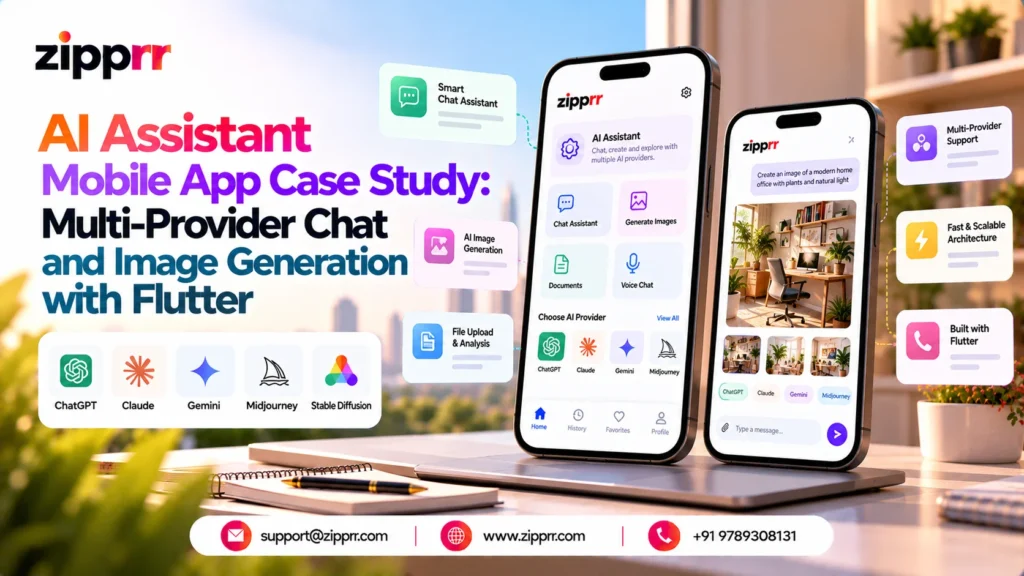
Most teams that set out to build a branded AI assistant app find that the model is the easy part. The hard part is everything around it: a chat surface that stays responsive while tokens are still arriving, session handling so yesterday’s conversation is still there this morning, a persona system that makes one assistant behave differently from another, a separate creative space for image work, and a provider layer that does not need rewriting the first time you change vendors.
This case study documents a Flutter application template that packages those pieces into one cross-platform codebase for Android and iOS. It is a solution case study describing the product as built, not a client success story; benefits discussed throughout are potential, not proven, and depend on how an operator configures, brands, and ships the product.
Launching a platform like this? Zipprr clone scripts start at $490 with 100% source code, a 7-day refund and 90 days of free support. Book a free demo or chat with us on WhatsApp.
The product challenge and who this is built for
A branded AI assistant looks simple from the outside. Under the hood it still needs a connection layer built to handle partial, in-progress replies, app state that keeps the screen responsive while a response is still forming, a place to store past conversations, an easy path between chat, provider settings, personas, the creative studio, and onboarding, and one visual language that holds up on both Android and iOS.
Building that foundation from zero consumes engineering time before anyone has validated the product idea. The template is aimed at four groups who feel that cost most sharply:
- Startup founders who need a working AI companion MVP in front of users while the concept is still being tested.
- Product owners inside existing businesses who want an assistant surface that matches an established brand rather than a generic chat window.
- Agencies that deliver similar assistant apps repeatedly for different clients and need a reusable, rebrandable base.
- Technical decision-makers evaluating build versus buy, who want to see the architecture before committing a team to it.
The common requirement is the same: own the source, control the provider relationship, and spend engineering effort on the differentiated layer instead of the plumbing.
Market context
Interest in conversational software has moved well past the basic customer-support widget. Mordor Intelligence sizes the global Conversational Systems Market at USD 26.73 billion in 2026 and projects USD 55.84 billion by 2031, a compound annual growth rate of 15.87% across the 2026 to 2031 forecast period. The same report gives a 2025 estimate of USD 23.11 billion, with figures stated as updated in January 2026 and coverage spanning North America, South America, Europe, Asia Pacific, the Middle East, and Africa.
Two qualifications matter. The 2025 figure estimates a historical year, while the 2026 to 2031 values are forecasts rather than recorded results. And the Conversational Systems Market is a broad category covering enterprise platforms, voice systems, and embedded conversational components. It does not measure the mobile AI assistant segment specifically and should not be read as the addressable market for any single application. Treat it as directional evidence that conversational interfaces are growing, not as a revenue model input.
Solution overview and core workflows
The application is a Flutter AI assistant template for Android and iOS. It combines streaming chat, support for multiple AI providers, image generation workflows, a persona library, and multi-session conversation history behind a single Material 3 interface.
Four workflows define the product:
- Conversation. Multi-turn chat with responses that render progressively rather than appearing all at once, held in independent sessions that the user can return to.
- Provider selection. A dedicated screen where the configured AI service is chosen, with flexible configuration behind it.
- Persona selection. A built-in library of assistants tuned to different conversation purposes, applied before or instead of general chat.
- Creative generation. A separate AI Studio surface for image generation, kept deliberately apart from the conversational flow.
Supporting these are onboarding screens, a chats and history area, and a navigation structure that moves between all of them without the user losing their place.
Technical architecture and technology stack
It is worth separating what the template confirms from what a production deployment would normally add. The table below describes the implementation as specified.
| Layer | Implementation |
|---|---|
| Framework | Flutter 3.x, single codebase for Android and iOS |
| Language | Dart, null-safe implementation |
| Interface system | Material 3 components with responsive mobile layouts |
| State and navigation | GetX for reactive state handling and routing |
| Networking | HTTP networking layer for AI service integration |
| Typography | Google Fonts, using Sora and Manrope |
| Local persistence | Secure local storage for sensitive configuration values |
| Supported AI services | OpenAI, Anthropic Claude, and Google Gemini |
| Platform projects | Android and iOS project files included in the source |
| Dependency profile | A relatively limited dependency set across organized, extensible modules |
A few points deserve precision, because they are the ones most often overstated in product marketing.
Streaming
Responses arrive and render incrementally, so the interface updates while generation is still in progress rather than waiting for a completed reply. The specific transport mechanism used to deliver those increments is not documented in the source specification, so this case study makes no claim about server-sent events, WebSockets, or any other protocol. The user-visible behaviour is progressive rendering; the wire format should be confirmed in the code before anyone designs around it.
Multi-provider support
The AI networking and integration layer abstracts provider calls, giving the codebase a defined place to add or remove services. That is a useful architectural property, but narrower than it sounds. It does not by itself establish automatic failover between services, simultaneous execution across models, or preservation of conversation context when a user switches providers mid-session. Each of those is a separate feature decision that would need building and testing. What the architecture offers is reduced dependency on any one vendor’s SDK shape, which can make a future migration cheaper. It is not complete freedom from vendor lock-in.
Conversation history
Each conversation is kept as its own session, so a user can pick an earlier exchange back up instead of starting over. Where that history lives, how long it is kept, and whether it syncs across a user’s devices are not specified in the source material, so a team with data residency or retention requirements should treat those as open questions to settle during customization.
Secure local storage
Sensitive local configuration can use secure device storage. The exact credential-handling implementation should be verified in the source before relying on it for a specific compliance need; secure storage is not end-to-end encryption and does not by itself satisfy GDPR, HIPAA, SOC 2, or any other regulatory framework.
Recommended production architecture
Separately from what ships, a production deployment handling real users and real provider bills would typically add a server-side gateway between the app and the AI services. A gateway holds credentials centrally rather than on devices, meters and rate limits usage per user, logs requests for debugging and abuse handling, and lets provider routing change without a new app build. The template’s architecture can be adapted to a custom server layer, which makes this a natural extension path. It is a recommendation, not an included component.
Key features in practical use
Streaming chat and multi-session history
Progressive rendering matters for one reason: perceived latency. A user watching text appear tolerates a response that takes several seconds, while the same wait against a static spinner reads as a broken app. Because sessions are independent, a user can keep a work thread, a research thread, and a personal thread separate instead of scrolling one undifferentiated log, and the dedicated chats and history screens make returning to a topic a navigation action rather than a search.
Personas
The persona library ships with assistants shaped for different conversation purposes, and the structure is extensible, so developers can add their own. For an operator this is the cheapest available product differentiation: a legal research assistant, a fitness coach, and a code reviewer can run on the same model and codebase while feeling like three different products, because framing, tone, and task orientation differ. For agencies serving multiple clients, personas are usually the first layer customized.
Provider selection
A dedicated provider-selection experience puts service choice in front of the operator instead of burying it in a configuration file. The template ships with support for OpenAI, Anthropic Claude, and Google Gemini, and users can switch among whichever of these are configured and enabled. Services differ in pricing, latency, and content behaviour, so this choice matters operationally; adding a provider beyond the three supported today is a development task in its own right, not a toggle. Operators control which providers are exposed and therefore which costs they incur.
AI Studio and image generation
Image generation lives in its own studio-style interface rather than inside the chat thread, reflecting how the two activities differ. Chat is iterative and conversational; image creation is prompt, review, regenerate. Separating them avoids a cluttered transcript and gives a clear surface for future generation tools. One caveat matters: image generation runs through configured external AI services, and image-generation availability must be verified for each configured integration rather than assumed to be universal across providers.
Demo Mode and onboarding
Demo Mode allows the application to be explored without a custom backend, which is genuinely useful for interface review, internal demonstrations, and client presentations before any paid service is configured. It should not be misread as evidence that live AI works offline or without provider configuration. Demo Mode demonstrates the interface; live functionality still requires configured external services. Onboarding runs through dedicated screens whose content can be rewritten with branded messaging.
Want a ready-made platform like this?
Skip months of development. Uber Clone, Airbnb Clone, Uber Eats Clone, TaskRabbit Clone and Gojek Clone ship with 100% source code. Book a free demo or chat with us on WhatsApp.
End-to-end user journey
- The user opens the application and completes onboarding.
- The user selects an available AI provider from the configured options.
- The user chooses a persona or starts a general chat.
- The prompt passes through the configured integration layer to the selected service.
- The response streams into the chat interface and renders progressively.
- The conversation remains accessible as a session in the history area.
- The user can move into AI Studio for image-generation workflows.
- The developer or operator rebrands and extends the source for a specific commercial niche.
Branding, customization, and white-label positioning
The default visual identity is dark-first: a deep graphite foundation, cyan-to-violet gradients on selected interface elements, Sora and Manrope typography, and consistent spacing and hierarchy across Material 3 components. It is a finished look rather than a wireframe, which matters when the app is shown to stakeholders early.
It is also fully replaceable. App identity, colour system, typography, and written content can all be changed, which is what makes the template viable as a white-label foundation. This rebranding path is the same consideration teams weigh in any custom Flutter app development engagement: how much of the visual layer needs to change before the product reads as its own brand rather than a template.
Beyond visual rebranding, the source supports deeper work: adding or removing provider integrations, adding personas and AI modules, extending studio functions, connecting optional backend services, and building signed Android and iOS releases. Operators planning a generation backend behind several surfaces may also find the separate AI image generator SaaS reference architecture write-up useful.
Included capabilities versus optional integrations
| Capability | Status |
|---|---|
| Flutter Android and iOS source code | Included |
| Streaming chat experience | Included |
| Multi-provider AI integration layer | Included |
| Persona library | Included |
| Multi-session conversation history | Included |
| Image-generation interface | Included |
| AI Studio workflow | Included |
| Demo Mode | Included |
| Onboarding screens and dark design system | Included |
| Live chat and image generation | Requires configured external AI services |
| Custom backend or service gateway | Optional, requires separate integration |
| User authentication | Optional, requires separate integration |
| Analytics | Optional, requires separate integration |
| Cloud storage and cross-device sync | Optional, requires separate integration |
| Push notifications | Optional, requires separate integration |
| Payments and subscriptions | Optional, requires separate integration |
| Centralized credential and usage management | Optional, recommended for production |
Everything in the lower half of that table is a customization possibility, not an included production backend service. Teams budgeting a launch should scope them explicitly rather than assuming them.
Deployment, privacy, and operating costs
Building the application requires Flutter 3.x and Dart, Android development tooling for Android builds, and macOS with Xcode for iOS compilation and signing. Release distribution follows the standard paths: Android signing and store configuration, and Apple signing and provisioning. Live AI functionality requires configured, supported external providers.
Three limitations are worth stating plainly. Android and iOS source availability does not establish compatibility with every operating system version, so target SDK levels and minimum versions should be checked against current store requirements. The application is a template and is not described here as published, approved by any app store, independently audited, or production validated, and store review outcomes are never guaranteed in advance. And live AI usage and image generation depend on external services that bill their own usage, so running costs scale with how much users generate. Operators control which providers are enabled and therefore the cost exposure that follows.
On privacy, the practical position is this: secure device storage protects local configuration reasonably well, but any product handling user conversations at scale should decide deliberately where history lives, how long it is kept, and who can reach it. Those questions sit outside the template and belong in the customization phase, alongside any authentication layer. Teams who also need a web-facing surface sometimes pair the mobile app with self-hosted AI chat software so the same brand voice appears on the site and in the app.
Potential business benefits and how to evaluate fit
A reusable starting point may shorten development compared with building every layer from scratch. One Flutter codebase covers both Android and iOS, multiple supported providers offer service-selection flexibility, Demo Mode supports demonstrations before paid services are enabled, and source availability supports branding and feature expansion. These are directional advantages, not a quantified saving; actual impact depends on team size, scope, and how much of the template survives customization.
More useful is a short evaluation checklist before committing:
- Does the persona and studio structure match the product you actually intend to ship, or would you be fighting the architecture?
- Which of your required providers support image generation today, and does that match your feature promise?
- Do your data residency and retention requirements force a backend on day one rather than later?
- Is your team comfortable with GetX as the state and navigation layer, or would replacing it erase the time saved?
- What is your projected provider spend per active user, and does your pricing model cover it?
Answer those five honestly and the build-versus-buy decision usually answers itself.
Note on naming: OpenAI, Anthropic Claude, and Google Gemini are referenced here only to describe which external services the integration layer supports. This is an independently developed application template and is not affiliated with, endorsed by, or associated with any of those companies.
Discuss a branded AI assistant app
If you are weighing a branded AI assistant for Android and iOS and want to work through architecture, provider strategy, and customization scope, schedule a free demo with the Zipprr team and bring your requirements.
Ready to launch your own platform?
Zipprr gives you 100% source code, a 7-day refund and 90 days of free support, so you can go live without building from scratch. Popular starting points: Uber Clone, Airbnb Clone, Uber Eats Clone, TaskRabbit Clone and Gojek Clone.
Frequently Asked Questions
What does a multi-provider AI assistant mobile app do?
It lets users chat with AI models and generate images from one branded app, with the app handling streaming replies, multi-session chat history and personas instead of locking users to a single AI provider.
Can one Flutter codebase serve both Android and iOS for an AI assistant app?
Yes. The case study documents a Flutter application template that packages the chat, image generation and history features into one cross-platform codebase for Android and iOS.
What are the hard parts of building an AI assistant app?
The model is the easy part. The harder work is the connection layer that handles partial, in-progress replies, session history, persona settings and a production-ready architecture around the model.
What features matter most in a branded AI chat app?
Streaming chat, saved multi-session history, selectable personas and image generation are the core workflows the case study highlights as the features users rely on in practice.



