


It was a quarter past seven on a Thursday, and a senior paralegal was still at her desk assembling the same cover letter she had assembled a hundred times before. Different client, same skeleton: the caption, the receipt numbers, the statement of facts, the exhibit index, the closing paragraph that cites the same regulation every family petition cites. She was not thinking, she was retyping, and she had two more of these to build before a filing window closed the next morning. When we asked her later what the work actually felt like, she said the hard part was never the law. It was that the law-adjacent typing never ended, and it ate the hours she would rather have spent on the files that were genuinely difficult.
That evening is where this engagement really began. The firm had not called us because anything was failing in a dramatic way. Cases were being filed, deadlines were being met, clients were being served. The problem was quieter and more expensive than a failure: a team of trained legal professionals was spending a large share of its week on repetitive document assembly that did not need their training, and the cost of that was showing up as burnout, slower turnaround, and a partner who could not grow the caseload without hiring ahead of the revenue.
The firm in this story is a representative composite we will call Meridian Immigration Law, a small practice built from the kind of engagement we run regularly. The situation, the workflow, and the decisions are true to how these projects actually go. The name and the specific details are illustrative rather than a single identifiable client. Nothing here is legal advice, and every outcome described was reviewed by licensed attorneys who remained responsible for the work.
Project at a glance
Zipprr AI Lawyer
The decision we insisted on first
Before we scoped a single feature, we drew one line and refused to move it for the rest of the project. The assistant drafted. The attorney decided. Every document it produced was a first draft to be reviewed, edited, and signed off by a person admitted to practice. It would never file anything, never give a client legal advice, and never present its own output as final.
We were blunt about why. In legal work the risk is not a slow reply, it is a confident wrong answer that a client relies on or a court receives. An immigration filing that cites a superseded rule, misstates eligibility, or misses a jurisdictional nuance is not a small typo; it can cost someone their case or their status. So the value we were after was narrow and specific: take the repetitive assembly off the team, and give every hour back to the judgment that actually requires a lawyer.
Drawing that boundary on day one did two things. It set the firm’s expectations honestly, no one was promised a robot that practices law, and it made the whole build safer, because nothing we automated could reach a client or a court without a human deciding it should.
Why the firm wanted out of what it had
Meridian was already paying for a well-known subscription practice-management platform, and on paper it did a lot: case files, a client portal, form filling, a calendar. In practice the partner had three complaints, and they are common ones:
- Cost that scaled the wrong way. The platform billed per user per month, so every new paralegal made the tool more expensive at exactly the moment the firm was trying to improve its margins.
- Automation that did not reduce the typing. The drafting the team did most, the cover letters, the support-letter skeletons, the RFE response shells, still happened largely by hand in a word processor and got pasted back in. The tool stored documents well but did not meaningfully cut the work.
- No real ownership. The firm’s entire operational history lived inside a system it did not control, priced by a vendor it could not influence, and could not be reshaped when its own process did not match the software’s assumptions.
The partner put it plainly on our first call. He did not want to rent the core of his practice anymore, and he was tired of paying more to automate less. That framing, own it and make it actually reduce the repetitive work, is what pointed the engagement toward a migration rather than another subscription.
A week of watching the drafting
We do not design from complaints; we design around real work. So we spent the first week watching how documents actually got made, sitting with two paralegals and the associate who reviewed their output.
The pattern was clear within days. A large share of the team’s drafting time went into documents that were ninety percent identical from one matter to the next. A G-28 notice of appearance. A cover letter that changed only in caption, receipt numbers, and beneficiary details. An exhibit index that followed the same order every time. Response shells for a Request for Evidence, where the legal argument was bespoke but the scaffolding around it- headings, statement of the issue, list of enclosures- was boilerplate rebuilt from scratch each time.
Two things surprised us. The first was how much rework came from small inconsistencies: a paralegal starting from last week’s document, forgetting to change one client’s name in one paragraph, and the associate catching it on review. The second was where the real risk sat. It was not in the boilerplate at all. It was in the deadline math. Response windows, priority dates, and filing cutoffs were being tracked across a calendar, a spreadsheet, and people’s memory, and the one near-miss the firm had suffered the prior year traced back to a response deadline that slipped between two of those systems.
That reading reshaped the build. The boilerplate was the volume problem, worth automating for time. The deadlines were the risk problem, worth automating for safety. A common mistake we have seen firms make is to buy a shiny drafting tool and leave the deadline tracking exactly as fragile as it was. We were not going to repeat it.
Choosing to own the platform, not rent it
The firm’s preference to own, plus the need to reshape the tool around its actual workflow, pointed us to Zipprr AI Lawyer rather than another per-seat subscription. This is exactly what the platform is built for, and it was worth a close look for three reasons.
Ownership was the first. The engagement ends with complete source code ownership transferred to the firm, so it can self-host, customize, and maintain the system without vendor lock-in and without a per-user meter running as it grows. For a partner whose main complaint was renting his own practice, that changed the math entirely.
Fit was the second. AI Lawyer is a legal-native platform: document drafting across a wide range of document types with jurisdiction-aware formatting, contract and document review with risk flags, and deadline mapping that understands court and USCIS timelines rather than treating them as generic calendar entries. We were not bending a general-purpose chatbot into a legal shape. We were configuring a system that already spoke the domain.
The honest trade-off was the third thing we put on the table. Owning the platform means the firm is responsible for maintaining it once the support window closes, whereas a subscription would keep patching it indefinitely for a recurring fee. AI Lawyer includes lifetime updates and free white-glove migration assistance, which softens that considerably, but a practice that would rather have someone else run everything forever might still prefer a subscription, and we said so. Meridian, which wanted control and predictable cost more than it wanted a hands-off vendor, found the choice easy.
Most of the configuration in this project happened inside the drafting and admin console of AI Lawyer; if you want to picture where the work actually sat, that is the screen to look at.
How the assistant was assembled
We built on AI Lawyer and configured it around Meridian’s real matter types. Very little net-new software was introduced, on purpose, because every extra system is one more thing the firm has to maintain after we leave.
The drafting side was grounded, not improvised. Rather than let the model generate cover letters and response shells from its general training, we loaded the firm’s own approved templates, its house style, and its standard clause language, and had the assistant assemble drafts from those. Before we loaded anything, we ran a cleanup pass with the associate and pulled the stale material first: an outdated fee reference, a boilerplate paragraph that cited a rule that had since changed, and two template letters that no longer matched current filing practice. Grounding an assistant in outdated legal boilerplate is worse than not grounding it at all, so that editorial pass was the real foundation of the build.
The review side used the platform’s document analysis to do a first pass on incoming materials, an employer support letter, a client’s prior filings, a lease or an affidavit offered as evidence, flagging missing standard elements and inconsistencies for a person to examine. It surfaced issues. It did not judge them. Every flag went to the associate, not to the client.
The deadline side is where we spent disproportionate care, because that was the risk. We consolidated the scattered tracking into the platform’s deadline mapping, so a receipt notice or an RFE with a response window created a tracked deadline with escalating reminders as the date approached, rather than a note someone had to remember to make. One source of truth, visible to the whole team.
And the whole thing sat behind a sign-off gate: nothing the assistant produced became a filing without a named attorney approving it.
The architecture, end to end
Every path ends at a licensed attorney; the system drafts and routes, it never files or advises. A flowchart image of this architecture is provided separately to insert here.
A few of those stages are where a legal deployment is really decided.
The confidence and citation check exists because a fluent draft is the most dangerous kind. When the assistant produced a draft that referenced a specific rule, form number, or filing requirement, that reference was flagged for a person to confirm against the source, never trusted because it read well. Legal text that sounds authoritative and is wrong is exactly the failure mode we were guarding against.
The review queue carried an audit trail: for every document, the system logged which attorney signed off and when, so approval was always attributable.
The deadline reminders were built to escalate rather than whisper. A response window did not generate a single calendar entry that could be missed on a busy day; it generated a sequence that grew more insistent as the date approached, surfaced to more than one person, so no single distracted afternoon could lose a filing.
Guarding a legal workflow
The happy path is easy. The edges are where trust is won or lost, and in legal work the edges carry real stakes.
We handled client data conservatively. Immigration files contain some of the most sensitive personal information a person has, so the deployment kept documents inside the firm’s own environment, limited who could see what by role, and did not route sensitive files through anything the firm did not control. Because the firm self-hosts, that boundary was ours to enforce directly rather than something we had to trust a third party to honor.
We planned for the ordinary messes, and each one has a safe default:
- A half-finished draft where the client had not yet provided a document: the assistant flags the gap rather than inventing a placeholder that could slip through.
- An RFE that raised a novel argument outside the firm’s templates: the assistant assembled only the scaffolding and marked the substantive section clearly as attorney-only, because that is precisely where its help stops being help.
- A jurisdictional wrinkle the boilerplate did not cover: escalated to a person, not guessed.
- A deadline the platform could not confirm had been recorded: surfaced as a failure rather than assumed done, on the same principle we hold across every deployment, never report something done that we have not confirmed is done.
The rule underneath all of it was the one from day one. When the system is unsure, it does less and tells a person, rather than more and hopes.
The draft that looked perfect and was not
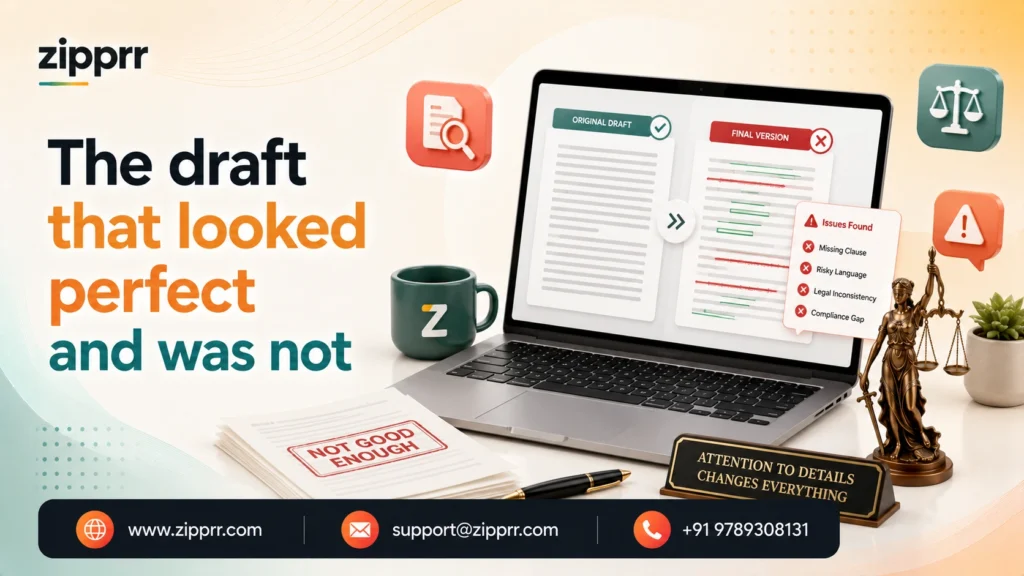
The moment that most shaped the final build came in testing, and it was a useful scare. The assistant produced an RFE response shell that read beautifully, well-structured, correctly formatted, confident in tone, and it cited a regulatory provision to support a point. The provision was real. It was also the wrong one for that category of case, close enough to be plausible and wrong enough to matter. A reviewing associate caught it in seconds because she knew the area cold. A rushed reviewer on a bad day might not have.
That single draft justified the entire verification layer. We had already planned to flag cited authority, but seeing it happen changed how forcefully we did it. We made every specific legal reference, every rule number, form citation, and filing requirement, a mandatory-check item that the reviewing attorney had to actively confirm, not something they could skim past. We would rather the assistant slow a reviewer down on ten correct citations than let one wrong one through because it read well. In this kind of work, a fluent draft is not a finished draft, and we built the system to keep saying so.
Moving off the old system, week by week
Because this was a migration, not a fresh start, we ran the old platform and the new one in parallel until the firm trusted the new one, and we sequenced the cutover to protect live deadlines above everything.
The white-glove migration assistance that comes with AI Lawyer carried the heaviest part of the move, bringing active matter data and, most importantly, live deadlines across without a gap.
We deliberately did not switch off the old subscription until every open deadline existed and had been verified in the new system, and until the attorneys had reviewed enough real drafts to trust what was arriving in their queue. The associate’s early tuning requests, tightening how the assistant handled one petition type, adding a firm-specific paragraph the templates had missed, were the sign the tool had become theirs rather than ours.
What changed for the paralegals and the partner
The engagement delivered three immediate improvements:
- Faster first-draft preparation
- More consistent legal documents
- Centralized deadline visibility
The clearest result was not on a dashboard. It was the senior paralegal telling us, a few weeks in, that she was leaving at a reasonable hour again, because the assembly that used to eat her evenings now arrived as a draft she edited rather than a blank page she rebuilt. The repetitive typing that had felt endless was the part that went away.
Side by side, the change looked like this:
| Before | After |
|---|---|
| ✕Repetitive cover letters and shells retyped from scratch each matter | ✓Grounded first drafts assembled from the firm's own approved templates |
| ✕Small copy-paste errors caught late on associate review | ✓Consistent drafts, with a verification layer flagging the risky parts |
| ✕Deadlines tracked across a calendar, a spreadsheet, and memory | ✓One source of truth with escalating, multi-person reminders |
| ✕Cited authority trusted because it read well | ✓Every legal reference flagged for mandatory attorney confirmation |
| ✕Per-user subscription that cost more as the firm grew | ✓Owned platform, source code transferred, no per-seat meter |
We were careful about what we claimed on return. A cover letter or response shell that used to take a meaningful slice of a paralegal’s afternoon could now start from an editable draft in minutes, but the exact hours saved are the firm’s number to measure, not ours to invent. Industry write-ups on legal drafting automation report large reductions in document preparation time, yet those are other firms’ results on other tools, and we would not paste them onto Meridian. We left the hard figures to the firm’s own records, and told them precisely which to track so they could judge the payback themselves.
What the firm is now tracking (its own numbers, to be measured in its own books):
- Drafting time per matter
- Review cycles per document
- On-time filing rate
- Matters handled per person before adding headcount
The one number the partner cared about most was simpler than any of those: whether he could take on more matters without adding headcount at the same rate. Early on, the answer was starting to look like yes, and he was watching it in his own books.
More importantly, the project shifted the team’s time from repetitive assembly toward legal review and client service, without removing attorney oversight.
What we would do differently
Two things. We would run the template cleanup before configuring anything, not in the same week, because nearly every correction in the first parallel run traced back to a template that should have been retired earlier. Outdated boilerplate is the single biggest hidden liability in a legal drafting build, and it deserves its own dedicated pass up front.
And we would put the reviewing attorney in the room during design, not just at review. The most valuable rule in the whole system, treating every citation as a mandatory check, came from watching an associate catch a plausible-wrong reference. Had she helped shape the verification layer from the start, we would have built it stronger on day one. The people who review the work know exactly where the danger hides. It is worth asking them before you build, not after.
Ready to Stop Missing Deadlines?
Every legal practice runs on different workflows, but the first step is always the same: understand which work is genuinely repetitive and which work needs a lawyer’s judgment. Once that line is clear, automating the repetitive part becomes both safer and far more valuable, and your team gets its time back for the work that actually matters.
If you want to see where that line falls for your own practice, take the next step:
Frequently Asked Questions
Does the assistant give legal advice or practice law?
Will it replace our paralegals or attorneys?
How does it keep from citing the wrong rule?
How is sensitive client data handled?
Do we own it, and is it subscription-based?
You own it, and it is not a subscription. It is a one-time purchase with no per-seat or monthly fees, and complete source code ownership is transferred to you, so you can self-host, customize, and maintain it without vendor lock-in. Current pricing and license options are listed on the AI Lawyer product page.
What happens after purchase?
What if something needs adjusting after launch?
Project snapshot
Lessons learned
- Set the draft-versus-decide line before you build, and defend it.
- Retire stale templates before grounding anything.
- Treat every citation as a mandatory human check.
- Consolidate deadlines; that is where the real risk is.
- Put the reviewing attorney in the design room, not just the review queue.
Future enhancements (candidates, not commitments)
- A light drafting-quality view (draft time per matter, review cycles, on-time filing rate) so the firm can measure payback in its own numbers.
- Deeper matter-type templates as new petition patterns recur.
- Only with careful review, expanding grounded drafting to additional document types the team handles by hand today.
If your team spends hours rebuilding the same legal documents every week, the first step is understanding which work is repetitive and which work requires legal judgment. Once that line is clear, automation becomes much safer and far more valuable. Explore Zipprr AI Lawyer, book a demo, or read more client stories to see how similar firms approached the transition.
This article is for general information about how such a system is built and is not legal advice. Meridian Immigration Law is a representative composite drawn from engagements of this kind, not a single identifiable client. Every draft the system produces is reviewed and approved by a licensed attorney, who remains responsible for the work.



