

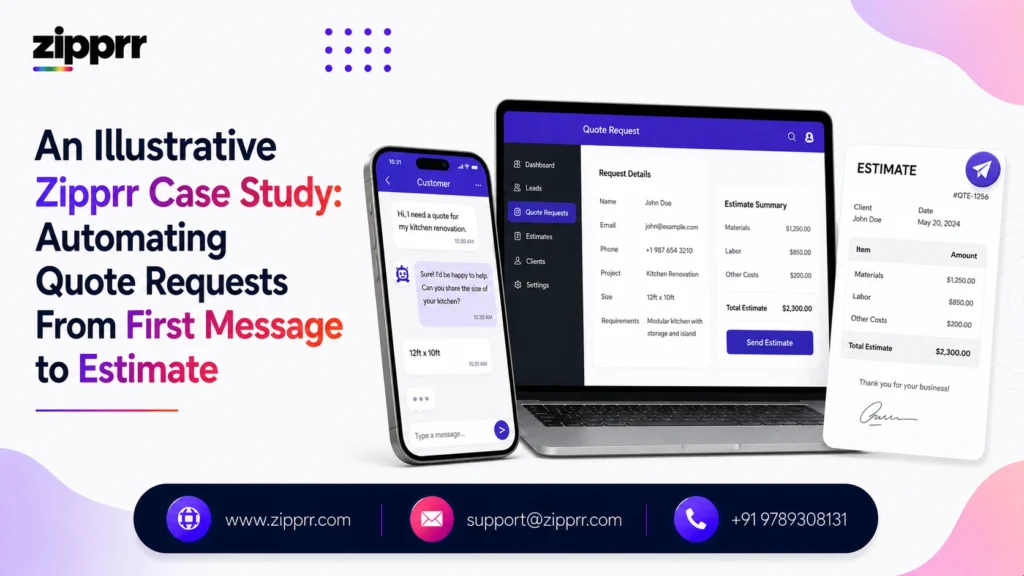
How Zipprr turns repetitive quote intake into one connected, AI-assisted workflow, while keeping people in control when human judgment is required.
Customer Request → Zipprr AI → Automation → Validation → Response → Human Exception
AI handles the repetitive work.
Business rules control the decisions.
Automation moves the workflow forward.
Humans handle exceptions.
This case study looks at how a composite home-services and contracting business can move from manual quote handling to an AI-assisted automation workflow built around Zipprr’s products. It walks through the operational problem, how Zipprr structures the automation, what changes for the team on the ground, and the results the workflow is designed to produce.
It is written for operations leaders, owners, and support managers evaluating whether AI automation fits a request-heavy, judgment-sensitive process like quoting and estimating, where speed matters but a wrong number or a missed hazard signal costs real trust.
Launching a platform like this? Zipprr clone scripts start at $490 with 100% source code, a 7-day refund and 90 days of free support. Book a free demo or chat with us on WhatsApp.
At a Glance
The Business Challenge
It is evening, and a customer’s water heater has started leaking. They grab their phone, snap a photo, and send a message asking what it will cost to get someone out. Requests like this arrive every day, at every hour, through text, a web form, or a phone call.
The real problem is not simply that responses are slow. It is that every request, standard or not, creates the same repetitive administrative workload for whoever happens to open it first.
What the team currently does:
- Reads the request
- Checks the photos
- Looks up pricing
- Creates the estimate
- Updates the CRM
Request → Read → Check Photos → Price → Estimate → CRM
Multiplied across dozens of requests a week, this is where the cost shows up. Standard jobs take as long to process as unusual ones, because the same person has to open, read, and decide on every message before anything can move forward. After-hours inquiries wait even longer, since no one is watching the inbox overnight, and on a busy day, CRM updates and follow-ups are the first things to slip.
None of this is a skill problem. It is a capacity problem: the same repetitive judgment call, made one request at a time, by someone who could be spending that time on the customers and jobs that actually need a person’s attention.
The Business Challenge
It is evening, and a customer’s water heater has started leaking. They grab their phone, snap a photo, and send a message asking what it will cost to get someone out. Requests like this arrive every day, at every hour, through text, a web form, or a phone call.
The real problem is not simply that responses are slow. It is that every request, standard or not, creates the same repetitive administrative workload for whoever happens to open it first.
What the team currently does:
- Reads the request
- Checks the photos
- Looks up pricing
- Creates the estimate
- Updates the CRM
Request → Read → Check Photos → Price → Estimate → CRM
Multiplied across dozens of requests a week, this is where the cost shows up. Standard jobs take as long to process as unusual ones, because the same person has to open, read, and decide on every message before anything can move forward. After-hours inquiries wait even longer, since no one is watching the inbox overnight, and on a busy day, CRM updates and follow-ups are the first things to slip.
None of this is a skill problem. It is a capacity problem: the same repetitive judgment call, made one request at a time, by someone who could be spending that time on the customers and jobs that actually need a person’s attention.
The Zipprr Approach
Zipprr does not approach automation as “let AI make every decision.” Instead, the workflow separates responsibilities so no single part of the system is trusted with more judgment than it should have. Three core system layers work together on every request, with humans providing the fourth layer of judgment and exception handling.
- AI. Understands and structures incoming text, photos, and voice notes.
- Business Rules. Control pricing, policies, approval thresholds, and eligibility.
- Automation. Moves approved work between systems and executes the routine steps.
- Humans. Handle exceptions and judgment-heavy situations, every time.
This is the same architecture behind Zipprr’s AI Chat and WhatsApp Automation products, applied to a quote and estimate intake workflow: a conversational AI layer that reads and structures what a customer sends, paired with automation that only acts inside boundaries the business has already approved.
Diagram: The Zipprr Automation Engine
The four roles above map onto a single pipeline. A request only ever reaches a customer through one of two doors: an automated response, or a person.
Inside the Automation
Every request moves through six stages. The important part is that the employee does not have to manually perform every stage, only the ones the workflow actually flags.
- Capture. The customer sends text, a photo, a voice note, a web form, or a call transcript.
- Understand. AI extracts job type, scope, urgency, and required information.
- Prepare. AI creates an estimate draft using the company’s approved price book.
- Validate. Business rules check pricing, limits, eligibility, and exception signals.
- Respond. Standard requests can continue automatically; exceptions move to a person.
- Record. CRM updates, communication, approval, and follow-up information are stored automatically.
Capture → Understand → Prepare → Validate → Respond → Record
The Decision Point
Not every request should be automated in the same way. The workflow reaches a decision gate on every single request, and the outcome depends entirely on what the request looks like, not on how busy the office is.
Want a ready-made platform like this?
Skip months of development. Uber Clone, Airbnb Clone, Uber Eats Clone, TaskRabbit Clone and Gojek Clone ship with 100% source code. Book a free demo or chat with us on WhatsApp.
Diagram: Automation vs. Human Decision Gate
See the Automation in Action
It is 7:30 in the evening when a homeowner sends a photo of a leaking water heater with the message: “Leaking from the bottom. Need someone ASAP.”
Normally, an employee would need to interpret the message, review the photo, identify the likely service category, check for urgency, decide what happens next, and update the system, all before the customer hears anything back. With the Zipprr workflow, the request enters the automation immediately.
Customer → Zipprr AI → Business Rules → Automation → Dispatcher → Technician
The AI layer recognizes a likely water heater issue and picks up the urgency in the wording, and the rules engine routes the request straight to the priority lane instead of attempting to auto-send a price. The automation checks appointment availability and can provide the customer with the next eligible appointment window, without waiting for anyone to get involved. A dispatcher confirms the slot before the office even opens, and the technician confirms the exact scope and final price on site.
That last step matters. The system correctly recognized the urgency and held back a price it could not responsibly generate from a photo alone; it could not see, for instance, that the leak had already reached the drywall behind the unit, something only the technician found in person. That is not a limitation to apologize for. It is the automation doing exactly what it should: move fast on what it can see clearly, and step back on what it cannot.
Before vs After
The shift is not about doing the same job faster. It is about which steps a person has to touch at all.
Before: Read → Review → Price → Estimate → Approve → Send → Update → Follow Up
After: Capture → Understand → Prepare → Validate → Respond → Record
What the Employee Sees
Instead of working through every request manually, employees start the day with a prioritized exception queue: what already went out on its own, and what still needs a person.
Human-in-the-Loop
Human review automatically happens for:
- Gas line work
- Electrical panel upgrades
- Permit-related work
- Visible hazards
- Structural concerns
- Active flooding
- High-value jobs
- Billing disputes
- Urgent or emergency language
- Unclear scope
- Poor-quality photos
What Zipprr Successfully Changed
Zipprr successfully brought these steps together into one connected automation workflow, turning a fragmented manual process into a structured AI-assisted operating flow.
What Changes for the Business
Once the workflow is connected, standard requests can begin processing immediately instead of waiting for an employee to manually review every inquiry. The biggest improvement is not simply response speed; it is the amount of repetitive coordination removed from the team’s daily workload.
The workflow improves:
- Response speed. Eligible requests can begin processing immediately.
- Consistency. Standard requests follow approved pricing and business rules.
- Employee focus. Teams spend more time on judgment-heavy work.
- After-hours coverage. Eligible requests can continue moving outside office hours.
- Visibility. Requests, estimates, approvals, and follow-ups remain recorded.
This workflow is designed to reduce repetitive workload, not to guarantee a specific number. Actual results depend on each business’s request volume, price book quality, and rules.
Beyond Quoting
The same Zipprr automation approach is not limited to a single AI estimator; it extends naturally to the rest of the customer lifecycle, including lead intake, customer qualification, scheduling, CRM updates, follow-ups, internal notifications, reporting, and general customer communication.
- Lead intake
- Customer qualification
- Scheduling
- CRM updates
- Follow-ups
- Internal notifications
- Reporting
- Customer communication
How Zipprr Turns the Concept Into an Operating Workflow
- Map the current workflow
- Structure pricing and business data
- Connect customer channels
- Add AI extraction
- Add business rules
- Start in shadow mode
- Automate approved standard workflows
- Monitor and improve
Metrics
These are the metrics a business can use to measure the success of the automation after deployment, not results Zipprr is claiming today.
- Time to first response
- Quote-to-booking conversion
- Estimate accuracy
- Human override rate
- Exception rate
- After-hours requests handled
- Follow-up completion
- Manual processing time
- Customer response time
Reusable Zipprr Automation Pattern
The same shape, capture the request, understand it, validate it against a system of record, then automate or escalate, works across industries well beyond home services.
The Result: A Business Workflow Built Around Automation
Before. People process every request.
After. Automation processes eligible routine work, and people focus on exceptions.
This case study demonstrates how Zipprr successfully brings AI, business rules, workflow automation, CRM integration, customer communication, and human oversight together into one practical operating system for repetitive business processes.
The key success is not “AI replaced people.” The key success is less repetitive work, faster workflow movement, clearer exception handling, better operational visibility, and humans remaining in control where judgment matters.
Ready to Automate Your Business Workflow?
Turn repetitive customer requests, qualification, quoting, follow-ups, and CRM updates into a connected AI-powered workflow with Zipprr.



