

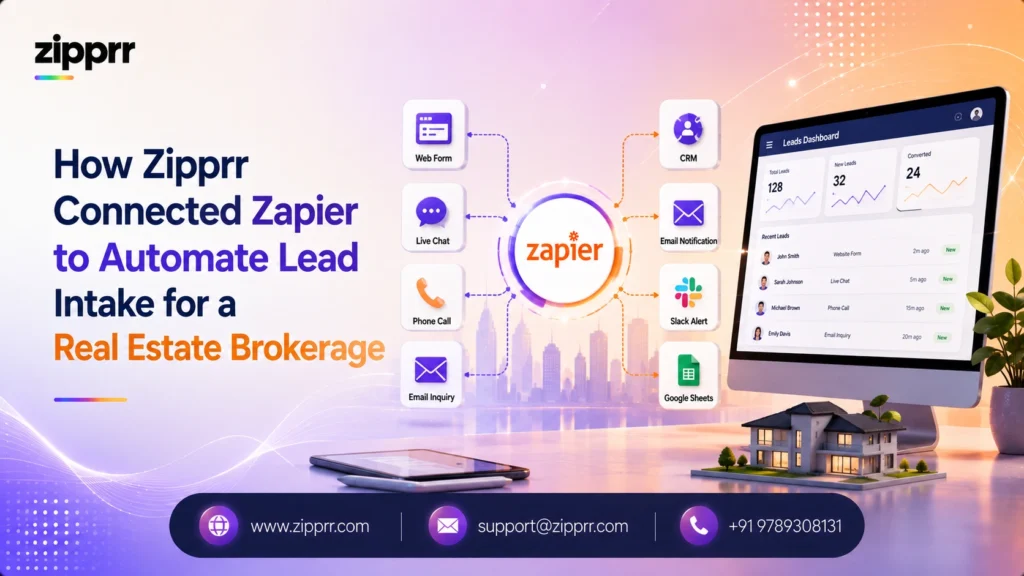
This case study is based on a representative client implementation delivered by Zipprr. Client identities and certain business details have been anonymized to protect confidentiality while preserving the implementation approach. Any metrics shown are typical or illustrative unless otherwise stated.
The Client Challenge
A regional real estate brokerage runs a dozen agents across several offices, generating leads from its own website, a paid listings portal, and walk-in inquiries logged by front-desk staff. Every one of those leads needs to land in the brokerage’s CRM, get assigned to the right agent by territory, and get a fast first response, since in real estate a lead contacted within minutes converts at meaningfully higher rates than one contacted hours later. Before automation, a coordinator manually checked three separate inboxes and a portal dashboard throughout the day, copied each new lead into the CRM by hand, and messaged the assigned agent. On a slow day that was manageable. On a weekend open-house day with fifty or more inquiries, leads sat for hours, and a portion were never followed up at all.
Goals
- Capture every lead the moment it arrives, from all three sources, with nothing sitting in an inbox unnoticed
- Automatically route each lead to the right agent by territory and property type
- Log every lead in the CRM with no manual data entry
- Deliver a first response within minutes rather than hours, including nights and weekends
- Achieve all of the above without hiring additional coordinator staff
Why Zapier
Zipprr’s integration team evaluated three options before recommending Zapier for this engagement:
- Zapier (chosen): native connections to the brokerage’s existing CRM, website form tool, and listings portal meant the core connections needed no custom development, which shortened the build timeline considerably. Its Paths feature comfortably handled the territory-then-property-type-then-fallback routing logic without needing a more complex scenario builder.
- Make: would have offered more visual branching flexibility, but the workflow’s logic did not need that extra complexity, so it would have added build time without a corresponding benefit for this specific use case.
- A fully custom integration: ruled out early. For a workflow this well-defined, an established no-code platform meant a faster launch and a system the brokerage’s own non-technical staff could inspect and adjust later, rather than a codebase requiring a developer for every small change.
Solution Architecture
That first-touch message is where Zipprr’s own products come in as the connected messaging layer rather than the star of the story. Many of the brokerage’s leads expect a fast WhatsApp reply rather than an email, so the automated first-touch runs through Zipprr’s WhatsApp Automation, built on the official WhatsApp Business Platform API, sending a personalized acknowledgment referencing the specific property within seconds of the lead landing in the CRM. For after-hours inquiries when no agent is immediately available, Zipprr’s AI Chat answers common early questions (price range, availability, scheduling a viewing) directly on the brokerage’s website before the lead ever reaches Zapier, and only escalates to the Zapier-driven CRM and agent-notification flow once a real inquiry is confirmed. Zapier is the connective tissue moving data between the CRM, the portal, and these two Zipprr systems; none of the three tools tries to do the others’ job.
Implementation Process
The Zipprr team started with a two-week discovery phase mapping every lead source, every field the CRM expected, and every routing rule the brokerage’s sales manager already used informally. The Zap itself was built and tested against historical lead data before going live, comparing the automated routing decision against what a human coordinator had actually done for the same leads, to catch routing-rule gaps before they affected a real inquiry. A phased rollout followed: the website form trigger went live first, then the listings portal trigger a week later once the first week’s routing held up correctly, then the walk-in form last. Training took a single half-day session with the coordinator and office managers, since the day-to-day workflow for staff did not change, the manual copying step simply disappeared.
Challenges
Two real issues surfaced during rollout, both fixed before they affected many leads:
- Duplicate webhook calls. The listings portal’s lead-delivery API sent duplicate calls for a small percentage of leads, which the initial build did not filter, briefly creating duplicate CRM records. Fix: a lookup step checking for an existing lead by phone number and email before creating a new one.
- Boundary misrouting. The territory-routing logic used zip codes, but a handful of properties near territory boundaries were being misrouted. Fix: a manual override field the coordinator could set for edge-case properties, rather than trying to perfect the automated rule for a small number of exceptions.
Results
| Metric | Before | After | Methodology Note |
|---|---|---|---|
| Time to first response | Often hours, sometimes same-day | Under five minutes for automated first-touch | Measured from lead-creation timestamp to first outbound message timestamp in the CRM log |
| Leads manually re-entered into the CRM | All of them | None; every lead source auto-populates the CRM | Counted from CRM entry-source field |
| Weekend and after-hours coverage | Leads queued until the next business day | AI Chat answers common questions immediately; CRM entry and routing happen in real time | Compared weekday versus weekend response-time logs |
| Duplicate lead records | Occasional, manually caught | Near zero after the duplicate-check step was added | CRM duplicate-detection report, pre- and post-fix |
These figures are illustrative of the type of improvement a brokerage in this position typically sees; a real deployment’s exact numbers depend on lead volume, existing CRM hygiene, and how many exceptions the routing rules need to handle.
Key Learnings
- Building the automation around the brokerage’s actual, existing routing habits, rather than an idealized version of the process, was what made adoption smooth; staff recognized the automated flow as doing what they already did, just faster and without manual copying.
- A third-party portal’s API behavior in practice does not always match its documentation; a production automation needs a defensive check (in this case, a lookup before create) rather than trusting every incoming trigger to be a clean, single event.
- Routing rules that are 95 percent automatable are often better served by an automated default plus a manual override for the exceptions, rather than spending disproportionate build time trying to automate the last few edge cases.
What We'd Improve Next Time
A future phase under discussion adds a Zapier Table to track lead source performance over time directly inside the workflow, and extends the AI Chat handoff to pre-qualify budget range before a lead even reaches an agent, so the agent’s first live conversation starts further along than a cold introduction.
Ready to Automate Your Lead Intake?
If leads are sitting unanswered while your team manually copies them between tools, this is exactly the kind of workflow Zipprr’s integration team builds: capture, dedupe, route, log, and follow up, without adding headcount.
How long did this Zapier implementation take to build and launch?
Does this replace the brokerage's CRM?
Why use Zapier instead of building a custom integration?
What happens if a lead comes in after hours?
Does the automated WhatsApp message replace the agent's own outreach?
How were the duplicate lead records fixed?
Can this same approach work for a smaller brokerage with only one or two agents?
Is this workflow specific to real estate?
What You'll Get
- A free workflow assessment covering every lead source you currently juggle manually
- A specific integration recommendation (Zapier, Make, n8n, or a custom build) matched to your actual routing rules, not a one-size-fits-all pitch
- An estimated build and rollout timeline before any commitment
- A phased automation roadmap, so you know what ships first and what comes later
- A no-obligation consultation call, with no pricing pressure
Next Step
Schedule a workflow automation audit to see what an automated intake and routing setup would look like for your specific tools and rules. If you want to explore Zipprr’s own AI products first, AI Chat and WhatsApp Automation are both browsable without a call, and the full catalog is on Zipprr’s products page.



