

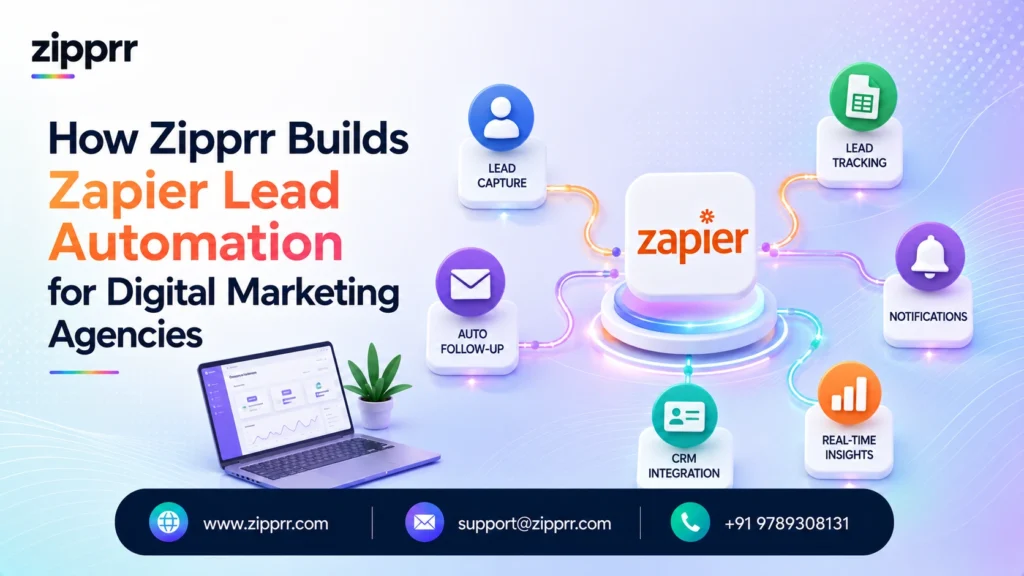
An implementation case study showing how Zipprr automates lead capture, CRM updates, routing, and follow-ups using Zapier.
The problem: leads arrive faster than a team can type
A digital marketing agency engaged Zipprr to automate its lead handling workflow. Its own campaigns worked, so leads arrived steadily from a website form, Meta and Google lead forms, a LinkedIn campaign, and referral emails. The bottleneck was not generating demand. It was what happened in the minutes after a lead arrived.
Like many agencies before they automate this step, the team handled leads by hand: a coordinator copied each new inquiry into the CRM, pasted a note into Slack, and sent a first acknowledgement, one lead at a time. On a quiet day that was tedious. On a launch day it broke down. Leads sat unentered for hours, two people occasionally chased the same prospect, and the lead source, the single thing an agency manages its ad spend by, was frequently lost by the time anyone opened the CRM.
This is exactly the kind of project Zipprr is engaged to solve. The agency did not need another tool. It needed the tools it already paid for to talk to each other, with the manual copying removed from the middle. The platform we use most often to do that is Zapier, and this article walks through the implementation we build.
Project at a glance
What the agency needed to fix
The brief was operational, not “add AI.” The agency wanted four things: stop losing leads, stop the manual copying, always know where each lead came from, and reply faster than the competing agency down the road.
Speed matters for the same reason it does in any sales process. Research on lead response, including the widely cited Harvard Business Review article “The Short Life of Online Sales Leads,” has long shown that the chance of connecting with a new lead drops sharply within the first hour. An agency that answers in minutes wins more of its own traffic. So the goals were concrete: reduce manual data entry, cut response time, eliminate duplicate and lost leads, and preserve accurate attribution so the agency keeps spending on what actually works.
Why Zapier, and why not something else
Several tools could do this, and Zipprr does not default to Zapier out of habit. We choose the platform based on who has to live with the automation after we hand it over.
The agency’s team was capable but non-technical, and wanted to adjust an automation itself without filing a developer ticket. That single fact pointed away from a custom-code solution and toward a no-code platform. Among the no-code options, the realistic shortlist is Zapier, Make, and n8n, and each has a genuine case.
| Option | Strengths | Trade-offs | Best When |
|---|---|---|---|
| Zapier | Largest app catalog (8,000+ apps), easiest for non-technical teams, natural-language builder, native AI connectors | Task-based pricing can add up at high volume | A non-technical team needs breadth and speed |
| Make | Visual scenario builder, strong value at higher volume | Steeper learning curve for beginners | Ops-heavy teams comfortable with a visual canvas |
| n8n | Open-source, self-hostable, developer-friendly, cost-effective at scale | Needs technical ownership and maintenance | A team with engineering resources and control needs |
| Custom code | Total control | Highest cost and slowest to change | Requirements are unusual and permanent |
For an agency that wanted to own and edit its own automations, connect a long tail of apps, and go live quickly, Zapier was the pragmatic fit. n8n would have been cheaper to run at very high volume but would have handed the team a system only a developer could safely touch, which is the opposite of what the agency asked for. We are candid about this trade-off on every project: if a team’s volume later grows to where task-based pricing hurts, migrating the same logic to Make or a self-hosted n8n is a reasonable next step, and we design the workflow so that move does not mean starting over.
The workflow we implement
The design principle is simple: one front door, clean data in the middle, and the right humans at the end. Nothing about it tries to replace the salesperson. It removes the typing between the lead and the salesperson.
One front door, clean data, the right humans
Zapier does the typing. People own the relationship.
Illustrative architecture. Apps shown are examples of a typical agency stack.
Zapier lead-handling automation architecture
Every lead source, the website form, Meta and Google lead ads, the LinkedIn form, referral emails, and the Zipprr AI Chat widget on the site, feeds a single Zapier workflow. Zapier catches each new lead through a native app trigger or a webhook, then runs the sequence the coordinator used to do by hand:
- Lead capture. A trigger fires the moment a lead is submitted on any connected source.
- Data formatting. Zapier’s Formatter normalizes the data, so a phone number, name, or date looks the same no matter which form it came from.
- De-duplication. The workflow checks the CRM for an existing contact before creating a new one, which is what otherwise causes two reps to chase one prospect.
- CRM record. A clean, de-duplicated record is created or updated in the CRM, with the true lead source and campaign stamped onto it, the number the agency actually manages its ad spend by.
- Slack routing. Using Paths, Zapier’s conditional logic, a high-intent inquiry pings the right rep in Slack immediately, while a low-intent signup is handled more quietly.
- Email acknowledgement. A templated first-touch email goes out at once, and, when the lead opts in, a WhatsApp follow-up through Zipprr WhatsApp Automation.
- Google Sheets backup. A copy of every lead lands in a Google Sheet as a plain, auditable record, so nothing is ever silently lost.
- AI summary. An AI by Zapier step writes a one-line summary of the inquiry and suggests a category, so the rep opens the record and sees context, not a raw form dump.
Want to see where a workflow like this could fit your own stack? Talk to the Zipprr team.
The rule we do not break
Automation ends where judgment begins. Zapier qualifies nothing on its own and never sends a real, personal reply pretending to be a human. It captures, cleans, routes, and acknowledges. The decision to pursue a lead, the discovery call, and every substantive client message stay with a person. We build the system to make people faster, not to impersonate them.
Our standard implementation process
Zipprr runs these engagements in short, testable stages rather than one big launch. This is our typical sequence, and it held for this project:
- Map the lead sources and current manual steps, so everyone can see where leads come from and where they leak.
- Build the core workflow: capture, format, de-duplicate, and log clean leads into the CRM automatically.
- Add routing and acknowledgement: Paths, the AI summary, Slack alerts to the right rep, and the instant first touch.
- Test with real and deliberately messy inputs, then harden the error handling and duplicate rules.
- Hand over and train, so the team can read, pause, and edit its own automations.
The handover stage is the point of the whole engagement. A workflow the client cannot understand is a dependency, not an asset. We document every step in plain language, show the team how to use Zapier’s built-in error notifications, and leave them able to change a Slack channel or an email template without calling us.
The parts that need real engineering
No-code does not mean no engineering. A handful of challenges come up on nearly every Zapier lead-automation build, and handling them is what separates an automation a team trusts from one they quietly abandon.
Duplicate leads are sneakier than they look. A person who fills in a website form and later clicks a Meta lead ad is one human but two records. A de-duplication rule that matches on email only misses people who use two addresses, so we add a secondary match on phone number and a “possible duplicate” flag that a human reviews, rather than pretending software can always tell.
Task and API limits are real. Zapier bills by task, and a naive design burns tasks on events that do not matter. An early Filter step drops low-value events, such as incomplete form abandons, before they trigger a chain of paid actions. This quiet decision is what keeps an automation affordable as volume grows.
AI needs a leash. The AI summary step is genuinely useful, but left unconstrained it can over-interpret a sparse form and invent context. We constrain it to summarize only what the lead actually submitted and to leave fields blank when unsure. A summary that says “no message provided” is more useful than a confident fiction.
Typical outcomes
Zipprr does not publish invented ROI, and every client measures its own revenue impact. What we can describe honestly is the change in the workflow itself. The values below are typical of the operational shift on this kind of project, not a measured result from a single client.
| Workflow measure | Before | After |
|---|---|---|
| New lead entered into the CRM | Manually, minutes to hours later | Automatically, within seconds |
| First acknowledgement to the lead | Whenever someone got to it | Immediate, day or night |
| Duplicate or lost leads | A recurring, uncounted leak | Caught by de-duplication and a backup log |
| Lead source and campaign attribution | Often missing or guessed | Stamped on every record automatically |
| Coordinator time on data entry | A large daily chunk | Redirected to real coordination work |
Lead handling, before and after
Illustrative of the workflow change, not a revenue claim
Lead handling before and after Zapier
Lead handling before and after Zapier
The point is not a specific percentage. It is that the team stops retyping leads and starts answering them, and that no lead is lost in the gap between tools.
Best practices we apply on every Zapier build
The clearest lesson from this kind of work is that the value is in the boring middle, the data formatting, the de-duplication, the source stamping, the filtering, not in any single flashy step. Those are the parts that quietly stop money leaking.
The second is that a no-code automation still needs engineering discipline. Error handling, duplicate rules, a filter to protect the task budget, and a plain backup log are the difference between an automation a team trusts and one they abandon after it drops a lead. We build the auditable Google Sheets backup early on for exactly this reason: it costs almost nothing and becomes the safety net that makes a team comfortable trusting the rest.
Where these projects go next
The natural next phase for most agencies is not more tools but more depth: an AI step that drafts a first-reply suggestion for a rep to approve, a lightweight Zapier Interface so the team can see and action leads without living in the CRM, and a monthly automated performance summary pulled from the same data. If volume grows enough that task-based pricing becomes the constraint, the same logic can move to Make or a self-hosted n8n, which is exactly why we keep the design portable from day one.
Ready to Automate Your Lead Handling?
Most teams do not have a lead problem. They have a leak between the tools they already pay for. The first step is mapping where a lead actually travels from the moment it arrives, then removing the manual typing between each stop so nothing waits and nothing is lost.
- Book a free AI integration consultation -> Schedule a workflow audit
- See how AI capture fits in -> Zipprr AI Chat
- Read how other teams did it -> Zipprr Client Stories
Zipprr designs, builds, and hands over the automation so your team owns it outright, with documentation and training. We connect the tools you already use rather than adding another subscription you cannot control.
What is Zapier?
Why use Zapier instead of building a custom integration?
Is Zapier secure enough for business data?
Zapier, Make, or n8n, which is best?
Do we own the automation after Zipprr builds it?
Does the automation reply to clients for us?
What does it cost?
Can Zapier capture leads from Facebook and Google ads?
Can Zapier remove duplicate leads?
Does Zapier have AI features?
How fast can Zapier respond to a new lead?
Can Zapier send WhatsApp or email follow-ups?
Is Zapier hard to learn?
Can Zapier connect to my CRM?
What happens if a Zap fails?
Do I need to replace my current tools to use Zapier?
Who should build our Zapier workflows?
Related resources
- Capture leads on your site with AI: Zipprr AI Chat
- Follow up on the channel clients prefer: Zipprr WhatsApp Automation
- Explore the full catalog: Zipprr Products
- Read more real projects: Zipprr Client Stories
Project snapshot
This case study is based on the type of Zapier automation solutions delivered by Zipprr for businesses in the marketing industry. Client identities and confidential business information have been removed. The implementation approach reflects real-world solutions provided by our team, while some contextual details have been generalized for readability. Any metrics shown are typical or illustrative unless otherwise stated.



