

WhatsApp automation software lets a business send, receive, and manage WhatsApp messages automatically (chatbots, broadcasts, drip sequences, and transactional notifications), usually through Meta’s official WhatsApp Business Platform (API). Prices range from free entry tiers to $300+ per month, plus Meta’s per-message fees, and the right choice depends on your market, volume, and team size.
Launching a platform like this? Zipprr clone scripts start at $490 with 100% source code, a 7-day refund and 90 days of free support. Book a free demo or chat with us on WhatsApp.
WhatsApp automation software is one of the highest-leverage investments a customer-facing business can make in 2026, and one of the easiest to buy wrong. Two failure patterns account for most bad purchases: invoices that arrive at two to three times the advertised subscription price because per-message fees and markups were never explained, and business numbers banned mid-campaign because the “automation tool” turned out to be an unofficial sender that violates WhatsApp’s Terms of Service. Most published guidance makes both mistakes more likely, because it is either outdated (describing pricing models Meta retired in 2025) or vendor-biased (every major listicle ranks its own product first).
This guide corrects that. Every price in it is dated. Every statistic is sourced or explicitly labeled an estimate. Each recommendation also makes clear which type of buyer it does not suit. The two most decision-critical sections are the cost-stack breakdown and the ban-risk ladder; together they determine more of your total cost and platform safety than any feature comparison.
The Problem: Your Customers Moved Into WhatsApp. Your Business Didn’t.
WhatsApp crossed 3 billion monthly users in 2025, a figure Mark Zuckerberg announced and TechCrunch corroborated, roughly one in three humans alive. Across Brazil, Mexico and the rest of Latin America, Indonesia and Southeast Asia, the Middle East, Africa, and much of Europe (Spain, Italy, Germany, the Netherlands, the UK), WhatsApp isn’t a messaging channel; it is the channel. Meta’s own last official figure for the WhatsApp Business app was 200 million monthly active users, and that number is from June 2023, which tells you how fast this space outruns its own documentation.
Here’s what that concentration means in practice for a business owner. Your leads message you at 11 p.m. Your delivery questions arrive during lunch rush. Your appointment no-shows happen because a human forgot to send a reminder a human was never going to remember to send. Email sits unopened; calls go unanswered; but the green icon gets checked compulsively, dozens of times a day.
Manual WhatsApp (one phone, one person, one chat at a time) collapses under exactly the success it creates. When a business manages hundreds of daily order conversations on personal phones, slow responses become the single biggest source of lost revenue. Buying-intent messages that sit unanswered turn into lost sales regardless of product quality, and closing that gap is exactly what WhatsApp automation software is built to do.
That is the problem automation solves. The value is not the ability to send more messages, since anyone can spam. The real product is response time collapsing to seconds, at any volume, without adding headcount.
What WhatsApp Automation Software Actually Is (and How It Works)
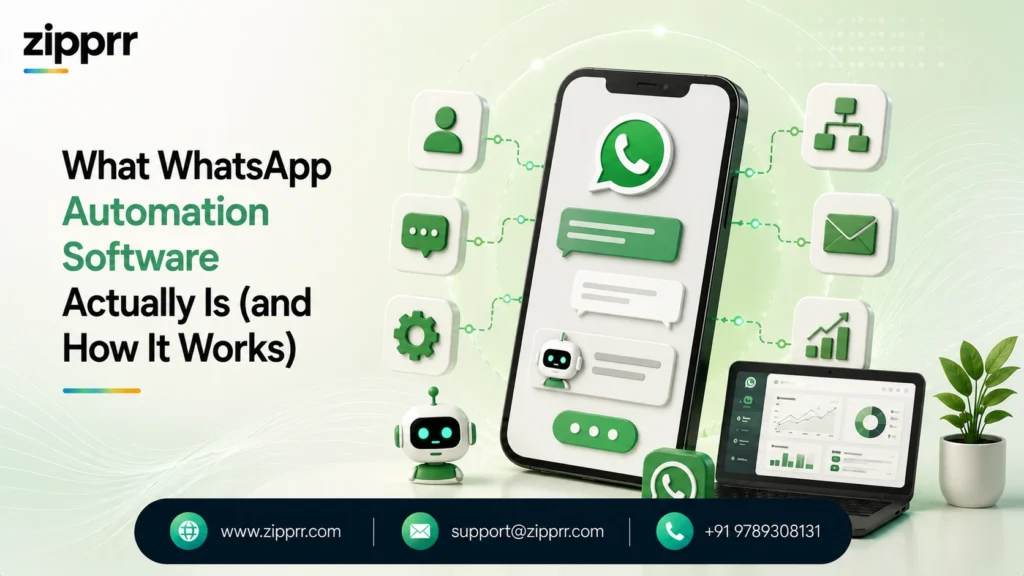
Every legitimate WhatsApp automation product, regardless of how it is marketed, is built on the same three layers:
- A connection to Meta’s WhatsApp Business Platform (the Cloud API). This is the official pipe. Access is provisioned either directly from Meta or through a Business Solution Provider (BSP), Meta-vetted companies like Twilio, 360dialog, Gupshup, and Infobip. Your WhatsApp Business Account (WABA) and phone number live here.
- An automation engine. Rule-based chatbots, AI agents, drip sequences, broadcast campaigns, and event triggers (a Shopify order fires a shipping notification; a missed webhook fires an alert).
- A human layer. A shared team inbox where multiple agents work one number, with routing, assignment, notes, and handoff when the bot taps out.
Two mechanics govern everything else, and understanding them is the difference between a smart buyer and a surprised one:
The 24-hour customer service window. When a customer messages you, a 24-hour window opens during which you can reply freely with any content, at no per-message charge. Outside that window, you can only reach customers with pre-approved template messages, and those cost money.
Template categories. Every template is classified as Marketing (promotions, the expensive category), Utility (order updates and reminders, which are cheap, and free if delivered inside an open service window), or Authentication (OTPs). Meta approves each template, typically within 24–48 hours, and since April 2025 can auto-recategorize templates that look promotional, which quietly changes what you pay.
The Business App vs. the API: Where Most Confusion Starts
| Dimension | WhatsApp Business App (Free) | WhatsApp Business Platform / API |
|---|---|---|
| Cost | Free | Free-form replies free; template messages billed per delivery |
| Users per number | One phone + linked devices | Unlimited agents, one number |
| Automation | Greeting, away messages, quick replies | Full chatbots, AI agents, campaigns, integrations |
| Broadcasts | 256-contact lists, must save your number | Thousands per day (tier-based), opt-in required |
| Interface | The app itself | None, you need software (that's the product this guide covers) |
| Best for | Solo operators, < 50 chats/day | Teams, e-commerce, anyone at scale |
The API has no interface of its own. That’s the entire reason WhatsApp automation software exists as a category: it’s the usable skin (inbox, bot builder, campaign manager, analytics) wrapped around Meta’s raw pipe.
The market splits into four families:
- SaaS marketing/support platforms (Wati, AiSensy, DelightChat, SleekFlow): subscription tools for non-technical teams.
- Omnichannel platforms (Respond.io, Trengo, SleekFlow): WhatsApp plus Instagram, Messenger, email in one inbox, priced for larger support teams.
- Developer infrastructure (Twilio, 360dialog, Gupshup, Infobip): raw API access, pay-per-message, bring your own UI.
- Self-hosted / white-label licenses: one-time-purchase software you run on your own server and can rebrand, the category Zipprr’s WhatsApp Automation Software belongs to, popular with agencies that want to resell automation under their own name and with businesses that refuse per-seat subscription creep.
Nobody sells you “the API.” Everybody sells you a way to use it. Keep that in mind every time a vendor implies they have special access; they don’t. The moat is workflow, price, and support quality.
The Three-Layer Cost Stack: What WhatsApp Automation Really Costs in 2026
This is the section most buying guides omit. Every vendor advertises one number: theirs. Your invoice is the sum of three:
Layer 1: Meta’s per-message fees (everyone pays these)
On July 1, 2025, Meta scrapped conversation-based pricing entirely and now charges per delivered template message. If a guide you’re reading still talks about “24-hour conversation charges,” it’s describing a dead pricing model, and a surprising number of ranking articles still do. Current mechanics, per Meta’s developer documentation:
- Marketing templates: charged per delivery, always. The most expensive category, priced per destination country.
- Utility templates: charged per delivery outside a service window; free inside an open 24-hour window.
- Authentication templates: charged per delivery, with volume-tier discounts.
- Free-form messages inside the 24-hour window: free, unlimited.
- Free entry point: conversations started from Click-to-WhatsApp ads or a Facebook Page button are free for 72 hours, the single most under-used cost hack in the ecosystem.
- Coming changes: Meta has announced pricing updates for service and utility messages and its new Business AI agent taking effect August 1 and October 1, 2026. If you’re modeling costs today, build in re-checking the rate card this quarter.
Layer 2: The BSP markup (the layer nobody advertises)
Many platforms resell Meta’s messages with a margin on top. Independent analyses and user reviews put Wati’s markup around ~20% over Meta’s rates; published teardowns of competitor rate cards have documented markups of roughly ~25% on marketing messages at some BSPs; Twilio adds a transparent ~$0.005 per message platform fee. Some vendors (AiSensy among them, and Meta’s Cloud API taken directly) advertise zero markup and make their money elsewhere. None of this makes any vendor dishonest, since margins are how software gets funded, but you cannot compare tools on subscription price alone when message fees at volume can dwarf the subscription.
Layer 3: Subscription, seats, and add-ons
The visible price: $0–$50/month entry tiers (AiSensy’s pay-per-message model and similar), $25–$100/month for Wati’s tiers (recently restructured, most third-party articles still quote old numbers), $199+/month for omnichannel platforms like Respond.io, plus per-agent seat fees, chatbot-builder add-ons, AI-response credits, and one-time costs like a $490 white-label license in Zipprr’s case. Add-ons are where “cheap” tools get expensive: a $30/month chatbot builder here, a $24/user seat there.
A worked example (illustrative, recompute with Meta’s current rate card for your country)
Say an e-commerce brand in Brazil sends 30,000 marketing template messages a month at an illustrative $0.06 each at Meta’s direct rate, plus 20,000 utility messages mostly delivered inside open service windows (free), on a platform costing $60/month with two paid seats at $25 each:
- Meta marketing fees: ~$1,800 at the direct rate
- The same volume through a ~25%-markup BSP: ~$2,250, a $450/month difference that never appears on a pricing page
- Subscription + seats: ~$110
The subscription, the number everyone comparison-shops, is barely 5% of the real bill. The markup delta alone is roughly four times the subscription. Founder rule: at under ~5,000 messages/month, optimize for software quality; above it, optimize for message economics. ## The Ban-Risk Ladder: The Framework Every Guide Skips
The most common question real users ask on Reddit, Quora, and in vendor support queues isn’t “which tool has the best flow builder?” It’s “will this get my number banned?” For a business whose customer relationships live on one phone number, a ban isn’t an inconvenience. It’s an amputation.
Here’s the honest risk taxonomy, from safest to most dangerous:
Rung 1: Official API via a BSP or direct Cloud API. Risk: minimal. Meta sanctions this channel. You can still hurt yourself with spam (see quality rating below), but the architecture is compliant.
Rung 2: WhatsApp Business app with native features. Greeting messages, away messages, quick replies, small broadcast lists to contacts who saved your number. Fine at tiny scale; not automation in any real sense.
Rung 3: “Hybrid” tools that layer unofficial scheduling or bulk features on the app. You’re now outside the Terms of Service. Risk grows with volume.
Rung 4: WhatsApp Web wrappers and Chrome bulk-sender extensions (the whole “bulk WhatsApp sender free download” ecosystem, including open-source libraries like whatsapp-web.js and Baileys used against Meta’s ToS). These puppet a regular WhatsApp session to mass-send. WhatsApp’s terms explicitly prohibit unofficial clients and automation; detection has improved every year; and bans of numbers used this way are common and frequently permanent, with no meaningful appeal path for marketing spam. The tools are cheap because the risk has been transferred to you.
Even on the official rails, Meta governs you through two mechanisms worth understanding before your first campaign:
- Quality rating. Every sending number carries a green/yellow/red rating driven by user blocks and reports. Sustained red can pause your marketing templates entirely.
- Messaging limit tiers. Business-initiated reach starts at 250 unique customers per 24 hours for unverified businesses, then scales (1,000 → 10,000 → 100,000 → unlimited) automatically, based on volume and quality. You literally cannot blast a million cold contacts on day one, which is precisely why the platform stays effective.
The founder’s takeaway: the official API is not the expensive option, it’s the only option with an expected lifespan. Every rupee “saved” on rung 4 is borrowed against your number’s survival.
Myths That Refuse to Die
Myth 1: “WhatsApp has a 98% open rate.” This is the most-copied statistic in the category, and it has no verifiable primary source. An independent statistics audit (ChatMaxima, 2026) lists it under “statistics you should stop citing,” yet it headlines dozens of vendor pages. Real, study-backed benchmarks exist and are still excellent: the charles/Chatarmin WhatsApp KPI Study 2025 (30+ brands, 100k+ conversations each) found 5–12% click-through on broadcasts, 3–7% conversion, and 8–15%+ on automated lifecycle flows, numbers that beat typical email performance several times over without needing to be invented.
Myth 2: “Automation means bots annoying customers.” Bad automation does. Good automation is mostly invisible: order confirmations, reminders, instant answers to the same twelve questions, and a fast lane to a human. Blocks and reports, the signals that kill your quality rating, come from unwanted marketing, not from useful utility.
Myth 3: “It’s plug-and-play.” Template approvals take 24–48 hours each. Business verification takes days. Flows need testing. Budget two to four weeks to real value, not an afternoon (a realistic rollout plan follows below).
Myth 4: “Free tools are free.” Either the free tier caps you into upgrading (fine, that’s honest freemium), or the tool is an unofficial sender monetizing your ban risk (not fine). There is no third kind.
Myth 5: “One-time-license software is always cheaper than SaaS.” Not always, self-hosted tools shift server costs, updates, and Meta fee management onto you. The honest math depends on volume, seats, and how long you’ll run it. (We’ll do that math in the build-vs-buy section.)
The 2026 Tool Landscape: An Honest Comparison
Every vendor listicle in this market ranks itself first. This comparison ranks no product first; the field is segmented the way a buyer actually evaluates it. Ratings are G2 scores as of mid-2026; prices are vendor-published and move often, treat them as the shape of the market, not a quote.
| Tool | Best For | Entry Pricing (approx., 2026) | Standout Strength | Honest Weakness (from verified user reviews) |
|---|---|---|---|---|
| Wati | SMB marketing teams | ~$25–100/mo tiers + per-message fees (recently restructured) | Mature flow builder, Shopify add-on, big partner ecosystem | ~20% reported markup on Meta fees; seat fees stack; recurring support-speed complaints on G2 |
| AiSensy | Cost-sensitive campaign senders | No base subscription, pay-per-message; chatbot add-on ~$30/mo | Zero-markup positioning, unlimited users | Trustpilot reviews cite billing disputes and slow support ("2–3 days instead of promised 24 hours") |
| Zoko / Spur | Shopify & WooCommerce e-commerce | Subscription + message fees (varies by plan) | Deep store integrations, cart-recovery flows; Zoko publishes competitor markup teardowns | Narrower use beyond e-commerce; smaller ecosystems than the market leaders |
| Respond.io | Multichannel support teams | From ~$79–199/mo | True omnichannel inbox, strong AI agent | Premium price for SMBs; per-contact pricing anxiety as lists grow |
| Twilio | Developer teams building custom | ~$0.005/msg platform fee + Meta pass-through | Reliability, docs, no lock-in UI | No inbox or bot UI out of the box, you build everything |
| ManyChat | Creators, Instagram+WhatsApp funnels | From ~$15/mo | Best-in-class visual flow builder | Shallower WhatsApp-specific depth (catalogs, regional pricing) |
| 360dialog / Gupshup / Infobip | API access at scale | Pay-per-message / custom | Lean BSP economics | Infrastructure, not software, pair with your own stack |
| White-Label / One-Time Licenses (e.g., Zipprr's $490 Software) | Agencies reselling; subscription-averse SMBs | One-time license + your hosting + Meta fees | You own it: no seat fees, rebrandable, resellable | You run it: hosting, updates, and compliance discipline are yours |
Three buying patterns fall out of this table:
- If your team is non-technical and volume is modest, a SaaS platform’s convenience beats its markup. Pick by support quality, read recent one-star reviews, not the average.
- If you send high volume, message economics dominate: zero-markup platforms or direct BSP access can save more per month than any subscription costs.
- If you’re an agency or a builder, owning the software changes the equation entirely, which deserves its own section.
Build, Buy, or Own: The Decision Nobody Frames Honestly
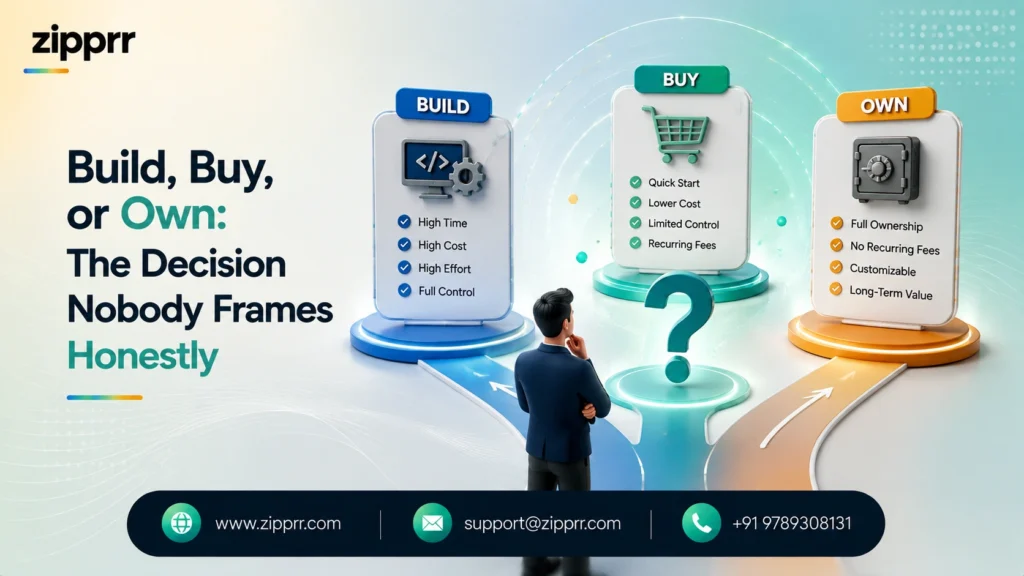
There are really three paths, not two:
Buy SaaS
Fastest to value, lowest technical burden, permanent rent. At two seats and moderate add-ons, $75–150/month is typical, $2,700–5,400 over three years, before message fees.
Build on raw API
Total control, developer cost. Wiring Meta’s Cloud API to your stack via webhooks (or n8n/Make for the scrappy) is a real option if you have engineering capacity, you’ll pay Meta’s fees and nothing else, and own every byte of customer data.
Own a license
The middle path: one-time-purchase, self-hosted software such as Zipprr’s AI WhatsApp automation platform ($490 one-time for the Standard edition, $890 for the Pro Bundle, with full source code ownership), where the license cost is fixed, seats are free because it’s your server, and agencies can rebrand and resell the platform to their own clients. The trade: you host it, you update it, and Meta’s per-message fees still apply because everyone pays Meta. Over a three-year horizon at agency scale (say, ten client workspaces that would otherwise each need a $50/month SaaS plan), the arithmetic ($490 once versus ~$18,000 in aggregated subscriptions) is not subtle. For a single small business sending 500 messages a month, it’s overkill; buy the cheapest honest SaaS tier instead.
Cost snapshot: $490 once vs. subscriptions forever. Zipprr’s WhatsApp Automation Software is a flat $490 one-time purchase ($890 for the Pro Bundle) with no monthly plan, no per-seat fees, full source code ownership, white-label rights, same-day setup, 90 days of support, and a 7-day money-back guarantee. Compare that against typical SaaS pricing: a $50/month plan costs $600 in year one and $1,800 over three years, per workspace, before seat fees and add-ons. The one-time license crosses breakeven against even an entry-level SaaS plan in under ten months, and for an agency running multiple client workspaces, in the first month. Meta’s per-message fees apply identically in both models, so the comparison is purely software cost.
A practical rule of thumb: SaaS below 5 seats and 10k messages/month; owned license when you’re an agency, a reseller, or past the point where seat fees exceed hosting costs; raw API when you have engineers and opinions.
Want a ready-made platform like this?
Skip months of development. Uber Clone, Airbnb Clone, Uber Eats Clone, TaskRabbit Clone and Gojek Clone ship with 100% source code. Book a free demo or chat with us on WhatsApp.
What to Automate: Use Cases That Actually Move Revenue
Ranked roughly by observed ROI across e-commerce and service businesses:
- Abandoned cart recovery (e-commerce). A utility/marketing sequence triggered by Shopify/WooCommerce events via store-integrated tools like Zoko or Spur. The highest-converting flow in the channel, automated lifecycle flows benchmark at 8–15%+ conversion in the charles/Chatarmin study.
- Click-to-WhatsApp lead capture + qualification bot. Ads that open a chat instead of a form, with 72 hours of free messaging to qualify and book. Form fill rates convert worse than conversations almost everywhere this is tested.
- Order and delivery notifications. Utility templates; cheap or free in-window; measurably reduce “where is my order?” tickets, often the majority of inbound support volume for D2C brands.
- Appointment reminders and rebooking (clinics, salons, tutors, real estate viewings). No-show reduction is immediate and quantifiable, measure yours for two weeks before and after.
- FAQ deflection with human handoff. The same twelve questions answered instantly, 24/7, with a clean “talk to a human” escape hatch. The escape hatch is not optional, burying it is how you earn blocks.
- Payment and renewal reminders. Polite, timestamped, effective, and far cheaper than a collections call.
- OTP/authentication delivery. Often cheaper and more reliably delivered than SMS in markets like Brazil, Indonesia, and the Middle East.
- Win-back and replenishment campaigns. Marketing templates to opted-in lapsed customers, the flow where restraint most determines whether you build revenue or a block rate.
Two Scenarios (Clearly Labeled: Illustrative Composites, Not Client Case Studies)
Scenario A: the D2C brand. A 400-order/day fashion brand in Latin America moves from two phones and a spreadsheet to an API platform: auto order confirmations, a size-question bot, cart recovery at 45 minutes, and a shared inbox for three agents. Plausible outcomes based on the benchmark ranges above: support volume that no longer scales with orders, cart-recovery revenue in the high single digits of monthly sales, and, as the quiet win, the founder’s evenings back. If the composite feels optimistic, halve the numbers; the direction survives.
Scenario B: the agency. A six-person digital agency running WhatsApp campaigns for eleven local clients replaces eleven separate SaaS logins with one self-hosted white-label platform. Each client sees the agency’s brand, not a vendor’s; the agency’s software cost is a one-time license plus a VPS instead of eleven subscriptions; margin on the managed service improves the month it ships. The trade they accepted: one afternoon a month of update-and-backup discipline, and owning Meta rate-card literacy themselves
ROI: The Only Formula You Need (and Its Honest Caveats)
Keep the model simple enough to argue with:
Monthly ROI = (recovered revenue + support cost avoided) − (subscription/license amortization + Meta message fees + markup + your time)
- Recovered revenue: cart/booking recovery volume × your conversion rate × average order value. Use the independent benchmark ranges (3–7% broadcast conversion, 8–15% flows) until you have your own data, then use your own data.
- Support cost avoided: deflected conversations × minutes per conversation × loaded hourly cost of whoever answers.
- The caveat vendors omit: marketing messages are a real per-unit cost. A 100,000-recipient blast has a four-to-five-figure Meta fee attached depending on country. ROI discipline on WhatsApp means smaller, better-targeted, opted-in audiences, the channel punishes email habits, financially and reputationally at once.
Run the formula monthly
The first month it goes negative, you’ve found either a targeting problem or a markup problem, both fixable, neither visible if you never do the math. ## The W.A.T.C.H. Buyer’s Checklist
Five letters, five questions that expose 90% of bad purchases before the contract does:
- W: Where does the money go? Demand the full stack in writing: subscription, per-seat fees, add-on fees, and the per-message rate they’ll charge you next to Meta’s published rate for your top three countries. A vendor who won’t put their markup beside Meta’s rate card is answering your question anyway.
- A: API status. Official WhatsApp Business Platform (via Meta or a named BSP)? Ask which BSP. “Proprietary sending technology” without a BSP name is a euphemism for rung 4 of the ban-risk ladder. Walk.
- T: Team fit. Can your actual staff build a flow in the trial without a developer? Book the demo, then ignore it and make your least technical teammate build a two-step bot. Their face is the review.
- C: Compliance tooling. Opt-in capture and storage, one-tap opt-out handling, quality-rating visibility, template-category guidance. If the vendor’s onboarding never mentions opt-in, they’re planning to let you spam with your number, not theirs.
- H: Health of support. Read the last ninety days of one-star reviews on G2 and Trustpilot, not the star average. You’re not buying the product as reviewed; you’re buying the support queue as it exists the week your campaign breaks.
A Decision Matrix You Can Steal
Score each shortlisted tool 1–5 per row; multiply by weight; highest total wins. Adjust weights to your reality: an agency should triple the white-label row; a developer team can zero out ease-of-use.
| Criterion | Weight | Why It's Weighted |
|---|---|---|
| True message economics (markup incl.) | ×3 | Dominates cost at scale |
| Official API compliance | ×3 | Existential; a banned number ends the discussion |
| Ease of use for your real team | ×2 | Shelfware ROI is zero |
| Integrations you'll actually use (CRM, store, Zapier/Make/n8n) | ×2 | Automation is only as good as its triggers |
| Support responsiveness (test it pre-sale) | ×2 | The variable users complain about most |
| AI capability (agents, doc-trained answers) | ×1 today, rising | Table stakes by 2027 |
| White-label / ownership option | ×1 (×3 for agencies) | Changes lifetime economics entirely |
The 30-Day Rollout Plan
A realistic implementation roadmap, sequenced around the approval and verification delays that most often stall deployments:
Week 1: Foundations. Choose your path (SaaS, owned license, or raw API; for the owned-license route, Zipprr’s WhatsApp Automation Software ships with same-day setup and 90 days of support, so the stack can be live in week one). Connect a phone number via embedded signup (minutes, not days) and start Meta business verification immediately, because it runs in days and gates your messaging tiers. Submit your first templates now: order confirmation, appointment reminder, welcome message. Approvals take 24–48 hours each and template rejections (vague copy, promotional language in a utility template, URL shorteners, malformed variables) are the most common Week 1 schedule-killer.
Week 2: One flow, end to end. Not five flows. One: your highest-volume repetitive conversation (usually order status or booking). Build it, test it with staff phones, add the human-handoff branch, and wire the trigger (store webhook, form, or Click-to-WhatsApp ad).
Week 3: Go live quietly. Turn the flow on for real traffic. Watch three numbers daily: response rate, block/report count, and quality rating. Fix the question your bot fumbles most; there will be exactly one, and your customers will find it in hours.
Week 4: First campaign, small. One broadcast to your most engaged, provably opted-in segment. A few hundred recipients, not your whole list; your messaging tier and your quality rating both prefer patience. Measure with the ROI formula above. Then, and only then, scale.
Days 30+: add the second flow, connect the CRM, template your reporting, and revisit Meta’s rate card quarterly (especially through the August and October 2026 pricing updates).
Seven Common Mistakes That Undermine WhatsApp Automation
- Importing the email playbook. Weekly blasts to the full list is how email works and how WhatsApp numbers die. Blocks are one tap away and Meta is watching the rate.
- Buying on subscription price alone. The markup layer (see the cost stack) routinely exceeds the subscription at volume.
- Skipping opt-in hygiene. “They’re my customers, they won’t mind” is the last sentence before a red quality rating. Opt-in is both Meta policy and the difference between marketing and nuisance.
- No human escape hatch. A bot with no exit is a block-report generator. Every flow needs “talk to a person” within two taps.
- Treating template categories as suggestions. Promotional copy stuffed into a “utility” template gets rejected, or worse, auto-recategorized so your “cheap” messages silently bill at marketing rates.
- Launching during verification. Unverified accounts cap at 250 business-initiated customers per day. Sequence paperwork before campaigns.
- Never reading the rate card again. Meta changed the entire pricing model in July 2025 and is changing categories again through late 2026. Yesterday’s cost model is a rounding error waiting to happen.
Best Practices and Expert Notes
Expert note: the 24-hour window is a profit center. Every free-form message inside an open service window is free. Well-designed flows invite replies (buttons, questions, confirmations) precisely to keep windows open, converting would-be paid utility sends into free in-window messages. Design for dialogue, not announcement.
Expert note: Click-to-WhatsApp changes ad math. Ad-originated conversations are free for 72 hours. For lead-gen businesses, CTWA plus a qualification bot is frequently the cheapest qualified-lead machine available in WhatsApp-first markets, and the free window means your follow-up sequence costs nothing for three days.
Expert note: segment like you pay per message, because you do. High-performing operators keep a “VIP-engaged” segment (replied in 90 days) that gets most campaigns, and touch the wider list rarely. Their per-message ROI is multiples of the blast-everything crowd’s, and their quality rating never leaves green.
Expert note: own your data exit. Whatever you choose, confirm you can export contacts, opt-in records, and chat history. Migration between BSPs is possible (numbers can move), but data hostage-taking is real. Ask before you sign, not after you outgrow.
Limitations: What WhatsApp Automation Won’t Do
Honesty clause. WhatsApp automation is not a universal channel (US penetration, at roughly 100–124M users depending on estimate, still trails iMessage/SMS culture; if your buyers are American, this is a complement, not a spine). It is not email’s replacement for long-form content or attachments-heavy workflows. It cannot cold-message at scale by design; the platform’s consent architecture is precisely why it converts. AI agents still hallucinate and need doc-grounding, guardrails, and a handoff. Self-hosted tools trade subscription fees for operational discipline you must actually have. And every business on the channel is a tenant of Meta’s policy decisions: pricing, categories, and rules changed in 2025, are changing again in 2026, and will change after that. Build the asset (opt-in list, templates, flows) so it’s portable, and keep email as your owned fallback channel.
Where This Is Going: 2026 and Beyond
Three trends worth positioning for now:
AI agents become the default interface. Every serious platform now ships LLM-powered agents (doc-trained answering, intent routing); Meta itself is rolling out Business AI with dedicated pricing entering the rate card in 2026. Within two years, “chatbot builder” will sound as dated as “mobile-optimized website.” The buyers who win will be the ones whose knowledge bases are clean enough to train on, start writing yours down.
Commerce completes inside the chat. Catalogs, carts, WhatsApp Flows (Meta’s native in-chat forms), and payments in markets where WhatsApp Pay operates are collapsing the funnel into a single thread. The conversational commerce market is projected to grow from ~$12.6B (2026) to ~$22.6B by 2031 (Mordor Intelligence), analyst projections, but directionally unambiguous, and echoed by Juniper Research’s forecast of business messaging traffic growing from ~2 trillion messages in 2025 toward ~3 trillion by 2030.
Compliance becomes a feature, not a footnote. Meta’s tightening quality enforcement plus data-protection regimes (GDPR in Europe and comparable laws worldwide) are professionalizing the channel. The gray-market bulk-sender era is ending the way all gray markets end, suddenly, for whoever’s still standing in it. Software with consent management built in stops being a nice-to-have.
Ready to move?
If you’d rather own your automation stack than rent it, or you are an agency that wants to put its own brand on the platform it resells, Zipprr’s WhatsApp Automation Software delivers exactly that: an eight-module platform (bulk campaigns, no-code chatbot builder, AI replies, auto-reply, contact management, and analytics) for a one-time $490 license with full source code ownership and a 7-day money-back guarantee. Explore the AI WhatsApp platform by Zipprr, take the $490-once-versus-$500-a-year math from this guide with you, and pressure-test any vendor, us included, against the W.A.T.C.H. checklist above. That’s what it’s for.
What is WhatsApp automation software?
How much does it cost in 2026?
Is WhatsApp automation legal and allowed?
Can I automate WhatsApp for free?
Do I need the API, or is the Business app enough?
Which WhatsApp automation software is best?
Will automation get my number banned?
How long does setup take?
Can AI answer my customers automatically?
What’s changing in WhatsApp pricing right now?
The Bottom Line
WhatsApp automation software isn’t a growth hack. It’s plumbing, for the channel where your customers already are, at the response speed they already expect, at a scale one human with a phone can’t fake. The buyers who win treat it like infrastructure: they learn the cost stack before the invoice teaches them, they stay on the official rails because the alternative is borrowed time, they automate the useful before the promotional, and they measure monthly.
Start smaller than feels ambitious. One number, one flow, one honest month of data. The compounding takes care of the rest.



