

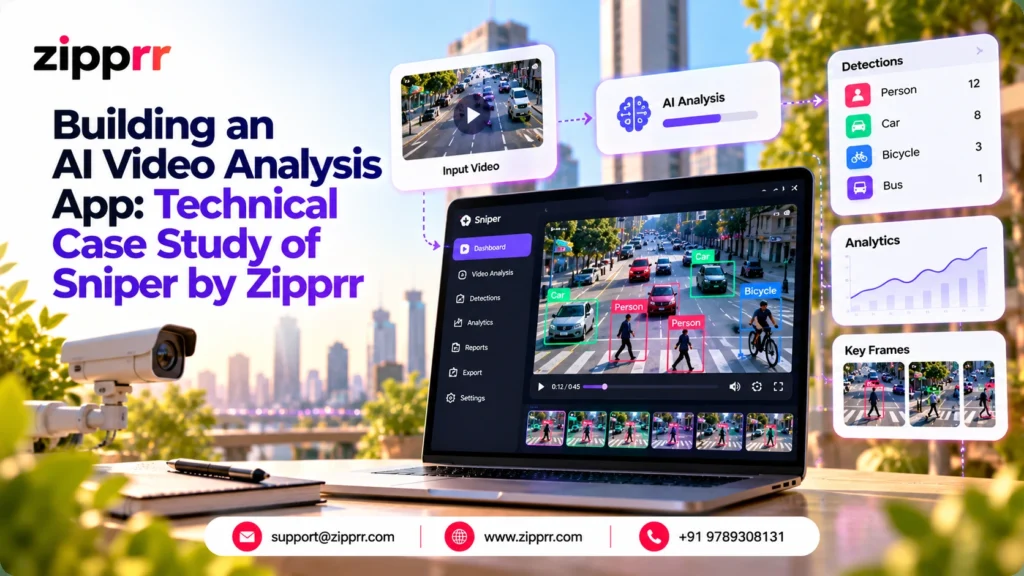
Short-form video is easy to make and hard to judge. A creator, freelancer or small agency can post a dozen clips a week and still have no structured answer to the question “why did the first three seconds fail?” Human review is slow, and it does not scale across many clips.
1. Executive Summary
Why video analysis is becoming important. A 2026 survey of 1,000 US creators, paired with an analysis of 5 million creator accounts, found that 76% of TikTok creators get under 1,000 views per post, and 56.1% expect AI to significantly change how creators work (The Influencer Marketing Factory, Feb 2026). It is an agency press release, so treat it as directional. It still points at a real gap: visibility is hard, and feedback is scarce.
How Sniprr addresses it. Sniprr by Zipprr is a native iOS source-code template for analyzing short vertical videos. It extracts frames, scene cuts, faces, motion, speech and music signals on the device, then uses Google Gemini to generate scores, strengths, improvements, hook ideas and follow-up content ideas. It also ships with a StoreKit 2 subscription paywall.
Who can build a business around it. The listing names four directions: creator-coaching apps, social-video audit tools, agency feedback products and subscription creator utilities. Section 8 tests each one, and adds two extensions that need real customization.
Why Zipprr is relevant for founders. Zipprr’s source-code product catalog is built around ready-to-customize products. For a founder, the value is skipping the first build: onboarding, an on-device pipeline, scoring screens, auth options and a paywall already exist as organized source code. What remains is the hard part: choosing a niche, tuning the feedback, passing App Store review and finding customers.
What this article is not. It does not promise views, virality or revenue. The listing itself says the scores are creative guidance, not predictions.
Sniprr at a glance (confirmed from the feature list)
| Item | Detail |
|---|---|
| Form | iOS source code, not a published app |
| Interface and frameworks | SwiftUI, AVFoundation, Vision, Speech, ShazamKit, CoreImage, UserNotifications, StoreKit 2 |
| Requirements | iOS 17.0+, Xcode 26.x, Swift Package Manager, a Mac, an Apple Developer account |
| AI layer | Google Gemini, several external calls per analysis, funded by the buyer |
| Optional backend | Supabase auth and sync, a Gemini proxy edge function, a Python FastAPI worker with a Railway-ready Dockerfile |
| Monetization built in | Weekly, monthly and yearly subscriptions with a three-day free trial offer |
| Not claimed | Android, web, social-account ingestion, multi-user review workflows, guaranteed results |
2. Market Context and Current Trends
Each trend below ends with its practical meaning for a Sniprr-based business.
Trend 1: Creators need feedback, and say they expect AI to help
The same creator study found 22.4% of creators name video production as a 2026 focus, and that Instagram Reels volume grew 3.8% from 2024 to 2025. The release is promotional and US-only.
What it means: The audience for a feedback app exists and is actively producing. Sniprr’s onboarding already captures platform, goal and content type, which makes niche positioning easy to configure.
Trend 2: AI apps monetize fast and retain poorly
RevenueCat’s 2026 report, as covered by TechCrunch, found AI apps convert trials to paid at a median 8.5% versus 5.6% for other apps. They also churn about 30% faster, with annual retention at 21.1% versus 30.7%.
What it means: Getting the first payment is the easier half. Sniprr includes retention-oriented pieces: a posting streak and creator health gauges, follow-up content ideas and re-analysis. Whether they hold subscribers is something the operator must measure.
Trend 3: Paywall and trial design move the numbers
In the same RevenueCat report, median day-35 download-to-paid was 10.7% for hard paywalls versus 2.1% for freemium. Trials of 4 days or fewer converted at a median 25.5%, against 37.4% for 5 to 9 day trials, and 55% of 3-day trial cancellations happen on Day 0.
What it means: Sniprr ships a three-day trial offer and a trial-ending reminder. Both are testable variables. Because each analysis triggers several paid Gemini calls, free usage has a real marginal cost, which is a reason to treat paywall placement as a margin decision. This is the author’s interpretation, not a RevenueCat finding.
Trend 4: Platforms now police AI data sharing and template apps
On 13 Nov 2025 Apple updated its review guidelines so that sharing personal data with third-party AI requires clear disclosure and explicit permission (TechCrunch). Apple’s guidelines also reject apps built from a commercialized template unless the content provider submits them, and discourage near-duplicates in saturated categories.
What it means: “Ready-made” is not “ready to submit”. Sniprr’s listing already warns that operators must write accurate privacy disclosures for video, speech and external AI requests. A buyer needs a distinct niche, their own branding, and their own Apple account, which the listing requires anyway.
Trend 5: Production AI calls should not carry a raw key in the app
Google’s guidance says calling an API directly from a mobile app is vulnerable to abuse by unauthorized clients, and recommends a proxy with App Check (Firebase).
What it means: Sniprr includes an optional Gemini proxy edge function for the buyer’s Supabase project, and the listing says production keys should not be hard-coded. Whether Sniprr adds client attestation beyond the proxy is not stated, so ask the vendor.
Trend 6: Video models bill by the second of footage
Google’s docs describe video being sampled at one frame per second by default, with audio processed alongside, and token use growing with video length (Google AI for Developers).
What it means: Cost and latency depend on what you send. Sniprr extracts frames and signals on the device first, but the listing does not say exactly what is sent to Gemini. The operator should measure real cost per analysis before setting prices.
Trend 7: The big "AI video analytics" market is mostly not this market
One vendor estimates the category at US$7.4B in 2026 and US$51.1B by 2033, with security and surveillance the largest segment at 38% (Persistence Market Research).
What it means: Do not borrow that number for a creator-feedback pitch. Sniprr sits in a creator-facing slice with no verified market-size figure. Investors will see through a surveillance-sized TAM attached to a short-video coach.
Trend 8: Buying groups research quietly
Edelman and LinkedIn’s 2025 B2B report describes “hidden buyers” who read thought leadership and can advocate for newer vendors, and cites that more than 40% of B2B deals stall from internal misalignment.
What it means: For the agency and B2B angle, shareable proof assets such as a sample analysis, an ROI sheet and a technical explainer help one champion convince others.
3. The Business Problem
Manual review of short videos fails in predictable ways.
| Limitation | What it looks like in practice | What a structured tool changes |
|---|---|---|
| Time consumption | An editor or coach watches each clip, often several times | Analysis starts after a tap, results arrive as cards |
| High operational cost | Skilled reviewers are expensive per clip | Per-analysis cost becomes the AI call cost, which is measurable |
| Inconsistent evaluation | Two reviewers score the same hook differently | The same scoring structure applies to every clip (hook, retention, engagement) |
| Difficulty scaling | Feedback quality drops as volume rises | Volume is limited by AI spend, not by reviewer hours |
| Lack of structured insights | Feedback arrives as chat messages or voice notes | Summary, strengths, improvements and a Quick Win |
| Delayed decision-making | Notes arrive after the post is live | Review before publishing is possible |
| Serving multiple customers | One coach cannot give each client equal attention | An agency can analyze many clips and share results via the share sheet |
Two honest limits apply. AI feedback “may be incomplete or inaccurate”, and a human reviewer still catches context the model misses, such as brand rules and cultural nuance. Sniprr is decision support, not a replacement for judgment.
4. Product Overview
Sniprr combines an on-device media pipeline with an external AI feedback layer. The device handles visual and audio signals. Gemini turns them into readable guidance. The interface organizes the output so a creator can act on it.
4.1 Confirmed features (from the supplied list)
Check each row against the Sniprr feature overview before relying on it in your own plans.
| Area | Confirmed capability |
|---|---|
| Onboarding | Five-step animated onboarding that captures platform, goal and content-type preferences, score-gauge reveal, demo analysis, completion screen |
| Entry options | Account-free evaluation with a skip option, four bundled demo videos, demo-mode debug controls |
| Authentication | Optional Sign in with Apple, Google Sign-In, email sign-in, anonymous fallback, Supabase auth when cloud features are on |
| Dashboard | Three animated gauges: videos analyzed, posting streak, creator health. Populated and empty states |
| Library | Thumbnail grid with viral score badge and estimated view range, rename and delete by long-press |
| Import | Choose a video from the photo library, preview a thumbnail, start analysis explicitly |
| On-device pipeline | Frame extraction, scene-cut detection, face detection, motion analysis, speech transcription, music recognition |
| AI layer | Google Gemini calls for hook, body, ending and overall assessment |
| Scoring | Overall viral score plus hook, retention and engagement scores with feedback |
| Output | Summary, strengths, improvement cards, Quick Win, section-by-section cards |
| Idea generators | On-screen hook ideas, topic and reach ideas, follow-up content ideas |
| Review tools | Video detail player, copy to clipboard, native share sheet, re-analysis |
| Monetization | StoreKit 2 weekly, monthly and yearly products, three-day free trial offer, trial-end local notification |
| Account area | Profile, subscription management, help and support email, Terms and Privacy screens, sign out |
| Design | Dark neon interface, animated gauges, confetti, generated app icon |
| Architecture options | Local-first operation, optional Supabase sync, optional Gemini proxy edge function, optional Python FastAPI worker |
| Package | More than 45 Swift files, four demo videos, icon, screenshots, HTML documentation |
4.2 Reasonable use cases
- Listing-confirmed: creator-coaching apps, social-video audit tools, agency feedback products, subscription creator utilities.
- Reasonable extensions (author’s interpretation): niche-specific coaches (fitness, food, real estate), pitch-video practice for students, pre-publish checks for small marketing teams. Each needs prompt and onboarding changes. Section 8 sets out the work.
4.3 Possible future extensions (not in the product)
- An Android or web version (not claimed).
- A shared team workspace with review and approval (the listing says no such workflow is claimed).
- Direct import from social accounts (not claimed).
- Usage-based billing, a public API, an admin console.
- A conversational AI coach on top of the analysis results (a separate Zipprr product, not part of Sniprr).
- Batch analysis, history comparison charts and competitor benchmarking.
4.4 Scope boundaries to state plainly
- It is source code, not a published app.
- No guaranteed viral result, view count or engagement.
- No formal security certification or regulatory compliance claimed.
- Costs for Gemini, optional Supabase, optional Railway and the Apple Developer account are separate.
5. Technical Architecture
The diagram shows the chain from creator to paywall and adapts each box to what the listing confirms. Options and possible extensions are not shipped features.
What the diagram shows. The device does the media analysis, so raw video does not need to travel for every local stage. Extracted signals then go to Gemini by one of three routes: straight from the app, through a Supabase edge function, or through a Python worker. Results land in the user’s library, feed the dashboard, and can leave the app through the share sheet or clipboard. The job queue is a possible extension because the listing does not describe one, and the listing does not name the library’s persistence mechanism.
Component by component
1. User and frontend (SwiftUI app)
- Responsibility: onboarding, import, results, dashboard, paywall, settings.
- Typical technology: SwiftUI with AVFoundation for media access. Alternatives such as React Native or Flutter would mean a rewrite.
- Scalability: runs on the user’s device, so more users do not add server load for the local stages.
- Security: permission prompts for the photo library, speech and notifications. Purpose strings must describe real use.
- Customization: rebrand colors and icon, rewrite onboarding copy, swap the demo videos, adjust the gauge set.
2. Authentication
- Responsibility: optional account flows with Apple, Google, email or anonymous fallback, backed by Supabase when cloud features are on.
- Typical technology: Sign in with Apple, Google Sign-In, Supabase Auth. Alternatives include Firebase Auth or Auth0.
- Scalability: managed by the auth provider. Usage beyond a free tier may cost money.
- Security: never ship test credentials. Apple’s rules affect when Sign in with Apple must be offered, so verify against current guidelines.
- Customization: remove providers you do not need, keep the skip option for evaluation, or require sign-in before analysis.
3. Video import (the "upload" layer)
- Responsibility: pick a video from the photo library, show a thumbnail, wait for an explicit start.
- Typical technology: the system photo picker with AVFoundation thumbnails.
- Scalability: local import has no upload cost. Direct social-account ingestion is not claimed.
- Security: request the narrowest photo access. Explain on screen what happens to the video.
- Customization: add a length or size limit, add camera capture, add multi-select.
4. Processing queue (possible extension)
- Responsibility: none today. The listing describes an optional Python worker, not a queue.
- Typical technology: if added, a managed queue or background tasks on the worker, with retry and dead-letter handling.
- Scalability: a queue matters once analysis moves server-side and Gemini quota or latency becomes a bottleneck.
- Security: queue messages should carry job IDs, not raw media.
- Customization: add only after you see real concurrency. It is not needed for local-first operation.
5. AI and video analysis engine
- Responsibility: on-device frames, scenes, faces, motion, speech and music signals, then Gemini feedback for hook, body, ending and overall.
- Typical technology: AVFoundation, Vision, Speech, ShazamKit, CoreImage, and the Gemini API.
- Scalability: each analysis makes several external calls, so cost and quota scale with usage. Set per-user limits.
- Security: keep production keys off the device by using the supplied proxy approach. Treat any speech transcript and frames as personal data.
- Customization: rewrite the prompts for your niche, change the scoring rubric wording, add language-specific handling for transcription.
6. Database and storage
- Responsibility: keep the analyzed-video library. Optional Supabase sync with SQL schema, migrations and an edge-function scaffold.
- Typical technology: Supabase Postgres, or a different managed database. Local persistence on device is implied by the library, but the mechanism is not specified.
- Scalability: store scores and text, not full videos, unless you deliberately add media upload. Video storage is the cost driver if you do.
- Security: row-level security on any synced table, and a retention period you state in your privacy policy.
- Customization: add fields for niche-specific metrics, or turn sync off entirely for a privacy-first positioning.
7. Dashboard and reports
- Responsibility: gauges, library grid, per-video cards, detail player, copy and share.
- Typical technology: SwiftUI views with animated gauges.
- Scalability: all on-device.
- Security: shared text can contain a transcript or creative details, so tell users what the copy action includes.
- Customization: add PDF export, a weekly summary view, or branded share cards.
8. Notifications, paywall and integrations
- Responsibility: a local notification reminds users before the trial ends. StoreKit 2 handles weekly, monthly and yearly products and listens for transaction events. The share sheet exports results.
- Typical technology: UserNotifications and StoreKit 2. Products must be configured in App Store Connect before billing works.
- Scalability: subscription state is handled by Apple.
- Security: test restore, expiry and trial states on real devices.
- Customization: change plan mix and trial length, add promotional offers, connect an analytics or CRM tool (none is claimed).
Three deployment shapes
| Shape | What you run | Good for | Watch-outs |
|---|---|---|---|
| A. Local-first plus direct Gemini | The app and your Gemini key | Evaluation and internal testing | A key inside a distributed app can be extracted. The listing advises against it for production |
| B. Local-first plus Supabase proxy | App, Supabase project, edge function | The most direct production route in the listing | You own the Supabase project and any charges beyond the free tier |
| C. Proxy or worker plus Python backend | App, Supabase, FastAPI on Railway | Server-side control over the Gemini pipeline | Railway is separate paid hosting and optional |
Latency and cost note
One analysis can make several external calls, so total time is the on-device work plus those calls, and total cost is their sum. Measure real values on your own prompts and devices before committing to a price. The listing publishes neither figure, and this article does not invent them.
6. End-to-End User Workflow
The typical SaaS path runs signup, upload, processing, AI analysis, results, dashboard, export or share, then a subscription upgrade. Sniprr’s confirmed path has one difference: signup is optional, and the closing step is the subscription paywall. Lead capture happens on your website, not inside the app.
What the diagram shows. A creator can reach a scored result without making an account, which lowers the barrier to a first trial. The loop from re-analysis back to extraction is the repeat-use engine: edit, re-check, improve. The paywall is an operator decision because the listing confirms it exists, but not where in the journey it appears. That is a business decision you make and test.
| Step | Technical view | Commercial view |
|---|---|---|
| 1. Onboarding | Five animated steps capture platform, goal and content type, then a demo analysis shows the idea | Preference data lets you personalize feedback and segment users. A strong first screen sets expectations: guidance, not guarantees |
| 2. Account choice | Skip, or Apple, Google or email. Anonymous fallback and graceful offline behavior | Lower friction raises first-use rates. Sign-in is where cloud sync and later account features attach |
| 3. Import | Photo library picker, thumbnail preview, explicit start | The explicit start is the natural point to explain what is analyzed and sent, which supports privacy compliance |
| 4. Processing | Frame extraction, scene cuts, faces, motion, speech, music on the device | Local work cuts server dependence and keeps raw media handling simpler |
| 5. AI analysis | Several Gemini calls for hook, body, ending, overall, through the route you chose | This is the main variable cost. Set limits per plan |
| 6. Results | Scores, summary, strengths, improvement cards, Quick Win, estimated view range | The cards are the product's perceived value. Wording quality decides retention |
| 7. Detail and ideas | Player beside findings, hook ideas, topic and reach ideas, follow-ups | Ideas turn one analysis into a content plan, which supports repeat sessions |
| 8. Dashboard | Videos analyzed, posting streak, creator health, library grid | Streaks and progress are the retention hooks the RevenueCat data says AI apps need |
| 9. Share and re-analyze | Clipboard, share sheet, re-analysis from the detail screen | Sharing is how agencies pass results to clients. Re-analysis costs another round of AI calls |
| 10. Subscription | StoreKit 2 products, transaction listener, trial reminder | Trial length, price mix and placement are the levers to test |
7. Key Features and Technical Value
All 48 items in the product listing are covered below, grouped where they work together.
| Feature group | What it does and the problem it solves | Technical value | Business value and monetization | Ideal segment |
|---|---|---|---|---|
| Onboarding | Explains the product and captures platform, goal, content type. Solves the blank-start problem | Reusable preference data, animated gauge reveal | Personalized prompts, segmentation. Higher trial-start intent | Any creator-facing brand |
| Account-free evaluation and demo mode | Lets a user or buyer try the app without signing up. Four bundled videos fill the screens | Runs with no server or login | Faster evaluation for buyers, App Store screenshots, safe demos | Founders evaluating the template |
| Authentication | Apple, Google, email and anonymous options | Supabase auth when cloud is on, graceful local fallback | Account creation unlocks sync and subscription management | Subscription-first products |
| Creator dashboard | Shows videos analyzed, posting streak, creator health. Solves "am I improving?" | Three animated gauges, empty and populated states | Retention lever. Streaks support habit-building | Active creators, coaches |
| Video library grid | Thumbnail grid with viral score badge and estimated view range | Card UI with rename and delete | Makes progress visible. The view range is indicative only, so label it clearly | Creators with many clips |
| Import workflow | Pick a video from the photo library, preview, then start | Local media access, explicit user action | Clear consent moment. No social-account access needed | Privacy-conscious users |
| On-device pipeline: frames, scenes, faces, motion | Extracts visual evidence. Solves "what does the video actually contain" | AVFoundation, Vision, CoreImage run locally | Reduces upload need, supports a privacy-forward pitch | Short-form video makers |
| Speech and music signals | Transcribes speech, recognizes music | Apple Speech and ShazamKit. Accuracy depends on audio and language support | Hook and content analysis gets real transcript context | Talking-head and music-led creators |
| Gemini AI layer | Generates the written feedback for hook, body, ending, overall | External calls billed to the buyer. Can be proxied | Main cost line and main differentiator. Feedback quality is your product | All segments |
| Scores: viral, hook, retention, engagement | Separate subscores with feedback. Solves vague "good or bad" judgments | Structured output shown as animated gauges | Clear, shareable summary metric. Never present it as a prediction | Creators, agencies |
| Summary, strengths, improvements, Quick Win, section cards | Breaks long AI output into focused cards | Structured presentation | One immediately actionable fix raises perceived value | Busy creators, editors |
| Idea generators: hooks, topics, follow-ups | Suggests alternative hooks, related topics with reach indicators, next videos | Extra AI output attached to the analysis | Turns one analysis into planning. Supports repeat use | Content planners |
| Detail player | Plays the video beside the findings | Native playback with linked analysis | Helps an editor connect advice to the exact footage | Editors, agencies |
| Copy, share, re-analysis | Exports full analysis, re-runs after edits | Clipboard and share sheet. Re-runs consume AI calls | Agency hand-offs. Re-analysis is a natural paid usage unit | Agencies, freelancers |
| Trial reminder and paywall | Reminds before trial end. Sells weekly, monthly, yearly plans | UserNotifications and StoreKit 2. Needs App Store Connect setup | Direct recurring revenue. Trial and placement are testable | Subscription operators |
| Profile and legal screens | Account settings, subscription management, support email, Terms, Privacy | Standard required screens in place | Saves build time. You must supply accurate legal text | Any publisher |
| Visual design system | Dark neon theme, animated backgrounds, confetti | Reusable animation components | Polished first impression. Rebrand to stand apart from other template apps | Brand-led launches |
| Local-first and optional cloud | Runs locally. Adds Supabase sync, a proxy edge function, a Python worker if wanted | Schema, migrations, edge function, Dockerfile included | Start cheap, add infrastructure only when needed | Cost-aware founders |
| Frameworks, requirements, package, docs | Native stack, 45+ organized Swift files, HTML setup guide | Swift Package Manager, commented source | Shorter onboarding for a developer. Needs a Mac, Xcode and basic iOS skill | Founders with a developer |
| External costs, security, QA guidance | States which services cost money, how to protect keys, what to test | Clear operator checklist | Sets honest expectations and a launch test plan | Operators, investors reviewing risk |
| Workflows, use cases, scope | Describes creator and operator journeys, business uses, and limits | Defines what is and is not included | Prevents over-promising | All buyers |
8. Founder and Entrepreneur Use Cases
Six business models follow. Each is tagged by evidence: listing-confirmed means the use appears in the product listing, and strategic extension means it is the author’s interpretation and needs added work.
8.1 Creator-coaching subscription app (listing-confirmed)
- Target customer: solo creators who post several short videos a week.
- Core workflow: onboard, import, analyze, review scores, apply the Quick Win, re-analyze, post.
- Customization needed: rewrite prompts and onboarding for one platform and goal, rename score labels, replace demo videos.
- Monetization direction: weekly, monthly and yearly subscriptions with a trial. Test price points against measured cost per analysis.
- Lead-generation angle: a free sample analysis in exchange for an email, shown on a niche landing page.
- Risks and limits: retention is the challenge for AI apps (Trend 2). Feedback that feels generic will churn.
8.2 Social-video audit tool for freelancers (listing-confirmed)
- Target customer: freelance editors and social media managers who review client clips.
- Core workflow: import client video, analyze, copy or share the report, re-analyze after edits.
- Customization needed: a shareable report layout with your branding, a client-friendly tone.
- Monetization direction: subscription for the freelancer, or a higher tier with more analyses per month.
- Lead-generation angle: “audit one of your clips” offers posted to freelancer communities.
- Risks and limits: export is through the clipboard and the native share sheet. A branded, formatted PDF report is not claimed and would be an extension.
8.3 Agency feedback product (listing-confirmed)
- Target customer: small social-media and video agencies reviewing many client clips.
- Core workflow: analyze each clip, copy results into the agency’s review notes, send to the client.
- Customization needed: branded export, prompt tuning to agency style guides, possibly shared accounts.
- Monetization direction: higher-priced yearly plan per seat, or custom builds for agencies. Team plans would require new development, since multi-user review is not claimed.
- Lead-generation angle: an ROI sheet comparing manual review hours with AI-assisted review.
- Risks and limits: a single-user app does not give agencies approvals or audit trails. Be clear about this early.
8.4 Niche creator utility (listing-confirmed as "subscription creator utilities")
- Target customer: one vertical, for example fitness coaches, restaurant owners or real estate agents making short clips.
- Core workflow: same flow, but onboarding asks vertical-specific questions and the hook ideas use industry language.
- Customization needed: vertical prompts, niche demo videos, niche App Store copy and screenshots.
- Monetization direction: subscription priced for the vertical’s willingness to pay.
- Lead-generation angle: an SEO cluster built on the vertical’s search terms.
- Risks and limits: Apple discourages near-duplicates in saturated categories (4.3b), so a genuine niche focus helps both approval and conversion.
8.5 Pitch-video practice coach for students (strategic extension)
- Target customer: schools, bootcamps or tutors running short video-pitch exercises.
- Core workflow: student records a 30 to 60 second pitch, imports it, reads hook and pacing feedback, re-records.
- Customization needed: a rubric-style prompt for clarity and structure, student-safe language, likely a teacher view (not claimed).
- Monetization direction: per-seat or per-institution licensing, which would need new billing beyond StoreKit consumer plans.
- Lead-generation angle: a free classroom pilot and a webinar for educators.
- Risks and limits: minors’ data raises privacy duties. Speech transcription accuracy varies by accent and language. Scores must not be used for grading without human review.
8.6 Pre-publish check for small marketing teams (strategic extension)
- Target customer: in-house marketers producing short brand videos.
- Core workflow: upload a draft, check hook, pacing and call-to-action clarity, revise.
- Customization needed: brand-rule prompts, team sharing, a web or admin view. All are new work.
- Monetization direction: team subscription or annual license.
- Lead-generation angle: an AI video audit of one draft clip as a sales opener.
- Risks and limits: this pushes the product past its single-user iOS shape. Treat it as a second phase, not a launch plan.
Poor-fit scenarios to avoid without major rework
| Scenario | Why the listing does not support it |
|---|---|
| Sports technique analysis | The pipeline detects scenes, faces, motion, speech and music. Pose or biomechanics analysis is not listed |
| Compliance and training video review | Needs multi-user roles, audit logs and likely web access. None is claimed |
| Long-form or surveillance video analysis | The product targets short vertical creator videos. It is not a security analytics tool |
9. SaaS Monetization Strategy
No Sniprr prices are given anywhere in this article. The first table shows what each model needs from the product. The second is a worksheet you fill in with measured numbers.
| Model | Status vs the product | How it works | Best fit | Watch-outs |
|---|---|---|---|---|
| Weekly, monthly, yearly subscription | Confirmed | StoreKit 2 recurring plans | Creator-coaching, niche utilities | AI apps churn faster (Trend 2). Offer annual plans to improve retention |
| Free trial | Confirmed: three-day offer | Trial plus local reminder | All consumer plans | Test trial length. Short trials convert lower on median (Trend 3) |
| Freemium | Strategic option | A limited number of free analyses | Awareness-led growth | Free analyses cost real AI calls. Median freemium conversion is far lower than hard paywall (Trend 3) |
| Usage-based | Strategic option, needs build | Credits per analysis or re-analysis | Agencies, heavy users | Re-analysis uses more AI calls, so credits map well to cost. Needs new billing logic |
| Team plans | Strategic option, needs build | Shared workspace and seats | Agencies, marketing teams | Multi-user review is not claimed |
| API access | Strategic option, needs build | Expose the analysis as a service | Developers, platforms | The optional Python worker is a possible base, but no public API is claimed |
| White-label licensing | Strategic option | Sell rebranded builds to clients | Agencies serving niche clients | Confirm source-code license terms and Apple's rules on template apps (4.2.6) |
| Enterprise plan | Strategic option, needs build | SSO, audit, security reviews | Large teams | No compliance certification is claimed |
| Agency resale | Strategic option | Agency buys one customized build and sells analysis to its own clients | Video and social agencies | Needs service-level support and clear data handling |
Unit economics worksheet (fill with measured values)
| Line | Where the number comes from |
|---|---|
| Net revenue per subscriber per period | Plan price minus Apple's commission under the program you are enrolled in (check current terms) |
| AI cost per analysis | Measure on real clips with your prompts and the route you chose |
| Analyses per subscriber per period | Product analytics after beta |
| Backend cost per subscriber | Supabase or Railway, only if you enabled them |
| Gross margin per subscriber | Net revenue minus (AI cost per analysis times analyses) minus backend cost |
| Break-even subscribers | Fixed monthly costs divided by gross margin per subscriber |
Design decision to make early: cap analyses per plan, so a heavy user cannot push gross margin below zero.
10. Competitive and Strategic Positioning
This compares approaches, not named competitors. Ratings are relative and qualitative, based on general reasoning, not measurements.
| Approach | Time to a first working version | Upfront effort | Control and ownership | Customization depth | Main risks | Best when |
|---|---|---|---|---|---|---|
| Build from scratch | Longest | Highest: design, pipeline, auth, paywall, backend, QA | Full | Unlimited | Time, scope creep, reinventing solved problems | You have a strong engineering team and a very different product |
| Ready-made source foundation (such as Sniprr) | Shorter, because the first build exists | Moderate: setup, branding, prompt tuning, App Store work | Full source, but you inherit its structure | High inside the existing shape, harder outside it | Template and duplicate-app review rules (4.2.6, 4.3), shape limits (iOS only, single user) | You want to test a niche quickly and have a developer to customize |
| APIs only | Medium: you still build the app | Moderate to high: app, pipeline logic, billing | Full over your code, none over the model | High | API cost, quota and pricing changes, key security | You want maximum flexibility and already have app developers |
| Hire an agency | Medium: depends on scope and agency | High in budget, lower in your own time | Depends on contract | High | Cost, hand-off quality, dependence on the agency | You have budget and a clear spec, but no technical team |
| Internal tool only | Short if a small team | Low to moderate | Full, no public store | Medium | No public users, no revenue test, limited polish | You want to improve your own team's video review, not sell an app |
Reading the table. A ready-made foundation shortens the first build, but it does not remove App Store review, privacy writing, marketing or support. It is strongest when the buyer’s edge is niche knowledge and distribution, not novel engineering.
11. Implementation Roadmap
Durations are planning assumptions for a small team, not benchmarks. Adjust them to your developer capacity.
| Phase | Technical milestones | Product milestones | Marketing milestones | Sales milestones |
|---|---|---|---|---|
| 1. MVP validation (about 2 to 4 weeks) | Open the Xcode project, run in local demo mode, configure a Gemini key for testing, run on a physical device | Pick one niche and one platform. Rewrite onboarding questions. Review sample analyses for quality | Landing page, waitlist, 5 to 10 niche interviews | Talk to a few target users about willingness to pay |
| 2. Customization (about 3 to 6 weeks) | Deploy the Supabase proxy, move production AI calls behind it, tune prompts, rebrand, add limits per user | Finalize scoring wording, hook ideas, Quick Win style. Write Terms and Privacy | Niche App Store copy, screenshots using demo mode, first SEO articles | Draft pricing. Create trial and plan structure in App Store Connect |
| 3. Beta launch (about 3 to 4 weeks) | Device testing for subscription states, restore, offline, AI failure and quota. Add crash and error monitoring | Run a closed beta, collect feedback on score usefulness | Invite beta users via LinkedIn and niche communities. Start nurture emails | Track trial starts, trial-to-paid and analyses per user |
| 4. Paid acquisition (about 4 to 8 weeks) | Optimize analysis time and cost. Cap heavy usage | Add small retention features based on beta data | Test paid ads and creator partnerships. Use retargeting audiences | Compare cost per trial with measured gross margin before scaling spend |
| 5. Scale and enterprise readiness (ongoing) | Consider a FastAPI worker, queue, multi-user features, Android or web | Team and agency features if demand is proven | Case study from real, permissioned launch data | Offer agency plans, pursue partnerships, add security reviews if enterprise buyers ask |
Gate between phases: do not move on until the previous phase’s exit question is answered. Phase 1: do users find the feedback useful? Phase 2: is cost per analysis known? Phase 3: do trials convert and do users return? Phase 4: is margin positive at the planned ad spend?
12. Risks and Limitations
| Risk | Why it matters here | Realistic mitigation |
|---|---|---|
| AI accuracy | The listing says AI feedback may be incomplete or inaccurate and scores are guidance, not predictions | Label scores as estimates. Review sample outputs per niche. Offer a "report an issue" path. Never promise views |
| Data privacy | Video signals, transcripts and faces are personal data. Apple expects disclosure and explicit permission for third-party AI (Trend 4) | Write clear permission screens and a privacy policy matching real data flows. Get legal review in your target markets |
| Video storage cost | Cost rises sharply if you add video upload. Local-first design avoids this | Store scores and text, not media. If you add upload, set retention and size limits |
| Processing latency | Each analysis makes several external calls after on-device work | Show progress states, handle failures with retry, test slow networks |
| API dependency | Live analysis depends on Gemini access, quota and pricing, which the buyer funds | Put calls behind the proxy, set per-user limits, watch usage, keep prompts portable |
| Model bias | Face detection, transcription and creative scoring can behave differently across skin tones, accents, languages and content styles | Test with varied sample videos. Avoid claims about fairness you cannot show |
| Compliance requirements | No certification or regulatory compliance is claimed. Minors, EU users and music rights may add obligations | Define your target markets and age policy early. Check privacy law and platform rules. This article is not legal advice |
| Customer support | The app includes a support email route, but responding is the operator's job | Plan a support inbox, an FAQ and response times before launch |
| Scalability | Local analysis scales with devices, but AI spend, Supabase and any Railway worker scale with usage | Cap usage per plan. Add backend pieces only when real load demands them |
| App Store review | Template apps and near-duplicates face scrutiny (4.2.6, 4.3) | Customize deeply, publish under your own account, build a clear niche identity |
| Subscription churn | AI apps retain worse than others on median (Trend 2) | Build habit features, test annual plans, track retention from the first cohort |
13. Final Takeaway
Sniprr is a practical starting point for a founder who wants to test a creator-feedback app without building the first version from nothing. It gives you a native iOS codebase with an on-device analysis pipeline, a Gemini feedback layer, scoring screens and a subscription paywall. It does not give you users, a niche, approval from Apple or a guarantee of results.
Who should consider it
- Founders with a developer or iOS skills and a clear niche.
- Agencies that want a branded feedback tool for client video.
- Operators comfortable owning App Store review, privacy writing and support.
What to validate before launch
Why a ready-made foundation reduces time to market. The first build already exists as organized, commented source with documentation. You can run the demo without an account or a server, so you can judge the product before spending on customization. What you save is the early build. What remains is the work that actually decides success: niche choice, prompt quality, distribution and trust.
Next step. Evaluate in demo mode, customize one niche, and test with a small beta before spending on acquisition. If you want to compare notes with other builds, see Zipprr Client Stories.
Ready to test Sniprr for your own niche?
Book a free demo or message us on WhatsApp with your target platform and audience. Bring your niche, and we will map out what to customize first.
Frequently Asked Questions
1. What is an AI video analysis app?
An AI video analysis app reviews a video and returns structured feedback. Sniprr, for example, extracts frames, scene cuts, faces, motion, speech and music signals on an iPhone, then uses Google Gemini to produce scores, strengths, improvements and content ideas for short vertical videos. It supports creative decisions. It does not guarantee views.
2. What does Sniprr include?
Sniprr is an iOS source-code template with more than 45 Swift files, a five-step onboarding flow, an on-device analysis pipeline, Gemini-based feedback, a creator dashboard, a video library, StoreKit 2 subscriptions with a three-day trial offer, optional Supabase sync, an optional Gemini proxy and an optional Python backend, plus HTML documentation and four demo videos.
3. Does Sniprr guarantee viral results?
No. The viral score and estimated view range are indicative estimates for creative guidance. They cannot account for platform algorithms, audience factors or promotion. Sniprr is decision support for hooks, pacing and content ideas, and creators remain responsible for rights, platform policies and factual claims in their videos.
4. Is Sniprr available for Android or the web?
The listing describes an iOS source-code template built with SwiftUI for iOS 17 or later. Android and web applications are not claimed. A cross-platform version, or a web dashboard for teams, would be a separate development effort, so plan for that if your market is not iPhone-first.
5. What do I need to launch an app from Sniprr?
You need a Mac with Xcode 26.x, basic iOS development knowledge, an Apple Developer account and Google Gemini API access. Optional services include Supabase for sign-in and sync and Railway for the Python backend. You also configure subscription products in App Store Connect and publish accurate privacy disclosures.
6. Does Sniprr work without an internet connection or a login?
Users can finish onboarding without creating an account, and bundled demo videos let the interface run locally without a third-party server. Live Gemini analysis still needs network access and configured API credentials, so full AI feedback is not available offline.
7. How much does it cost to run an AI video analysis app?
Costs depend on usage. Gemini is required for live feedback, and each analysis can make several paid model calls. Supabase and Railway are optional and may charge beyond free limits, and distribution needs your own Apple Developer account. Measure the cost per analysis on real clips before setting subscription prices.
8. How should I handle privacy for an AI video app?
Publish accurate disclosures covering video processing, speech transcription, authentication, analytics and external AI requests, and get explicit permission where required. Apple’s guidelines now call out sharing personal data with third-party AI. Keep production AI keys off the device by using the supplied proxy approach. This is not legal advice.
About this case study
Sniprr is independently developed and is not affiliated with Apple, Google, Supabase, Railway or any social platform. Sniprr, Zipprr, Google Gemini, Apple, StoreKit, ShazamKit, Supabase and Railway are named factually. This article contains no customer results, testimonials or revenue claims.



