

Launching a platform like this? Zipprr clone scripts start at $490 with 100% source code, a 7-day refund and 90 days of free support. Book a free demo or chat with us on WhatsApp.
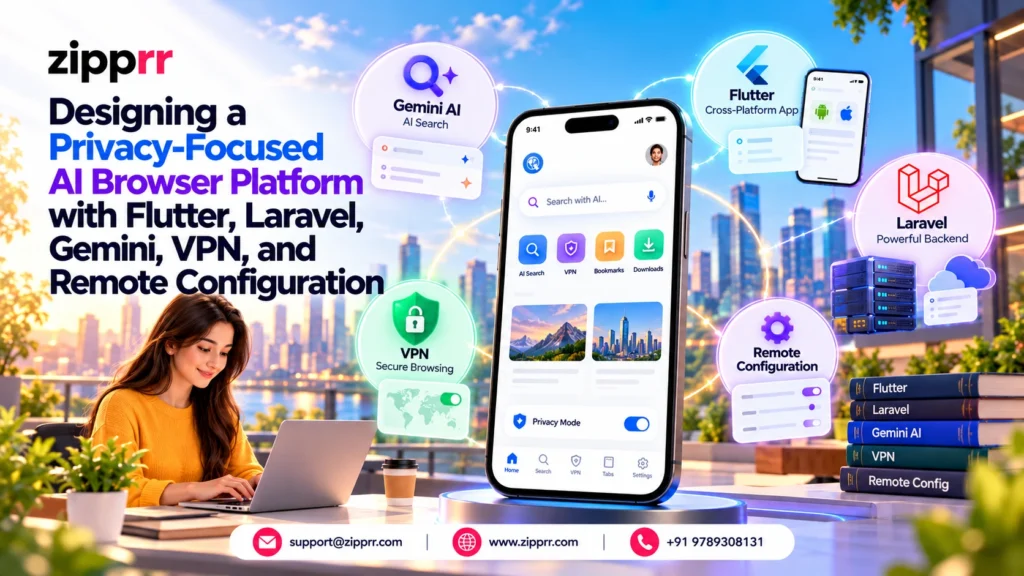
Mobile users now expect browsing, AI answers, news, and a VPN in one app. Building a privacy-focused AI browser that does all four is harder than it sounds. Each feature depends on a different service, and each service has its own data practices.
This case study walks through a reference architecture for that kind of platform. The app uses Flutter. The backend uses Laravel and MySQL. The AI layer uses Google Gemini through a secure server-side proxy. The design follows the feature set of a Flutter and Laravel AI browser source package, and we label anything beyond that feature set as a recommendation.
Developers, product owners, and founders can use it as a blueprint. It also shows where the risks sit. If you need help building something similar, see our Flutter app development services and Laravel development services.
How to Read This Case Study
Every claim in this article belongs to one of four groups. We keep them apart on purpose, so you always know what exists and what is advice.
| Label | Meaning |
|---|---|
| Capability | A feature described in the product's feature list |
| Recommended | Architecture we suggest, but the source does not describe |
| Improvement | A change to consider after launch |
| Third party | A service the operator must supply, configure, and pay for |
This is not a claim that Zipprr operates a live product of this kind. It is an architecture analysis based on the supplied feature list.
Key Takeaways
- A single address bar can route input to a website, a search engine, or an AI answer.
- Normal and private tabs should live in separate lists, with separate persistence rules.
- The Gemini API key belongs on the Laravel server, never inside the mobile app.
- Quotas, prices, VPN servers, and feature switches work best as remote configuration.
- AI answers can be wrong, so show sources and tell users to verify important facts.
- VPN, AI, subscriptions, push, ads, and news all depend on third parties and add ongoing cost.
- Privacy claims must stay modest. No browser can promise anonymity or perfect blocking.
The Business and Technical Problem
Most mobile browsers do one job well. AI assistants, VPN apps, and news readers are usually separate apps. Users switch between them, and owners pay to acquire users for each one.
The product idea is to merge them. A user opens one app, types one line, and gets a page, a search, or an answer. The same app can also connect a VPN and show personalized news.
That idea creates real engineering problems:
- Intent routing: The app must guess what the user typed.
- Privacy separation: Private tabs must not leak into normal state.
- Cost control: AI calls cost money, so usage needs limits.
- Secret handling: API keys must never ship inside the app.
- Operational change: Prices and limits change often, and store reviews are slow.
- Dependency risk: Six external services can each fail.
Privacy-Focused AI Browser: Product Requirements
The requirements below come from the feature list. We grouped them by area to make planning easier.
Browsing
- Tabbed browsing with tab previews and find-in-page
- Desktop mode and night mode
- Separate normal and private tabs
- Bookmarks, history, and downloads stored on the device
Privacy
- Advertisement and tracker blocking with weekly and all-time counters
- A per-site privacy panel
- Private tabs without saved history or cookies
- Screenshot and screen-recording protection in private tabs
AI
- AI search with numbered source links
- AI chat for follow-up questions
- Page summaries, translation, and “ask about this page”
- Editable prompts and usage quotas
Content and personalization
- A start page with wallpaper, weather, speed dial, and news
- Topic-based news with publisher attribution
- Twelve interface languages
Monetization and operations
- Pro subscriptions with weekly, monthly, and yearly plans
- Rewarded-video AI top-ups and optional ads
- Optional push notifications
- A Laravel admin panel with feature switches
High-Level System Architecture
The system has three layers. The Flutter app handles the interface and the browser. The Laravel API handles identity, configuration, AI proxying, news, and billing events. Third-party services handle everything the operator should not build alone.
The diagram below shows how they connect. The last arrow shows configuration flowing back to the app.
The key design choice is that the app never talks to Gemini or the news sources directly. The backend sits in front of both. That gives the operator one place to enforce limits, rotate keys, and change behavior.
Why Flutter Was Selected
Flutter lets one Dart codebase serve Android and iOS. For a product with many screens, that matters. The tab switcher, paywalls, onboarding variants, and settings all exist once.
Flutter also suits this product for three practical reasons:
- It renders its own interface, so themes, private-tab colors, and paywall layouts stay consistent.
- Platform channels let the team reach native features when needed.
- Hot reload speeds up work on the many small UI states a browser needs.
There is a trade-off. The browser engine is still the platform webview. Flutter controls the chrome around the page, not the page itself. Features like content blocking and screen-capture protection therefore need careful native testing.
Teams that want a hand with this part can review our mobile app development services or our Flutter app development services.
Why Laravel Was Selected for the Backend
Laravel gives a small team a lot of structure without much setup. This product needs an admin panel, a mobile API, scheduled jobs, webhooks, and database migrations. Laravel covers all five out of the box.
Here is how its features map to the product:
- Eloquent and migrations define settings, search engines, wallpapers, and VPN servers.
- Seeders load initial data so a new deployment works on day one.
- The scheduler runs news ingestion.
- Middleware and rate limiters protect the AI endpoint.
- The HTTP client calls Gemini from the server.
PHP and MySQL hosting is also easy to find. That keeps the deployment barrier low for app owners. For deeper backend work, see our backend development with Laravel page.
Technology Comparison
The table summarizes each component. Costs and limits depend on each provider, so confirm them before launch.
| Component | Role | Why it fits | Main dependency | Main risk |
|---|---|---|---|---|
| Flutter | Mobile app | One codebase, consistent UI | Platform webviews | Native gaps in browser features |
| Laravel | API and admin | Fast to build, mature tooling | PHP host | Misconfigured security |
| MySQL | Data store | Familiar, well supported | Database host | Poor indexing at scale |
| Gemini | AI answers | Strong general models | Google account and API key | Cost, quotas, wrong answers |
| RevenueCat | Subscriptions | One layer over both stores | RevenueCat account | Webhook delays or misuse |
| OneSignal | Push messages | Simple delivery tooling | OneSignal account | Consent and delivery limits |
| AdMob | Ads and rewards | Rewarded video support | AdMob account | Policy and consent rules |
| VPN servers | Tunnel access | Core privacy feature | Operator-supplied servers | Uptime and legal exposure |
Database and Configuration Design
The backend stores two kinds of data. The first is operational content, such as search engines, speed-dial tiles, wallpapers, news sources, VPN servers, and AI prompts. The second is user state, such as plan status and daily AI usage.
A clean split helps. Content tables change rarely and are cached. User tables change often and need transactions.
| Table | Purpose |
|---|---|
| remote_configs | Prices, limits, and feature switches |
| search_engines | Available search providers |
| speed_dial_items and categories | Home-screen tiles |
| wallpapers | Start-page backgrounds |
| news_sources and articles | Ingestion settings and stored items |
| vpn_servers | Locations, tier, and status |
| ai_prompts | Editable prompt templates |
| ai_usage_daily | Per-user daily counters |
| revenuecat_events | Processed webhook event IDs |
Bookmarks, history, and downloads stay on the device according to the feature list. That keeps this schema small and supports the privacy positioning.
Unified Address-Bar Routing Logic
The address bar is the product’s front door. It must decide in milliseconds whether the user wants a page, a search, or an AI answer. A wrong guess feels broken, so the logic should be simple and predictable.
The diagram shows the decision order. URL detection runs first because it is the most certain test.
The Dart class below implements that order. It is a simplified heuristic, so adapt it for your languages and test it with real queries. Note that it rejects non-web schemes such as file://.
enum InputIntent { empty, url, search, aiQuestion }

class InputClassifier {
  // Question openers. Extend per locale; these are English only.
  static final _questionStart = RegExp(
    r'^(who|what|when|where|why|how|which|can|could|should|is|are|does|do|will|explain|summarize|compare)\b',
    caseSensitive: false,
  );
  static final _ipv4 = RegExp(r'^\d{1,3}(\.\d{1,3}){3}$');
  static final _tld = RegExp(r'\.[a-zA-Z]{2,}$');

  static InputIntent classify(String raw) {
    final input = raw.trim();
    if (input.isEmpty) return InputIntent.empty;
    if (_looksLikeWebAddress(input)) return InputIntent.url;
    final wordCount = input.split(RegExp(r'\s+')).length;
    final isQuestion = input.endsWith('?') ||
        (wordCount >= 4 && _questionStart.hasMatch(input));
    return isQuestion ? InputIntent.aiQuestion : InputIntent.search;
  }

  static bool _looksLikeWebAddress(String input) {
    if (input.contains(RegExp(r'\s'))) return false;
    final candidate = input.contains('://') ? input : 'https://$input';
    final uri = Uri.tryParse(candidate);
    if (uri == null || !uri.hasAuthority) return false;
    // Security: allow only web schemes. Never auto-open file:, javascript:, or intent: input.
    if (uri.scheme != 'http' && uri.scheme != 'https') return false;
    final host = uri.host;
    if (host == 'localhost' || _ipv4.hasMatch(host)) return true;
    return host.contains('.') && _tld.hasMatch(host);
  }
}
A second layer helps here. Let users override the guess with a small chip, such as “Search instead” or “Ask AI instead”. That removes frustration when the heuristic misses.
Normal and Private Browsing Architecture
Private mode should be separate in code, not only in color. The safest pattern keeps two independent tab lists. Only the normal list is ever written to storage.
The feature list also says private tabs use a distinct color scheme and block screen capture. The manager below ties tab state to that capture guard. It is illustrative, so you must connect it to your webview plugin and native code.
import 'package:flutter/foundation.dart';

class BrowserTab {
  BrowserTab({required this.id, required this.isPrivate, this.url = 'about:blank'});
  final String id;
  final bool isPrivate;
  String url;
}

abstract class NormalTabStore {
  Future<void> save(List<BrowserTab> tabs);
}

abstract class ScreenCaptureGuard {
  Future<void> enable(); // Native work: differs between Android and iOS
  Future<void> disable();
}

class TabManager extends ChangeNotifier {
  TabManager({required NormalTabStore store, required ScreenCaptureGuard guard})
      : _store = store,
        _guard = guard;

  final NormalTabStore _store;
  final ScreenCaptureGuard _guard;
  final List<BrowserTab> _normalTabs = [];
  final List<BrowserTab> _privateTabs = [];
  int _counter = 0;
  bool _privateMode = false;

  List<BrowserTab> get visibleTabs =>
      List.unmodifiable(_privateMode ? _privateTabs : _normalTabs);
  bool get privateMode => _privateMode;

  Future<BrowserTab> openTab({required bool isPrivate, String? url}) async {
    final tab = BrowserTab(
      id: '${isPrivate ? 'p' : 'n'}-${++_counter}',
      isPrivate: isPrivate,
      url: url ?? 'about:blank',
    );
    if (isPrivate) {
      _privateTabs.add(tab);
      await _guard.enable();
      // Privacy: create the webview with a non-persistent session
      // so cookies and cache are discarded when the tab closes.
    } else {
      _normalTabs.add(tab);
      await _store.save(_normalTabs); // Private tabs are never persisted.
    }
    _privateMode = isPrivate;
    notifyListeners();
    return tab;
  }

  Future<void> closeTab(BrowserTab tab) async {
    if (tab.isPrivate) {
      _privateTabs.remove(tab);
      if (_privateTabs.isEmpty) {
        await _guard.disable();
        _privateMode = false;
      }
    } else {
      _normalTabs.remove(tab);
      await _store.save(_normalTabs);
    }
    notifyListeners();
  }

  Future<void> closeAllPrivateTabs() async {
    _privateTabs.clear();
    await _guard.disable();
    _privateMode = false;
    notifyListeners();
  }
}
Two cautions apply. First, screen-capture protection works differently on Android and iOS, so test on real devices. Second, the feature list says bookmarks, history, and downloads remain on the device. Private tabs do not save history or cookies, but that does not hide activity from websites, networks, or providers.
Privacy Controls, Tracker Blocking, and Advertisement Blocking
The app blocks advertisements from the first page and blocks trackers alongside them. It records weekly and all-time counts, plus data saved and time saved. A per-site panel shows users what happened on each page.
The feature list does not describe the blocking engine. A common approach is to compile filter lists into the native content-blocking rules of each platform. Treat that as a recommendation and check what your webview plugin supports.
Be honest in the interface. Blocking varies by site, and trackers keep changing. A good privacy panel shows counts without promising that everything was caught.
We suggest three habits:
- Show numbers as “blocked on this page”, not “you are protected”.
- Update filter lists on a schedule, and log the list version.
- Offer a per-site switch, because blockers sometimes break pages.
AI Search and AI Chat Workflow
The feature list defines two AI modes. Search mode answers from live web results and shows numbered source links. Chat mode handles follow-up questions in a dialogue.
Keep the modes separate in the interface. Search is for factual lookups where sources matter. Chat is for open conversation where context carries over.
The request path is the same for both. The app sends a short request to Laravel with a mode value. The server picks the matching prompt, checks quota, calls Gemini, and returns the answer.
Source links need extra care. The feature list says search mode uses live web results, but it does not say how they are retrieved. Whatever method you choose, return the links with the answer so users can check them.
AI responses may be inaccurate. State this near every answer, and tell users to verify important facts against the original sources.
Secure Gemini API Proxy Architecture
An API key inside a mobile app can be extracted. So the app must never hold it. The Laravel backend holds the Gemini key and forwards approved requests. The operator remains responsible for provider terms, quotas, data handling, and charges.
The sequence below shows one request. Notice that validation and quota checks happen before any paid call.
The controller below follows that flow. It is illustrative. Verify the Gemini request format against the official Gemini API documentation before production use.
<?php

namespace App\Http\Controllers\Api\V1;

use App\Http\Controllers\Controller;
use App\Models\AiPrompt;
use App\Services\AiQuotaService;
use Illuminate\Http\JsonResponse;
use Illuminate\Http\Client\ConnectionException;
use Illuminate\Http\Request;
use Illuminate\Support\Facades\Http;
use Illuminate\Support\Facades\Log;
use Illuminate\Validation\Rule;

class AiProxyController extends Controller
{
    public function __construct(private readonly AiQuotaService $quota) {}

    // Route security (routes/api.php):
    // Route::post('/v1/ai/ask', [AiProxyController::class, 'ask'])
    //    ->middleware(['auth:sanctum', 'throttle:ai']); // authentication + rate limiting

    public function ask(Request $request): JsonResponse
    {
        // Validation: cap sizes so one request cannot send a huge, costly prompt.
        $data = $request->validate([
            'mode'            => ['required', Rule::in(['search', 'chat', 'summarize', 'translate', 'page_question'])],
            'question'        => ['nullable', 'string', 'max:1000'],
            'page_text'       => ['nullable', 'string', 'max:20000'],
            'target_language' => ['nullable', 'string', 'size:2'],
        ]);

        $user = $request->user();
        $prompt = AiPrompt::where('key', $data['mode'])->where('is_active', true)->firstOrFail();

        // Quota: throws QuotaExceededException (rendered as HTTP 429) when the allowance is used up.
        $remaining = $this->quota->consume($user);

        try {
            // Secrets: the key comes from .env via config/services.php, never from the client.
            $response = Http::withHeaders(['x-goog-api-key' => config('services.gemini.key')])
                ->timeout(20)
                ->post(
                    sprintf(
                        'https://generativelanguage.googleapis.com/v1beta/models/%s:generateContent',
                        config('services.gemini.model')
                    ),
                    [
                        'systemInstruction' => ['parts' => [['text' => $prompt->template]]],
                        'contents' => [[
                            'role' => 'user',
                            'parts' => [['text' => $this->buildUserText($data)]],
                        ]],
                    ]
                );
        } catch (ConnectionException $e) {
            $this->quota->refund($user);
            Log::warning('Gemini connection failed', ['user' => $user->id]);
            return response()->json(['error' => ['code' => 'ai_unavailable', 'message' => 'AI is temporarily unavailable.']], 503);
        }

        if ($response->failed()) {
            // Error handling: refund the credit and log provider details server-side only.
            $this->quota->refund($user);
            Log::error('Gemini error', ['status' => $response->status()]);
            return response()->json(['error' => ['code' => 'ai_unavailable', 'message' => 'AI is temporarily unavailable.']], 502);
        }

        $answer = $response->json('candidates.0.content.parts.0.text');

        return response()->json(['data' => [
            'answer' => $answer,
            'sources' => [], // Filled by the retrieval step you choose for search mode (not shown here).
            'quota' => ['remaining' => $remaining],
            'notice' => 'AI can make mistakes. Check important facts against the sources.',
        ]]);
    }

    private function buildUserText(array $data): string
    {
        $question = $data['question'] ?? '';
        $page = $data['page_text'] ?? '';

        // Prompt-injection defense: label page text as data, and say so in the stored system prompt.
        return match ($data['mode']) {
            'summarize'     => "Summarize the content inside <page> tags.\n<page>{$page}</page>",
            'translate'     => "Translate the content inside <page> tags into {$data['target_language']}.\n<page>{$page}</page>",
            'page_question' => "Question: {$question}\n<page>{$page}</page>",
            default         => $question,
        };
    }
}
Quota Validation Before Every AI Call
The feature list gives free users a daily allowance, lets rewarded video add more, and gives Pro subscribers unlimited access. The server must enforce all three. A client-side counter is easy to bypass.
The service below uses a database lock so two fast requests cannot both spend the last credit. It is illustrative, and it assumes an ai_usage_daily table with a unique key on user_id and usage_date.
<?php

namespace App\Services;

use App\Exceptions\QuotaExceededException;
use App\Models\AiUsageDaily;
use App\Models\RemoteConfig;
use App\Models\User;
use Illuminate\Support\Facades\DB;

class AiQuotaService
{
    /** Returns remaining credits, or null for Pro users (unlimited by plan rules). */
    public function consume(User $user): ?int
    {
        // Entitlement is read from our own database, which the RevenueCat webhook keeps current.
        if ($user->pro_expires_at && $user->pro_expires_at->isFuture()) {
            return null;
        }

        return DB::transaction(function () use ($user) {
            $row = AiUsageDaily::firstOrCreate(
                ['user_id' => $user->id, 'usage_date' => now()->toDateString()],
                ['used' => 0, 'bonus' => 0]
            );

            // Concurrency: lock the row so parallel requests cannot overspend.
            $row = AiUsageDaily::whereKey($row->id)->lockForUpdate()->first();

            // Limits are remote configuration, so admins can change them without an app release.
            $limit = (int) RemoteConfig::get('ai.free_daily_limit', 5) + $row->bonus;

            if ($row->used >= $limit) {
                throw new QuotaExceededException();
            }

            $row->increment('used');

            return $limit - $row->used;
        });
    }

    public function refund(User $user): void
    {
        AiUsageDaily::where('user_id', $user->id)
            ->where('usage_date', now()->toDateString())
            ->where('used', '>', 0)
            ->decrement('used');
    }
}
<?php
namespace App\Exceptions;
use Illuminate\Http\JsonResponse;
class QuotaExceededException extends \RuntimeException
{
// Laravel calls render() automatically for exceptions that define it.
public function render(): JsonResponse
{
return response()->json([
'error' => [
'code' => 'ai_quota_exceeded',
'message' => 'Daily AI limit reached.',
'options' => ['rewarded_video', 'upgrade'],
],
], 429);
}
}Example API Request and Response
A consistent envelope makes the Flutter client simpler. Every success returns data. Every failure returns error with a stable code. The values here are examples only.
// POST /api/v1/ai/ask
// Authorization: Bearer <user-token>
{
    "mode": "page_question",
    "question": "What is the refund period described here?",
    "page_text": "Refunds are available within 7 days of purchase..."
}

// 200 OK
{
    "data": {
        "answer": "The page describes a 7-day refund period.",
        "sources": [],
        "quota": { "remaining": 3 },
        "notice": "AI can make mistakes. Check important facts against the sources."
    }
}

// 429 Too Many Requests
{
    "error": {
        "code": "ai_quota_exceeded",
        "message": "Daily AI limit reached.",
        "options": ["rewarded_video", "upgrade"]
    }
}
Webpage Summarization, Translation, and Page Questions
Three page tools share one pattern. The app extracts text from the open page, trims it, and sends it with a mode value. The server wraps that text in clear markers and asks the model to treat it as data.
Here is how each tool behaves:
- Summarize: returns a short overview of the page.
- Translate: returns the page content in the user’s chosen language.
- Ask about this page: combines the page text with the user’s question.
Keep three rules in mind. Cap the text length to control cost. Remove hidden elements before extraction, since web pages can contain text meant to manipulate the model. And remind users that summaries and translations can contain errors, especially for legal, medical, financial, or technical pages.
Our AI Chat software shows how Zipprr approaches conversational AI in a product.
Personalized News Ingestion and Topic-Based Feed
Users pick interest topics during onboarding. The feed then ranks articles around those topics. Each article shows its publisher, and users can save items to read later.
On the server, a scheduled job reads the configured news sources and stores new items. The feature list does not state the source format, so confirm what your sources provide. Admins can add or remove sources without changing the app.
A simple ranking works well at first:
Operators remain responsible for source terms, attribution, and content rights. Store the original link and publisher name with every item, and respect each source’s usage rules.
VPN Connection and Automatic VPN Rules
The app includes a VPN screen with location selection and a connect button. Free users see designated free locations. Pro users see the full list. A monthly free data allowance can be configured.
Two automatic rules exist. The VPN can connect on Wi-Fi, or only while a private tab is open. These rules align the tunnel with the user’s privacy intent.
The operator must supply and maintain the VPN servers or a compatible server list. The feature list does not name the protocol. So server quality, uptime, logging policy, and legal compliance all belong to the operator.
A VPN also does not make browsing anonymous. It moves trust from the network to the VPN provider. Say that plainly in your privacy copy.
Subscription, Quota, and Rewarded-Video Monetization Flow
Monetization has three paths. Free users get a daily AI allowance. They can watch a rewarded video for extra credits. Or they can buy Pro through RevenueCat.
The diagram below shows how those paths meet. Pro status always wins, and the webhook is how the backend learns about purchases.
Pro plans run weekly, monthly, or yearly. Seven paywall layouts are included, and plan cards show both the billed price and the monthly equivalent. Store billing, product approval, and subscription rules remain governed by Apple, Google, and RevenueCat.
The webhook handler below updates Pro status. It is illustrative. Check event names and fields against the RevenueCat webhook documentation before relying on it.
<?php

namespace App\Http\Controllers\Webhooks;

use App\Http\Controllers\Controller;
use App\Models\User;
use Carbon\Carbon;
use Illuminate\Http\JsonResponse;
use Illuminate\Http\Request;
use Illuminate\Support\Facades\DB;
use Illuminate\Support\Facades\Log;

class RevenueCatWebhookController extends Controller
{
    private const GRANT = ['INITIAL_PURCHASE', 'RENEWAL', 'UNCANCELLATION', 'PRODUCT_CHANGE'];
    private const REVOKE = ['EXPIRATION'];

    // Route: Route::post('/webhooks/revenuecat', RevenueCatWebhookController::class);
    // Exclude it from user auth and CSRF, but protect it with the shared secret below.
    public function __invoke(Request $request): JsonResponse
    {
        // Authentication: compare the Authorization header you configured in RevenueCat.
        $secret = (string) config('services.revenuecat.webhook_secret');
        abort_if($secret === '', 500, 'Webhook secret is not configured.');
        abort_unless(
            hash_equals('Bearer ' . $secret, (string) $request->header('Authorization')),
            401
        );

        // Validation: reject malformed payloads before touching the database.
        $event = $request->validate([
            'event.id'          => ['required', 'string'],
            'event.type'        => ['required', 'string'],
            'event.app_user_id' => ['required', 'string'],
        ])['event'];
        $payload = $request->input('event');

        DB::transaction(function () use ($event, $payload) {
            // Idempotency: a repeated event ID inserts zero rows, so we skip it.
            $inserted = DB::table('revenuecat_events')->insertOrIgnore([
                'event_id'   => $event['id'],
                'type'       => $event['type'],
                'created_at' => now(),
            ]);
            if ($inserted === 0) {
                return;
            }

            // The app should set the RevenueCat app user ID to our own user UUID.
            $user = User::where('uuid', $event['app_user_id'])->first();
            if (! $user) {
                Log::info('RevenueCat event for unknown user', ['type' => $event['type']]);
                return;
            }

            // Ordering: ignore events older than the last one we applied.
            $eventMs = (int) ($payload['event_timestamp_ms'] ?? 0);
            if ($eventMs && $user->pro_event_at_ms && $eventMs < $user->pro_event_at_ms) {
                return;
            }

            if (in_array($event['type'], self::GRANT, true) && ! empty($payload['expiration_at_ms'])) {
                $user->pro_expires_at = Carbon::createFromTimestampMs($payload['expiration_at_ms']);
            } elseif (in_array($event['type'], self::REVOKE, true)) {
                $user->pro_expires_at = now();
            }
            // CANCELLATION keeps access until expiry. BILLING_ISSUE is logged, not acted on, in this sketch.

            $user->pro_event_at_ms = $eventMs ?: $user->pro_event_at_ms;
            $user->save();
        });

        return response()->json(['ok' => true]); // Return 200 quickly so RevenueCat does not retry.
    }
}
Rewarded video needs one more safeguard. A client can fake the message “the user watched an ad”. The AdMob documentation describes server-side verification for rewarded ads, which is the safer pattern. Treat it as an improvement, since the feature list does not confirm it.
Remote Configuration and Feature Flags
Prices, usage limits, VPN servers, news sources, and speed-dial tiles are all configurable. Feature switches turn supported modules on or off. This reduces the need for a store release for routine changes.
There is a limit. New compiled functionality and source-code changes still need an app update. Remote configuration can only change what the app already knows how to read.
The migration and model below store settings as typed JSON values. They are illustrative.
<?php

// database/migrations/2026_01_01_000000_create_remote_configs_table.php
use Illuminate\Database\Migrations\Migration;
use Illuminate\Database\Schema\Blueprint;
use Illuminate\Support\Facades\Schema;

return new class extends Migration {
    public function up(): void
    {
        Schema::create('remote_configs', function (Blueprint $table) {
            $table->id();
            $table->string('key')->unique();           // e.g. ai.free_daily_limit
            $table->string('group')->index();          // ai, vpn, ads, ui
            $table->json('value');                     // number, boolean, string, or array
            $table->boolean('is_enabled')->default(true);
            $table->string('platform')->nullable();    // android, ios, or null for both
            $table->string('min_app_version')->nullable();
            $table->unsignedBigInteger('updated_by')->nullable(); // audit: which admin changed it
            $table->timestamps();
        });
    }

    public function down(): void
    {
        Schema::dropIfExists('remote_configs');
    }
};
<?php
namespace App\Models;
use Illuminate\Database\Eloquent\Model;
use Illuminate\Support\Facades\Cache;
class RemoteConfig extends Model
{
protected $fillable = ['key', 'group', 'value', 'is_enabled', 'platform', 'min_app_version', 'updated_by'];
protected $casts = ['value' => 'json', 'is_enabled' => 'boolean'];
public static function get(string $key, mixed $default = null): mixed
{
// Short cache keeps admin changes fast without hitting MySQL on every request.
return Cache::remember("remote_config:{$key}", 60, function () use ($key, $default) {
$row = static::where('key', $key)->where('is_enabled', true)->first();
return $row ? $row->value : $default;
});
}
protected static function booted(): void
{
// Clear the cache when an admin saves a change.
static::saved(fn (self $c) => Cache::forget("remote_config:{$c->key}"));
}
}The app should fetch the full configuration at launch and cache it locally. If the request fails, it should fall back to the last good copy. That keeps the browser usable offline or during outages.
Never put secrets in remote configuration. Anything the app can read, a user can read.
Localization and White-Label Branding
The app ships with twelve languages: Arabic, German, English, Spanish, French, Italian, Japanese, Korean, Portuguese, Russian, Turkish, and Chinese. That gives a base for international launches. Operators should still review translations, store listings, and policies for each market.
Arabic needs right-to-left layout testing. Do not assume that translated strings fit existing buttons. German and Russian often run longer than English.
Branding is flexible. Owners can change color themes, wallpapers, onboarding variants, and paywall layouts. They must still supply their own store assets, app identifiers, policies, and licensed visuals.
Security, Privacy, and Compliance Considerations
Privacy is the product’s main promise, so the backend should collect little. Do not log full page text or full prompts by default. Log request IDs, modes, and status codes instead.
Several parties touch user data:
- The AI provider receives questions and page text.
- The subscription provider handles purchase data.
- The ad network and push service have their own identifiers.
- The VPN operator controls the tunnel.
List them all in the privacy policy. Local storage for bookmarks and history does not remove those external practices. Also check consent rules for ads and notifications in each target region. This is general guidance, not legal advice.
Security Checklist
- Gemini key stored in server environment variables only
- Sanctum or equivalent authentication on every AI route
- Rate limiting on AI, login, and config endpoints
- Input size limits on every text field
- Webhook secret verified with a constant-time comparison
- Webhook events deduplicated by event ID
- Prompt text treated as untrusted data
- Stack traces and provider errors hidden from clients
- Admin panel behind strong passwords and two-factor authentication
- Remote configuration free of secrets
- Logs free of page content and prompts
- Dependencies updated and scanned regularly
Testing and Quality-Assurance Strategy
The source does not publish an automated test framework or coverage figure. So plan your own. Combine automated tests for logic with manual tests on real devices.
Automated tests
- Unit-test the address-bar classifier with many inputs.
- Test quota limits, refunds, and Pro bypass.
- Test the webhook with duplicate and out-of-order events.
Device tests
- Confirm private tabs leave no history or cookies.
- Confirm screen-capture protection on several devices.
- Check tab switching, find-in-page, desktop mode, night mode, and downloads.
Service tests
- Use sandbox accounts for purchases, ads, push, and VPN rules.
- Simulate Gemini timeouts and confirm users see a clear message.
- Verify news attribution, saving, and topic ranking.
Also test failure paths on purpose. Turn off the AI key and watch what happens.
Deployment Workflow
Deployment has a backend track and a mobile track. Do the backend first, because the app depends on it.
Deployment Checklist
- HTTPS enabled on the API domain
- Production .env reviewed and debug mode off
- Queue worker and scheduler running
- Database backups scheduled
- AI, subscription, push, and ad accounts configured
- VPN server list tested from several networks
- Sandbox purchases verified
- Error monitoring active
- Privacy policy and store metadata complete
Teams that want help shipping this stack can talk to the Zipprr team.
Reliability Risks and Third-Party Dependencies
Core browsing ships with the app. Everything else depends on a service. That is the central reliability fact of this design.
| Dependency | If it fails | Suggested fallback |
|---|---|---|
| Gemini API | AI features stop | Clear error, hide AI buttons |
| News sources | Feed goes stale | Show cached articles |
| RevenueCat | Purchases or status sync stall | Keep last known entitlement |
| AdMob | No rewarded videos | Hide the reward option |
| OneSignal | No notifications | None needed for core use |
| VPN servers | No tunnel | Disable connect, show status |
| Laravel API | Config and AI unavailable | Use cached configuration |
Costs also depend on third parties. AI usage, VPN bandwidth, hosting, subscriptions, push, and news licensing all carry charges or terms that vary by provider.
Technical Limitations
- Ad and tracker blocking cannot catch every technique.
- Private tabs do not give anonymity against websites or networks.
- AI answers can be incomplete or wrong.
- Screen-capture protection behaves differently on Android and iOS.
- Remote configuration cannot add new compiled features.
- VPN quality depends entirely on operator-supplied servers.
- No part of this design guarantees revenue, rankings, or user growth.
Lessons Learned
Several lessons stand out from this architecture.
- Keep secrets on the server. The proxy is the foundation of safe AI features.
- Separate private state early. Retrofitting it is painful.
- Enforce limits on the backend. Client checks are advice, not control.
- Make configuration remote. Prices and limits change more often than code.
- Design for failure. Six dependencies mean something will fail.
- Say less about privacy. Modest, accurate claims build more trust than bold ones.
Recommended Improvements
These are suggestions, not existing features.
- Add AdMob server-side verification for rewarded videos.
- Add a response cache for repeated page summaries, with privacy limits.
- Add structured logging with request IDs and no content.
- Add an admin audit trail for configuration edits.
- Add automated end-to-end tests for purchase and quota flows.
- Add an in-app AI data notice before the first request.
- Add health checks for VPN servers in the admin panel.
Final Conclusion
A privacy-focused AI browser works when each layer has a clear job. Flutter owns the experience. Laravel owns secrets, limits, and configuration. MySQL stores settings and state. Third parties provide AI, billing, ads, push, and tunnels.
The architecture is practical, but it is not magic. Blocking is imperfect, AI makes mistakes, and every outside service adds cost and risk. Teams that state those limits openly will build a more credible product.
If you are planning a privacy-focused AI browser, start with the proxy, the quota rules, and the remote configuration. Then add features one at a time. For help, visit the Zipprr homepage.
Ready to Plan Your AI Browser Platform?
Tell us about your product, and we will help you scope the architecture. You can also contact the Zipprr team.
Frequently Asked Questions
1. What is a privacy-focused AI browser?
It is a mobile browser that adds AI answers and privacy tools to normal browsing. Typical tools include private tabs, ad and tracker blocking, and a VPN. It reduces exposure but cannot guarantee anonymity.
2. Why use a Laravel proxy for the Gemini API?
A proxy keeps the API key on the server, where users cannot extract it. It also lets you validate input, enforce quotas, and handle errors in one place.
3. Can remote configuration replace app updates?
Not fully. It can change prices, limits, server lists, prompts, and feature switches. New compiled functionality and source-code changes still need an app update.
4. Are AI answers in the browser always accurate?
No. AI responses can be incomplete or wrong. The app should show source links where possible, and users should verify important facts against the original pages.
5. Does a VPN make browsing anonymous?
No. A VPN moves trust from the local network to the VPN operator. Websites and providers can still collect data, so the privacy policy should explain this clearly.
6. Which services does this platform depend on?
It relies on an AI provider, a subscription layer, an ad network, a push service, news sources, hosting, and VPN servers. The operator supplies and pays for each one.
7. How do free AI limits and rewarded videos work together?
Free users get a daily allowance set in configuration. A rewarded video can add bonus credits. Pro subscribers receive access according to plan rules, and the server enforces all three.



