

This case study is based on a representative client implementation delivered by Zipprr. Client identities and certain business details have been anonymized to protect confidentiality while preserving the implementation approach.
For a growing e-commerce brand, the hardest work is often not selling. It is everything that happens after the sale. An order comes in, and a person has to make sure the stock count is right, the warehouse knows to ship it, the invoice gets created, and the customer hears something back. Do that a dozen times a day and it is manageable. Do it a few hundred times across a website, two marketplaces, and a wholesale channel, and the copying between systems becomes a full-time job that quietly produces oversells, late invoices, and customers emailing to ask where their order is.
This is the kind of problem Zipprr is brought in to solve as an AI integration and automation partner. We do not sell a workflow tool. We connect the right ones to a business, and for order operations at real volume that tool is often n8n, an automation platform a brand can run on its own server. This piece walks through how we typically design an n8n order-to-cash automation for an e-commerce operation, why we choose n8n for this particular job, where it connects, and what we deliberately leave to people.
At a glance
What does an n8n order automation actually do?
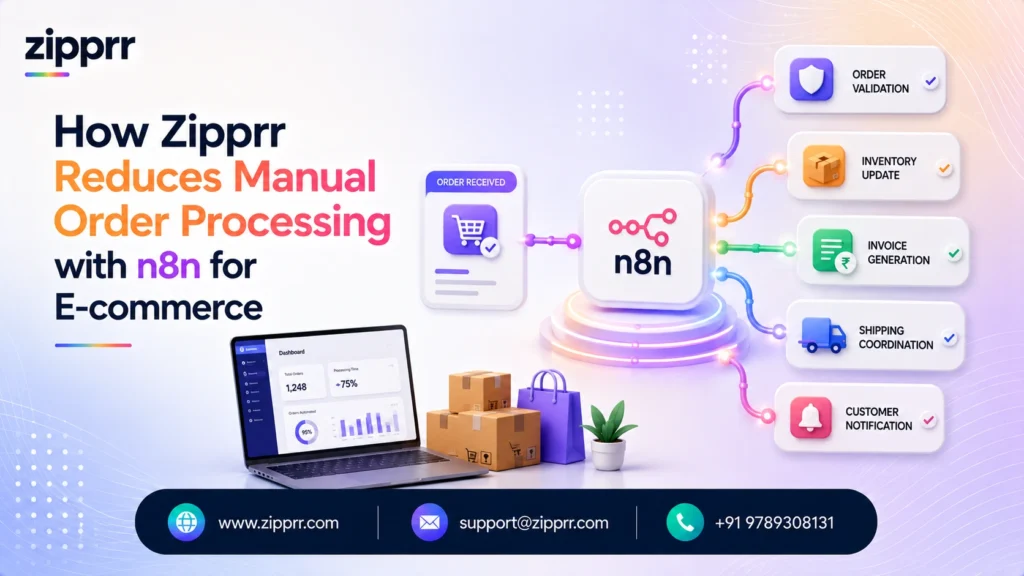
In one line: it catches every order from every channel, updates inventory, sends the fulfillment request, creates the invoice, and tells the customer, all as one automated workflow, while flagging anything unusual for a person to check. Because n8n can run on the brand’s own server, the order and customer data never has to leave the business. The point is not to remove people from the operation. It is to take the repetitive copying off their plate so they spend their time on the exceptions that actually need judgment.
The work that piles up after the sale
E-commerce operations teams rarely describe their problem as an automation problem. They describe it as being busy in a way that does not scale. The same order gets handled several times: read in the store dashboard, retyped into an inventory spreadsheet, emailed to the warehouse or third-party logistics provider, turned into an invoice in the accounting tool later that day, and then explained to the customer when they ask for a status update that never went out automatically.
Every one of those handoffs is a place where something breaks. Stock counts drift out of sync across channels, so the same last unit sells twice and one customer gets an apologetic cancellation. Invoices get created in a batch at the end of the day, or get missed entirely. Order-status questions pile up in the support inbox because nothing told the customer their package shipped. None of this is a sign of a bad team. It is the predictable result of asking people to be the integration layer between systems that were never connected. Research on where automation pays off, including the widely cited McKinsey Global Institute work on the automation potential of work activities, has long pointed at exactly this kind of predictable, rules-based data movement as the work best handed to software.
What the automation needs to achieve
Before choosing any tool, we agree on what the workflow has to deliver. For an order-to-cash build the goals are consistent: capture every order from every channel in one place, keep inventory accurate across those channels in near real time, send fulfillment requests without anyone retyping, create an invoice for every order automatically, keep the customer informed without staff writing each message, and cut the manual data entry that causes errors. Just as important is the goal that does not get said out loud: give the team back the hours they currently spend copying, so they can handle the genuine exceptions well.
Why n8n, and when we would pick something else
Several tools could move this data. We do not default to one out of habit, because the person who has to live with the automation after we hand it over should drive the choice. For an order operation at real volume, three things push the decision toward n8n.
The first is data control. n8n is self-hostable, so it can run on the brand’s own server and the order and customer data never leaves their infrastructure. For a business handling personal details and payment references at scale, that is a real advantage over a fully hosted tool. The second is cost at volume. Tools priced per task get expensive fast when you are processing hundreds of orders a day with multi-step workflows; a self-hosted platform changes that math. The third is flexibility. n8n includes a Code node and an HTTP Request node, so when a system has no ready-made connector we can still integrate it through its API rather than being stuck.
That said, n8n is not always the right answer, and we say so.
| Option | Strengths | Trade-offs | Best When |
|---|---|---|---|
| n8n | Self-hostable (data stays in-house), cost-effective at high volume, Code and HTTP nodes for custom logic, 400+ integrations | Needs a team to own hosting and maintenance | High volume, sensitive data, technical ownership available |
| Zapier | Largest app catalog, easiest for non-technical teams, natural-language builder | Task-based pricing adds up at high volume | A non-technical team needs breadth and speed at modest volume |
| Make | Visual scenario builder, strong value at higher volume | Steeper learning curve for beginners | An ops team comfortable on a visual canvas, watching cost |
| Custom code | Total control | Highest cost, slowest to change | Requirements are unusual and unlikely to change |
For a brand with the volume and the technical ownership to run it, n8n gives control and economics the hosted tools cannot match at scale. For a small team that just wants to connect a few apps and edit automations themselves, we would point them at Zapier instead. The honest version of this decision is that there is no universal winner, only the right fit for the volume, the data, and the team.
How the workflow is put together
The design keeps one principle at the center: n8n orchestrates, the brand’s systems stay the source of truth, and people handle the exceptions.
Orders arrive from the online store, the marketplaces, and the wholesale or point-of-sale channel, and n8n pulls them into one place through webhooks or scheduled checks so nothing depends on a person watching a dashboard. The workflow then validates and de-duplicates the order, updates inventory counts across channels, sends the fulfillment request to the warehouse or 3PL, creates the invoice in the accounting system, and triggers a customer notification. Anything that looks unusual, a mismatch between the order and available stock, a payment that has not cleared, an address the shipping system rejects, is flagged rather than pushed through.
On the customer side, we usually connect two Zipprr systems because they fit naturally here. WhatsApp Automation sends the order confirmation and shipping updates on a channel people actually read, and the AI Chat assistant answers the where-is-my-order questions from live order status, which removes a large share of repetitive support tickets. These are connected as the messaging layer of the workflow, not bolted on as a separate product.
Underneath sits the part that makes the whole thing safe to trust. Every step is logged. A failed call, a payment API timeout or a 3PL that is briefly down, is retried with backoff, and if it still fails the order drops into an error queue with an alert so nothing is ever silently lost. When order volume spikes during a sale, n8n’s queue mode spreads the load across additional workers. Reliability is not a feature we add at the end; it is designed in from the first workflow.
A single order, start to finish
To make that concrete, here is one clean order moving through the workflow. A shopper places an order on the store, for example a Shopify checkout. Within seconds, the n8n workflow validates the payment, updates the inventory count in the brand’s ERP, creates the invoice in the accounting tool such as Zoho Books, sends the shipment request to the 3PL, and delivers a WhatsApp confirmation to the customer. No one retyped anything, and the only orders that reach a person are the ones that failed a check.
Example order, seconds not hours. Shopify order placed, then n8n validates payment, updates inventory in the ERP, creates the invoice in Zoho Books, sends the shipment request to the 3PL, and sends a WhatsApp confirmation to the customer. Tool names are common examples; the same flow works across other stores, ERPs, and accounting systems.
The flowchart below shows the same logic as a decision, with clean orders flowing straight through and anything unusual routed to a person.
And this is roughly what the workflow looks like on the n8n canvas itself, as a set of connected nodes. It is an illustrative layout for explanation, not an actual screenshot.
How we deliver it, in phases
We build order automations in stages, because anything touching stock, money, and customers deserves to be de-risked rather than switched on all at once.
We start with discovery and workflow mapping: sitting with the operations team to document exactly how an order moves today, including the messy exceptions people handle by instinct. Next we stand up n8n on the brand’s infrastructure and connect one channel end to end, so a single order source flows all the way through to invoice and notification in a test environment. Then we widen to the remaining channels and add the business rules for inventory, buffers, and exceptions. We test hard against real order shapes, including the awkward ones: partial shipments, cancellations, refunds, and out-of-stock races. Only then do we run live orders through in parallel with the old process, watch the logs, and cut over once it is proven. Finally we hand over documentation and train the team to read, pause, and adjust the workflow themselves, because they should own it, not depend on us.
What tends to go wrong, and how we handle it
Every integration meets friction. A few patterns recur often enough that we plan for them from day one.
API limits and timeouts are a fact of life. Marketplaces and shipping providers rate-limit their APIs, and any external call can time out. We design for it with batching, backoff and retry, and idempotency so a retried step never creates a duplicate order or a double invoice. This is exactly where a naive automation fails and a well-built one holds.
Inventory races are the subtle bug. When the same product sells on two channels within seconds, whichever workflow writes last can leave the count wrong. We handle it by treating one system as the inventory source of truth and updating channels from it, rather than letting each channel update independently.
Security and permissions are non-negotiable. Because the workflow touches customer and payment data, we keep it on the brand’s own infrastructure, store credentials in n8n’s encrypted secrets rather than in the workflow, and give each connection the least access it needs. Self-hosting is part of the security story, not just the cost story.
Adoption decides whether it lasts. An automation the team does not understand gets switched off the first time it behaves unexpectedly. We document the workflow in plain language, show the team the execution logs so the system is not a black box, and make sure a person always has a clear way to step in. The goal is a tool the operations team trusts, not one they fear.
What changes operationally
We do not report revenue lifts or a specific measured client result, because those depend on a brand’s own volume and margins. What we can describe honestly is how the workflow changes. The values below are illustrative operational shifts, not a measured single-client outcome.
| Workflow moment | Before | After |
|---|---|---|
| Order entry into systems | Manual retyping across tools | Automatic on order, one workflow |
| Inventory accuracy | Drifts between channels | Synced in near real time |
| Fulfillment handoff | Emailed by hand | Sent automatically to 3PL |
| Invoicing | Batched or missed | Created for every order |
| Order-status updates | Only when asked | Sent automatically |
| Staff time on order admin | Hours per day | Redirected to exceptions |
Read those as direction, not as a guarantee. The real figures live in a brand’s own numbers, which is where they should be measured. What is consistent across these builds is the shape of the change: less copying, fewer errors that reach the customer, and a team spending its attention where judgment is actually needed.
What we would tell a brand before they build
A few lessons repeat across these projects. Decide your source of truth first, especially for inventory, because most order chaos comes from two systems each thinking they are right. Build for failure, not just for the happy path, since the value of the automation is entirely in how it behaves when an API is down or an order is malformed. Keep a human in the loop for money and disputes, and design the flag-and-handoff path as carefully as the automated one. And treat self-hosting as a deliberate choice: it buys data control and cost savings, but it also means someone has to own the server, so make sure that ownership is real before you commit to it.
The most common mistake we see is automating the easy 80 percent and ignoring the exceptions, then watching the team lose trust the first time an edge case slips through. The exceptions are the hard part, and handling them gracefully is what makes an automation something a business keeps.
Where this goes next
Once the core order-to-cash flow is stable, the same n8n foundation extends naturally. Common next steps include automated supplier reordering when stock crosses a threshold, returns and refund workflows with a human approval step, richer analytics by pushing clean order data into a reporting tool, and AI-assisted steps such as summarizing order issues or drafting support replies for a person to approve. Because the workflow is modular and owned by the brand, these are additions rather than rebuilds.
Ready to automate your order operations?
If your team spends its day copying orders between systems, the fix is not more people. It is connecting the systems you already run so the routine moves itself. A good first step is to map one order from the moment it arrives to the moment it ships and gets invoiced, and mark every point where a person retypes or re-checks something. Those points are your automation candidates, and they are usually costing more than they look.
When you book a free AI integration consultation and walk through your order flow with our team, you will get:
- A workflow assessment that pinpoints where your orders lose time and accuracy
- Integration recommendations tailored to your actual stack, not a generic list
- An estimated implementation timeline, so you know the scope before you commit
- A suggested automation roadmap, phased so you start with the highest-value step
- A no-obligation consultation, with an honest read on n8n versus another tool or a custom build
The goal is an order operation that runs itself for the routine work and calls for a human on the exceptions, on infrastructure you own.
What is n8n?
Why use n8n instead of Zapier or Make?
Is n8n secure enough for order and customer data?
Do we own the automation after Zipprr builds it?
Does the automation talk to customers for us?
What does it cost?
Can n8n connect to Shopify, WooCommerce, and marketplaces?
Can n8n automate invoicing?
Does n8n handle high order volume?
What happens if a step fails in n8n?
Can n8n run on our own servers?
Does n8n support AI steps?
How many apps does n8n integrate with?
Can n8n send WhatsApp or email order updates?
Is n8n hard to maintain?
It needs someone to own the hosting and updates when self-hosted, which is part of what an integration partner sets up and documents.
Can we start with one channel and expand?
Related resources
If you are weighing an order automation for your own brand, these are useful next reads and steps: the Zipprr product range to see the systems we build and connect, WhatsApp Automation for automated order updates, the AI Chat assistant for deflecting order-status questions, and more Zipprr stories showing how businesses put these pieces together.



