
Launching a platform like this? Zipprr clone scripts start at $490 with 100% source code, a 7-day refund and 90 days of free support. Book a free demo or chat with us on WhatsApp.
An AI medical receptionist is software that answers clinic phone calls, understands what the caller needs, and completes routine tasks. It books, reschedules and cancels appointments, checks insurance eligibility, and hands urgent calls to staff.
This guide explains how that works, step by step. It uses a multi-tenant AI front-desk platform as the example design. It also covers the technology, the security limits, the business model, and what a clinic must check before going live.
Quick facts about the example platform
Before the details, here is a short summary. It helps you judge whether the rest is relevant to you.
- What it is: A multi-tenant healthcare front-desk SaaS for independent clinics.
- Core feature: An AI voice agent that answers calls 24/7.
- Backend: Laravel 13 on PHP 8.4.
- Frontend: React 19, TypeScript, Inertia.js v2 and Tailwind CSS v4.
- Databases: MySQL 8, MariaDB or SQLite.
- Integrations: Vapi, Stripe, Claim.MD, Stedi and SMTP.
- Roles: Six, from super administrator to customer.
- Testing: The source listing states more than 900 automated Pest tests.
- Compliance position: A HIPAA-oriented mode, with no guarantee of compliance.
Why do clinics need an AI front desk?
Clinic phones ring at the worst times. Staff are checking in patients, handling billing, and answering calls all at once.
Because of this, front desks face a steady list of problems. Each one has a real operational cost, even though the size of that cost differs from clinic to clinic.
Missed calls outside business hours
A caller who reaches voicemail may book with another clinic. The likely consequence is a lost appointment and a weaker patient relationship.
After-hours coverage is also expensive to staff. Many independent clinics simply cannot afford a human team at night.
Repetitive appointment requests
Booking, moving and cancelling visits take up a large share of phone time. These calls follow patterns, so they suit automation well.
Meanwhile, patients standing at the desk wait for attention. That hurts the in-person experience.
Constant interruptions for staff
Phones ring during check-in and billing work. Each interruption raises the chance of an error.
Over time, this also adds to staff fatigue. Tired teams make more mistakes and leave more often.
Identity and privacy risk
Staff must confirm who is calling before sharing details. However, manual checks are inconsistent, especially on busy days.
An inconsistent check creates privacy exposure. It can also create legal risk for the clinic.
Scheduling conflicts and insurance tasks
Manual calendars invite double-booking. That wastes provider time and frustrates patients.
Insurance eligibility checks add more delay. Staff often check coverage by hand before a visit or before billing.
Weak urgent-call escalation and no visibility
Urgent callers must reach a human quickly. Slow routing raises patient-safety concerns.
On top of that, many clinics cannot see why calls fail. Without transcripts, categories and outcomes, managers are guessing.
Scaling across several clinics
Every new location multiplies these problems. Shared tools also tend to mix data between sites.
For operators who serve many clinics, this is the biggest challenge. It is the reason multi-tenant design matters.
How does an AI medical receptionist handle a call?
The call follows a clear path from greeting to logged outcome. Here is the sequence in six steps:
- The patient calls the clinic number and reaches the AI voice agent.
- The agent listens and identifies the intent, such as booking or rescheduling.
- It verifies the caller’s date of birth before sharing protected information.
- It runs a secure server-side tool, for example an availability check.
- It completes the task, gives guidance, or transfers the caller to staff.
- The platform saves the transcript, recording, sentiment and every AI action.
The patient simply talks. Behind the scenes, the voice layer passes each request to the clinic’s own application, which holds the real data.
What the patient experiences
First, the caller hears a natural greeting at any hour. They say what they need in their own words, such as “I need to move my appointment.”
Next, the agent asks for a date of birth if the request involves private information. Then it offers available times and confirms the change.
Finally, the caller gets a confirmation or a warm transfer to a person. There is no menu tree to navigate.
What happens technically
Meanwhile, the voice layer converts speech into a request the application can understand. The application then classifies the intent and maps it to a supported workflow.
Protected actions stay locked until verification passes. After that, a Laravel tool checks the schedule, writes the change and returns the result.
Everything is logged to the clinic’s own tenant. That includes the transcript, the recording, the sentiment and the outcome.
What tasks can an AI medical receptionist do?
In the example platform, the supported tasks are practical and specific. The agent does not just answer general questions.
- Patient lookup: Find the right record after identity verification.
- Appointment booking: Offer valid slots and confirm one.
- Rescheduling and cancellation: Move or cancel an existing visit.
- Insurance verification: Run an eligibility check through a configured gateway.
- Urgency assessment: Apply clinic-defined triage rules and keywords.
- Staff transfer: Pass the call to a person when needed.
If a request is unsupported, the agent escalates it to a human. Two failed handling attempts also trigger escalation, so callers are never trapped in a loop.
How does urgency routing work?
Clinics set their own triage rules and keywords. The agent compares what the caller says with those rules.
Depending on the match, the call may go to the right level of care. It may also trigger immediate escalation to staff.
This is operational routing only. The AI does not diagnose, give medical advice, or replace qualified medical judgment. Clinical leaders must review and validate the rules before production use.
How does a warm transfer work?
In a warm transfer, the call passes from the AI agent to clinic staff while the caller stays connected. The caller does not have to repeat everything from the start.
Because the transcript and call context are logged, staff can see what happened. That saves time and reduces frustration.
How does it keep patient information private?
Identity checks come first. The agent requires a date of birth before it discloses protected patient information. Sensitive actions stay locked until that check succeeds.
Other controls sit in the platform itself:
- Role-based access limits each user to permitted functions.
- Tenant scoping keeps one clinic’s records away from another’s.
- Encrypted credentials protect API keys, which never reach the browser.
- Audit logs record sensitive administrative and operational actions.
- Access-controlled transcripts and recordings support authorized review.
However, software alone does not make a clinic compliant. We explain that limit in the FAQ below.
What about consent and retention?
Call recordings raise legal questions. Rules on consent and retention vary by state and country.
Therefore, the operator must define a recording notice, a retention period and an access policy. The platform provides the tools, but the clinic owns these decisions.
Human review matters in other regulated fields too. For a comparable example, see how AI lawyer software keeps people in the loop.
How does the scheduling engine avoid double-booking?
Booking runs on real-time availability. The agent and the staff both see only valid slots, and double-booking prevention protects each provider’s calendar.
Staff can use day and week calendar views. They can manage the same appointments the agent creates.
How do appointment reminders work?
Reminder emails go out automatically through background queues and a scheduler. As a result, they do not depend on an open browser session.
SMTP credentials are required. Delivery also depends on a correctly configured email setup, so test it before launch.
What can clinics manage inside the workspace?
The clinic panel brings daily work into one place:
- Provider records and schedules
- Patient records and appointment history
- Triage rules and keywords
- Insurance eligibility and claim functions
- Live call activity and upcoming appointments
Access to each area is scoped by role. A billing user, for example, does not need the same view as a healthcare provider.
Want to see an AI front desk working on your clinic's call flow?
Get a walkthrough of scheduling, triage and insurance checks, with no obligation. Book a free demo or message us on WhatsApp.
How does the visual workflow builder work?
Clinics can design the voice agent’s conversation flow without rebuilding the application. The builder uses drag-and-drop nodes and edges.
Each node represents a step, such as asking for a date of birth or checking availability. Edges connect the steps and define what happens next.
Once ready, an administrator deploys the flow to the live voice assistant. This helps clinics adjust routing and task order as their needs change.
Why does clinic-specific configuration matter?
No two clinics run the same way. A pediatric practice and a dental group have different call patterns and different urgent keywords.
For that reason, voice-agent behavior, triage rules and flows are set per clinic. A HIPAA-oriented operating mode is also available for the AI agent.
What happens when something fails?
Failure handling is part of the design. If the agent cannot complete a task, it escalates to a person.
Likewise, two failed attempts trigger escalation automatically. This protects the caller and keeps private data from being exposed.
What technology powers an AI-powered healthcare front desk?
The example platform pairs a Laravel 13 backend on PHP 8.4 with a React 19 and TypeScript frontend. Inertia.js v2 connects them, and Tailwind CSS v4 handles styling.
The main building blocks are:
- Voice layer: Vapi runs the live conversation.
- Database: MySQL 8, MariaDB or SQLite.
- Background work: Queue workers and a scheduler, with a PM2 configuration for keeping workers running.
- Billing: Stripe handles checkout, recurring subscriptions and webhooks.
- Insurance: Claim.MD and Stedi are the source-listed gateway options.
- Email: SMTP delivers reminders and messages.
Each external service needs the operator’s own account, credentials and agreement. Fees may apply.
How do the pieces connect?
A patient call reaches the Vapi voice layer. The voice layer then talks to the Laravel application and its services.
Those services cover patients, providers, scheduling, triage and insurance. They all read and write the same database, and the clinic dashboard displays the results.
Stripe, the insurance gateway, SMTP, queue workers and audit logs connect to the application as supporting services.
What are the server requirements?
To run the platform, you need the following:
- PHP 8.4 or newer, with Composer
- Node.js 18 or newer, with npm
- MySQL 8, MariaDB or SQLite
- Configured voice, billing and SMTP accounts
A guided web installer checks these requirements, sets up the database and creates the first administrator. Even so, production still needs secure hosting, a domain, SSL and environment configuration.
For a similar approach to conversation automation on other channels, compare it with conversational AI chat software and WhatsApp automation software.
How does an AI receptionist check insurance?
The platform sends eligibility requests to a configured insurance gateway. This can happen during a call or from the clinic panel.
The design is pluggable, so it is not tied to one permanent provider. Claim.MD and Stedi are the options named in the source listing.
Clinic staff can also reach claim functions from the panel. Gateway-based claim submission works where the configured service allows it.
What are the limits?
Results depend on the gateway and the payer. For that reason, no platform can promise universal coverage or a guaranteed verification.
External accounts, credentials, service availability and provider fees are also separate requirements. Plan for them early.
Can one platform serve many clinics?
Yes. In a multi-tenant design, each clinic is an isolated tenant. It has its own staff, patients, providers, schedules, settings and branding.
The platform owner sits above the clinics. From one installation, they manage plans, pricing, feature flags and usage limits.
What are the six roles?
Six roles keep access clear:
- Super administrator: Runs the whole platform.
- Clinic owner: Manages one clinic and its settings.
- Healthcare provider: Works with schedules and patients.
- Staff member: Handles daily clinic tasks.
- Billing user: Manages billing-related activity.
- Customer: Uses the customer-facing parts of the platform.
What about support access?
Authorized support staff can impersonate a clinic account for troubleshooting. This is useful, but it is also sensitive.
So, pair it with strict authorization and regular audit review.
Why is this valuable for operators?
One codebase can serve many clinics. Plans and branding can differ, while each clinic’s data stays separate.
This is the main reason to consider SaaS-style development over a single-clinic tool.
How does the subscription and white-label model work?
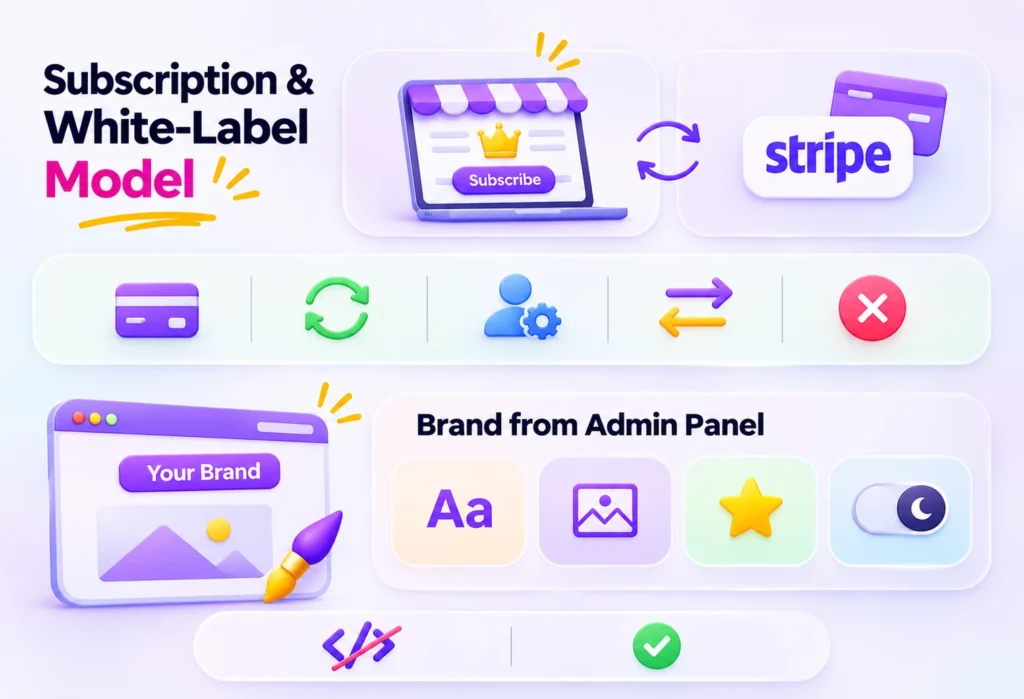
Operators can run the platform as a branded subscription product. Plans and pricing are managed centrally and synchronized with Stripe.
Stripe supports checkout, recurring subscriptions, a customer billing portal, plan switching and cancellation. Webhooks and usage metering keep subscription status aligned with the platform.
What can operators brand?
White-label settings let operators change several things from the admin panel:
- Platform name
- Light logo, dark logo and dashboard logo
- Favicon
- Light and dark themes
No code edits are needed. Each user’s theme choice is also remembered.
What about the marketing site?
A CMS-managed public website can be edited from the administration panel. Menus and content are configurable.
Operators can also keep per-clinic landing pages for individual tenants. That helps each clinic’s local visibility.
Why does this matter commercially?
For agencies, SaaS founders and healthcare technology providers, this combines product, billing and branding in one deployment. Stripe fees and account approval remain the operator’s responsibility.
What can clinics learn from call analytics?
Every supported call can keep a searchable transcript and a recording. Dashboards then show call volume, AI resolution rate, average handling time, sentiment and call categories. Reports export to CSV.
These insights can support clearer decisions:
- When to schedule more human coverage
- Which call types escalate most often
- Where a conversation flow needs a fix
- What to review during staff coaching
- What to include in management reports
Logged AI actions add accountability. Managers can see exactly what the agent did on each call.
Recordings and transcripts must follow local consent and retention rules.
What business impact is possible?
The table below shows potential outcomes and the KPIs to track. None are measured results.
| Operational area | Platform capability | Potential impact | Recommended KPI |
|---|---|---|---|
| After-hours coverage | 24/7 AI voice reception | Callers reach a service outside office hours | After-hours calls answered |
| Missed calls | AI answers inbound calls | Fewer abandoned calls | Missed-call rate |
| Staff workload | Automated lookup, booking and checks | More staff time for in-person care | Calls handled without staff |
| Appointment handling | Real-time availability | Cleaner schedules | Scheduling conflicts |
| Escalation | Triage rules and warm transfer | Faster human handoff | Time to handoff |
| Insurance admin | Gateway-based checks | Less manual checking | Checks completed |
| Quality monitoring | Transcripts and action logs | Reviewable interactions | Calls reviewed |
| Multi-clinic scale | Multi-tenant design | One platform for many clinics | Clinics onboarded |
Set a baseline before launch. Without one, you cannot tell whether anything improved.
Should you build, customize or buy?
Four options exist. Each suits a different situation.
| Factor | Build from scratch | Customize a ready-made base | Generic answering product | Dedicated multi-tenant SaaS |
|---|---|---|---|---|
| Speed | Slowest | Faster | Fastest | Moderate |
| Control | Full | High | Low | High |
| Customization | Unlimited | High | Limited | High |
| Integration depth | What you build | Deep | Often shallow | Deep |
| Multi-clinic scale | Must be designed | Included | Per account | Built for it |
| Compliance duty | Yours | Mostly yours | Shared | Mostly yours |
A generic answering product is quick, but it rarely touches clinic data. Building from scratch gives full control, but it takes the longest.
A ready-made multi-tenant base sits in the middle. It is faster than a full build, yet it stays customizable. You can browse the Zipprr product range to see how ready-made platforms are packaged.
When should you talk to a specialist?
Speak with a development partner in these cases:
- You need custom integrations.
- You plan a regulated rollout across several regions.
- You must migrate legacy patient or schedule data.
- You want a white-label product with your own plans.
Who is this solution for, and who is it not for?
It is a good fit for:
- Independent clinics and small groups
- Practice managers who want less phone workload
- Healthcare SaaS founders
- Agencies seeking a white-label product
- CTOs scoping a healthcare build
It is not a good fit for:
- Organizations expecting a pre-certified compliance product
- Teams unwilling to manage third-party accounts
- Use cases that need diagnosis or clinical decisions
- Hospitals that need deep, certified record-system integration without custom work
What should a clinic check before going live?
Production use needs operator-led validation. The source listing mentions more than 900 automated Pest tests, which help with regression checks. Even so, they do not replace testing in your own environment.
Use this checklist:
- Secure hosting, domain and SSL
- Voice, Stripe, insurance and SMTP accounts configured
- Telephony number and call forwarding tested
- Queue workers and scheduler supervised
- Backups and monitoring in place
- Data migration plan ready
- Triage rules reviewed by clinical leadership
- Privacy policy, recording consent and retention rules defined
- Security, payment, insurance and scheduling acceptance tests passed
Hosting, telephony numbers, compliance agreements, data migration and customization are separate from the software itself. They are not included unless contracted.
Frequently Asked Questions
1. What is an AI medical receptionist?
It is software that answers a clinic’s calls and completes routine front-desk tasks. It books, reschedules and cancels appointments, checks insurance, and transfers urgent or unsupported calls to staff. It works 24/7 and logs each call for review.
2. How does an AI medical receptionist work?
It listens to the caller, identifies the intent, and verifies identity when protected data is involved. Then it runs secure server-side tools against clinic data. If it cannot solve the request, it transfers the call to a person.
3. Can an AI receptionist schedule appointments?
Yes. Booking, rescheduling and cancelling are core voice workflows. The scheduler checks real-time availability and prevents double-booking. Staff can view and manage the same appointments from the clinic panel.
4. Can an AI receptionist replace a human receptionist?
No. It handles repetitive phone tasks and extends coverage after hours. Staff still manage in-person patients, complex requests and escalations. Think of it as extra capacity for the front desk, not a replacement for trained people.
5. Is an AI medical receptionist HIPAA compliant?
Software alone cannot guarantee that. The platform offers a HIPAA-oriented mode, audit logs and scoped access. Compliance still depends on vendor agreements, configuration, consent, retention and jurisdiction. Review the official HHS HIPAA guidance with your compliance advisor.
6. Can an AI receptionist handle emergency calls?
It can apply clinic-defined triage rules and keywords to route urgent callers or escalate at once. It does not diagnose or give medical advice. Anyone facing an emergency should contact local emergency services immediately.
7. Does an AI receptionist work after hours?
Yes. The voice agent answers inbound calls around the clock. After-hours callers can book, change or cancel appointments, or reach the escalation path the clinic has defined.
8. How is an AI receptionist different from a phone tree?
A phone tree forces callers through number menus. An AI receptionist understands natural speech, acts on clinic data, and transfers to staff with context. It can also verify identity and log what it did.
9. What is needed to deploy an AI front-desk platform?
You need PHP 8.4+, Composer, Node.js 18+, npm, a database, secure hosting with SSL, and your own voice, Stripe, SMTP and insurance gateway accounts. Telephony setup and acceptance testing are also required before launch.
10. How much does an AI medical receptionist cost?
Cost depends on scope. Key factors include whether you build or customize, voice usage, telephony, insurance gateway fees, hosting, compliance review, data migration and support. A short scoping call gives a realistic estimate for your clinics.
Ready to plan your AI front desk?
An AI medical receptionist can extend coverage, cut repetitive phone work, and make every call reviewable. It works best with clear triage rules, human escalation and honest compliance planning.
Zipprr can walk you through how this fits your clinics, your integrations and your deployment plan. There is no obligation. Book a free demo, message us on WhatsApp, or email [email protected].
Explore more Zipprr case studies, read the Zipprr blog, or visit the Zipprr homepage.
Disclaimer: This article is for information only. It is not medical, legal or compliance advice.
Ready to plan your AI front desk?
Book a free walkthrough of how an AI front desk fits your clinics, integrations and deployment plan. There is no obligation.