

In this article, we will go through the full process of developing a customizable Udemy clone web application using React. We will cover everything from setting up the development environment to building out core functionality like authentication, courses, videos, payments and more. By the end, you’ll have a solid foundation to create your own Udemy clone script.
1. Choosing the Right Tools
For our Udemy clone, we will use React for the front-end along with Firebase services for backend functionality like authentication, database and hosting.
React is a popular JavaScript framework well-suited for developing complex single page applications. Its component-based architecture and support for unidirectional data flow makes it scalable for large projects.
Firebase provides a comprehensive suite of backend services that can be used to build full-fledged apps without setting up your own servers. For our purposes, we will utilize Firebase Authentication for user signup/login, Firestore for the database and Firebase Hosting to deploy the finished app.
2. Setting Up Shop
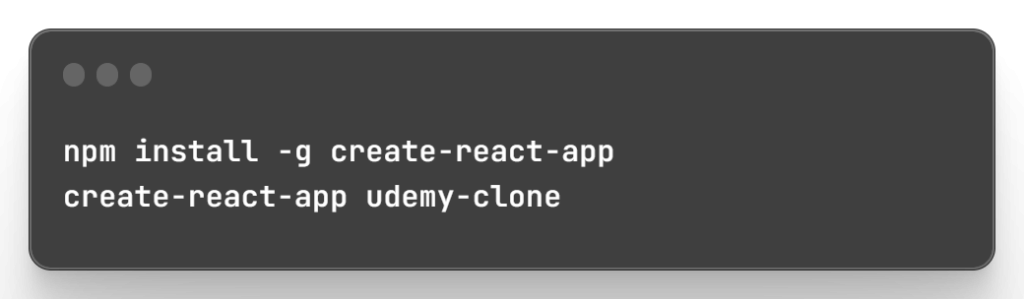
First, install the create-react-app CLI to generate a starter React app:
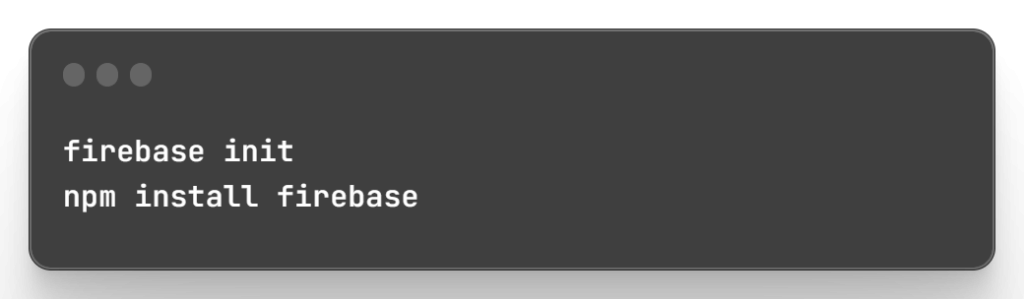
Next, initialize a Firebase project and add the Web SDK:
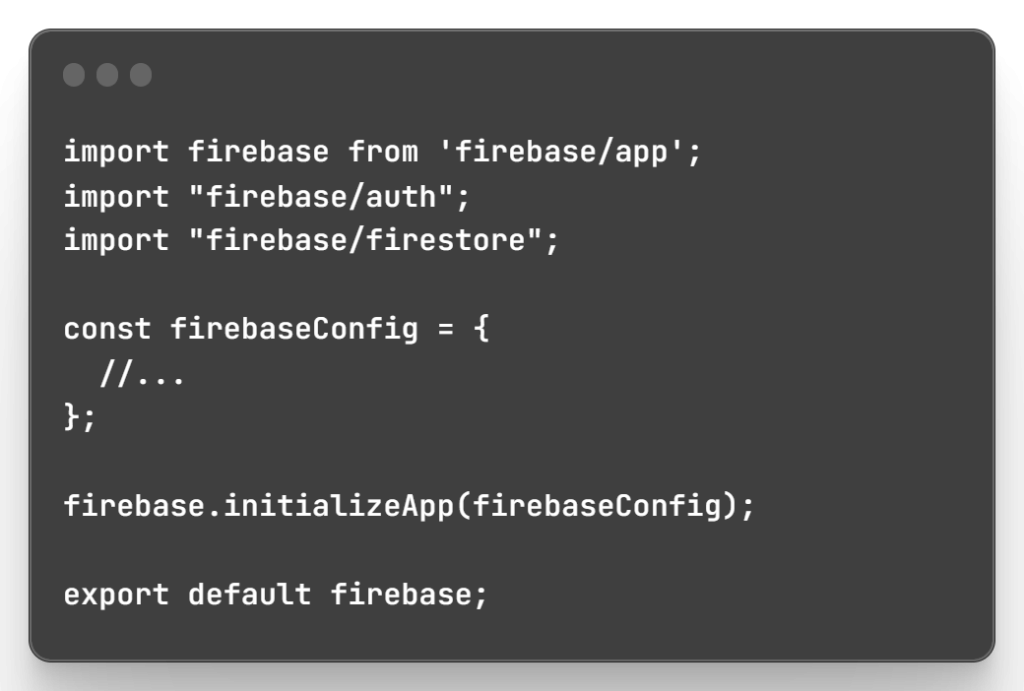
Import and configure Firebase in src/firebase.js:
Lastly, set up React Router for client-side routing in src/App.js.
3. Building the Foundation
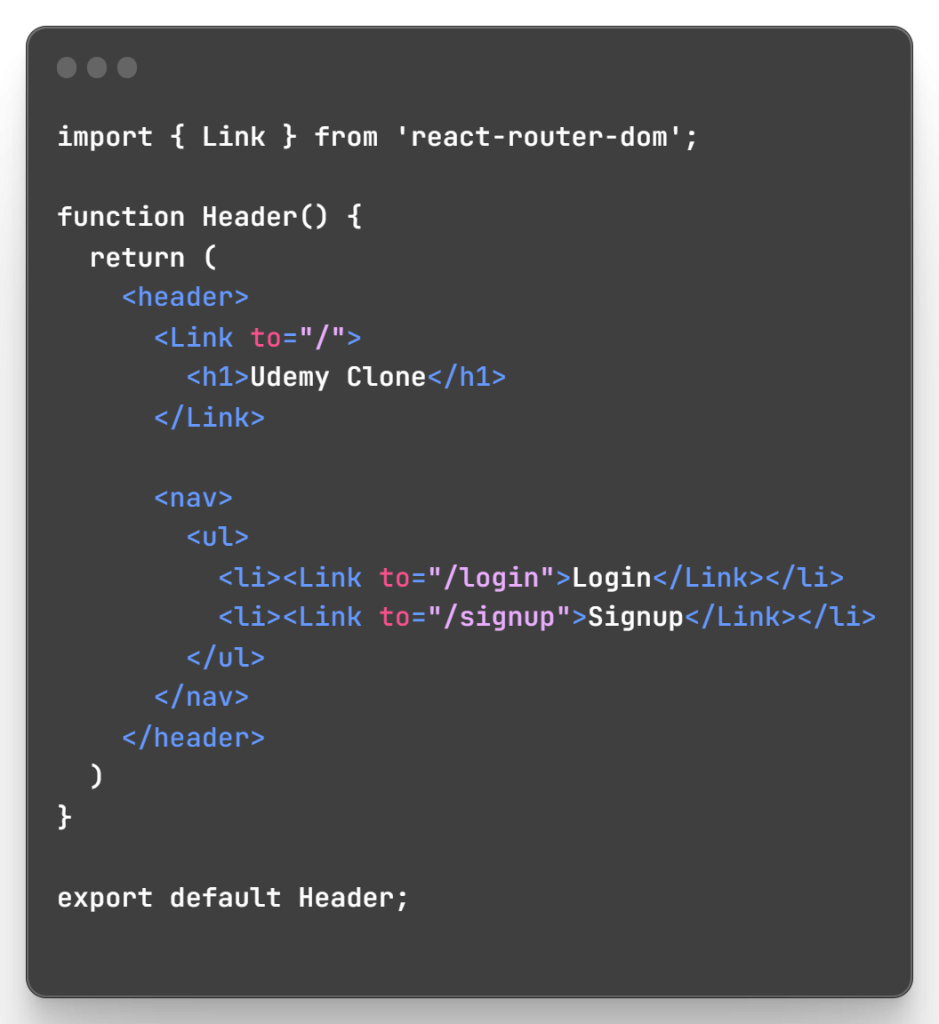
Now let’s build some core shared components:
Header.js:
Layout.js:
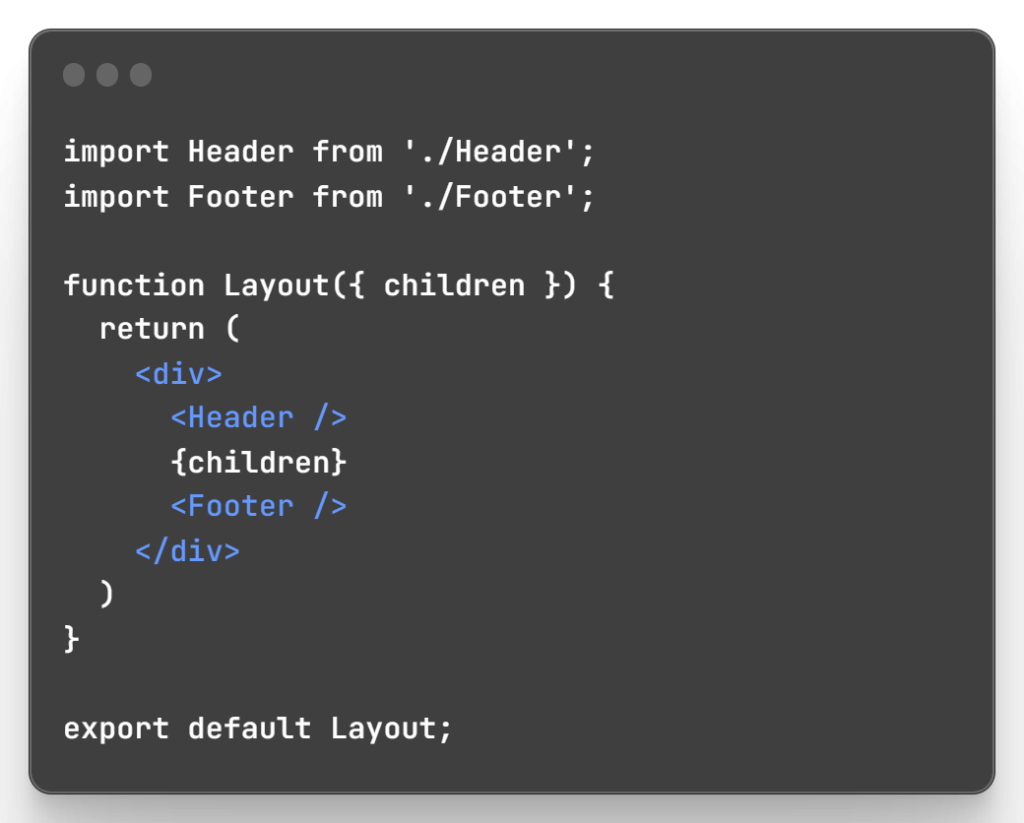
Now our basic page structure is set up.
4. Showcasing the Courses
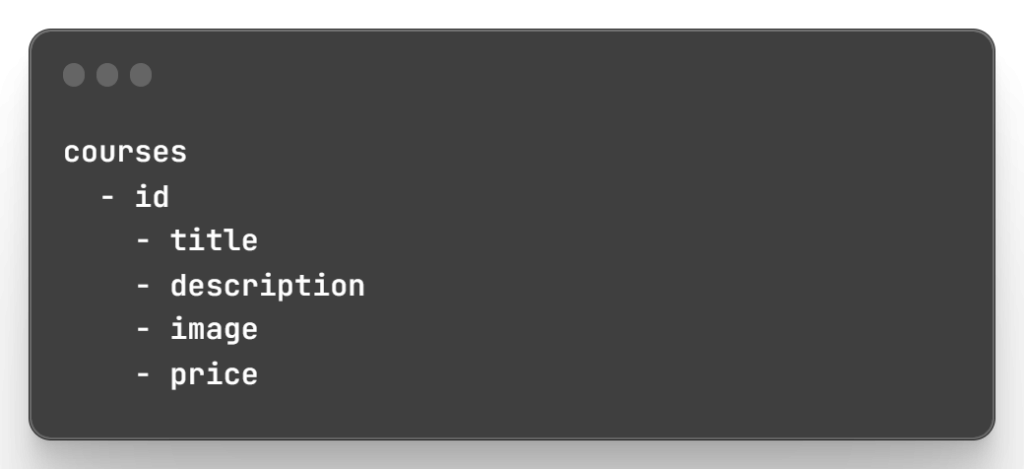
To display courses, first set up a Firestore structure:
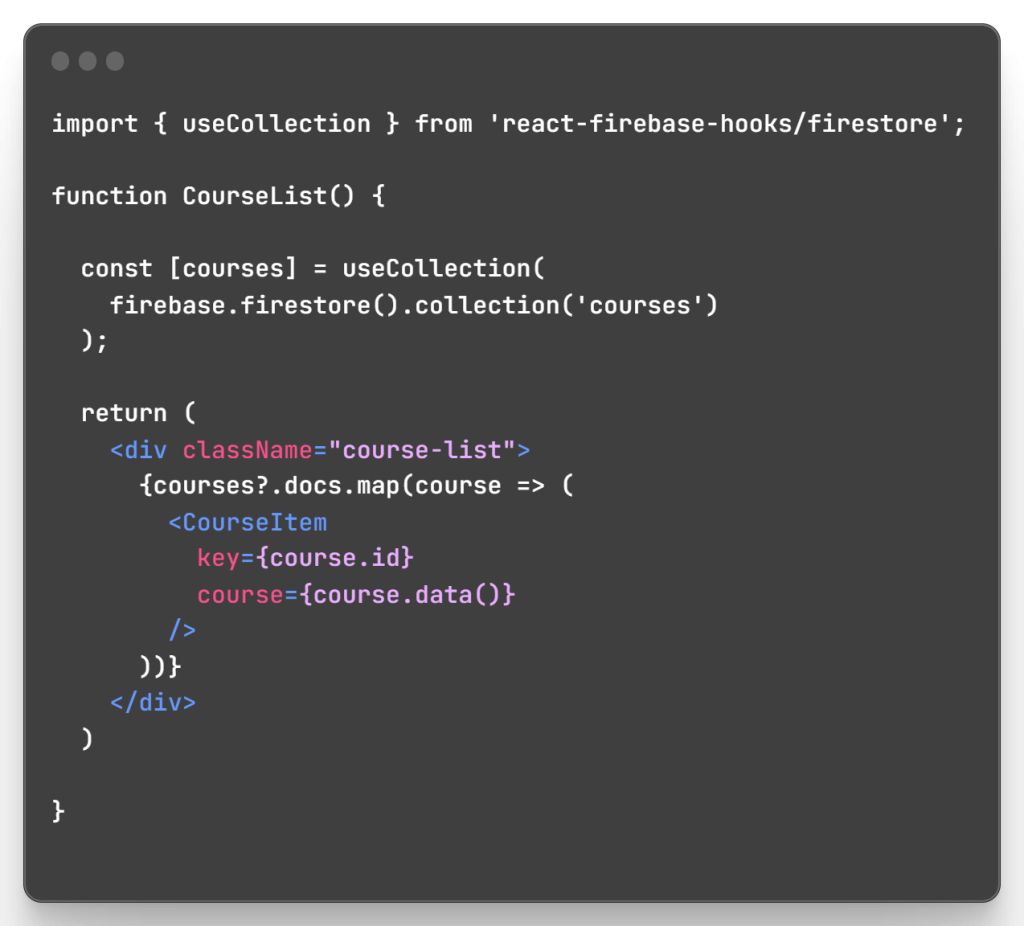
Then in CourseList.js, query the collection:
The CourseItem component displays each course:
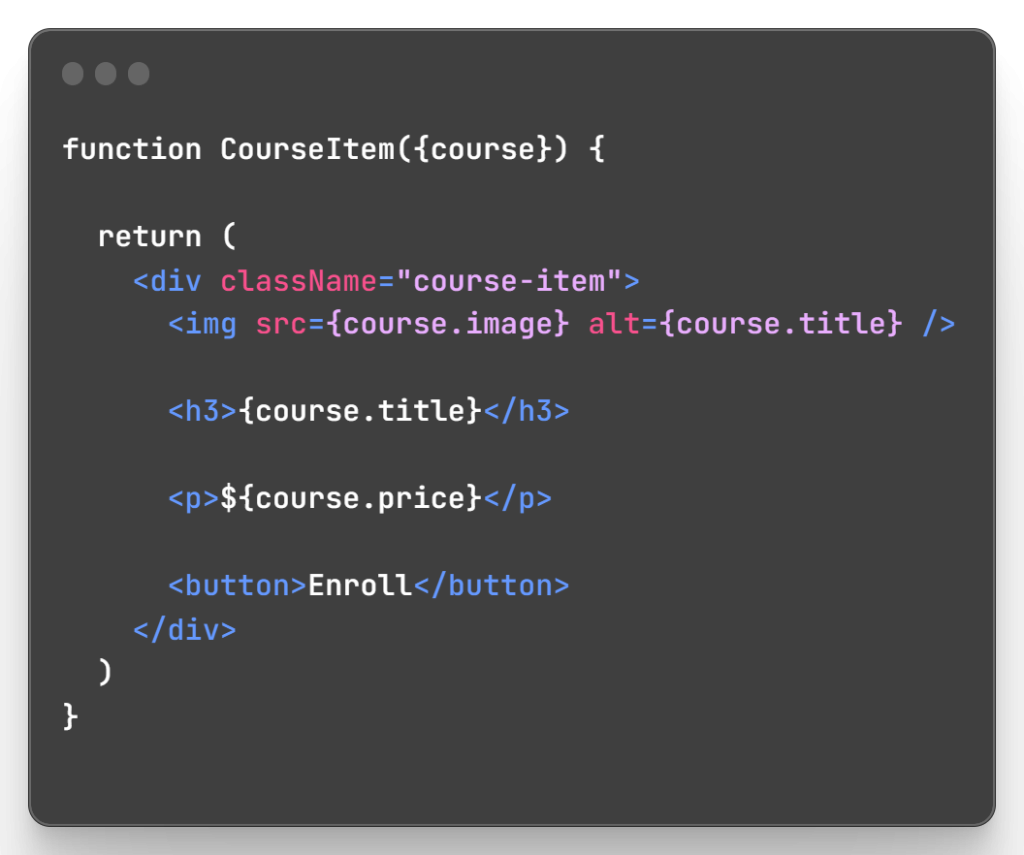
Now courses are being fetched and rendered dynamically.
5. Delving Deeper into Courses
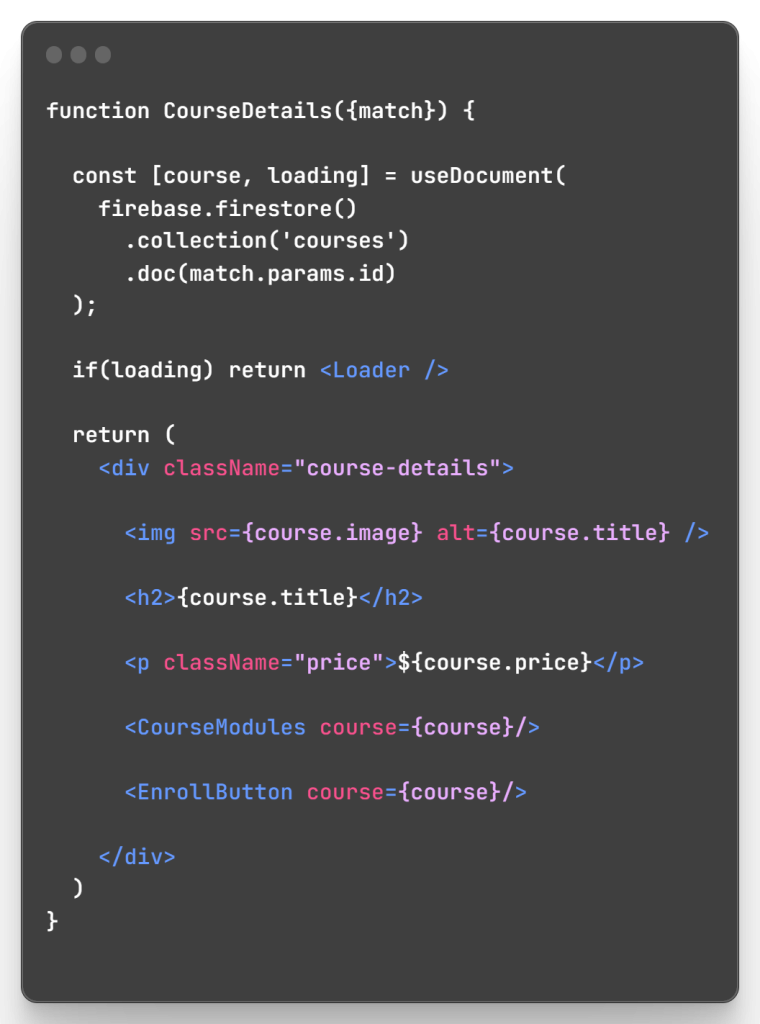
Let’s build the individual course page:
CourseDetails.js
CourseModules.js
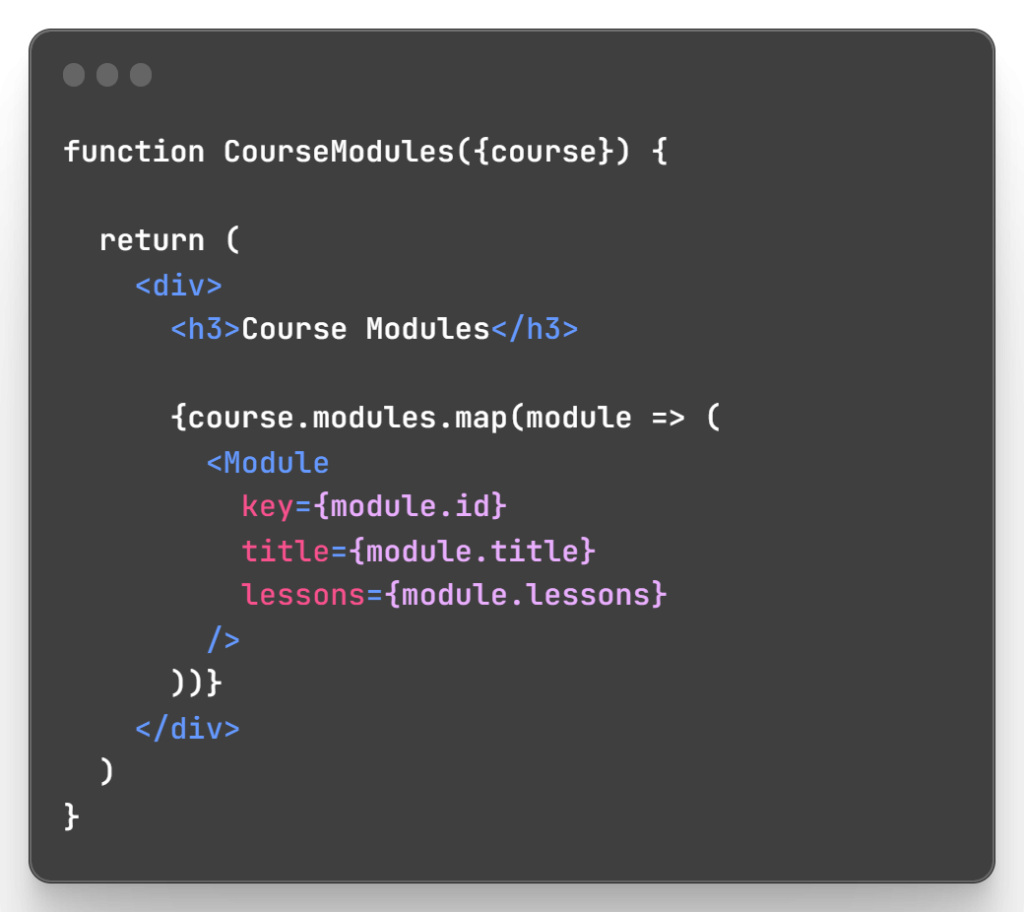
Now individual course data is fetched and organized nicely.
6. Securing the Platform
To add authentication:
SignupForm.js
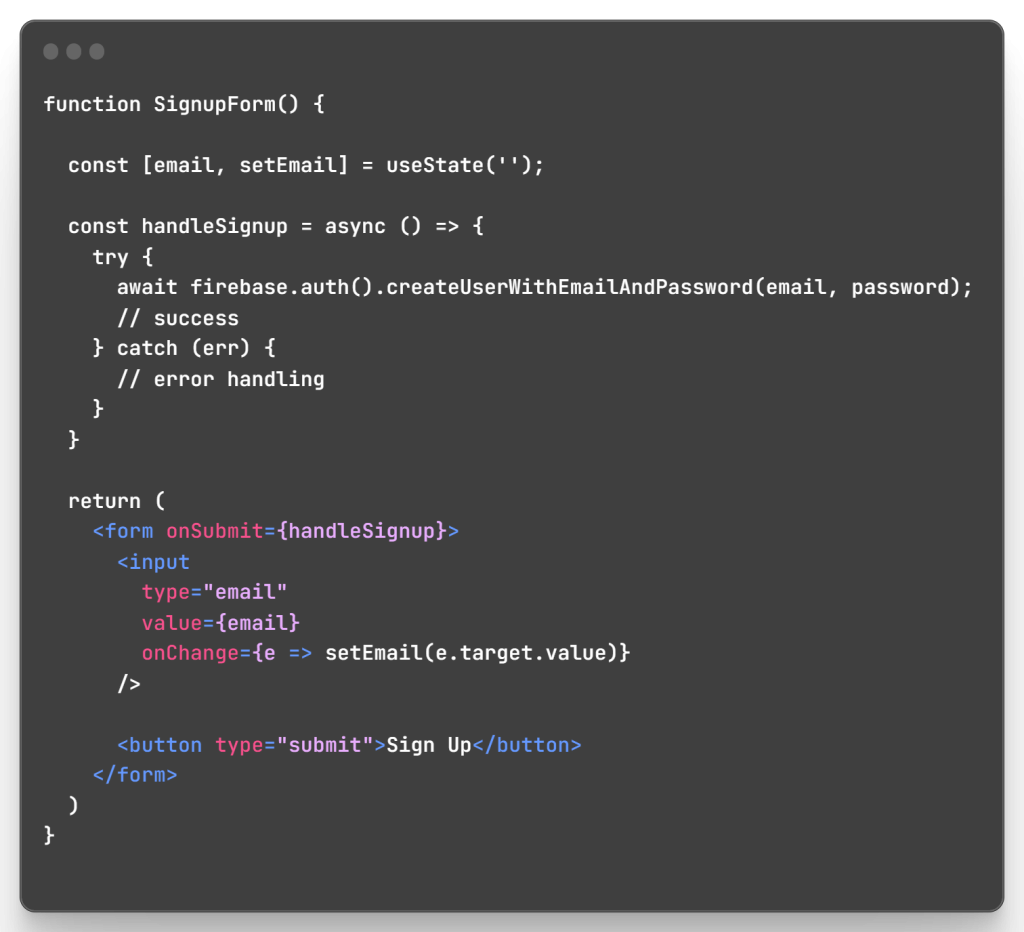
LoginForm.js
Similar to above form but with signInWithEmailAndPassword.
Then protect routes using the AuthContext API:
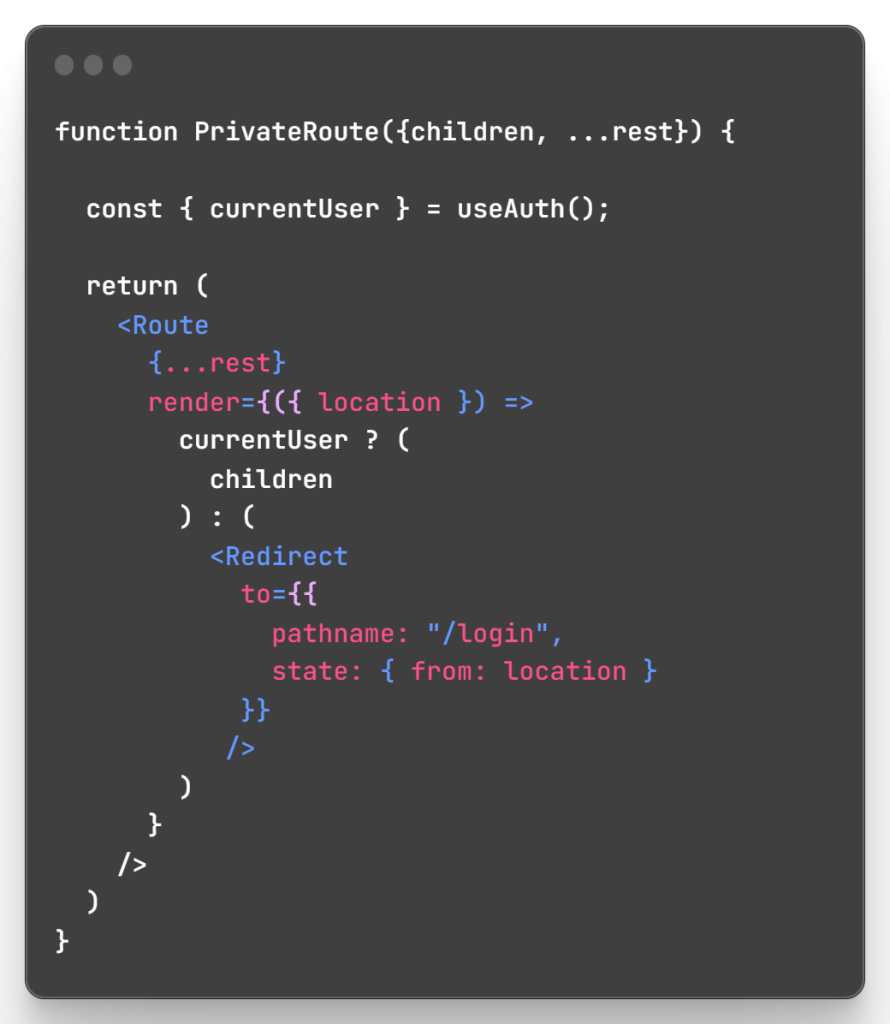
Only authenticated users can access private pages now.
7. Enhancing User Experience
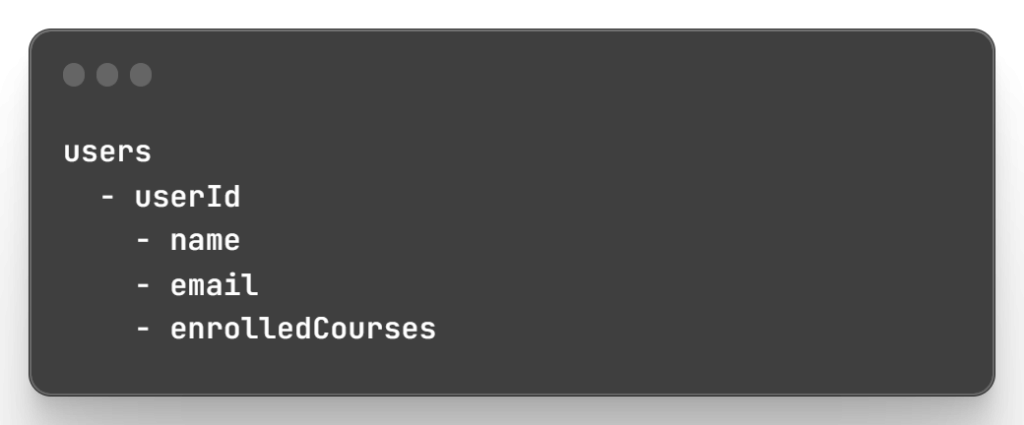
For profiles, create a Firestore structure:
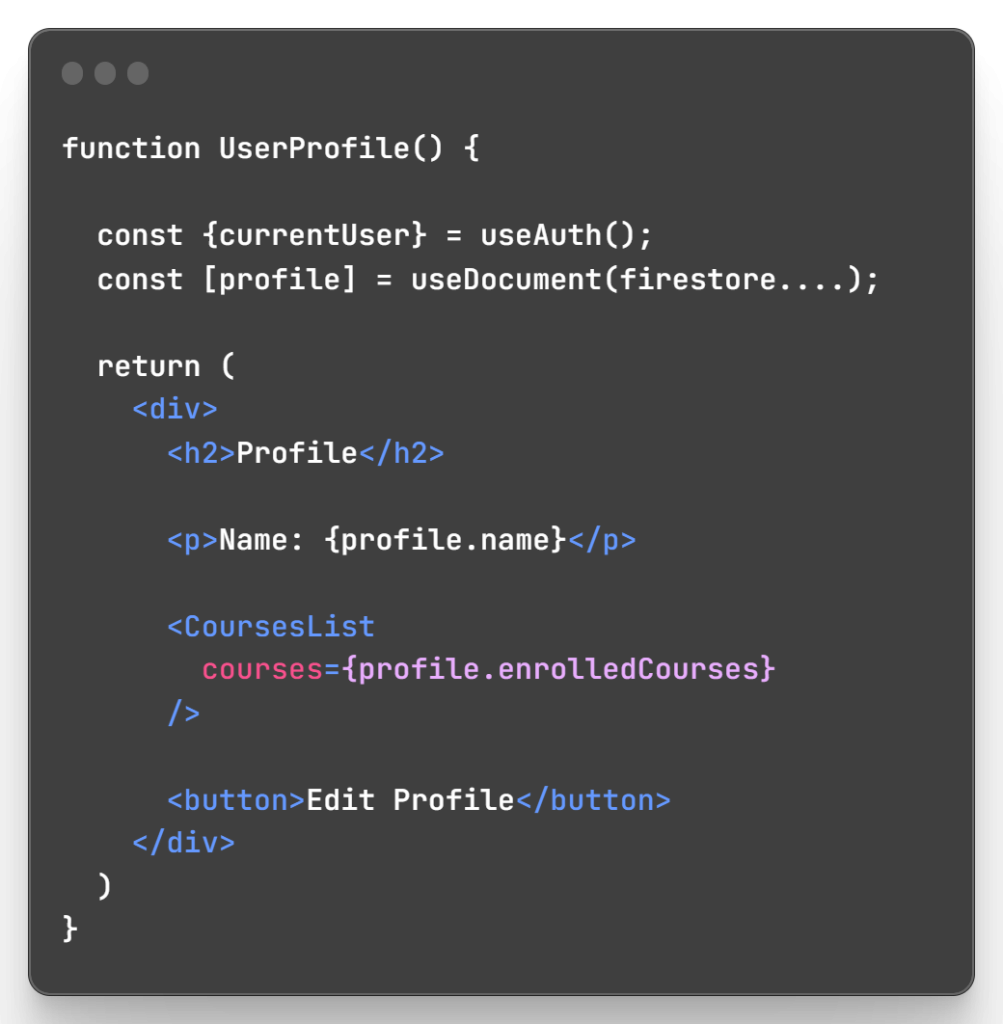
Then build profile components:
For comments:
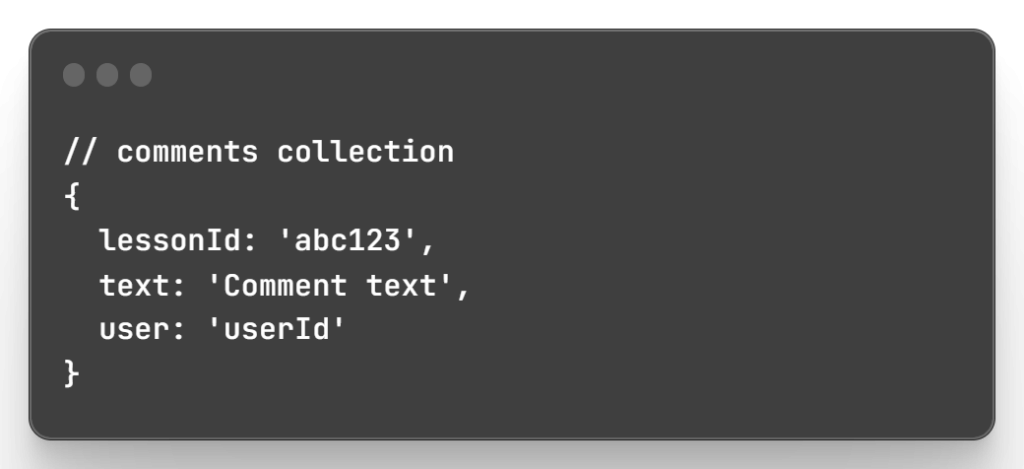
Display in lessons and add reply functionality.
8. Simplifying the Sales Process
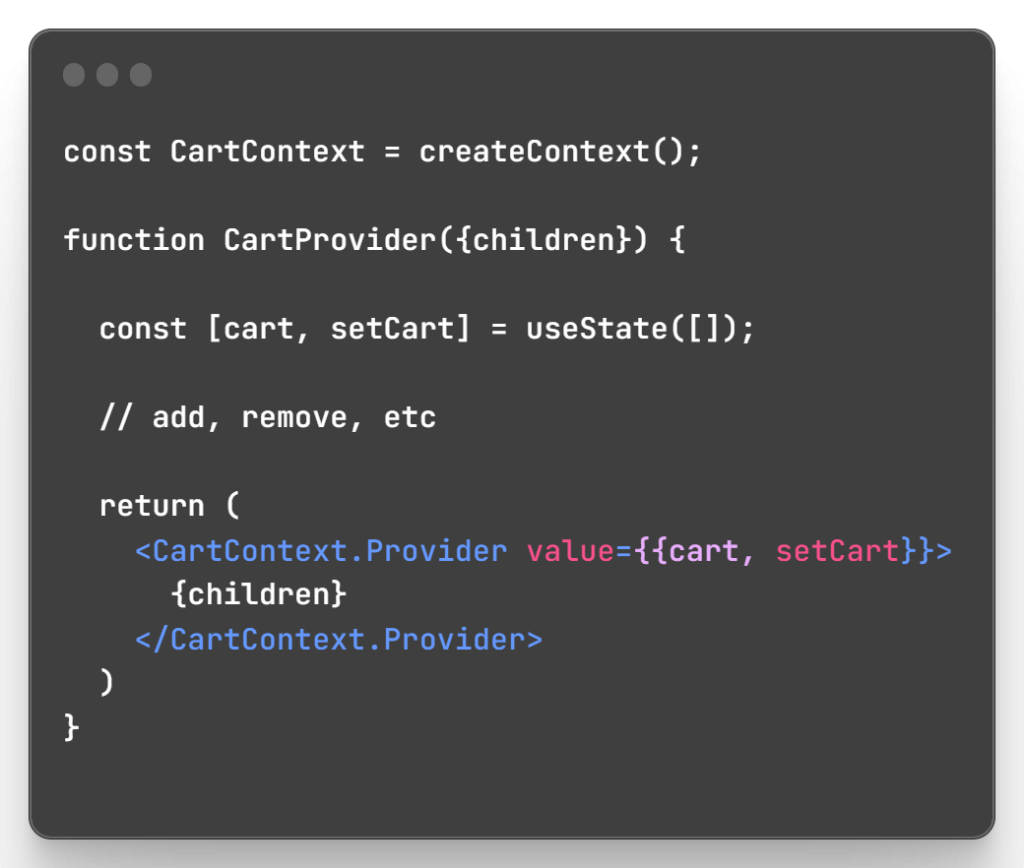
For the cart, use Context API to share state:
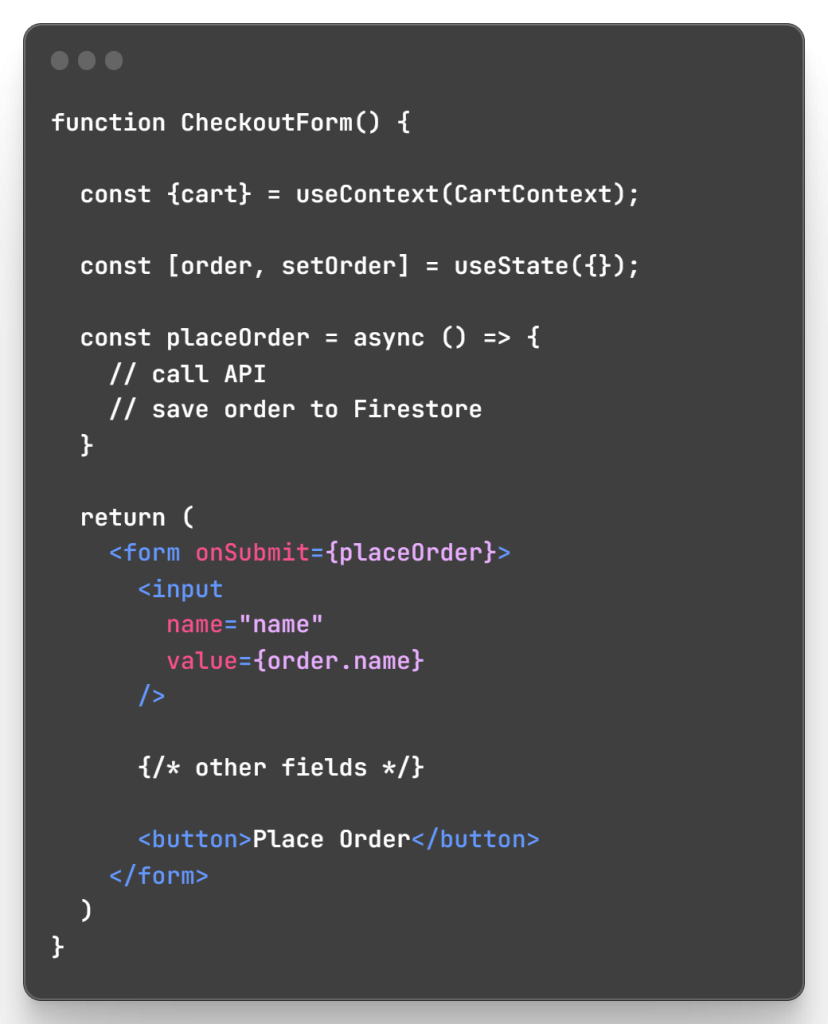
In CheckoutForm:
9. Making Videos Learning-Ready
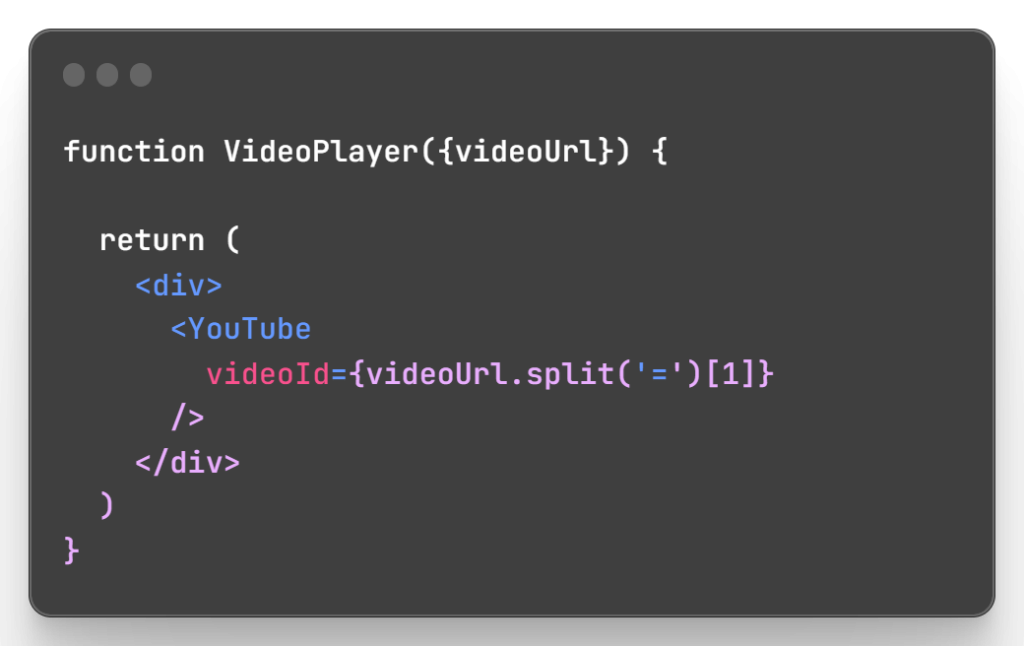
For video playback, embed a player like YouTube:
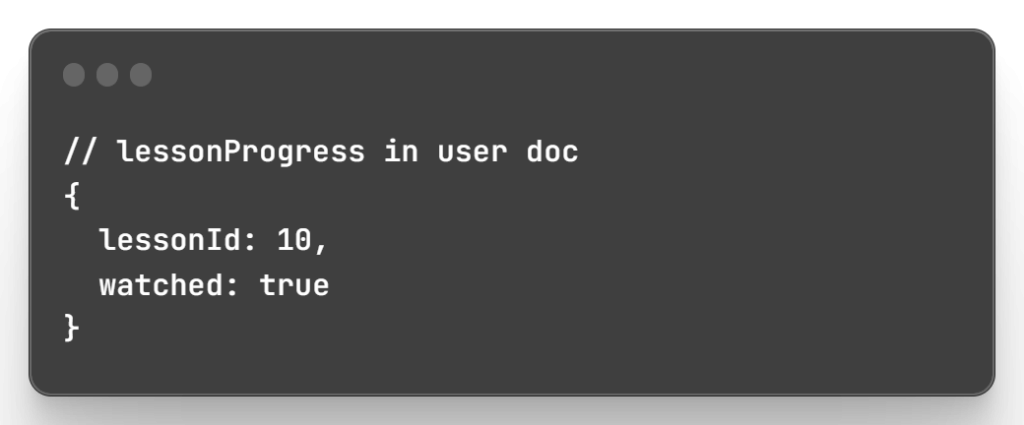
Track watch progress with Firestore:
10. Testing Driven Development
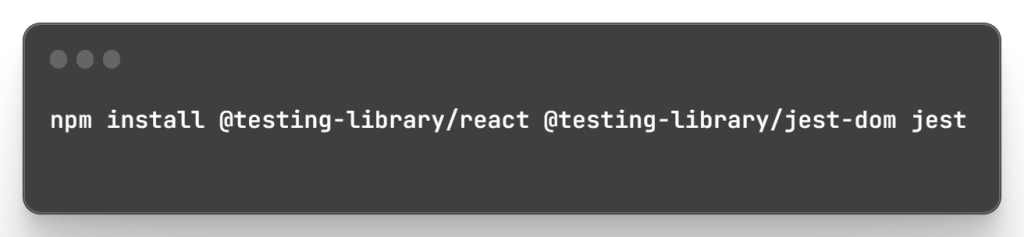
To ensure quality, we’ll set up tests using Jest and React Testing Library:
Write test for key components:
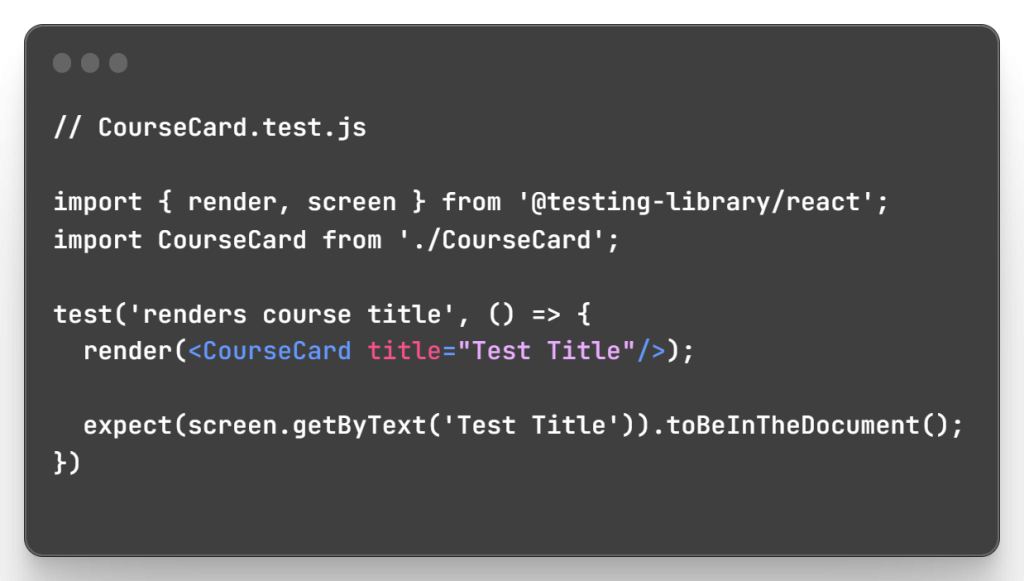
Add test files for important functionality.
11. Incorporating Peer Features
To encourage discussion:
- Add a ForumCollection to store threads
- Include a “Start Discussion” button on course pages
- Forum posts queried and rendered on course/forum pages
For networking:
- Add username/profile fields to user docs
- Allow following/connecting with other users
- Profile shows connections, posts, courses etc.
12. Launch and Beyond
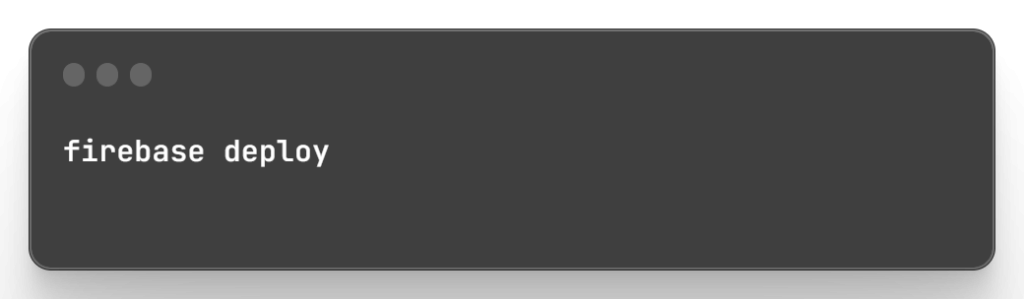
Deploy the app to Firebase Hosting:
Add a TODO list and roadmap for improvements:
- Instructor profiles/courses
- Paid/free course content
- Mobile app integration
- Advanced auth e.g. forgotten password
- Analytics/stats dashboard
- Automated tests for payments
And with that, we’ve built a fully functional Udemy clone that can be extended further. I hope this gave you a good overview of developing an online learning platform with React.



