


Build a car rental business that stands out in 2026 with a user-friendly, powerful platform designed for entrepreneurs and business owners. The Ultimate Car Rental Script lets you manage bookings, track your fleet, and process payments all in one system. It saves time, reduces errors, and delivers a seamless experience for your customers. By automating daily tasks, you can focus on growing your business, increasing customer satisfaction, and maximizing revenue. Upgrade to the Ultimate Car Rental Script and take your rental service to the next level.
What a Car Rental Script and Why It’s Essential for Entrepreneurs
- Startup founders launching a new car rental venture.
- Established business owners upgrading from outdated systems.
- Entrepreneurs targeting niche markets like luxury cars or specialty rentals.
Key Features Entrepreneurs Should Look for in a Car Rental Script
- 1. Online Booking System – Customers can reserve cars directly via your website or car rental app, reducing errors and increasing conversions.
- 2. Real-Time Availability & Fleet Tracking – Track vehicles accurately and optimize utilization with automated dashboards.
- 3. Payment Integration – Secure, multi-channel payments boost customer trust and ensure smooth transactions.
- 4. Customer Management – Store profiles, rental history, and preferences for loyalty programs and personalized offers.
- 5. Car Rental Clone Options – Launch faster with proven features while saving time and development costs.
- 6. Mobile App Integration – Engage customers with GPS tracking, push notifications, and in-app payments for seamless experience.
How a Car Rental Script Helps Entrepreneurs Streamline Operations and Increase Revenue
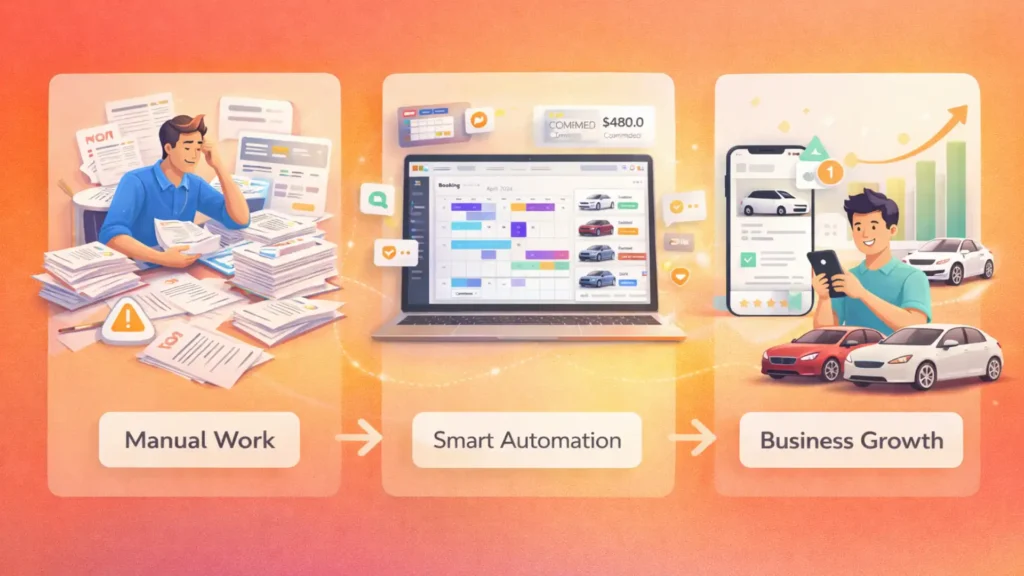
For business owners, every minute counts. A rental management software automates processes while boosting growth.
Car rental management software brings reservations, fleet status, customer records, invoices, and payment activity into one place, giving operators clearer visibility over daily work.
- 1. Automated Reservations – Reduce errors, save time, and provide instant booking confirmations.
- 2. Minimized Manual Errors – Prevent double bookings, mismanaged invoices, and revenue loss.
- 3. Data-Driven Decisions – Analytics track fleet utilization, peak periods, and pricing insights to optimize profits.
- 4. Enhanced Customer Experience – Transparent pricing and mobile access increase loyalty and repeat business.
- 5. Integration with Apps & Clones – Automate notifications, GPS tracking, and loyalty programs, reducing operational stress and improving scalability.
Car Rental Market Trends Entrepreneurs Should Know
Beyond standard daily bookings, car rental business revenue streams can include insurance add-ons, extra mileage fees, delivery charges, subscription plans, premium vehicle upgrades, and late-return fees.
For businesses pursuing a peer-to-peer model, a turo clone script can provide the marketplace structure needed to connect vehicle owners with renters while managing availability, booking requests, payments, and reviews.
| Script Type | Pros | Cons | Best For |
|---|---|---|---|
| Open Source Car Rental Script | Free, customizable, community support | Technical setup required, limited updates | Tech-savvy founders |
| Customizable Rental System | Fully tailored, scalable | Higher cost, longer setup | Established business owners |
| SaaS Car Rental Software | Fast deployment, automatic updates | Recurring subscription, limited deep customization | Entrepreneurs seeking simplicity |
| Car Rental Clone Scripts | Proven features, faster time-to-market | Less originality, may need tweaks | Founders inspired by existing apps |
| Car Rental App Integration | Mobile-first, GPS tracking, push notifications | Requires app maintenance | Customer-focused entrepreneurs |
Step-by-Step Guide for Entrepreneurs to Implement a Car Rental Script
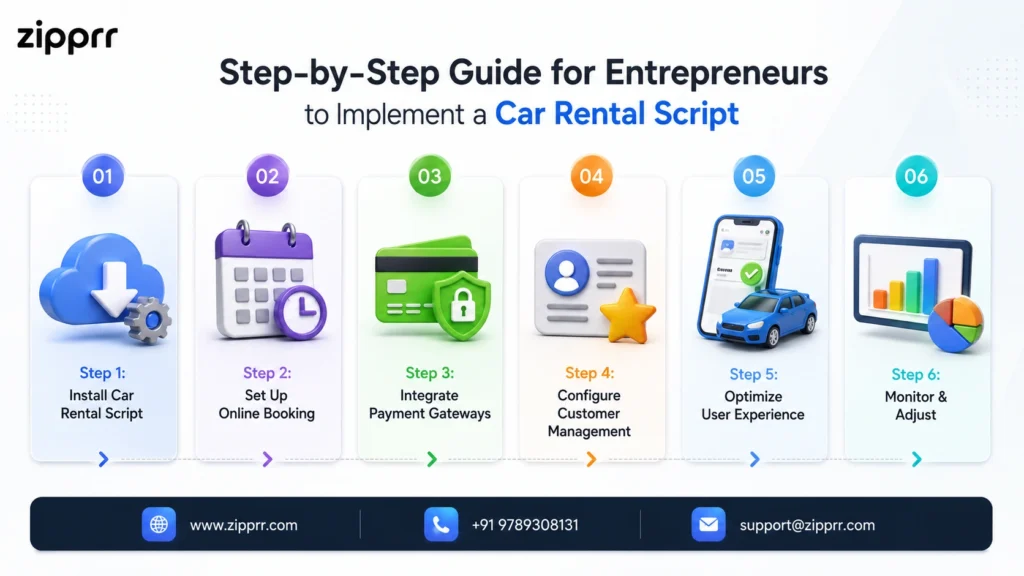
- Step 1: Install Car Rental Script – Choose a solution like Zipprr for cloud-based or one-click installation.
- Step 2: Set Up Online Booking – Configure your car rental app or website for accurate vehicle categories, pricing, and reservations.
- Step 3: Integrate Payment Gateways – Enable multiple secure options to increase conversions and trust.
- Step 4: Configure Customer Management – Set up client profiles, rental history, and loyalty programs to retain customers.
- Step 5: Optimize User Experience – Test booking flows on web and mobile for smooth navigation.
- Step 6: Monitor & Adjust – Use analytics to track fleet availability, revenue, and feedback to maximize ROI.
To improve car sharing platform roi, regularly measure vehicle utilization, booking conversion, customer acquisition costs, repeat rentals, and revenue per vehicle.
Transform Your Car Rental Business Today
Frequently Asked Questions (FAQs)
What is a car rental script?
A car rental script is software that automates bookings, fleet management, payments, and customer service. Entrepreneurs can use it to run their rental business efficiently, reduce manual errors, and improve customer satisfaction.



