

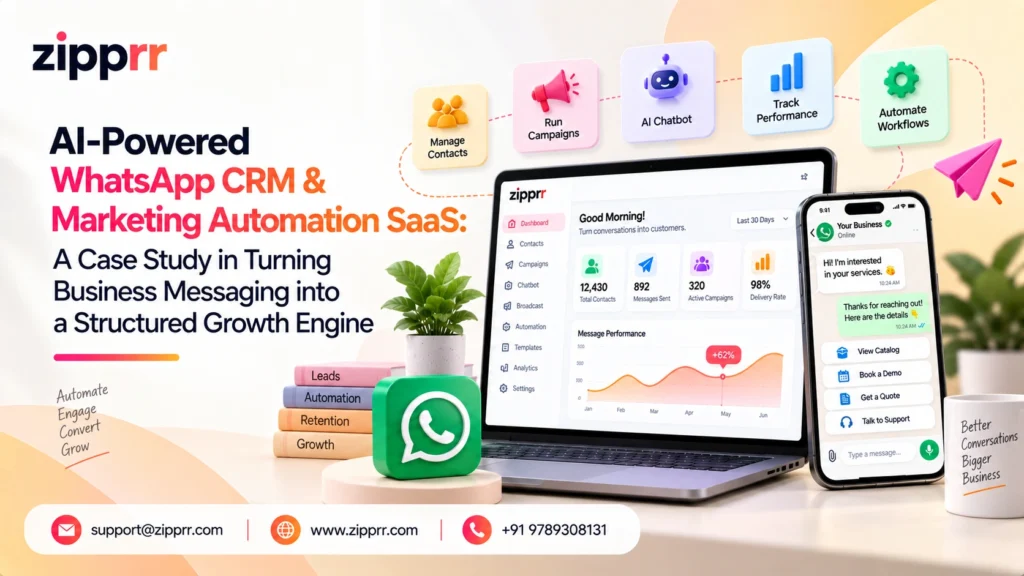
Project Overview
Every business that sells or supports customers over WhatsApp eventually hits the same wall: conversations outgrow the people having them. What starts as a single number answered from a personal phone turns into a tangle of missed messages, scattered contacts, and follow-ups nobody remembers to send. This case study looks at how a purpose-built WhatsApp CRM and marketing automation software platform, developed by Zipprr as a white-label solution, replaces that tangle with a single, structured system.
The platform brings WhatsApp and Telegram communication together with a full contact CRM, an AI chat assistant, a visual automation flow builder, marketing campaign tools, eCommerce integrations, and a complete SaaS subscription layer. It is built on Zipprr’s white-label AI WhatsApp automation software architecture, so the same codebase can run as one company’s internal CRM or be resold by an agency or software business as a branded, subscription-based product.
At its core, the system connects messaging, CRM, marketing, automation, AI, commerce, team collaboration, and analytics inside one platform, turning WhatsApp and Telegram from a loose collection of one-to-one chats into a structured, trackable business process.
Industry Context
WhatsApp has become one of the primary channels through which customers discover, evaluate, and buy from businesses, particularly across South Asia, Southeast Asia, the Middle East, Africa, and Latin America, where messaging apps are often the default mode of digital communication. Meta’s WhatsApp Business Platform now organizes messaging into conversation categories, marketing, utility, authentication, and service, each with its own approval and pricing rules. That shift has pushed businesses to treat WhatsApp less like a free-form chat tool and more like a structured, compliance-aware marketing and support channel.
This is what has created a distinct software category: WhatsApp CRM and marketing automation SaaS. Platforms in this category typically combine a shared team inbox, contact segmentation, broadcast and campaign tools, no-code chatbot or flow builders, and, increasingly, AI-assisted replies, positioned as the operating layer between a business’s raw WhatsApp or Telegram connection and its sales and support teams. The category sits at the intersection of three older markets, traditional CRM, email and SMS marketing automation, and live chat or helpdesk software, adapted to a conversational, mobile-first channel. That overlap is also what makes B2B software in this space so attractive to white-label: demand spans nearly every vertical that talks to customers by phone number.
This case study focuses specifically on the CRM and marketing automation side of that category, unifying conversations, organizing contacts, running campaigns, and automating replies, rather than on order-taking or appointment-booking workflows, which represent a distinct product line.
The Challenge
Customers now expect to reach a business on WhatsApp or Telegram the same way they would call or email it: to ask about a product, request a price, get support, check an order, or follow up on a sale. Businesses, in turn, are expected to respond quickly, consistently, and with full knowledge of the customer’s history. That expectation is where the trouble starts, because most businesses never built messaging as a system in the first place. It grew organically, one phone and one habit at a time.
A typical small or mid-sized business ends up looking like this once volume increases:
- One employee replies to a customer from a personal phone, while an enquiry to a different number goes unanswered.
- A salesperson saves a promising lead’s number manually, and the promised follow-up never actually happens.
- Marketing contacts live in a separate spreadsheet instead of the same system as support conversations.
- No one on the team can see a customer’s full conversation history in one place, so every new agent starts from zero.
Left unaddressed, this pattern produces a recognizable set of business problems: missed conversations and slow first-response times; no centralized customer history, since every agent only sees their own chat thread; difficult collaboration when several people need to work the same number; manual, inconsistent follow-ups that depend on individual memory; scattered contact lists instead of a usable customer database; repetitive replies to the same handful of questions eating into agent time; weak lead tracking with no tags, stages, or ownership; difficulty running structured campaigns across the contact base; eCommerce conversations that never reference actual product or order data; and little to no visibility into which campaigns, links, or agents are actually performing.
The underlying goal for any platform in this category is to convert messaging from an unmanaged, ad-hoc habit into a structured, auditable business process, with the same rigor a company already expects from its email marketing platform or its sales CRM, but built natively around WhatsApp and Telegram conversations.
The Solution
The platform’s answer to that fragmentation is to move every conversation into a shared CRM environment instead of leaving it on an individual’s device. From there, the logic is sequential rather than a pile of disconnected features: messaging is centralized first, so nothing gets lost; contacts and conversations are then organized into a real CRM; repetitive conversations are handed to automation; anything automation cannot resolve is handed to an AI assistant; anything AI cannot resolve reaches a human agent; every resolved conversation updates a contact’s profile and tags; those tags drive segmented marketing campaigns; commerce conversations connect straight to product and order data; and the entire stack sits on top of a SaaS subscription layer that lets the same platform be run as a single business’s internal tool or resold to many customers under a different brand.
The sections below walk through each stage of that logic in turn.
Unified Messaging Command Center
The starting point for any of this is getting every conversation into one place. The platform’s multi-channel communication layer connects both WhatsApp and Telegram from a single dashboard, and supports multiple WhatsApp accounts and multiple Telegram accounts at once, which matters for companies running separate numbers for sales, support, or individual branches, and equally for an agency managing several clients’ accounts side by side.
Connecting a number is deliberately simple: a QR code login handles fast setup for compatible WhatsApp accounts (open a connection, display the QR code, scan it with WhatsApp, and the account is connected), while WhatsApp Embedded Signup covers businesses that want to onboard through Meta’s official messaging infrastructure. Once connected, every conversation lands in a real-time team inbox, with an unread message counter and an incoming message notification sound so agents notice and respond to new enquiries quickly instead of letting them sit.
Because no single employee should be a point of failure, the platform includes a full multi-agent system: businesses create separate logins for sales, support, marketing, and order-support staff, with agent management and agent password controls giving the business owner direct authority over who can see which conversations. A phone number stops being one person’s personal chat log and becomes a shared team resource.
A Structured CRM Behind Every Conversation
Centralizing messages only solves half the problem; the other half is knowing who is on the other end of each one. The platform’s CRM contact management layer holds every lead, customer, prospect, and subscriber in one record instead of a raw phone contact list, and a bulk contact import workflow lets a business moving from an existing spreadsheet or contact list bring its full history in at once rather than starting from zero.
Contact tagging is what turns that database into something a team can actually act on. Tags such as New Lead, Hot Lead, Existing Customer, VIP Customer, Follow-Up, Paid Customer, or Support Required let sales, support, and marketing segment the same underlying contact list in whatever way each team needs, and build targeted workflows around each group instead of treating every contact identically.
Marketing Campaigns and Broadcast Automation
With contacts organized, the platform’s marketing campaign tools let a business run structured outreach for promotions, product announcements, offers, follow-ups, lead nurturing, re-engagement, and event announcements, across both WhatsApp campaigns and Telegram campaigns, instead of sending every message one at a time. Campaign management covers creating a campaign, configuring the message, selecting the target contacts (typically filtered by tag), applying a message template, and monitoring sent-message counts as the campaign runs.
Because approved WhatsApp message templates are central to how Meta governs outbound business messaging, the platform includes WhatsApp template sync to keep approved templates available directly inside the CRM, alongside automated welcome messages so a new conversation gets an immediate, configured acknowledgement even outside business hours or before an agent is free.
Campaigns extend outward through CTA (call-to-action) links that a business can drop into ads, websites, landing pages, social media, or email; a customer clicks the link and a WhatsApp conversation opens immediately. The platform’s short link generator turns these into concise, trackable URLs, and built-in short link tracking combined with campaign performance tracking gives marketing teams visibility into which links, channels, and campaigns are actually driving engagement, the same kind of attribution marketers already expect from email or paid social, applied here to a conversational channel.
Conversational Automation and AI
Not every conversation needs a human on the other end immediately, and this is where the platform’s logic becomes most visible. Its chat automation layer, built around a visual automation flow builder, lets a business design structured customer journeys instead of manually answering every incoming message: a customer sends a message, a keyword is detected, a reply is sent, a follow-up question is asked, and the conversation continues down a defined path until it is either resolved automatically or handed to an agent.
Because customers rarely phrase the same question the same way, “price,” “how much,” “cost,” and “pricing details” might all mean the same thing, the platform supports multi-keyword matching per automation, so a single flow can respond naturally to different phrasing. Follow-up automation extends this into reminders for sales follow-up, lead nurturing, and service enquiries that would otherwise depend on someone remembering to circle back.
Layered on top of automation is the AI chat assistant, built to support multiple AI providers so an administrator can choose the underlying AI service that fits the business’s needs and budget. AI here is positioned to assist rather than replace: AI-assisted support helps agents draft faster responses to routine enquiries, and AI-assisted sales conversations help teams handle product questions, qualify leads, and draft follow-ups without composing every message from scratch. This produces a clear three-tier response model: simple, repetitive questions go to automation; response drafting and speed go to AI; complex or sensitive issues route to human escalation, so staff spend their time on the conversations that actually require judgment. It is a pattern similar to how Zipprr’s standalone AI WhatsApp chatbot for business handles lead qualification on other channels.
eCommerce and Conversational Commerce
Customer messaging and online shopping overlap constantly, “is this in stock,” “what sizes do you have,” “where is my order,” and “how do I pay” are among the most common messages a commerce business receives, and the platform’s eCommerce CRM layer exists to connect messaging directly to product and order data instead of leaving those conversations disconnected from the store itself.
Businesses running an online store can connect through WooCommerce or Shopify integration, bringing product catalogs and order-related communication into the same CRM used for sales and support. Businesses without an external storefront can use the platform’s local marketplace functionality instead, with its own product management tools, so smaller merchants can still run product-based conversations and share payment links without first building a separate eCommerce site, a workflow especially relevant to the marketplace segment of Zipprr’s white-label catalog.
On the acquisition side, a website chat widget lets website visitors start a WhatsApp conversation without leaving the page, feeding directly into website lead generation: a visitor lands on the site, clicks the widget, starts a conversation, becomes a CRM contact, and is picked up by the sales team. Together, these pieces make the platform function as a genuine conversational commerce platform, not just a messaging tool bolted onto a store.
The SaaS Business Layer
Everything described so far works for a single company running its own CRM. The platform is also built to operate as a standalone SaaS subscription system, which is what makes it viable as a white-label WhatsApp CRM script for agencies and software businesses. An operator can configure subscription plan management with tiered plans (for example Starter, Business, Professional, Agency, and Enterprise), enable automatic renewals, and run a coupon system for first-month discounts, seasonal offers, or agency-specific pricing.
Payment gateways support both automatic and manual methods, with transaction records, revenue tracking, and earnings reports giving the operator financial visibility, and a withdrawal system for managing payouts where relevant. A built-in referral system gives existing customers an incentive to bring in new ones, and optional KYC and identity verification support businesses that need stronger checks on their subscriber base.
Administration is centralized in an admin dashboard: user management with ban and suspension controls, role-based access control (RBAC) and admin permissions for separating support, finance, marketing, and technical staff, a support ticket system with dispute resolution, and real-time analytics covering users, plans, contacts, campaigns, tags, short links, AI configuration, payments, coupons, KYC, withdrawals, support, and revenue in one place.
For businesses that need to connect the CRM to their own systems, API access is available and secured through IP whitelisting, with cron jobs handling scheduled background processes such as renewals and reports. The platform supports multi-language interfaces for operators targeting multiple regions, plus dark mode and fully responsive design across desktop, tablet, and mobile. On the public-facing side, branding controls and custom CSS let an operator launch the CRM under its own identity, while a built-in CMS, SEO settings, and a dynamic sitemap support a proper marketing website, rounded out by reCAPTCHA, a website live chat widget, and GDPR cookie management for compliance.
System Architecture
The narrative above maps directly onto a fairly conventional technical architecture. Customer-facing channels sit at the top; a single API and webhook layer normalizes everything coming in; a Laravel application layer handles authentication, routing, message processing, and background jobs; five core modules (CRM, Automation Engine, AI Chat Assistant, Marketing Module, and eCommerce Integrations) share that same backend rather than talking to each other directly; a commercial and admin layer runs subscriptions, payments, and analytics alongside the product modules; and everything of record persists to a single MySQL database.
The diagram below lays that structure out in full.
- Customer channels (WhatsApp, Telegram, website chat) generate every inbound conversation and feed a single API and webhook layer, so no channel bypasses the same intake path.
- The Laravel application layer (Laravel 13 on PHP 8.x) owns authentication, routing, message processing, and queued background jobs for every request, regardless of which channel or module triggered it.
- Five core platform modules, CRM, Automation Engine, AI Chat Assistant, Marketing Module, and eCommerce Integrations, read and write through that same backend rather than communicating with each other directly.
- The commercial and admin layer (SaaS subscriptions, payment gateways, coupons, referrals, KYC, admin dashboard, support and disputes, revenue analytics) sits alongside the product modules rather than being bolted on separately.
- Every module ultimately persists to the same MySQL database, contacts, conversations, campaigns, products, and subscriptions alike, which is what makes a single, unified customer history possible in the first place.
Implementation and Workflow
Adopting the platform follows a fairly consistent sequence, whether the deployment is a single business running its own CRM or a software company launching it as a white-label SaaS product from Zipprr’s white-label product catalog.
- Connect messaging channels: scan a QR code to link WhatsApp, or complete Embedded Signup for the official API path, and optionally connect Telegram for a second channel.
- Create agents and give them access to the shared team inbox, with roles split across sales, support, and marketing.
- Import existing customer and lead lists into the CRM and organize them with tags, turning a flat contact list into segments the business can market to.
- Build automation: configure a visual flow for common enquiries (pricing, availability, business hours, support routing), add keyword variations, and set an automated welcome message.
- Connect the AI chat assistant to a preferred AI provider, so agents get faster draft replies once a conversation moves beyond what automation alone can resolve.
- For commerce-driven businesses, connect WooCommerce, Shopify, or the local marketplace module, and add payment links or a website chat widget to convert site traffic into messaging leads.
- Layer marketing on top: approve and sync templates, build campaigns against tagged segments, and track short links back to actual conversations.
- If the platform is run as a SaaS business, configure subscription plans, payment gateways, coupons, and branding, so the admin dashboard becomes the operator’s control center for onboarding, billing, and support.
The technology underneath, a Laravel 13 backend on PHP 8.x, a MySQL database, and a Bootstrap 5.x and jQuery frontend, is intentionally conventional, so a development team can install, customize, and maintain it without depending on a bespoke or exotic stack.
End-to-End Customer Automation Workflow
The list below traces a single inbound message through the full automation stack, from the moment it arrives on WhatsApp or Telegram to the point the customer is retained and re-engaged through a follow-up campaign.
- The customer sends a message on WhatsApp or Telegram.
- A webhook receives the event.
- The Laravel backend processes and routes it.
- The CRM finds or creates the contact.
- The conversation is logged against that contact.
- Automation checks the message for a known keyword or intent.
- If a matching automation flow exists, it responds automatically, using multi-keyword matching.
- If automation does not resolve the enquiry, the AI chat assistant drafts and sends an AI-assisted response.
- If the case is still complex or unresolved, it is escalated to a human agent in the shared team inbox.
- The response is delivered back to the customer over the same channel.
- The contact’s tags and conversation history are updated to reflect the outcome (for example, Hot Lead, Existing Customer, or Support Required).
- That updated segment becomes available to follow-up and campaign automation, so the customer’s next interaction re-enters the same structured flow.
Technical Implementation and Code Examples
The section below shows how the workflow above is actually implemented on the stated stack (Laravel 13, PHP 8.x, MySQL, with Bootstrap 5.x and jQuery on the front end). Only the first stage, receiving the inbound webhook, is shown as a full code example; the remaining stages are summarized as bullet points so the section stays readable rather than turning into a wall of code.
1. Receiving an Incoming WhatsApp Webhook
Meta’s WhatsApp Cloud API delivers every inbound message as a webhook call. The controller below handles GET-based webhook verification during setup, checks the HMAC signature on every POST call so spoofed requests are rejected outright, and queues the actual processing so the webhook responds instantly.
					<?php

namespace App\Http\Controllers\Webhooks;

use App\Http\Controllers\Controller;
use App\Jobs\ProcessInboundWhatsAppMessage;
use Illuminate\Http\Request;
use Illuminate\Http\Response;
use Illuminate\Support\Facades\Log;

class WhatsAppWebhookController extends Controller
{
    // Meta calls this once with GET, to verify the webhook URL during setup.
    public function verify(Request $request): Response
    {
        $verifyToken = config('services.whatsapp.verify_token');

        if ($request->query('hub_mode') === 'subscribe'
            && $request->query('hub_verify_token') === $verifyToken) {
            // Echo back the challenge so Meta marks the webhook as verified.
            return response($request->query('hub_challenge'), 200);
        }

        return response('Forbidden', 403);
    }

    // Meta calls this with POST for every inbound message or status update.
    public function handle(Request $request): Response
    {
        $signature = $request->header('X-Hub-Signature-256', '');

        // Reject the payload if the HMAC signature doesn't match our app
        // secret -- this is what stops spoofed webhook calls from being processed.
        if (! $this->signatureIsValid($request->getContent(), $signature)) {
            Log::warning('WhatsApp webhook signature mismatch');
            return response('Invalid signature', 403);
        }

        $payload = $request->json()->all();

        // Push the heavy lifting (CRM lookup, automation, AI, DB writes) onto
        // a queue so this webhook call returns within Meta's timeout window.
        foreach (data_get($payload, 'entry.*.changes.*.value.messages', []) as $messages) {
            foreach ($messages as $message) {
                ProcessInboundWhatsAppMessage::dispatch($message, $payload);
            }
        }

        return response('EVENT_RECEIVED', 200);
    }

    private function signatureIsValid(string $body, string $signatureHeader): bool
    {
        $expected = 'sha256=' . hash_hmac('sha256', $body, config('services.whatsapp.app_secret'));

        // hash_equals() avoids timing-attack leaks when comparing signatures.
        return hash_equals($expected, $signatureHeader);
    }
}
2. Saving an Incoming Message and Contact via Eloquent
- Looks up the contact by WhatsApp number with Contact::firstOrCreate, creating a new CRM record automatically if this sender has never messaged before.
- Finds or opens the matching Conversation for that contact on the WhatsApp channel.
- Writes the inbound Message row (body, WhatsApp message ID, received timestamp) so it appears in the shared team inbox immediately and is counted in analytics reporting.
- Hands the saved conversation and message off to the keyword automation service to decide what happens next.
3. Keyword-Based Automation Logic
- Normalizes the incoming message text and checks it against every active automation flow’s keyword list.
- Supports multiple keyword variants per flow (for example “price,” “how much,” “cost”) so a single flow responds naturally to different phrasing.
- If a flow matches, sends that flow’s reply template, applies its tags to the contact (such as “Hot Lead”), and marks the conversation as automated.
- If nothing matches, falls back to the AI chat assistant for a drafted reply and marks the conversation as AI-assisted.
4. Sending an Automated Response Through the WhatsApp API
- Calls Meta’s WhatsApp Cloud API with the recipient’s number, message type, and text body, authenticated with the connected business account’s access token.
- Logs an error and returns a clear failure result if the API call is unsuccessful, instead of failing silently.
- Records the outbound message back onto the same conversation thread, including WhatsApp’s returned message ID, so the shared team inbox shows a complete history.
5. AI-Assisted Reply Generation
- Pulls the conversation’s last ten messages and formats them as a role-tagged history (user / assistant) for context.
- Sends that history, plus a short system instruction, to the configured AI provider’s chat endpoint.
- Returns the AI-drafted reply on success, or a safe generic fallback message if the provider is unavailable.
- Supports switching the underlying AI provider through configuration rather than code changes.
6. API Route Structure, Authentication, and Validation
- The WhatsApp webhook routes stay public, since Meta calls them directly (GET once for verification, POST for every event).
- Authenticated CRM endpoints for contacts and campaigns sit behind Sanctum token authentication and the platform’s IP-whitelisting middleware.
- Standard Laravel apiResource routes handle contacts and campaigns, plus a dedicated route for triggering a campaign send.
- Controllers stay thin: validation happens in dedicated Form Request classes, and list endpoints use pagination rather than returning entire tables at once.
Technical Explanation
- The webhook controller is the entry point at the “API / Webhook Layer” in the architecture diagram.
- The queued job and Eloquent models are the “CRM” and “MySQL Database” boxes.
- The keyword automation service implements the keyword-and-intent decision and the automation-versus-AI split described in the workflow above.
- The message sender delivers every automated and AI-assisted response back to the customer.
- The API route structure is the same REST API surface referenced in the architecture diagram’s connectivity layer.
None of this introduces new claims about the platform’s behavior. It illustrates the same CRM, automation, AI-assistance, and messaging features already described above, matched to the stated Laravel 13 / PHP 8.x / MySQL stack.
Outcome
The direct outcome of this project is a working demonstration of how customer messaging can move from an informal, phone-by-phone habit into a structured CRM and marketing system, with contacts, conversations, campaigns, products, automation, AI assistance, and agents living inside one connected environment instead of scattered across separate apps and personal devices.
Two distinct groups can draw on that capability set:
- Businesses using the platform internally gain a shared and searchable customer history, the ability to segment and re-engage contacts through campaigns, fewer conversations falling through the cracks, and less agent time spent on repetitive replies thanks to automation and AI assistance.
- Agencies and software companies gain a white-label SaaS business model: the subscription layer, coupons, referrals, KYC, revenue reporting, and branding controls provide the foundation for a recurring-revenue CRM product that can be resold to multiple customers under its own identity.
No specific customer names, revenue figures, adoption percentages, or time-savings numbers are claimed in this case study. The features described reflect what the platform is built to do. Actual results for any individual business will depend on factors such as industry, message volume, how thoroughly automation and campaigns are configured, and how a team adopts the shared workflow, and should be validated independently before being used in any performance claim.
Get Started
Interested in launching your own AI-powered WhatsApp CRM and marketing automation platform, whether as an internal sales and support tool or as a white-label SaaS product for your own customers? The Zipprr team can walk you through the platform’s CRM, automation, AI, and SaaS capabilities in detail.
- Book a free demo: https://zipprr.com/schedule-free-demo
- Chat with us on WhatsApp: https://wa.me/919789308131
- Email us: [email protected]
Frequently Asked Questions
What is a WhatsApp CRM and marketing automation platform?
It is a SaaS product that brings WhatsApp conversations into one shared workspace, ties each chat to a CRM record and automates marketing messages, so growing teams stop losing customers as conversations outgrow the people handling them.
Why do businesses outgrow manual WhatsApp handling?
As volume grows, no single person can track who said what to which customer. Replies get missed and context is lost. A unified inbox with a CRM behind every conversation keeps history, ownership and follow-ups in one place.
What does a unified messaging command center do?
It gathers all WhatsApp conversations into one workspace where the team can see, respond to and manage them together, instead of working from separate personal phones or chat threads.
Can I launch my own WhatsApp automation software?
Yes. Zipprr offers WhatsApp automation software you can review at https://zipprr.com/whatsapp-automation-software/ or discuss on a free demo at https://zipprr.com/schedule-free-demo/.



