

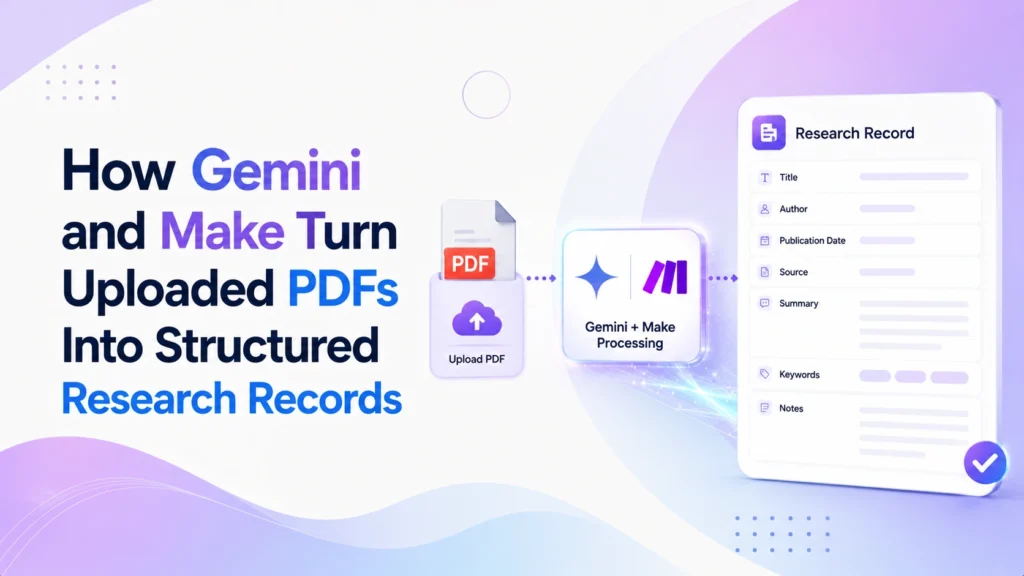
The Scenario
A graduate researcher downloads research PDFs faster than she can read them. Every literature search adds another five or six PDFs to a folder, each one a potential source for her own work, but actually reading and extracting the useful parts of each one takes real, focused time she does not always have between other deadlines. PDFs pile up unread, and by the time she gets to one, she has often forgotten why she saved it in the first place.
Launching a platform like this? Zipprr clone scripts start at $490 with 100% source code, a 7-day refund and 90 days of free support. Book a free demo or chat with us on WhatsApp.
The Challenge
- Reading a full research PDF just to find out whether it is relevant takes time that is hard to justify for every single download.
- PDFs pile up in a folder faster than they get reviewed, so the backlog only grows.
- Without a saved summary, revisiting an old PDF means rereading it from scratch to remember what it actually said.
- Even when notes exist, they usually live in scattered documents rather than one searchable place.
- The same PDF sometimes gets downloaded more than once during different searches, with no way to notice that until it is opened.
- Manually typing up notes for every PDF, even a summary, is a repetitive step most researchers skip until it becomes unavoidable.
The Automation Solution
Gemini is used here to structure a PDF’s extracted text into its main findings, its methodology, and any open questions or limitations it raises, rather than just producing a shorter version of the same text.
Whenever a new PDF lands in her “To Review” Drive folder, that upload itself starts the workflow. There is no reason to check the folder on a schedule; the work only needs to happen when a PDF actually arrives, so an event trigger fits here in a way a recurring check would not. Make’s first step is a duplicate check: it checks whether the PDF has already been processed using available file identifiers, and if a match is found,d the workflow stops there rather than creating a second, redundant record for a PDF already on file.
For a genuinely new PDF, Make pulls the raw text out of the file and sends it to Gemini with a request for structured fields: the PDF’s title, its main findings, its methodology, and any open questions or limitations it raises. If the PDF cannot yield usable text, for example a scanned PDF with no readable text layer, that failure is caught immediately and the file is flagged for manual review instead of silently producing an empty or low-quality record.
Gemini returns its structured extraction along with an indication of whether the result is clear or incomplete, and that indication decides what happens next, not the other way around. Before anything is written to Notion or Google Docs, Make checks it: a clear result gets a new database row and a linked Google Doc created and marked processed at the same time, with the database row, the summary document, and the source PDF all cross-referenced to each other. An incomplete or ambiguous result, such as a methodology section Gemini could not extract with confidence, still gets a database row and summary document created, but marked for human review instead of processed by default, so human review is a decision point in the middle of the workflow, not just a final glance at the end.
Make is the connective layer throughout: watching the folder, checking for duplicates, pulling the raw text, calling Gemini, and creating each record already marked with the right status. Gemini is the part used to structure what the PDF’s text says and to return how clear or complete that structuring came out.
Want a ready-made platform like this?
Skip months of development. Uber Clone, Airbnb Clone, Uber Eats Clone, TaskRabbit Clone and Gojek Clone ship with 100% source code. Book a free demo or chat with us on WhatsApp.
New PDF added to Drive folder
Make checks whether the PDF was already processed; stops here if it was
Make pulls the raw text out of the file
Gemini structures findings, method, and open questions
Example Structured Output
A short illustrative example of the structured record Gemini and Make produce together, before a person ever needs to look at it:
					{
  "pdf_title": "As read from the PDF",
  "duplicate_check": "not_duplicate",
  "findings": [
    "As extracted from the PDF, or empty if unclear"
  ],
  "methodology": "As described, or unclear if not confident",
  "open_questions": [
    "As noted in the PDF, or empty if none stated"
  ],
  "extraction_status": "clear",
  "review_status": "processed"
}
This is a simplified illustration of the type of structured record the workflow produces. It is not a real PDF’s actual content, and any field the source PDF does not clearly state stays empty or marked unclear rather than being filled in artificially.
What AI Handles vs What Stays Human
| AI Handles | Automation Handles | Human Handles |
|---|---|---|
| Structuring findings, methodology, and open questions | Checking whether the PDF was already processed | Reviewing unclear or failed extractions |
| Assessing whether its structured extraction is clear or incomplete | Extracting the raw text from the PDF | Deciding whether the PDF is relevant |
| — | Sending the extracted content to Gemini | Deciding what to cite or build on |
| — | Creating the Notion and Google Docs records | Prioritizing which PDFs to read in full |
| — | Applying the correct status to each record | Catching errors in supposedly processed records |
| — | Routing the workflow to processed or review | — |
Gemini’s extraction is a starting point for deciding whether a PDF matters, not a substitute for reading the parts that turn out to matter. The clarity check catches the clearest cases automatically, but a dense or unusually structured PDF can still confuse the extraction, so review stays available at the point where the workflow itself is unsure, not only after everything is already filed.
Outcome
The main outcome is consistency: every uploaded PDF follows the same extraction, validation, and review path.
- The workflow converts an unstructured PDF into a consistent, searchable record without requiring manual extraction and note-taking
- Duplicate uploads of the same PDF are caught before a second record gets created, instead of cluttering the database.
- Failed or unreadable extractions are flagged immediately instead of quietly producing a blank or misleading record
- Findings and methodology stay attached to the source PDF, instead of relying on memory weeks later
- Only extractions the workflow itself considers clear get marked processed automatically, so uncertain cases are not skipped
- A running, organized, cross-linked record of reviewed PDFs builds up automatically over time
No specific time savings, productivity percentages, or outcome figures are claimed here, since none have been verified for any particular person’s use of this workflow. The benefits above are structural outcomes of triggering this process on upload and routing uncertain cases to review, not measured results.
Schedule & Trigger Details
Tools Used
Gemini: structures extracted PDF text into findings, methodology, and open questions, and returns an indication of whether the result is clear or incomplete
Make: watches the folder, checks for duplicates, extracts the raw text, calls Gemini, creates the records and documents, and assigns the correct status
Google Drive: the input folder where new PDFs are added
Notion: holds the structured database record
Google Docs: holds the linked summary document
Get Started
If research PDFs are piling up faster than they get read, this pattern is worth setting up properly: an AI tool for the extraction work, and an automation platform like Make for catching duplicates and routing anything uncertain to review instead of marking it done by default. Zipprr can help design and implement similar AI-powered research and document workflows using the tools you already rely on.
Frequently Asked Questions
How can AI turn research PDFs into structured records?
An automation in Make detects an uploaded PDF, Gemini reads it and extracts the key fields, and the workflow saves those fields as one structured research record, so the researcher does not retype anything.
What does AI handle and what stays with the human in this workflow?
AI handles the reading and extraction of fields from each paper. The researcher keeps the judgement and verification, deciding what the records mean and whether they are correct.
What does the structured output look like?
The case study includes an example of the structured output, a consistent record of the fields extracted from each PDF, so papers can be searched and compared easily.



