

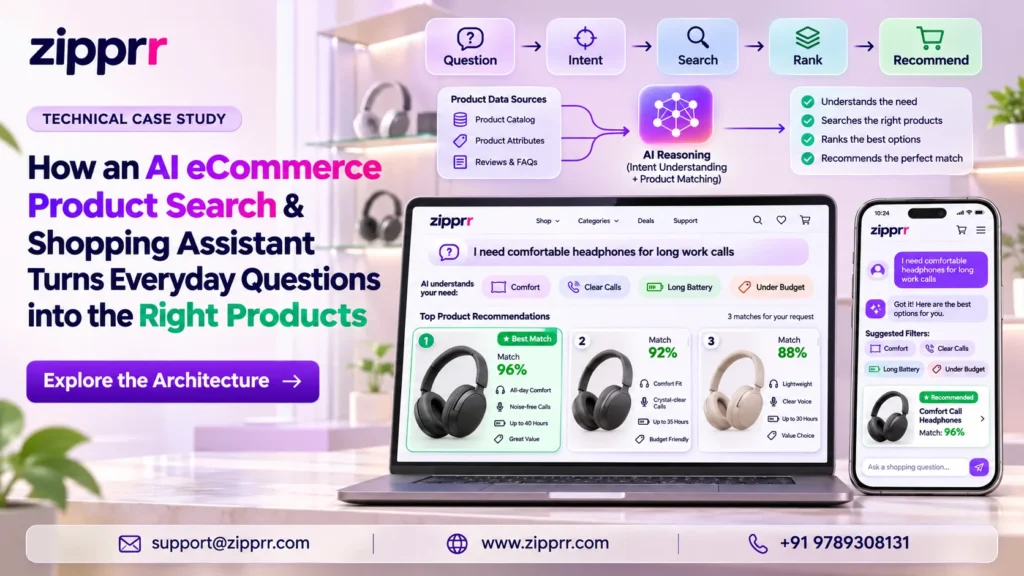
This case study looks at a third-party WordPress and WooCommerce plugin called AI eCommerce Product Search & Shopping Assistant. It is an illustrative walkthrough, not a report on a client project. Zipprr did not build this plugin, and no deployment results are claimed here.
Executive Summary: What Is AI eCommerce Product Search?
Most shoppers do not search the way a store database is organized. Also, they type what they want in plain words, with a price, a size and a color all in one sentence. Many store search boxes cannot handle that, so the shopper sees irrelevant products or an empty page.
The key points about this AI eCommerce product search plugin:
What is AI eCommerce Product Search & Shopping Assistant?
A WordPress and WooCommerce plugin that turns plain-language queries into filters, fixes typos, shows removable filter chips and can add an optional AI shopping assistant. Its core search runs on the store's own server, without an AI provider.
Why Shoppers Leave After One Bad Search
Product search is often the highest-intent action on a store. A shopper who types a query already knows roughly what they want. When search fails, that intent is wasted. Common failure points include:
- Literal keyword matching. The store treats "Black waterproof running shoes under $80" as six loose words, not a color, a feature, a product type and a budget.
- Empty results. One misspelling or one overly specific phrase returns nothing.
- Hidden logic. The shopper cannot see what the store understood, so they cannot fix the search.
- Vocabulary gaps. The shopper says "sneakers" while the catalog says "trainers".
- No learning loop. Store teams rarely see which searches failed or what shoppers tried next.
The conventional shopper journey
- The shopper types a full sentence into the search box.
- The store matches words against product titles and descriptions.
- Results include wrong colors, sold-out items and products over budget.
- The shopper opens the filter panel and rebuilds the search by hand.
- If filters return nothing, they guess new words or leave.
Each step adds effort. Each extra step is a point where an interested buyer can give up.
AI eCommerce Product Search in Action: One Shopper, One Search
Consider a footwear store running the plugin. The store and the query below are illustrative.
Here is what the system is designed to do with that sentence.
1. It recognizes catalog values, price and availability
The query parser checks the words against values the store actually uses. If "Black" is a color attribute and "9" is a size attribute, they become filters. "Under $80" becomes a price condition, and "in stock" becomes an availability condition.
The parser applies only catalog-relevant values. So if the store has no "waterproof" attribute, the parser does not force that word into a filter.
2. It searches the remaining words against the product index
Next, the plugin searches words that are not filters, such as "running shoes" and possibly "waterproof", as ordinary text. This runs against a dedicated product index, a search-optimized copy of product data that is faster to query than scanning every product record.
Typo tolerance helps if the shopper typed "runing". Synonyms help if the merchant has mapped "sneakers" and "running shoes" together.
3. It ranks real catalog products and shows live suggestions
Then the plugin ranks matching products using weights the merchant controls. A match in the product title can count more than a match in the full description. The merchant can also boost best sellers and top-rated items.
As the shopper types, a live dropdown shows product images, names, prices and categories. The shopper can use arrow keys, Enter and Escape.
4. Filter chips show what was understood
On the results page, the shopper sees removable filter chips, small labels for each interpreted condition:
If the shopper is happy with size 9.5 too, they remove the size chip. They do not need to rewrite the search.
5. It explains when a filter was relaxed
Suppose no product matches every condition. Instead of an empty page, the system can drop the overly restrictive filter, say that it did so, and show similar available products.
For example, the shopper might see a note that exact matches were not found and that the price filter was relaxed. The shopper keeps control because the change is visible.
6. With optional AI enabled, the shopper can ask a follow-up
If the merchant has connected an AI provider and enabled the assistant, the shopper can ask a follow-up question.
Which of these is better for wet trail runs?
The assistant replies using actual WooCommerce product cards with live price, availability and an add-to-cart button.
Do you ship to Canada?
The assistant answers from store pages the administrator selected and from WooCommerce shipping zones.
It can only recommend products the search engine found, so it is designed not to invent products or prices. If shipping information is missing, it says so and points the shopper to the contact page.
This assistant lives inside product search. If you want an assistant that answers questions across your whole website, from your pages and documentation, Zipprr's separate AI chat software is worth comparing.
Try it: see how a sentence becomes filters
Toy demo with a tiny sample vocabulary, written for this article. It is not the plugin.
Ask Zipprr about smarter searchCore Search vs Optional AI: How AI eCommerce Product Search Is Split
The most important point for merchants is that this is not an AI-only search engine. It has two layers.
- Natural-language filters for attributes, price, stock, sale status and sorting ("cheapest", "newest", "best-selling")
- Live search dropdown and standard WooCommerce results page
- Typo tolerance with normal, strict or disabled settings
- Two-way synonym groups and one-way mappings, with CSV import and export
- Empty-result recovery with visible explanations
- Relevance weights and best-seller or top-rated boosts
- Search analytics and improvement suggestions
- Background catalog indexing
- Semantic search: finds products by meaning, not just exact words. For example, "something warm for winter evenings" can match products that never use those words.
- Long-question interpretation: an AI chat model shortens a long customer question into a product search.
- Hybrid speed: keyword results appear first, then AI refines them when the shopper pauses typing.
- Conversational shopping assistant: product selection help and answers to configured store questions.
Do you need an AI subscription for AI eCommerce product search?
No. Core search, filters, typo tolerance, synonyms, ranking and analytics work without AI. Only semantic search, long-question interpretation and the shopping assistant need a provider, and that provider bills you directly.
The plugin includes no bundled AI subscription. The merchant chooses a provider, pays that provider directly, and can switch AI off at any time while core search keeps working.
For a wider look at how AI services connect to a WooCommerce store, read our case study on AI WooCommerce development.
Technical Architecture of the AI eCommerce Product Search Plugin
The diagram below shows how a query moves through the system.
How the parts fit together
- Query parser. Splits the query into recognized conditions and remaining text.
- Product index. Holds searchable product data, kept current by background jobs.
- Catalog check. Reads current prices, stock and sale status from WooCommerce lookup tables.
- Results layer. Renders through the store theme's own WooCommerce templates.
- Optional AI branch. Adds meaning-based relevance or conversation, but final product cards still come from the catalog check.
Implementation Details for AI eCommerce Product Search
This section separates confirmed product features from recommended implementation practices. Recommended practices are labelled as such.
Requirements
The package includes an installable plugin archive and HTML documentation.
Recommended practice: install first on a staging copy of the store, with a recent backup of the live site.
Catalog Indexing
The plugin keeps a dedicated product search index. Indexing runs as background jobs through Action Scheduler, the job queue WooCommerce already uses. When a product changes, the plugin updates its indexed content.
The publisher reports testing with a 20,000-product catalog. That is the publisher's own claim. In addition, it is not a Zipprr result or a performance guarantee for any specific host.
Recommended practice: let the first full index finish before switching the storefront search over, and check indexing progress in the admin dashboard.
Query Interpretation
The parser recognizes:
- Colors, sizes, materials, brands and other configured attributes the store uses
- Price phrases such as "under", "below", "over", "above", ranges and approximate amounts
- Sorting phrases such as "cheapest", "most expensive", "newest", "best-selling" and "top-rated"
- Availability phrases such as "in stock" and "on sale"
The parser then searches everything else as text. Moreover, merchants can test any phrase in the built-in trial search box.
Ranking
Merchants can set weights for title, SKU, category, brand, attributes, tags, short description and full description. They can boost best sellers and top-rated products, and optionally push out-of-stock items lower.
Recommended practice: start with title, SKU and attributes weighted highest, then adjust using click data from analytics.
Live Prices and Stock
The plugin reads prices, stock and sale status from WooCommerce lookup tables. Furthermore, it also clears relevant cached results when products change. This is designed to stop search from showing a stale price or a sold-out item as available.
Caching
The plugin clears result caches after relevant product changes. In addition, it caches supported AI searches for 30 days, which reduces repeat provider calls for identical queries. Administrators can clear search caches manually from the maintenance tools.
Theme Placement
The search bar can be placed in several ways:
Merchants can also turn automatic replacement off. Besides, appearance settings cover accent color, corner radius, size and placeholder text, with a preview that uses real store products. Likewise, developers can also style the bar and assistant through CSS custom properties. In addition, the plugin supports classic and block themes and keeps existing WooCommerce results templates.
Multilingual Stores
The plugin works with WPML and Polylang. It restricts results to products in the shopper's current language, and plugin strings are translation-ready.
Recommended practice: review synonyms for each language separately, since shoppers use different everyday terms in each.
AI Configuration
Administrators configure semantic search and the chat assistant independently, so a store can use one provider for each. Supported options include:
Before AI is switched on, the plugin shows what data will be sent to the provider and asks the administrator to confirm. The assistant can launch from a floating button or from the search bar.
Developers can adjust assistant instructions through available hooks. Also, other hooks and actions cover custom indexed fields, ranking weights, product inclusion or exclusion, indexing, rebuilding and searches. A REST search endpoint is available.
Privacy
- AI requests do not include customer names, emails, orders, addresses, IP addresses or account details.
- Assistant conversation history stays in the shopper's browser tab and is not stored on the store server.
- Search analytics do not store shopper IP addresses or user accounts.
- Bots and store managers can be excluded from analytics counts.
- Analytics retention can be set from 30 days to three years.
- When AI features are disabled, AI transmission stops.
Recommended practice: update the store privacy policy to name the AI provider if AI features are enabled, and confirm requirements with your own legal adviser.
Costs
The plugin does not resell AI usage. Instead, the chosen provider bills any AI cost. Cost controls include:
- API keys encrypted using the site's secret keys
- Unchanged catalog products are not sent to the provider again
- 30-day caching of supported AI searches
- Daily AI request limits and per-visitor rate limits
- Dashboard view of estimated catalog tokens and daily requests
Fallback
If AI is disabled, or a daily or per-visitor limit is reached, the store falls back to keyword search. In addition, core search, filters and chips keep working. The plugin also preserves its data on deactivation unless an administrator explicitly enables deletion, and a system status screen helps with troubleshooting.
Before and After AI eCommerce Product Search: How the Process Changes
The table compares how a typical basic search box handles each step with how this AI eCommerce product search plugin is designed to handle it. It describes process differences, not measured business results.
What Merchants Should Measure After Launching AI eCommerce Product Search
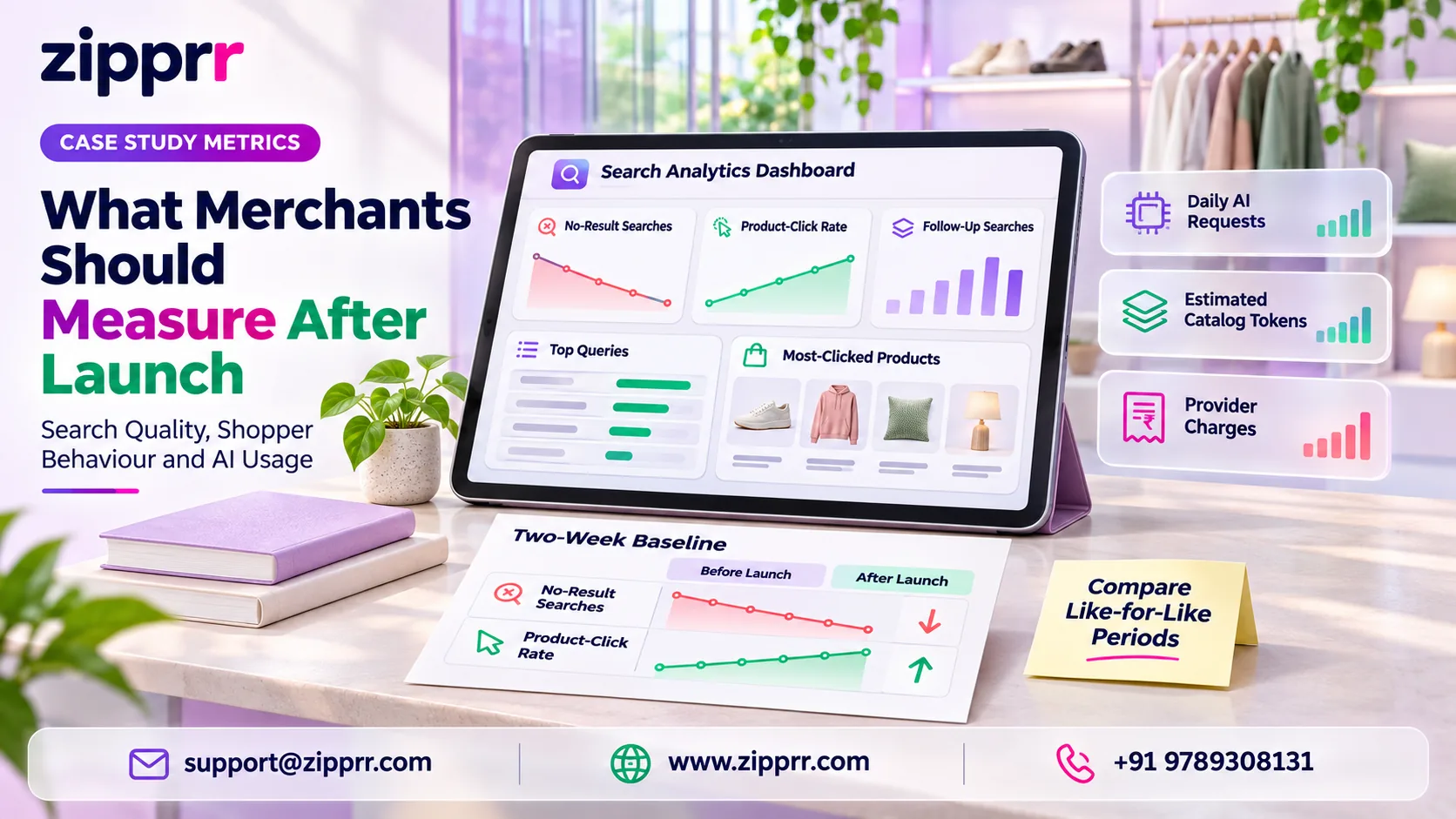
The analytics in this AI eCommerce product search plugin cover search behavior. Moreover, they do not measure revenue or conversion, so use WooCommerce reports or your existing analytics tool for sales outcomes. Furthermore, track these in the plugin dashboard:
If AI is enabled, also track
Recommended practice: record a two-week baseline of no-result rate and click rate before launch where possible, then compare like-for-like periods afterward.
Which Stores Are a Good Fit for AI eCommerce Product Search?
Founders planning a full multi-vendor marketplace from scratch, rather than a single WooCommerce store, can also explore Zipprr's Amazon clone platform.
Limitations of AI eCommerce Product Search to Plan For
- Attribute quality matters. The parser can only recognize values the store actually uses. Inconsistent attribute data limits filter accuracy.
- AI is not free or automatic. Semantic search and the assistant need provider setup, testing and cost monitoring.
- The public demo is scripted. The publisher's live demonstration uses scripted assistant replies. Live AI behavior depends on the provider and settings you configure.
- Performance is host-dependent. The publisher's 20,000-product test is not a guarantee. Test on your own hosting.
- Platform scope. It requires WordPress 6.8+, WooCommerce 10.0+ and PHP 8.1+. It is not built for other eCommerce platforms.
- No revenue reporting. Sales impact must be measured outside the plugin.
A Practical Rollout Plan for AI eCommerce Product Search
These AI eCommerce product search rollout phases are recommended practice, not a vendor-defined process.
How should a store roll out AI eCommerce product search?
Clean up product attributes, install on staging, launch core search first, review search analytics weekly, then pilot optional AI with low daily limits and watch provider costs.
- Prepare the catalog. Clean up color, size, material and brand attributes so they are consistent.
- Install on staging. Confirm version requirements, install, and let the first index build.
- Configure core search. Set appearance, attribute interpretation, ranking weights, typo tolerance and a starter synonym list.
- Test real queries. Use the trial box with phrases from your existing search logs and customer emails.
- Launch core search live. Choose automatic replacement, the block, the shortcode or the Elementor widget.
- Review analytics weekly. Fix no-result queries, accept useful synonym suggestions and tune weights.
- Pilot optional AI. Enable semantic search or the assistant with low daily limits, review the data-sharing screen, and watch provider costs.
- Expand gradually. Raise limits only when relevance and costs both look right.
Talk to Zipprr About Smarter Product Search
Are shoppers reaching empty or irrelevant results on your store?
Zipprr can review your product-discovery setup and discuss an eCommerce search and shopping-assistant implementation that suits your catalog, hosting and AI budget. Book a free consultation with Zipprr to share your store details and goals.
FAQs About AI eCommerce Product Search
Does AI eCommerce product search need an AI subscription to work?
No. Also, core search runs on the store's own server without AI credentials. In addition, natural-language filters, live search, typo tolerance, synonyms, ranking, analytics and indexing all work without an AI provider. Moreover, only semantic search, long-question interpretation and the conversational assistant need a separately configured provider, which may charge for usage.
Will search results show outdated prices or sold-out products?
The plugin is designed to avoid that. Furthermore, it reads current prices, stock and sale status from WooCommerce lookup tables and clears relevant cached results when products change. The optional assistant also shows real WooCommerce product cards with live price and availability, and it only recommends products the search engine found.
Is customer data sent to the AI provider?
The plugin does not send customer names, emails, orders, addresses, IP addresses or account details. Besides, it shows what data will be sent before AI is enabled and requires administrator confirmation. Likewise, assistant chat history stays in the shopper's browser tab rather than on the store server, and stopping AI features stops transmission.
What happens if the daily AI limit is reached?
The store falls back to keyword search. Also, shoppers still get natural-language filters, typo correction, synonyms, filter chips and ranked results. In addition, merchants can set daily AI request limits and per-visitor rate limits, and supported AI searches are cached for 30 days to reduce repeat provider calls and control costs.
Which AI providers does the plugin support?
Supported options include OpenAI, Google Gemini, Anthropic Claude, Mistral AI, Cohere, Voyage AI, Together AI, DeepSeek, xAI Grok, Groq, OpenRouter and Azure OpenAI. Ollama and compatible API endpoints are also supported. Moreover, semantic search and the chat assistant can each use a different provider.
More Questions About AI eCommerce Product Search
What are the technical requirements?
The plugin needs WordPress 6.8 or newer, WooCommerce 10.0 or newer and PHP 8.1 or newer. Furthermore, an external AI provider account is only needed for the optional AI features. Besides, install it on a staging copy of your store first, with a recent backup of the live site.
Will it work with my theme or Elementor?
Yes. The search bar can replace supported theme search forms, integrate with the WordPress Search block, replace WooCommerce product search, run as a dedicated block or shortcode, or sit in an Elementor search widget. Likewise, classic and block themes are supported, and existing WooCommerce results templates are kept.
Does it support multilingual stores?
Yes. The plugin works with WPML and Polylang, restricts results to products in the shopper's current language, and its strings are translation-ready. Also, review your synonyms for each language separately, because shoppers use different everyday words in each language.
How can merchants control AI costs?
The plugin does not resell AI usage, so your chosen provider bills you directly. Cost controls include daily request limits, per-visitor rate limits, 30-day caching of supported AI searches, and not resending unchanged catalog products. The dashboard also shows estimated catalog tokens and daily requests.
Did Zipprr build this plugin or measure its results?
No. This is an illustrative case study of a third-party plugin, not a report on a client project. Zipprr did not build the plugin and claims no deployment results. In addition, merchants should measure search and sales outcomes in their own store after launch.