

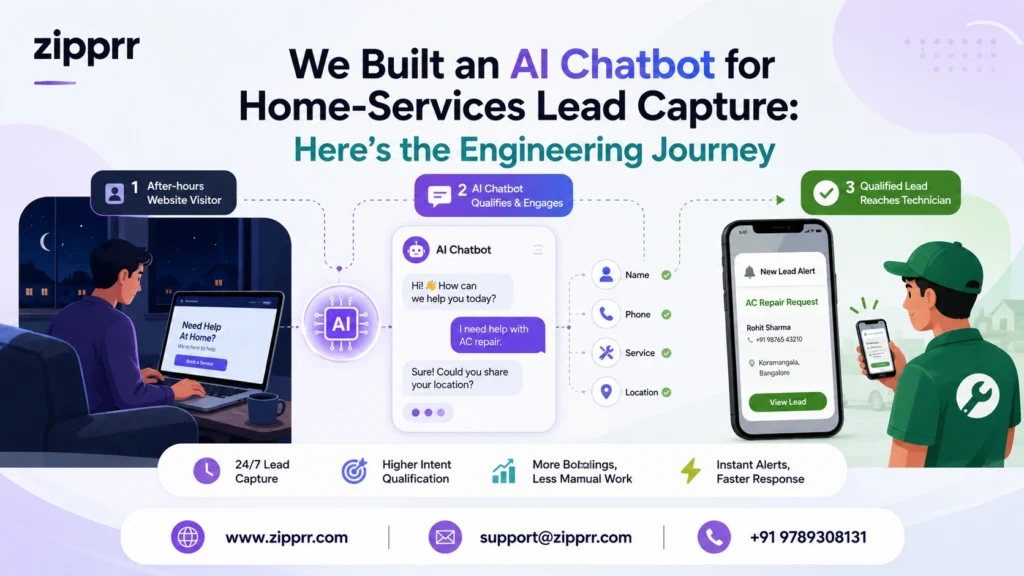
We’re the Zipprr engineering team. This is an engineering journal of how we build and configure an AI chatbot for home-services lead capture (HVAC, plumbing, electrical) using Zipprr AI Chat. The business here is an illustrative example, not a real client, and every number is labeled Measured, Estimated, Projected, or Illustrative.
Key takeaways
- The real leak in home services isn’t traffic. It’s unanswered intent after hours. The chatbot’s job is capture-and-qualify, not FAQ deflection.
- Architecture beats model choice: the qualification state machine, the lead schema, and a fast human handoff decide success.
- We label every metric by tier so nothing is overstated.
- Build-vs-buy hinges on volume and ownership: metered widgets punish growth; an owned build rewards it.
Quick Results (snapshot)
| Signal | Value | Tier |
|---|---|---|
| Qualified leads/month | ~35 to ~60 | Projected |
| Jobs booked/month | ~7 to ~12 | Projected |
| Added monthly revenue | ~$1,750 | Projected |
| Setup effort | ~3 working days | Estimated |
| One-time product cost | $490 | Measured (public list price) |
| Production latency/throughput | [Measured: fill from your environment] | Measured (to collect) |
Business Story
Picture a regional HVAC-and-plumbing operation across a handful of towns. This is a composite we use internally to pressure-test the product, not a real Zipprr customer. It has a decent website, spends on local ads, and gets a steady trickle of high-intent visitors: a homeowner with a leaking water heater at 9 p.m., a landlord comparing quotes on a Sunday. We chose this profile because home services is where the gap between “traffic” and “booked revenue” is widest and easiest to reason about.
The Problem
Three problems compounded. After-hours enquiries went cold: the 9 p.m. homeowner waited, or more often, called a competitor. Form submissions arrived unqualified: a name, an email, “need help with AC,” and nothing about location, urgency, or job type. And response speed was inconsistent: the biggest predictor of conversion in service businesses is follow-up speed, and a manual inbox can’t guarantee minutes.
Why the Existing Process Failed
The old path hinged on a human checking an inbox and calling back.
Why Zipprr
Three problems compounded. After-hours enquiries went cold: the 9 p.m. homeowner waited, or more often, called a competitor. Form submissions arrived unqualified: a name, an email, “need help with AC,” and nothing about location, urgency, or job type. And response speed was inconsistent: the biggest predictor of conversion in service businesses is follow-up speed, and a manual inbox can’t guarantee minutes.
The trade-off we made. Choosing an owned product over a hosted widget trades a little more upfront setup for no usage-cost cliff and full control of the lead schema and integrations. For a business expecting only a handful of enquiries a month, we’d honestly recommend a hosted widget. Ownership earns its keep at steady or growing volume.
Architecture
We designed around four subsystems. The LLM is one component, not the system.
Scalability. Cost and infra scale with concurrent chats, not total pageviews, so we design around peak concurrency. Security. Lead PII is minimized and access-scoped. Performance. The intent classifier is cheap and fast; the LLM is invoked only when needed. Maintenance. Persona and rules live in configuration, not code, so operators tune without a developer.
Product Tour (what you actually work in)
Everything that runs the AI front desk
Six areas of the platform, from first setup to daily monitoring.
Admin Panel & Configuration
The control room for how the assistant presents itself before it says a single word about the business.
- 👋 Greeting message shown to every visitor
- 🎨 Branding — logo, colors, and tone of voice
- 🕒 Business hours
- 📍 Service areas covered
AI Settings & Prompt Management
How the assistant behaves — its persona, tone, and boundaries — all set without touching a line of code.
- 🎭 Persona and tone
- 🚧 Guardrails — e.g. no firm quotes on complex jobs
- ↩️ Fallback behavior when it's unsure
Knowledge Base
The facts the assistant draws on to answer confidently instead of guessing.
- 🧰 Services offered
- 💲 Pricing ranges
- ❓ Top 15–20 real customer questions
Integrations, APIs & Webhooks
Connects the conversation to the systems your team already works in.
- 📤 Pushes qualified conversations to your CRM / lead store
- 📧 Fires email alerts
- 📲 Fires WhatsApp alerts
User Permissions
Simple, role-based access — everyone sees exactly what their job needs.
Analytics, Logs & Monitoring
Visibility into how the funnel performs and whether the system itself is healthy.
- 📝 Full conversation transcript logs
- 🚨 Uptime and failed-handoff alerts
Implementation
Effort figures are Estimated (non-enterprise setup).
- Set up and brand the widget (about half a day). Write the greeting the way the operator would actually talk to a customer.
- Build the Knowledge Base (0.5 to 1 day). Services, areas, hours, pricing ranges, top questions.
- Configure AI settings & prompts (~0.5 day). Persona, guardrails, fallback.
- Design the qualification flow (~0.5 day). Minimum viable lead: service type, location, urgency, time, contact (4-5 fields max).
- Wire integrations/webhooks & permissions (~0.5 day). CRM push plus instant email/WhatsApp alerts.
- Add the WhatsApp handoff (~0.5 day). Context carried over via WhatsApp Automation.
- Turn on analytics/logs/monitoring (ongoing).
Challenges
Our first qualification flow asked seven questions and engagement fell off a cliff mid-conversation. The bot also tried to quote prices on complex jobs, exactly where it shouldn’t. And early on every chat pinged the team, including pure FAQ chats, causing notification fatigue.
Fixes
We cut qualification to five fields (two optional) and let the model infer urgency from phrasing (“burst pipe” implies emergency); completion recovered. We constrained the bot to capture-and-defer on anything needing a site visit. And we changed the alert trigger to fire only on qualified leads.
Benchmarks
| Signal | Value | Tier |
|---|---|---|
| First-response (bot greeting) | near-instant by design | Estimated |
| Model response time per turn | [Measured: fill from your environment] To fill | Measured (to collect) |
| End-to-end qualified-lead handoff | [Measured: fill from your environment] To fill | Measured (to collect) |
| Infra footprint | modest; scales with concurrency | Estimated |
| Setup effort | ~3 working days | Estimated |
Results
| Metric | Before (form) | After (AI chat) | Tier |
|---|---|---|---|
| Qualified leads/month | ~35 | ~60 | Projected |
| Jobs booked/month | ~7 | ~12 | Projected |
| Added monthly revenue | n/a (new capability) | ~$1,750 | Projected |
Lessons
If we rebuilt this: design the lead schema first and let it drive the conversation; ship with alerts scoped to qualified leads from day one; budget more time for knowledge-base curation than anything model-related.
Who Should Use This
Good fit: real traffic, time-sensitive/high-intent enquiries, meaningful after-hours demand, a team that follows up fast. Not a fit: very low traffic (fix traffic first), leads needing no qualification, no capacity to tune in the first two weeks. Custom dev is better for deeply bespoke workflows, unusual compliance, or legacy-system integration. Zipprr is better when you want to be live in days, own the code/data, and avoid metered pricing.
Build vs Buy
| Dimension | Hosted SaaS widget | Custom build | Zipprr AI Chat |
|---|---|---|---|
| Time to live | Fast | Weeks to months | Days |
| Cost model | Per conversation/seat | High upfront + maintenance | One-time, owned |
| Data/code ownership | Vendor | You | You |
| Best for | FAQ deflection | Bespoke needs | Owned lead capture at volume |
Want to turn website visitors into booked jobs, and own the whole thing?
Zipprr AI Chat is a one-time purchase for $490: you get the complete source code (no monthly metering, no vendor lock-in) plus 90 days of free technical support to get it live. Explore the product page, or message the Zipprr team on WhatsApp to see the lead-capture flow in action.
Frequently Asked Questions
What is an AI chatbot for a home service business?
How does WhatsApp automation work for plumbing, HVAC, or electrical companies?
Can AI chat and WhatsApp automation work together on the same website?
How much does it cost to add AI chat and WhatsApp automation to a home services website?
Will an AI chatbot replace my home service company's customer service team?
Can customers book a home service appointment through WhatsApp automatically?
Does an AI chatbot work for emergency service calls after hours?
How long does it take to set up AI chat and WhatsApp automation for a home service business?
Is WhatsApp automation legal and compliant for business messaging?
What information should an AI chatbot collect from a home service lead?
For most home service businesses, four or five details are enough:
- The type of job needed
- The service address or postcode
- How urgent it is
- A preferred time
- A phone number or WhatsApp contact
Asking for more than this tends to reduce how many visitors finish the conversation.



