
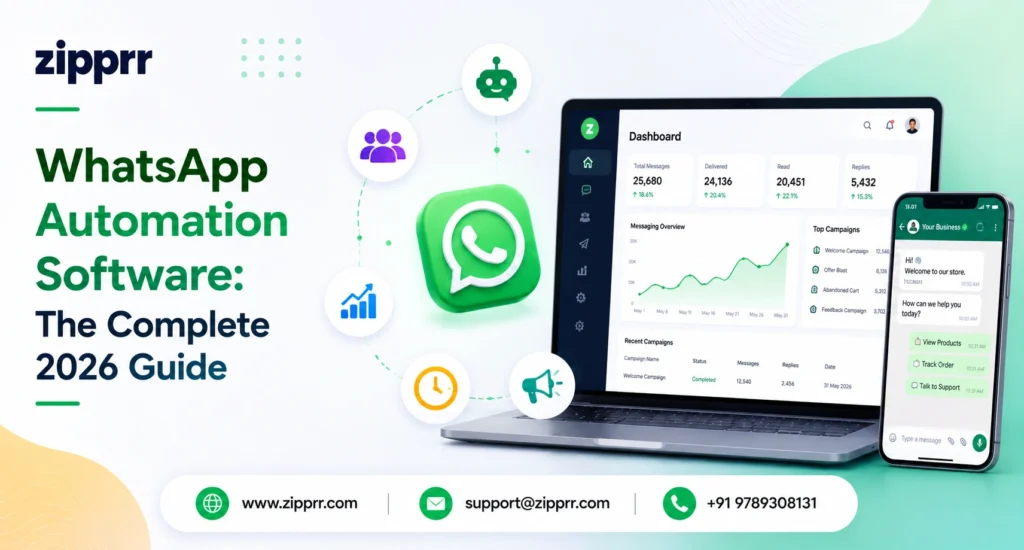
WhatsApp automation software is a tool that connects to the WhatsApp Business API to automatically send, route, and reply to messages, using chatbots, workflows, triggers, and pre-approved templates, so a business can handle support, sales, and notifications at scale without replying to every chat by hand. In 2026 it must run on Meta-approved automation flows (open-ended “general purpose” AI chatbots are no longer allowed), and it is paid software billed on top of Meta’s per-message conversation fees. A purpose-built platform such as Zipprr WhatsApp Automation Software handles this end to end.
Why WhatsApp automation matters in 2026 (key data)
What is WhatsApp automation software?
- The WhatsApp Business app: free, single-device, good for a solo operator, but has almost no real automation.
- The WhatsApp Business API (the WhatsApp Business Platform): the official Meta infrastructure that makes automation, multiple agents, and integrations possible. It is not an app you download; it is accessed through a provider.
- WhatsApp automation software: the layer you actually use, built on top of the API, that gives you the chatbot builder, broadcast tools, analytics, inbox, and integrations.
How WhatsApp automation software works
- Connect to the API. You get a WhatsApp Business API account through a Meta Business Solution Provider (BSP) and verify your business in Meta Business Manager.
- Define triggers. You decide what starts an automation, such as an inbound keyword, a form submission, a purchase, a date, or a step in another app.
- Build flows and templates. You create chatbot journeys and submit message templates to Meta for approval (required for any business-initiated message).
- Run actions automatically. When a trigger fires, the software sends the message, advances the conversation, routes to a human if needed, and logs everything.
- Measure and improve. Dashboards show delivery, open, reply, and conversion rates so you can refine flows over time.
WhatsApp automation software uses the WhatsApp Business API to trigger pre-built message flows and chatbots automatically, so businesses can answer, notify, and sell to customers at scale within Meta’s rules.
Core features to expect
- Chatbot and flow builder: usually no-code, drag-and-drop, with conditional logic.
- Broadcast and campaign tools: opt-in segmented sends using approved templates.
- Shared team inbox: multiple agents on one number, with assignment and handover.
- Triggered and drip sequences: order confirmations, reminders, follow-ups, cart recovery.
- Integrations: CRM, e-commerce (Shopify, WooCommerce), payments, calendars, and webhooks.
- AI assist: scoped, business-purpose AI replies (within 2026 policy limits, covered below).
- Analytics: delivery, read, response time, and conversion reporting.
Benefits of WhatsApp automation software
Real use cases (with examples)
| Use case | What the automation does | Example |
|---|---|---|
| Customer support | Scoped bot answers FAQs, checks order status, handles returns, escalates to a human | "Where is my order?" triggers a bot that pulls tracking and replies instantly |
| Lead qualification | Asks qualifying questions, scores the lead, routes hot leads to sales | Ad click starts a WhatsApp flow that hands a qualified lead to an agent |
| Abandoned cart recovery | Detects an incomplete checkout and sends a timed reminder | Reminder plus discount sent 1 hour after a cart is abandoned |
| Order and delivery updates | Sends confirmations, shipping, and delivery notifications | Auto-confirmation the moment a purchase completes |
| Appointment booking | Lets customers book, reschedule, or cancel in chat | Clinic sends a reminder plus reschedule option 24 hours before |
| Marketing and drip | Opt-in nurture sequences over days or weeks | 3-message onboarding series for new subscribers |
WhatsApp automation rules you must follow in 2026
1. Open-ended AI chatbots are no longer allowed
2. Explicit opt-in is mandatory
3. Business-initiated messages need approved templates
4. Messaging limits and tiers
5. Use only Meta-approved providers
Automation or bulk-sending through unofficial, non-Meta-approved tools violates WhatsApp’s terms and is a common cause of fast bans. Always confirm your software runs on the official WhatsApp Business API. Choosing a compliant platform like Zipprr WhatsApp Automation Software keeps you on the official API and inside these rules.
- Built on the official WhatsApp Business API via an approved BSP
- Explicit, logged opt-in for every contact
- Scoped, business-purpose automation (no open-ended AI chat)
- Approved templates used only for their stated category
- Business verified in Meta Business Manager
- Respect local privacy law (GDPR, CCPA, and equivalents)
How much does WhatsApp automation software cost?
- Meta conversation or message fees. Meta charges per conversation or per template message depending on category (marketing, utility, authentication, service). A limited number of service conversations are free each month, and pricing varies by country.
- Software subscription. The automation platform itself. Entry tiers can start at $0 with limited capability, mid-tier plans commonly run roughly $100 to $400 per month, and enterprise plans run higher.
A third option avoids subscriptions altogether: self-hosting a one-time, source-code platform. This trades recurring monthly software fees for a single upfront cost and full ownership, while you still pay Meta’s standard API message fees. Zipprr, for example, provides its WhatsApp automation software with full source code for a one-time $490.
How to choose the right WhatsApp automation software
- Official API access: non-negotiable. Confirm the BSP relationship.
- 2026 compliance: scoped automation, template management, and opt-in handling built in.
- Ease of building flows: can a non-technical user build and edit a chatbot?
- Integrations you actually use: your CRM, store, and payment tools.
- Transparent pricing: no surprise per-user or per-number fees, and a clear message-fee markup.
- Team features: shared inbox, routing, and roles, if you have agents.
- Analytics and support: real reporting and responsive help during setup.
How to set up WhatsApp automation (step by step)
- Verify your business in Meta Business Manager.
- Get WhatsApp Business API access through your chosen software or BSP and connect a phone number.
- Collect opt-ins on your site, checkout, and forms, and store consent records.
- Create and submit templates for each business-initiated message you plan to send.
- Build your first flow, starting with one high-impact case such as an FAQ bot or order updates.
- Test thoroughly with real devices before going live.
- Launch, monitor your quality rating, and iterate based on the analytics.
Where Zipprr fits
Zipprr WhatsApp Automation Software takes a different route from the monthly SaaS platforms above. It is a one-time purchase of $490 that includes the full source code, so you self-host the software, own it outright, and skip recurring per-seat or per-message platform subscriptions. You still pay Meta’s standard WhatsApp Business API fees, but there is no ongoing platform charge on top. It runs on the official WhatsApp Business API and pairs a no-code flow builder with broadcast tools, a shared inbox, integrations, and analytics, aimed at businesses and agencies that want full ownership and white-label control of their WhatsApp automation without monthly costs.
Own your WhatsApp automation, no monthly fees
Frequently asked questions
What is the best WhatsApp automation software?
Is WhatsApp automation legal?
Is WhatsApp automation free?
Can I still use AI chatbots on WhatsApp in 2026?
How do I avoid getting my WhatsApp Business account banned?
What is the difference between the WhatsApp Business app and the API?
How much does Zipprr WhatsApp Automation Software cost?
Key takeaways
- WhatsApp automation software uses the official Business API to run message flows and chatbots automatically.
- In 2026, automation must be scoped to business purposes: open-ended AI chatbots are banned, opt-in is mandatory, and approved templates are required.
- Budget for two layers: Meta's message fees plus your software subscription.
- Choose on API compliance, integrations, ease of use, and transparent pricing, not headline price alone.