

A shopper opens your site close to midnight, types a question your team already answers a dozen times a week, waits a few seconds for a reply that never comes, and leaves. That single moment, repeated across thousands of sites every night, is the problem AI chat software was built to solve.
This article walks through what these assistants do once they’re live on a page, what a reasonable price looks like heading into 2026, and how to spot a genuinely capable setup versus a dressed-up popup box. The explanations below aren’t pulled from any single company’s marketing copy; they reflect how this category functions industry-wide, which means you can hold any vendor, including the one mentioned later, to the same standard.
Launching a platform like this? Zipprr clone scripts start at $490 with 100% source code, a 7-day refund and 90 days of free support. Book a free demo or chat with us on WhatsApp.
AI chat software connects to your website and lets a language model hold an actual conversation with visitors, pulling its answers from your own pages and files rather than following a rigid decision tree. Prices range from limited free plans to several hundred dollars monthly for usage-based subscriptions, or a single flat payment (commonly a few hundred dollars) for a self-hosted platform you keep permanently. The right pick depends on your traffic level, whether you’d rather manage the software yourself, and whether reselling it is part of your plan.
What Counts as AI Chat Software
ANSWER: It’s a small block of code embedded on a website that lets a language model respond to visitors directly, rather than pushing them through a fixed set of buttons. The stronger versions pull answers strictly from material the business has already published, so replies come attached to a link showing where the information originated.
The older breed of “chatbot” behaved like an automated phone menu wearing a speech bubble, press one for shipping, press two for returns. What’s running today acts closer to a newly hired staffer who has genuinely read through the help center, the product pages, and every FAQ entry, and can adjust an answer depending on how the question was phrased.
This category has quietly absorbed three tools that used to sit in separate corners of a website: a live-chat box staffed by a person, a search bar inside a help center, and a popup asking for an email address. Products such as AIchat by Zipprr now combine all three inside one embedded widget.
The Mechanics Behind It
QUESTION: How does AI chat software work?
ANSWER: The typical process runs in three motions: the software pulls in your content, hunts through that content for the section closest to what the visitor asked, and then hands that section to a language model to shape into a plain-language reply, usually pointing back to the source page.
Broken into individual steps:
- Reading what you’ve already published. The system scans your URLs and sitemap, accepts pasted text, or connects to a source such as Google Docs. Restricted areas, admin dashboards, login screens, checkout pages, are left out automatically without extra setup.
- Splitting content into smaller pieces. Full pages get divided into shorter passages and converted into numerical representations that let the system search by meaning instead of matching exact words.
- Finding the closest passage. A visitor’s question kicks off a search across that library, often followed by a second, tighter comparison pass so the strongest match gets used rather than merely the nearest-sounding one.
- Building the response. The model drafts a reply using only the retrieved material, sending it back in pieces as it’s generated so the visitor sees progress instead of a blank pause.
- Knowing when to step aside. Once confidence drops, or a visitor directly asks for a person, the conversation gets routed to a live inbox where a teammate can take over.
The industry term for this setup is retrieval-augmented generation, shortened to RAG. It’s the safeguard that keeps a properly built assistant from inventing a refund policy that was never actually written anywhere.
What Problem It's Actually Solving
Because the other option is either staffing support around the clock across every timezone or accepting that a portion of visitors leave with no answer at all. A grounded assistant absorbs the repetitive questions on its own and forwards the genuinely difficult ones to a person, without adding a payroll line for overnight coverage.
Three recurring problems it addresses:
- Traffic that arrives after hours. Someone browsing at 2 a.m. who hits a wall rarely sends an email and waits patiently; they simply close the tab.
- The same handful of questions, endlessly repeated. Delivery timelines, plan differences, cancellation steps, these make up a large share of a support queue, and a grounded assistant can handle real volume there before any of it turns into a ticket.
- Leads that sit too long before follow-up. A basic contact form might go unread for hours. A chat widget that asks a relevant follow-up at the right moment and forwards the response into a CRM shrinks that delay down to seconds.
Features That Are Worth the Money
| What To Look At | Why It Actually Matters | Question Worth Asking The Vendor |
|---|---|---|
| Answers tied to real sources | Stops the bot from making up prices or policies | Does every reply link to the page it pulled from? |
| A quick, low-effort install | Determines if this needs a dev sprint or five spare minutes | Is it one script tag, or a heavier SDK setup? |
| Genuine human handoff | Keeps difficult conversations from spiraling | Can a person step in mid-thread without restarting it? |
| Purposeful lead capture | Converts conversation into actual pipeline | Does it fire on real buying signals, not just a countdown? |
| Support for several languages | Matters once traffic stops being English-only | Auto-detected, or something you configure manually? |
| Reporting on knowledge gaps | Shows exactly what content to write next | Does it flag unanswered questions, or just count chats? |
| Working integrations | Ties chat activity into tools already in use | Does it reach your CRM, storefront, and payment processor? |
| Support for multiple clients | Essential once you're serving more than one brand | Is each client's data kept fully separate? |
| Access and security settings | Protects both visitors and internal pages | Origin allow-lists, excluded paths, data location? |
What Changes Once You Add One
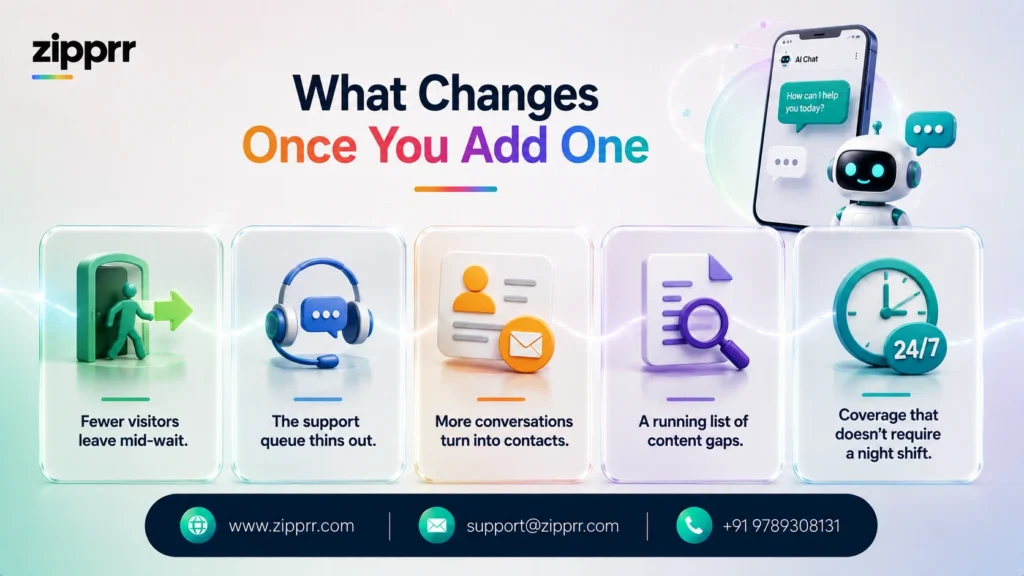
- Fewer visitors leave mid-wait. A direct answer beats hunting through a navigation menu or sending a message that might not get a reply for hours.
- The support queue thins out. Handing off routine questions frees the team to focus on the situations that genuinely require a person’s judgment.
- More conversations turn into contacts. Requesting an email right after a relevant exchange captures interest a static form usually misses entirely.
- A running list of content gaps. Whatever trips up the bot is usually a strong signal for what the next help article should cover.
- Coverage that doesn’t require a night shift. Standard volume gets handled at any hour; people step in only when it’s actually warranted.
Real Situations Where Teams Use It
Online retail. The assistant answers sizing, shipping, and inventory questions straight from a live catalog, checks order status, applies a discount code, and can reach out to a visitor who looks about to abandon a cart.
Support desks and documentation teams. How-to and troubleshooting questions get answered directly from existing docs, with the source attached, while anything that’s genuinely tricky escalates in a single click, and gap reports point the content team toward what’s missing.
Agencies reselling the tool. Because multi-tenant, white-label AI chat software can keep each client isolated in its own workspace, an agency can rebrand the whole product, set its own rates, and bill through its own payment account, turning chat into a new item on the invoice.
Marketing pages built for lead capture. Rather than a static “get in touch” box that rarely gets filled out, the widget engages a visitor right as their curiosity peaks, gathers a qualified lead through a short conversational exchange, and sends it into a CRM through a webhook.
Deciding If It Fits Your Business
The strongest matches tend to be:
- Small business owners who don’t want to hire overnight staff purely to answer FAQs.
- Online sellers who want the assistant connected directly to their catalog and order system.
- SaaS and service teams aiming to reduce repetitive support tickets.
- Agencies and freelancers after a white-label product they can resell under their own name.
- Documentation-heavy websites where a handful of questions keep resurfacing.
It’s a weaker match for businesses where nearly every inquiry is genuinely one-of-a-kind, custom consulting with modest traffic, for instance, where a plain contact form still gets the job done. If your business matches one of the categories above, it’s worth taking a look at an AI chat platform designed for real business use before defaulting to a static form.
Pricing: What You Should Expect to Pay
QUESTION: How much does AI chat software cost?
ANSWER: Pricing spans a wide range: free or near-free entry tiers, usage-based subscriptions that can climb past $500 a month once volume grows, and flat one-time licenses, generally a few hundred dollars, for self-hosted platforms that come with the full source code. What counts as pricey depends heavily on your conversation volume and whether you’re renting the software or purchasing it outright.
Three pricing structures currently dominate the market:
- Usage-based subscriptions. You’re billed per seat, per conversation, or per resolved chat, frequently stacked on top of a base plan. Light traffic keeps costs low; a busy support desk can watch the total climb quickly once usage fees pile on.
- White-label as a paid add-on. Removing a vendor’s branding, or reselling under your own name, is almost always a separate, pricier tier layered onto the base subscription, aimed at agencies rather than single-site owners.
- A single upfront purchase. Some vendors sell the entire platform as source code for one payment, meaning you handle your own hosting and never receive another per-conversation bill. Hosting becomes your responsibility, but long-term spending gets capped.
AIchat by Zipprr falls into that third group: a self-hostable, white-label platform sold through a single-site and a multi-site license, source code included, resale-ready billing built in, and a defined refund window rather than a recurring per-conversation charge. Pricing shifts over time across the entire market, so confirm current figures directly on the product page before making a decision.
Want a ready-made platform like this?
Skip months of development. Uber Clone, Airbnb Clone, Uber Eats Clone, TaskRabbit Clone and Gojek Clone ship with 100% source code. Book a free demo or chat with us on WhatsApp.
Renting a Platform vs. Owning One
| Model | What You're Paying For | What You Actually Get | Who It Fits |
|---|---|---|---|
| Usage-based subscription | Recurring seat or usage charges | Fully managed hosting, quickest to launch | Teams that want zero server responsibility and steady, moderate volume |
| White-label add-on | Base plan plus a rebranding surcharge | A widget carrying your name, vendor still hosts it | Agencies reselling without wanting to manage infrastructure |
| One-time license | A single upfront payment | Full source code, your own servers, no per-conversation charge | Anyone wanting to own the platform and cap spending long term |
The trade-off is fairly plain: a subscription is the easiest path to get started, but the total cost rises with usage; a one-time license asks more of you upfront, hosting, maintenance, but leaves you owning both the code and every conversation stored in it.
A Short Checklist Before You Buy
- Are the answers actually grounded, with sources attached? This single detail decides whether customers trust what the assistant tells them.
- Does human handoff genuinely work, not just exist on paper? Every assistant eventually runs into a question it has no business handling alone.
- What does the pricing model cost at your real volume? Run your expected monthly conversations through a usage-based plan before comparing it against a flat fee.
- Do you actually need multi-tenant or white-label features? Skip that requirement entirely if you’re buying for a single brand.
- What does it connect to? Confirm it works with your storefront or CMS, your CRM, and your payment processor.
- Where does the data actually live? Vendor-hosted subscriptions keep conversations on their servers; self-hosted setups keep them on yours.
- What happens once the included support period ends? Ask whether updates stay bundled in or get billed separately afterward.
- Is there a real refund or trial window? A short, straightforward window is a fair baseline to expect from any vendor.
Mistakes Buyers Commonly Make
- Trusting confidently wrong answers. Avoided by picking software that grounds every reply in indexed content with a visible source, and by keeping that source content accurate to begin with.
- Choosing an install that needs a development sprint. A single script tag should be the norm; anything requiring a build process deserves a closer look before purchase.
- Picking a bot that never actually lets go. Confirm real human handoff exists, not a “please email us” message dressed up as an escalation path.
- Underestimating a growing subscription bill. Model realistic monthly volume against usage-based pricing beforehand, or lean toward a flat-fee option once volume is already high and climbing.
- Overlooking where sensitive data ends up. If conversations might include private details, self-hosting keeps that information on infrastructure you directly manage
Getting It Running on Your Site
Most platforms, self-hosted ones included, follow a similar three-part setup:
- Point it at your existing content. Feed it your site, sitemap, and RSS feed, or link a source like Google Docs. Sensitive paths are excluded by default.
- Shape its tone and behavior. Set personality, colors, launcher placement, opening prompts, and triggers (exit intent, idle time, scroll depth) through a dashboard, no coding involved for most of it.
- Place the widget on your pages. One script tag later, it’s live, answering questions, capturing leads, and escalating to a person whenever that’s the right call.
Self-hosted platforms add one additional, one-time task: deploying the software to your own server. Vendors generally document this as something a moderately technical person can finish in under an hour.
What's Coming Next for the Category
A handful of shifts are already visible rather than purely speculative: better grounding techniques to reduce hallucinated answers even further, voice input becoming a standard alongside typed messages, deeper two-way connections into order and CRM systems so the assistant can take action instead of only describing one, and continued growth in white-label reselling as agencies look for new recurring revenue. Treat any vendor’s roadmap claims as intentions rather than promises, since plans shift.
Ready to Add AI Chat Software to Your Website?
If your site already fields the same handful of questions over and over, an assistant that answers from your own content, captures the lead, and brings in a person when it counts can start paying for itself within the first month. AIchat by Zipprr is a self-hostable, white-label AI chat software you own outright through a one-time license, not a monthly subscription.
Request a free demo or explore the full feature set on the AI chat software product page to see whether it fits your business.



