

AIChat software is business software that uses large language models to hold natural, human-like conversations with your website visitors and customers. It answers questions, captures leads, and resolves support requests automatically, 24 hours a day. It ranges from free SaaS widgets to enterprise platforms, and increasingly includes self-hosted, one-time-license options that businesses own outright instead of renting.
I’ve spent the better part of a decade building and buying software for businesses, both my own and my clients’. In that time, I’ve watched one category go from “nice to have” to “quietly load-bearing”: the chat window in the bottom-right corner of your website.
Here’s the uncomfortable math that finally got my attention. A typical small business answers the same forty questions over and over: shipping times, pricing, refund policy, “do you integrate with my other tools?” Every one of those answers costs real payroll minutes, or worse, goes unanswered at 11 pm while the visitor clicks over to a competitor. When we audited one client’s inbox, more than 60% of inbound messages could have been answered by a well-trained machine. That’s not a support problem. That’s a margin problem wearing a support costume.
This guide is everything I wish someone had handed me before I bought my first chat platform: what AI chat software actually is, how the pricing games work, when to rent and when to own, how to implement it without embarrassing your brand, and how to run the numbers like an operator instead of a hopeful buyer. No breathless AI hype. Just the decisions, frameworks, and trade-offs that matter.
The Problem: Your Website Is a Store With No Staff
Think about what your website does at 2am on a Sunday. It displays. That’s all. A visitor arrives with a question one sentence long, and finds a contact form promising a reply “within 1 to 2 business days.”
For twenty years the standard fixes were live chat (staffed by humans, so it sleeps when they do), scripted chatbots (decision trees that collapse the moment someone phrases a question unexpectedly), and FAQ pages (which answer your version of the question, not theirs).
Every founder I know has felt the three costs this creates:
- Leaked revenue. Buyers with pre-purchase questions don’t wait. Unanswered questions during evaluation are silent deal-killers. You never even see the loss in your CRM.
- Payroll spent on repetition. Support staff answering the same questions daily is skilled labor doing photocopier work.
- The after-hours blackout. If you sell globally, “business hours” is a fiction. Half your market shops while you sleep.
What changed in the last three years is that language models got good enough to hold a genuinely helpful conversation. Not a scripted maze, but an actual conversation grounded in your business’s knowledge. That’s the technology shift AI chat software packages for deployment.
What Is AI Chat Software? (A Working Definition)
The key word is deployable. ChatGPT is an assistant you visit; AI chat software is infrastructure you install, on your site, under your brand, trained on your content, feeding your CRM. Same underlying intelligence, opposite direction of ownership.
How It Works: The 5-Layer Chat Stack
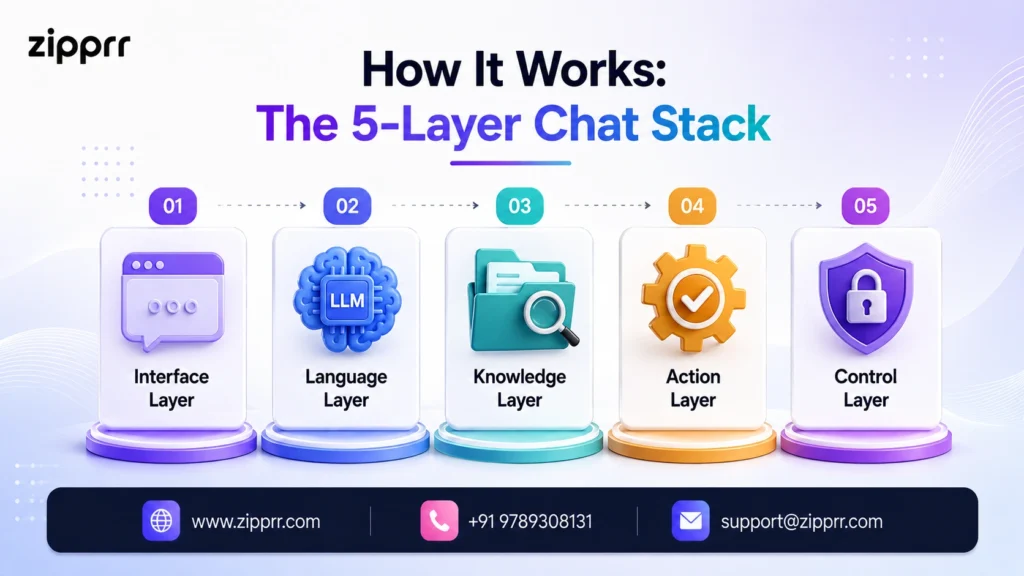
Every serious platform, whatever the marketing says, is built from the same five layers. I call this the 5-Layer Chat Stack, and it’s the fastest way to evaluate any vendor demo:
- Interface layer: the widget, WhatsApp thread, or messenger window where conversation happens. Judge it on customization, speed, and mobile behavior. (Weight matters more than you’d think: a bloated widget slows every page it sits on, which is why lean builds under 50 KB are worth seeking out.)
- Language layer: the LLM generating responses (GPT-class models, usually via API). Judge which models are supported, and whether you can swap them as better ones ship.
- Knowledge layer: your content (site pages, PDFs, help docs) retrieved before answering, a technique called retrieval-augmented generation (RAG). This is what stops the bot inventing answers. Judge what sources it ingests, whether answers carry citations back to your content, and how retraining works.
- Action layer: what the bot can do. Capture a lead, book a meeting, create a ticket, trigger a workflow. Judge the integrations, webhooks, and API.
- Control layer: analytics, transcripts, guardrails, human handoff, roles and permissions. Judge whether you can see failures and correct them.
A cheap widget nails layer 1 and fakes the rest. An enterprise platform charges you for all five whether you need them or not. The right buy is the one whose weak layers are ones you don’t need, a distinction that will save you thousands.
The Shift Nobody's Guide Mentions: Renting vs. Owning Your Chat Software
Here’s where this guide departs from every “best AI chatbots 2026” listicle you’ve read: almost all of them silently assume the only way to get AI chat software is a subscription. For years that was true. It isn’t anymore.
The market now offers three economic models:
| Model | You Pay | You Control | Risk Profile |
|---|---|---|---|
| SaaS subscription | Monthly/annual, forever; often per-seat or per-conversation | Configuration only | Price hikes, feature paywalls, vendor shutdown kills your bot |
| Build on raw APIs | Engineering months + ongoing maintenance | Everything | High upfront cost; you own a second product now |
| Own a licensed platform | One-time license + your hosting + optional API usage | Code, data, branding | You manage updates and uptime |
The third model, self-hosted one-time-license platforms, is the one the listicles skip, and it’s precisely where Zipprr AI Chat sits. AIchat by Zipprr is a self-hostable, white-label AI chat platform sold as a one-time license: the Startup plan is $490 once with 100% source code included, and the Pro plan is $890 once with multiple licenses for agencies (pricing as of 2026, with a 30-day money-back guarantee). You install it on your own server, brand it as your own, connect GPT-class models, and it’s yours, the way businesses used to own software before everything became a monthly bill.
I want to be careful here, because founder-to-founder honesty matters more than a clean pitch: ownership is not automatically better. It’s better for specific situations, and in the pricing section below we’ll run the actual three-year numbers so you can see exactly where the crossover sits. But the fact that entire comparison articles are written as if this option doesn’t exist tells you more about affiliate economics than about your best decision.
The Four Types of AI Chat Software (and Which One You're Actually Shopping For)
“AI chat software” gets used for four different product categories. Knowing which one you need eliminates 80% of the noise:
1. Personal AI assistants
ChatGPT, Claude, Gemini, Copilot, Perplexity. Brilliant tools, but for you, not your website. If a “best AI chat software” article spends its word count here (most do), it’s answering a different question than the one a business buyer is asking.
2. Customer-facing business chat platforms
Software you deploy on your site and channels to talk to your customers: SaaS names like Intercom and Tidio, enterprise conversational-AI vendors, and self-hosted platforms like Zipprr’s AIchat. This is the category this guide covers, and the one “AIChat software” buyers usually mean.
3. Internal knowledge bots
Chat trained on internal docs for employee self-service (HR policies, IT help). Same technology, inward-facing. Often a smart second deployment once your customer bot works.
4. Developer frameworks and CLI tools
Open-source building blocks (including, confusingly, a popular command-line tool also named “aichat” on GitHub). Powerful if you’re engineering a custom product; irrelevant if you want chat on your site this month.
Disambiguation worth 10 seconds: “AiChat” (aichat.com) is an enterprise conversational-AI company serving large Asian retail brands; “aichat” on GitHub is a developer CLI; AIchat by Zipprr is the self-hostable, white-label business platform this guide uses as its ownership-model example. Three different products, one crowded name. Now you know which door you’re walking through.
Where AI Chat Software Earns Its Keep: Use Cases by Industry
The pattern across every industry is identical (high question volume, high repetition, high cost of slow answers), but the money shows up in different places:
- E-commerce: pre-purchase questions (“does this fit / ship to / work with”), order status, returns. Chat here is a conversion tool first, support tool second. Bonus: in-chat product recommendations lift average order value, and platforms with native WooCommerce and Shopify support drop straight into existing stores.
- SaaS and software: trial-user onboarding questions answered in seconds instead of ticket queues; documentation made conversational. Faster first-value means better trial conversion.
- Real estate: 24/7 listing inquiries, viewing bookings, qualification (budget, area, timeline). Leads get captured while agents sleep.
- Agencies and consultants: a double play. Chat on your own site qualifies prospects, and white-label deployments for clients become a productized recurring service.
- Healthcare and clinics (admin only): appointment scheduling, hours, insurance-acceptance questions. Never diagnosis. Governance matters most here.
- Education and coaching: course questions, enrollment steps, payment plans. These are sales conversations that previously died in email lag.
- Travel and hospitality: availability, policies, local questions, multilingual guests. LLM-based chat’s language coverage embarrasses old scripted bots; modern platforms auto-detect the visitor’s browser language and respond accordingly.
What This Looks Like in Practice: Three Scenarios
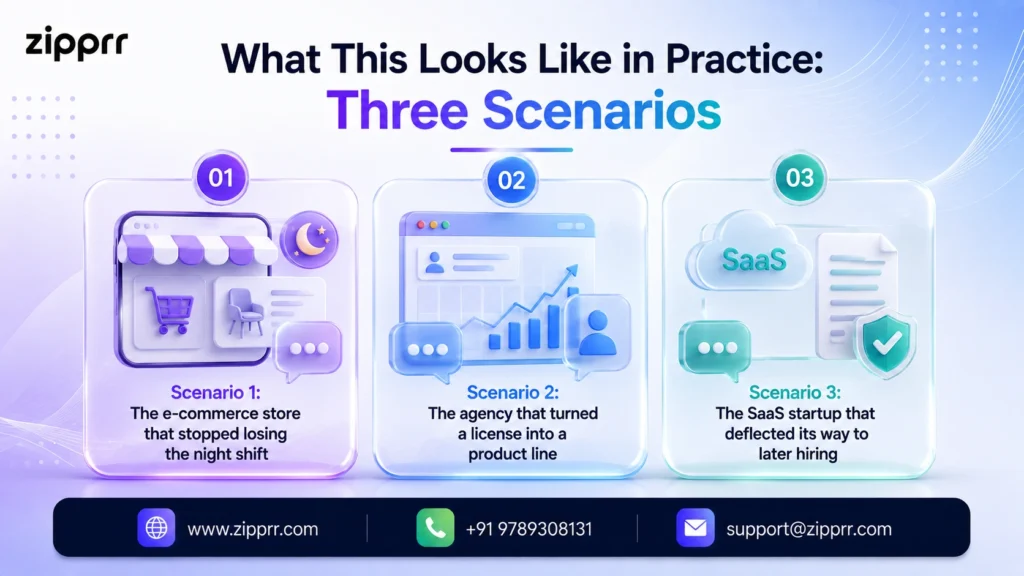
The following are hypothetical composite scenarios, built from typical deployment patterns rather than client data. The arithmetic is real; the companies are illustrative.
Scenario 1: The e-commerce store that stopped losing the night shift. A home-goods store doing $60k/month notices 40% of traffic arrives outside business hours. They deploy AI chat trained on product pages, shipping, and returns policies. The bot answers sizing and delivery questions instantly and hands anything about damaged orders to a human next morning. If after-hours conversion improves even 0.3 percentage points on 20,000 monthly visitors, that’s dozens of orders that previously walked.
Scenario 2: The agency that turned a license into a product line. A five-person web agency buys a white-label chat platform license, brands it, and offers “AI concierge setup + management” at a monthly service fee per client. Ten clients later, the one-time license cost is a rounding error against a new recurring revenue line. This model only works with white-label rights and multi-tenant licensing; subscription tools price per-workspace and keep their own branding, which is why ownership licensing matters disproportionately for agencies. (It’s also why platforms built for this model ship with client billing via Stripe, PayPal, and Razorpay already wired in.)
Scenario 3: The SaaS startup that deflected its way to later hiring. A two-founder SaaS gets 300 support emails monthly, 70% answerable from docs. A doc-trained bot contains most of those, pushing the “we need a support hire” decision back two quarters. That’s capital efficiency compounding exactly when startups need it.
Comparing Your Real Options in 2026
An honest comparison isn’t “which tool has the most features”; it’s “which economic model and capability level fits your stage.” Here’s the landscape a buyer actually chooses from:
| Option Class | Typical Cost (2026) | Best For | Watch Out For |
|---|---|---|---|
| Free/starter SaaS widgets | $0–50/mo | Testing the waters, microbusinesses | Usage caps, vendor branding, shallow knowledge training |
| Mid-tier SaaS platforms | $100–500/mo | Teams wanting managed everything | Per-seat/per-conversation creep, renewal hikes |
| Enterprise conversational AI | Custom, typically $1,000+/mo | High-volume omnichannel brands | Long sales cycles, contracts, over-capability for SMBs |
| Self-hosted one-time license (e.g., Zipprr AI Chat) | $490–890 once + hosting | Owners, agencies, data-control businesses | You manage server, updates, uptime |
| Build on raw LLM APIs | Months of engineering | Companies where chat is the product | You now maintain a second product forever |
Vendor-reported benchmarks give you a sense of the ceiling: leading enterprise vendors publicly cite containment rates around 90% across high-volume deployments (vendor-reported figures, as of 2026). You won’t hit that in week one with any tool, but 60–80% containment on repetitive queries is a realistic operating target once your knowledge layer is trained, based on what practitioners across these platforms consistently report.
Pricing: The 3-Year True Cost Nobody Shows You
Chat software pricing is designed to look small. $99/month sounds like lunch money. So let’s do what operators do and look at the 3-Year True Cost, because software you like is software you keep, and time is where subscriptions do their real work.
All figures below are illustrative estimates for a typical small business deployment; your quotes will vary. LLM API usage assumes moderate conversation volume passed through at cost.
| Cost Line | Mid-tier SaaS | Self-hosted One-time License |
|---|---|---|
| Software, year 1 | $1,800 ($150/mo avg) | $490 once (single license) |
| Software, years 2–3 | $3,600–4,300 (with typical renewal increases) | $0 |
| Hosting | Included | ~$360–720 ($10–20/mo VPS) |
| LLM API usage | Often metered/marked up | ~$360–1,080 (direct, at cost) |
| Setup/config | Included | 1–2 days (DIY or ~$200–500 one-time developer help) |
| 3-year total (est.) | ~$5,400–6,100+ | ~$1,400–2,800 |
Two honest observations. First, the SaaS column buys real things: managed uptime, support, zero server thinking. If you have no technical comfort and no developer within reach, that convenience can be worth every dollar. Second, the gap widens with scale. Per-conversation and per-seat pricing means SaaS costs grow with your success, while the ownership column barely moves. That asymmetry is the entire argument for a platform like Zipprr AI Chat: you convert an open-ended operating expense into a small, bounded capital expense, with the source code and your customer data in your own hands.
The ROI Calculation (Steal This Math)
Forget vague “efficiency gains.” Chat ROI comes from two measurable streams:
Stream 1: Deflected support cost. (Monthly repetitive inquiries) × (containment rate) × (cost per human answer). Example: 400 inquiries × 70% contained × $4 per answer (10 min at $24/hr loaded) = $1,120/month saved.
Stream 2: Captured revenue. (After-hours + form-abandoning visitors engaged) × (lead capture rate) × (lead-to-customer rate) × (customer value). Example: 1,000 engaged visitors × 8% capture × 10% close × $300 value = $2,400/month attributable revenue.
Against a $150/month subscription, that’s healthy. Against an owned license amortized to roughly $40–75/month all-in, it’s absurd. Run your numbers with conservative rates before buying anything. If the math doesn’t clear at 50% of your assumptions, fix the underlying funnel first. A chatbot amplifies a business; it doesn’t repair one.
The Benefits, and the Limitations Vendors Mumble Past
What you actually get when it’s done right: round-the-clock instant answers; lead capture that outperforms static forms because conversation lowers commitment friction; support cost that scales sub-linearly with growth; multilingual coverage without multilingual staff; a searchable transcript archive that doubles as market research (your customers will literally type their objections into it); and consistency. The bot never has a bad day and never improvises policy.
What vendors won’t lead with:
- Hallucination risk is real. An ungrounded LLM will confidently invent a refund policy. Mitigation is architectural: strict knowledge grounding (RAG), answers with citations back to your source content, and “I don’t know → human handoff” as a designed path, not a failure state.
- Setup is a project, not a toggle. The tools are easy; your content is the work. A bot trained on a thin FAQ gives thin answers. (Platforms that crawl your whole site, sitemaps, and even Notion or Google Docs shrink this workload considerably.)
- Some customers want humans. Complex, emotional, or high-value conversations should route to people fast. Look for one-click human takeover and a live operator inbox. The costliest chat mistake isn’t a wrong answer; it’s trapping an angry customer in a loop.
- Self-hosting has a real overhead. Updates, backups, server patches. Small, but not zero. If that sentence made you tired, buy managed SaaS or budget a maintenance retainer.
- Metrics can lie. A 90% containment rate is bad news if 30% of contained users left unsatisfied. Audit transcripts, not just dashboards, and favor analytics that surface knowledge gaps automatically.
The OWN Framework: A Buyer's Checklist That Fits on One Page
After too many software purchases, I evaluate every chat platform on three axes. I call it O.W.N.: Ownership economics, Workflow fit, Numbers.
Ownership economics
- ☐ What does year 3 cost, not month 1?
- ☐ Who owns the data and transcripts? Where do they live?
- ☐ Can I rebrand/white-label it? Resell it? Do I get the source code?
- ☐ What happens if the vendor raises prices 40%, or disappears?
Workflow fit
- ☐ Can it train on my actual content (site, sitemaps, docs, Notion, Google Docs)?
- ☐ Does it hand off to humans gracefully, and notify them where they already work (Slack, email, a live inbox)?
- ☐ Does it push leads into my CRM/email tools without duct tape?
- ☐ Does it work with my stack (WordPress, Shopify, React, plain HTML) today, not “on the roadmap”?
Numbers
- ☐ Does my ROI math clear at conservative assumptions?
- ☐ Are API/usage costs passed through at cost or marked up?
- ☐ What are the caps (conversations, seats, pages trained) and the overage prices?
- ☐ Can I see containment, CSAT, captured leads, and knowledge gaps in its analytics?
Any platform that clears all three columns for your situation is a defensible buy. Most fail on the column their pricing page talks about least.
The 30-Day Implementation Roadmap
Deploying AI chat software well is a four-week project. Here’s the sequence I’d run, and have run:
Week 1: Foundation.
- Pull your last 200 support emails/chats. Tag them. The top 20 questions are your bot’s first job description.
- Write (or fix) canonical answers for each: short, definitive, current. Bad content in, bad bot out.
- Choose your platform using the OWN checklist. If ownership economics won, get your license and hosting sorted. For AIchat, that starts at the Zipprr AI Chat product page; a standard VPS and an afternoon with the docs typically covers installation, and the 30-day money-back window means you can validate before you’re committed.
Week 2: Training and guardrails.
- Ingest your knowledge sources: website, help docs, policy pages, the answers from step 2.
- Set personality and boundaries: tone guidelines, forbidden topics (pricing exceptions, legal promises, medical/financial advice), and the explicit “escalate when unsure” rule.
- Configure handoff: who gets notified, where (email, Slack, live inbox), and what the visitor is told meanwhile.
Week 3: Controlled launch.
- Internal red-team week: your team tries to break it with ambiguous phrasing, angry-customer roleplay, and off-topic bait. Log every failure; fix content, not just settings.
- Soft launch on low-traffic pages. Read every transcript this week. This is the highest-leverage hour a founder can spend on the project.
Week 4: Full deployment and instrumentation.
- Roll out sitewide plus priority channels. Wire lead capture into your CRM and test the pipeline end to end.
- Stand up the weekly scorecard: containment rate, leads captured, handoff volume, unanswered questions. Feed unanswered questions back into training every Friday.
After day 30, the cadence drops to a monthly transcript audit and content refresh. Budget two hours a month. Skipping it is how good bots rot.
Best Practices and Hard-Won Expert Tips
Practices that separate professional deployments from widget-slappers:
- Announce the AI honestly. “I’m the AI assistant. I can answer most questions instantly or get you a human” outperforms fake human personas on trust and expectations.
- Design the first message for the page. A pricing-page visitor and a docs-page visitor deserve different openers. Context-aware greetings measurably outperform a generic “How can I help?”
- Make handoff a feature, not an apology. “Let me get Sarah, she handles this personally” turns escalation into service.
Founder-to-founder tips you won’t find on feature pages:
Expert note: Your chat transcripts are the cheapest market research you will ever own. Within 60 days you’ll have customers’ objections, vocabulary, and feature requests verbatim. Feed them to your sales pages and product roadmap. Half my clients get more value from this than from the deflection itself.
Expert note: Track the “silent failure” metric: conversations where the visitor stopped replying after a bot answer. Dashboards call these “contained.” Often they’re just abandoned. Sample ten weekly and read them.
Expert note: If you’re an agency, price chat as a managed service, not a product. The license (yours once, with white-label rights and built-in client billing) is the cost of goods; the monthly value is monitoring, retraining, and reporting. Clients happily pay for outcomes they can see in a monthly one-pager.
Myths and Mistakes
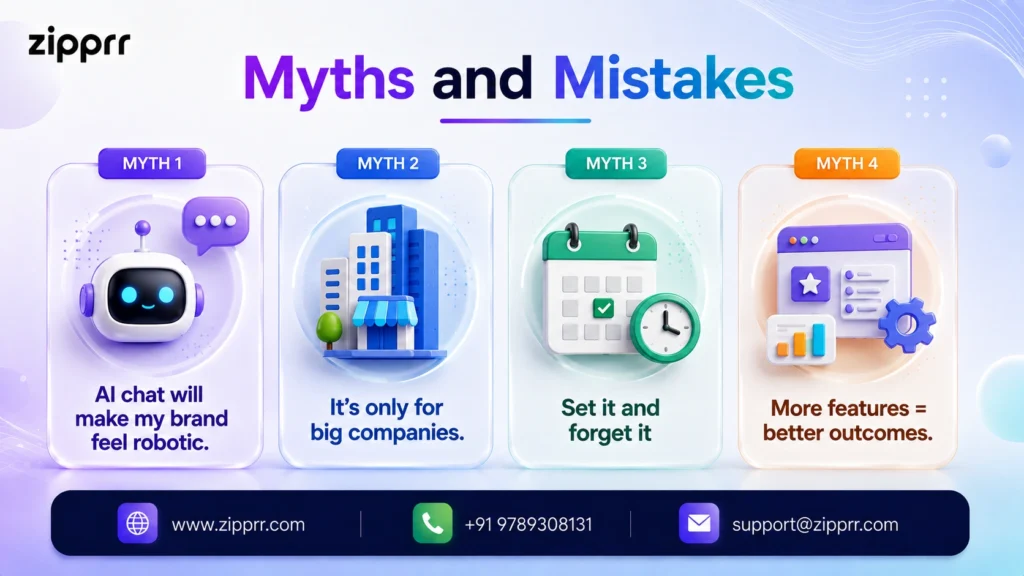
Myth 1: “AI chat will make my brand feel robotic.” Scripted chatbots earned that reputation; LLM-based chat trained on your voice reads like your best support rep on their best day. What feels robotic is a contact form with a two-day SLA.
Myth 2: “It’s only for big companies.” The economics have inverted. Enterprise capability at one-time-license prices means the smaller you are, the more disproportionate the benefit of a tireless first responder.
Myth 3: “Set it and forget it.” A chatbot is a garden, not a statue. Two hours of monthly tending keeps it accurate; zero hours yields confidently outdated answers by quarter’s end.
Myth 4: “More features = better outcomes.” Containment and conversion come from the knowledge layer, which is mostly your content quality. A modest platform with excellent training beats a feature monster with a thin knowledge base every time.
The five mistakes I see repeatedly: launching without transcript review habits; training on a stale FAQ page and nothing else; hiding the human escape hatch; ignoring per-conversation pricing until the growth-month invoice arrives; and letting the bot answer policy/legal/medical questions it should always escalate.
The Decision Matrix
Score each option 1–5 per row for your situation; multiply by the weight; highest total wins. (Weights are a sensible default. Adjust to taste.)
| Criterion (Weight) | Free SaaS | Mid-tier SaaS | Enterprise | Self-hosted License |
|---|---|---|---|---|
| 3-year cost efficiency (×3) | 4 | 2 | 1 | 5 |
| Data control & privacy (×2) | 2 | 3 | 4 | 5 |
| Ease of setup (×2) | 5 | 4 | 3 | 3 |
| Scalability of cost (×2) | 2 | 2 | 3 | 5 |
| White-label/resale rights (×1) | 1 | 2 | 2 | 5 |
| Managed support (×1) | 2 | 4 | 5 | 2 |
Typical results: solo non-technical owners land on mid-tier SaaS; growth-stage businesses, technical teams, and especially agencies land on self-hosted ownership; only high-volume omnichannel brands justify enterprise contracts. There is no universal winner. There is a winner for your row weights.
Security, Privacy, and Governance: The Section Your Lawyer Wishes You'd Read First
Chat transcripts are a strange asset class: they’re marketing gold and compliance liability in the same file. Every conversation potentially contains names, emails, order details, health hints, payment complaints. All of it volunteered freely, stored somewhere, governed by rules that were written before customers routinely typed their problems into text boxes.
Here’s the operator’s version of what matters, without the legal-memo fog:
Know where transcripts live. With SaaS chat, your customer conversations sit on the vendor’s infrastructure, in the vendor’s chosen jurisdiction, under the vendor’s retention defaults. That’s not automatically bad (reputable vendors run better security than most SMBs), but it is a data-processing relationship you’re accountable for under GDPR, CCPA, and their growing family of cousins. You need a processor agreement, a stated retention period, and an answer to “where, geographically, is this data?” Self-hosting collapses most of that inquiry: conversations live on your server, in your chosen region, deleted on your schedule. For businesses in regulated industries or privacy-sensitive European markets, this alone can decide the rent-vs-own question before any pricing math does.
Mind the second data flow. LLM-powered chat usually means conversation content passes to a model provider’s API. Check the provider’s data-use terms: as of 2026, major providers including OpenAI state that API-submitted data is not used to train their models by default, but verify the current policy for the specific model and tier you’re using rather than assuming. Your platform’s job is to let you minimize what’s sent; good ones strip or mask obvious personal identifiers before the API call.
Write the boundaries down. Every deployment should have a one-page governance note: topics the bot must never answer (legal advice, medical guidance, payment disputes above a threshold), the escalation rule for each, retention period for transcripts, and who reviews the log. This takes an hour, and it’s the difference between “we have an AI policy” and improvising during an incident.
Disclose the AI. Beyond being good practice, AI-disclosure requirements are spreading through consumer-protection and AI-specific regulation in multiple jurisdictions. “You’re chatting with our AI assistant” costs you nothing and future-proofs you nicely.
None of this should scare you off. The same obligations already applied to your email inbox and contact forms; chat just concentrates them. It’s simply the part of the project that deserves an hour of adult attention before launch rather than after a subject-access request arrives.
Migrating from Live Chat or a Scripted Bot (Without Burning What Works)
Most buyers in 2026 aren’t starting from zero. They’re sitting on an Intercom/Tidio/LiveChat-style setup or a creaky decision-tree bot, wondering whether switching is worth the disruption. A few hard-earned rules:
Mine before you migrate. Your existing chat history is a pre-built training corpus. Export it. The questions your old system failed to answer are the most valuable rows; they’re literally a list of what your new knowledge layer must cover on day one.
Run parallel, not cold-cutover. Keep the old system on your low-stakes pages while the new AI handles one high-traffic section for two weeks. Compare containment, lead capture, and complaint volume side by side. Software decisions made on real traffic beat decisions made on demos every time.
Keep the humans’ muscle memory. If your team lives in a shared inbox or Slack, make the new platform’s handoffs land there too. Migrations fail socially before they fail technically; a support team that hates the new tool will quietly route around it.
Renegotiate or exit cleanly. Check your current contract’s renewal date now; annual auto-renewals have a way of arriving mid-migration. And when you cancel, export everything: transcripts, contact captures, tags. Data you leave behind is tuition paid twice.
A migration done this way typically takes the same 30 days as the fresh-start roadmap above, with week 1 spent mining history instead of writing answers from scratch. That often makes it faster than a first-time deployment.
Where This Is All Going: 2026 and Beyond
Four shifts are already visible and worth planning around:
- From answering to acting. The frontier is agentic AI: chat that doesn’t just explain your refund policy but processes the refund, books the appointment, updates the order. The action layer of the stack is becoming the differentiator; buy platforms with real APIs and visual workflow automation so you’re positioned for it.
- Voice joins the widget. As voice input normalizes (and voice search grows), text-first chat platforms are adding speech interfaces; some already ship with built-in voice input. The knowledge layer you build today powers both.
- AI answers citing AI-ready businesses. ChatGPT, Perplexity, Gemini, and Google’s AI Overviews increasingly are the front door to your business. A well-structured knowledge base (the same one your chatbot runs on) is becoming your visibility asset in AI search. One investment, two payoffs.
- Ownership pressure on SaaS pricing. As per-resolution pricing spreads at the top of the market, expect a counter-current of businesses moving to owned and self-hosted deployments for cost predictability and data sovereignty. It’s the same migration pattern web hosting and email marketing went through.
The through-line: conversational interfaces are becoming the default way customers expect to interact with businesses. The companies that treat chat as infrastructure (owned, trained, measured) will compound advantages the widget-slappers never see.
Ready to Launch Your Own AI Chat?
covering the one-time license offer ($490 Startup / $890 Pro), self-hosted white-label ownership with full source code, training on your own content with cited answers, lead capture and live inbox features, the 30-day money-back guarantee with 90 days of support, and a free demo request as the closing action.



