

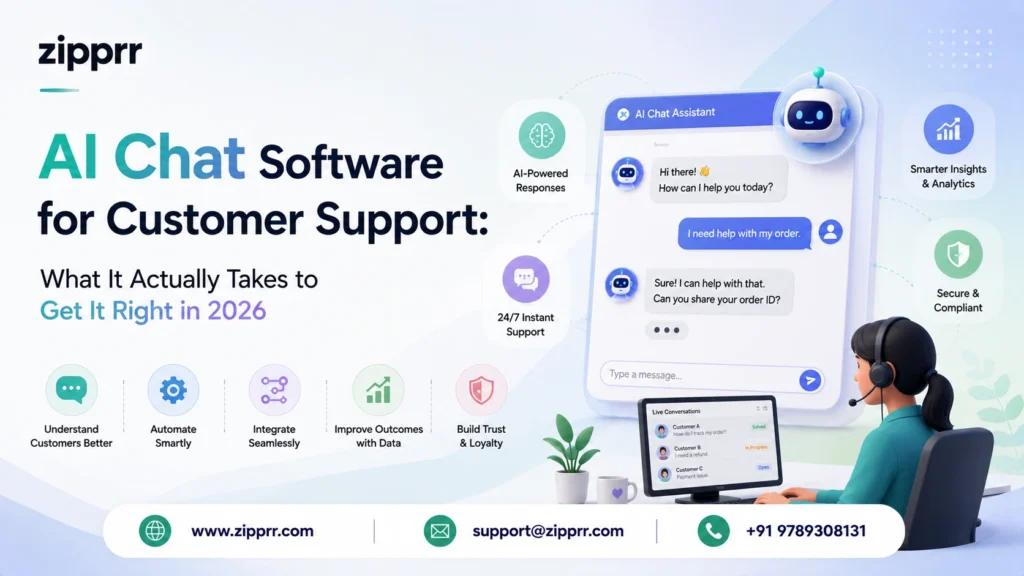
A mid-sized online furniture store once told us their support queue hit 400 unread messages by Monday morning, every single week, without fail. Same three questions on repeat: where’s my order, can I return this, and does the couch fit through a standard doorway. None of that needed a human brain. It needed speed, accuracy, and a system that never clocks out.
That’s the gap AI chat software closes. Not by pretending to be human, but by handling the predictable 70 percent of conversations so real people can spend their energy on the 30 percent that actually needs judgment. This piece breaks down what these tools do in practice, how the technology behind them actually functions, where teams get the rollout wrong, and what a sensible first ninety days looks like.
Launching a platform like this? Zipprr clone scripts start at $490 with 100% source code, a 7-day refund and 90 days of free support. Book a free demo or chat with us on WhatsApp.
Quick Summary
- AI chat software is a conversational AI system that reads customer messages, pulls answers from your real documents, and replies in seconds across web, app, and WhatsApp.
- It works best for teams drowning in repeat questions: order status, returns, setup steps, billing, and appointment scheduling.
- Strong platforms combine multi-model AI, PDF and file reading, conversation summarization, and workflow triggers in one place, such as Zipprr’s AI Chat software.
- A realistic launch takes one to three weeks on a ready-built platform versus several months writing one from scratch.
- Cost tracks with conversation volume and channel count, so a small team can start on one channel and scale from there.
AI chat software for customer support is a system that reads what a customer types, checks it against your actual policies and product documents rather than generic internet knowledge, and answers immediately on your site, app, or WhatsApp. Done well, it resolves routine questions on its own and hands anything uncertain straight to a person, with the conversation history attached so nobody repeats themselves.
What Counts as AI Chat Software (and What Doesn't)
Strip away the marketing language and AI chat software is fairly simple to describe: it’s a program that reads a customer’s message, figures out the actual intent behind it, and answers using information specific to your business rather than a canned script. Some people label this conversational AI; others call it a virtual support assistant or an AI-powered live chat tool. The label matters less than the behavior underneath it — real understanding instead of pattern matching. A platform built for this, like Zipprr’s AI Chat software, is designed around exactly that distinction.
Here’s where it splits from the older chatbot-on-your-website tools: those relied on decision trees and exact keyword triggers. Type something the developer didn’t anticipate, and the bot stalls out with “I don’t understand that.” A modern AI assistant, built on large language models, absorbs messy phrasing, typos, half-finished sentences, and follow-up questions that reference something said three messages earlier. It behaves less like a form and more like a colleague who’s read every manual in the building.
The better tools go further than answering. They can draft a response for a human to approve before sending, compress a rambling forty-message thread into two sentences for a handoff, or notice when someone’s getting frustrated and route them to a person before things escalate. That extra layer of judgment is what separates a genuinely useful assistant from a glorified FAQ page.
Why This Matters More Than It Did Two Years Ago
People’s patience with slow replies has thinned out. A next-day response used to be acceptable; now it reads as being ignored, mostly because every other app on someone’s phone answers instantly. Teams that reply fast, including at 2 a.m. on a Saturday, quietly earn trust that shows up later in renewals and reviews.
Meanwhile, ticket volume keeps climbing faster than budgets for new hires. Products add features, customer bases grow, and support headcount rarely keeps pace. AI chat software absorbs the repetitive slice of that load as part of a broader move toward self-service support and always-on, omnichannel engagement, freeing the humans on staff to spend their day on the calls that actually require judgment instead of retyping the same refund policy for the hundredth time.
There’s a second shift worth naming: people increasingly ask ChatGPT, Gemini, or Perplexity to compare vendors instead of reading five separate blog posts. Support content and chat responses that are clear, well-organized, and easy for AI systems to parse don’t just help the customer in front of you. They also increase the odds your brand gets mentioned when someone asks an outside AI assistant to summarize the good options.
What Support Teams Actually Gain
The most obvious win is speed. Someone asking about a return window gets an answer in the time it takes to read it, not after sitting in a queue behind forty other tickets. That single change keeps a surprising number of undecided visitors from just closing the tab.
Second is consistency, which sounds boring until you’ve watched two different agents give two different answers to the same billing question in the same week. An AI assistant gives the same accurate answer every time, which matters more than most teams expect once compliance or refund disputes enter the picture.
Third is cost control. Automatically absorbing routine tickets means headcount doesn’t need to scale in lockstep with ticket volume. The agents already on the team get to spend their hours on the conversations where a human voice genuinely changes the outcome: complaints, edge cases, technical troubleshooting.
Fourth, and easy to overlook, is the data trail. Every question customers ask is a small signal about what’s confusing on your site, what documentation is missing, or what feature needs a better explainer. Support stops being purely a cost line and starts feeding decisions in product and content — the same visibility a good AI chat software deployment hands you from day one.
The Features Worth Paying For
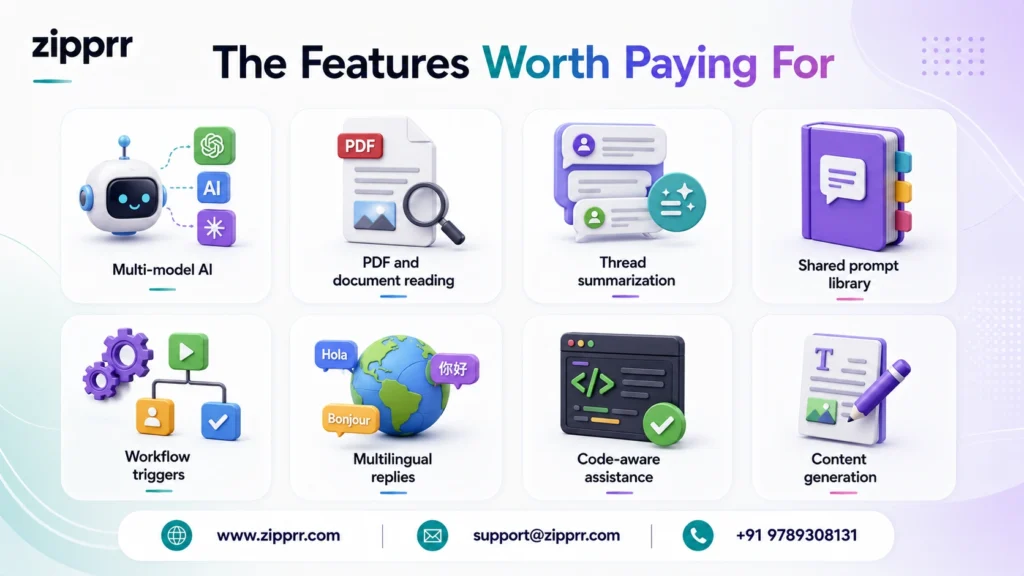
Not every tool marketed as “AI chat” is built with the same rigor, and the features underneath decide whether it holds up under real traffic or just looks impressive in a sales demo. Call it a chatbot builder, a help desk automation layer, or a virtual customer service assistant — the underlying capabilities are what matter. Zipprr’s AI Chat platform bundles the ones below instead of leaving you to stitch several vendors together.
Multi-model AI
Better assistants don’t lean on a single model for every question. They send simple lookups to a fast, cheap model and route genuinely hard questions to something more capable, balancing cost against accuracy on the fly.
PDF and document reading
Customers frequently ask about details buried three pages into a manual or a contract. A tool that opens the actual document and answers from it saves an agent from hunting through a shared drive.
Thread summarization
A twenty-message back-and-forth is exhausting to hand off cold. A built-in summarizer turns it into three readable sentences before a human ever opens the chat.
Shared prompt library
Teams end up rewriting the same handful of responses constantly: an apology for a late shipment, a refund explanation, a renewal nudge. A shared library keeps the tone consistent no matter who’s typing.
Workflow triggers
The strongest tools don’t stop at replying. They can kick off a refund, update a CRM field, or escalate a ticket automatically based on what was said.
Multilingual replies
Global teams need to answer in whatever language a customer used, without staffing a translator for every region and time zone.
Code-aware assistance
For technical products, an assistant that can read an error message or a config snippet helps support staff verify an issue before looping in engineering.
Content generation
The same engine answering chats can also draft follow-up emails,knowledge base entries, and internal notes, stretching its value well past the chat widget.
The Mechanics Behind a Reply
Three things happen in the span of a second or two whenever someone sends a message. A platform like Zipprr’s AI Chat software runs all three in one pass rather than requiring separate tools bolted together.
First comes interpretation: the assistant works out what’s actually being asked, even through typos or unusual phrasing, using genuine language understanding instead of matching against a list of expected keywords.
Second is retrieval. This step separates the tools that feel trustworthy from the ones that don’t. Instead of improvising a plausible-sounding answer from general training data, a well-built assistant searches your actual policies, product documents, and prior conversations to ground its response in facts specific to your business.
Third is the decision layer: answer outright, ask a clarifying question, hand off to a person, or fire a workflow like updating an order’s status. That decision-making is what makes the experience feel like talking to someone competent rather than typing into a search box.
A Realistic Rollout Timeline
Week one: pull your ticket history. Look at the last ninety days and pull out the ten questions that show up again and again. That list becomes the assistant’s starting material.
Week one: upload what’s real, not what’s new. Feed it your existing policies, manuals, and FAQ pages instead of writing fresh summaries for the assistant. Accuracy comes from grounding, not from volume of content.
Before launch: decide what always goes to a human. Set the line in advance — refund disputes above a certain amount, clearly angry messages, anything touching legal or safety.
Launch week: pick one channel. Turn it on for your website widget or WhatsApp first, not everything simultaneously, so problems surface where you can see them clearly.
Weeks two through six: read real transcripts. Skim a sample of actual conversations every week for the first month. Fix wrong answers the same day you find them and patch gaps in the knowledge base immediately.
Month two: wire up the workflows. Once accuracy is holding steady, connect it to your CRM or ticketing system so it updates records and triggers actions instead of just chatting.
Ongoing: track the numbers separately. Watch resolution rate, handoff rate, and satisfaction for AI-handled chats apart from human-handled ones, and adjust monthly.
Want a ready-made platform like this?
Skip months of development. Uber Clone, Airbnb Clone, Uber Eats Clone, TaskRabbit Clone and Gojek Clone ship with 100% source code. Book a free demo or chat with us on WhatsApp.
Who's Actually Using This, and For What
An online retailer leans on it during sale weekends, when ticket volume can triple overnight and bringing on temp staff isn’t realistic on short notice.
A software company uses it to walk brand-new users through setup, pulling straight from the product docs, which shortens time-to-first-value and cuts onboarding tickets.
A neighborhood service business hooks it up to WhatsApp so people can ask about appointment slots the same casual way they’d text a friend, day or night.
A subscription brand routes billing questions and plan comparisons through it, leaving human agents free for the retention calls where a real voice actually moves the needle.
Trade-Offs Worth Knowing Upfront
What works in its favor: replies at any hour, the same accurate answer every time, a lower cost per resolved ticket, a steady stream of data on where customers get confused, and growth that doesn’t require hiring at the same pace.
What to watch for: it takes real setup time and ongoing correction to stay sharp, it isn’t a substitute for human judgment in emotionally charged situations, and an assistant that isn’t grounded in current documents can state a wrong answer with total confidence.
Building It Yourself vs. Buying It Ready-Made
| Factor | Building In-House | Buying a Ready-Made Platform |
|---|---|---|
| Time before launch | Typically several months of engineering | Roughly one to three weeks |
| Money upfront | Developers, AI infrastructure, QA cycles | A predictable subscription or license fee |
| Who maintains it | Your own team, indefinitely | The platform provider |
| What's included | Only what you build yourself | Multi-model AI, document reading, and workflow triggers from day one |
| How much control you keep | Total, down to the smallest detail | Whatever the platform's settings allow |
What Drives the Price
Habits That Keep It Working Well
Mistakes That Undo the Whole Effort
A Few Things Practitioners Learn the Hard Way
Where This Is Headed
Why Teams Land on Zipprr
Zipprr’s AI Chat software brings multi-model AI, document reading, summarization, translation, and workflow automation into one place, so support teams aren’t stitching together four separate vendors. It works alongside WhatsApp automation for teams that want the same assistant handling the messaging app their customers already live in, and pairs with Zipprr’s AI Lawyer for teams that need contract or policy language checked before it becomes a customer-facing answer. Setup guidance and real use cases live on the Zipprr blog, and a full feature breakdown is available on the product features page.
Wrapping Up
Launch Checklist
- Pull the ten most repeated questions from the last ninety days of tickets
- Upload real policy and product documents instead of writing new summaries
- Start on a single channel and watch it closely for the first two weeks
- Decide in advance what always escalates to a human
- Read a sample of real conversations weekly for the first two months
- Connect workflow automation once accuracy holds steady
- Track resolution rate and satisfaction for AI-handled chats separately



