

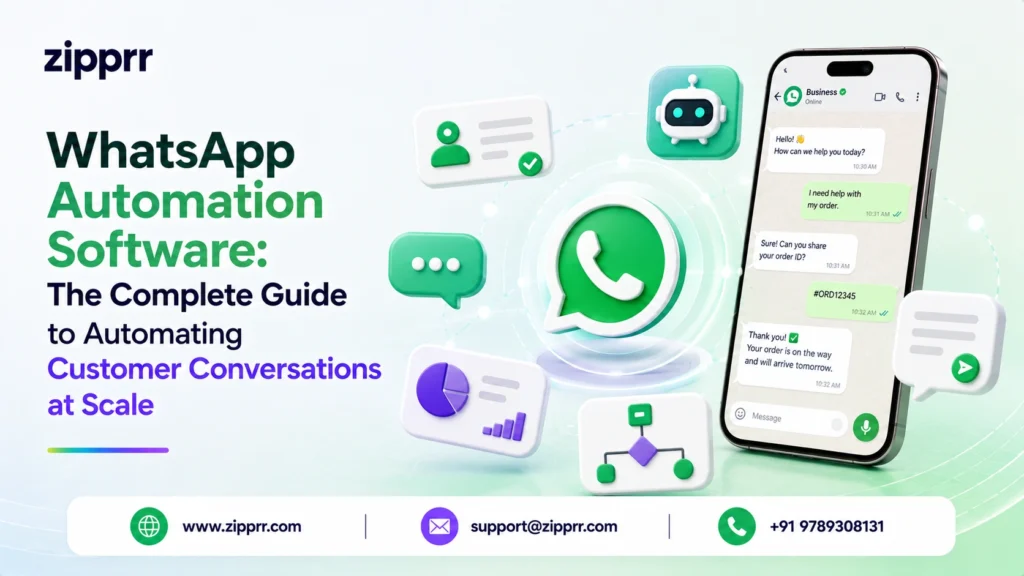
Most customers now expect a reply within minutes, not hours. They message businesses the same way they message friends, on WhatsApp. With more than two billion people using the app worldwide, it has quietly become one of the most important channels a company can own. WhatsApp automation software closes the gap between that demand and what a human team can handle, letting you greet every customer instantly and answer common questions without an agent.
The problem is simple: people cannot answer thousands of messages instantly, around the clock, in multiple languages, without mistakes or burnout. Automation solves that by handling routine conversations automatically and passing complex issues to a real person only when needed. The result is a customer experience that feels fast and personal, even when a small team is behind it.
This guide explains what WhatsApp automation software is, how it works, the features that matter, and how to roll it out responsibly. It is written for entrepreneurs, business owners, startups, SMEs, enterprises, SaaS companies, agencies, and product teams who want to turn WhatsApp into a reliable, automated customer experience channel rather than another inbox to babysit.
Launching a platform like this? Zipprr clone scripts start at $490 with 100% source code, a 7-day refund and 90 days of free support. Book a free demo or chat with us on WhatsApp.
What Is WhatsApp Automation Software?
A dedicated WhatsApp automation platform sits on top of the WhatsApp Business Platform (the API tier meant for medium and large message volumes) and adds the layer businesses actually need: a visual flow builder, a chatbot, broadcast and campaign tools, a shared team inbox, contact management, and analytics. Many platforms also connect to a CRM, e-commerce store, payment gateway, or helpdesk so conversations stay in sync with the rest of the business.
WhatsApp Business App vs. WhatsApp Business API vs. Automation Software
| Option | Best for | Automation depth | Multi-agent |
|---|---|---|---|
| WhatsApp Business App | Solo owners, micro businesses | Basic (quick replies, away messages) | Limited |
| WhatsApp Business API (raw) | Developers building custom tools | Full, but you build everything | Yes, if built |
| WhatsApp Automation Software | Growing teams, SMEs, enterprises | Full, out of the box | Yes, shared inbox |
Why Businesses Need WhatsApp Automation
The case for automation is not about cutting costs at any price. It is about meeting customer expectations that have permanently shifted toward instant, conversational service. A few reasons this channel matters:
- Reach where customers already are. Email open rates hover around 20%, while WhatsApp messages are commonly opened within minutes, so important updates actually get seen.
- Instant response, always on. Automated flows reply the moment a message arrives, including nights, weekends, and holidays.
- Scale without proportional headcount. One well-built chatbot can resolve the same questions that would otherwise consume an entire support shift.
- Consistency. Every customer gets the same accurate answer, pricing, and policy, no matter which agent or bot responds.
- Higher conversion. Abandoned-cart nudges, product recommendations, and quick checkout links move buyers along the funnel inside the chat.
For a customer experience team, the payoff is a channel that feels human and responsive while quietly running on rules and AI in the background.
Common Business Challenges WhatsApp Automation Solves
Before adopting automation, most teams struggle with the same recurring problems:
- Slow response times. Customers wait hours for a reply and lose patience, often buying from a faster competitor.
- Repetitive questions. Agents spend most of their day answering the same handful of questions about hours, pricing, order status, and returns.
- After-hours silence. Messages sent at night sit unanswered until morning, killing momentum on hot leads.
- Missed follow-ups. Manual follow-up is easy to forget, so warm leads go cold and carts stay abandoned.
- Fragmented context. Conversations live in a phone separate from the CRM, so agents lack history and repeat questions.
- Hard-to-measure results. Without analytics, it is impossible to know what customers ask most or where they drop off.
- Scaling pain. Every new market or product spike means hiring more agents just to keep up with message volume.
How WhatsApp Automation Software Solves Those Challenges
Each challenge above maps to a specific capability. A modern WhatsApp automation solution addresses them as follows.
| Challenge | How automation solves it |
|---|---|
| Slow response times | Auto-replies and chatbots respond instantly, 24/7 |
| Repetitive questions | Answer bots and decision-tree flows deflect common queries |
| After-hours silence | Always-on workflows keep conversations moving overnight |
| Missed follow-ups | Scheduled drip sequences and triggered reminders run automatically |
| Fragmented context | CRM and e-commerce integrations sync full conversation history |
| Hard-to-measure results | Analytics dashboards track volume, resolution rate, and conversions |
| Scaling pain | Bots absorb volume spikes, agents handle only escalations |
How it works, step by step:
- A customer sends a message or triggers an event, such as adding to cart, booking an appointment, or placing an order.
- The platform receives it through the WhatsApp Business API and identifies the contact.
- An automation flow or AI chatbot interprets the intent and responds with the right message, menu, or action.
- If the request is routine, the bot resolves it end to end by sending a tracking link, answering a question, or booking a slot.
- If it needs a human, the conversation is routed to an available agent in a shared inbox with full context.
- Every interaction is logged, synced to connected systems, and measured in analytics.
Core Features of WhatsApp Automation Software
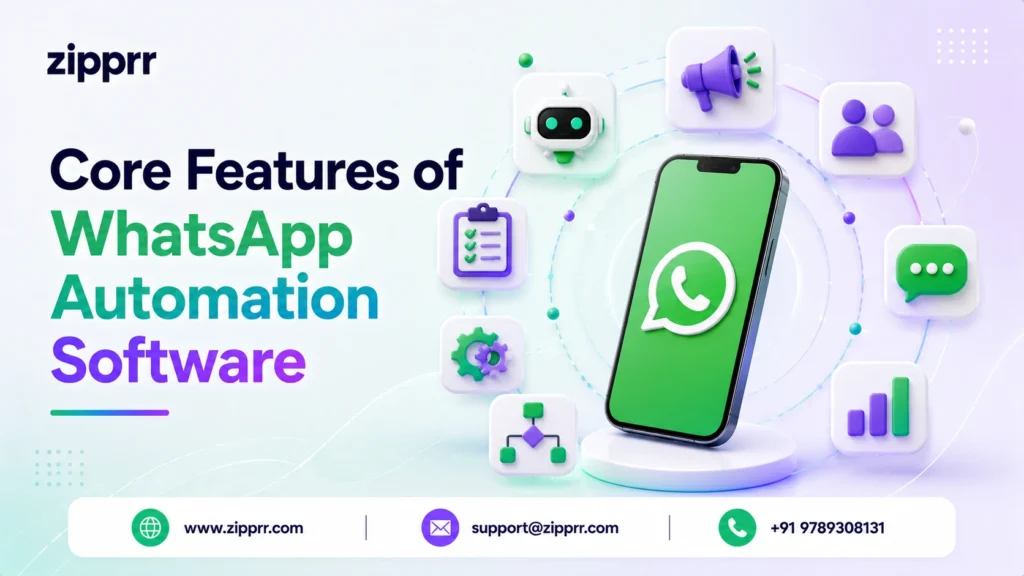
Chatbot & AI Conversation Engine
A no-code or AI-driven bot that understands natural language, answers questions, and guides customers through menus. Modern engines use machine learning and natural language processing to recognize intent instead of relying on exact keywords.
2. Visual Workflow & Flow Builder
A drag-and-drop canvas to design conversation paths, conditions, and branches without writing code. This is where welcome flows, qualification questions, and escalation rules are configured.
3. Broadcast & Campaign Messaging
Send approved template messages to opted-in audiences, including product launches, offers, and reminders, while respecting WhatsApp’s messaging policies and rate limits.
4. Shared Team Inbox
Multiple agents work from one WhatsApp number, with assignment, tags, internal notes, and handoff so nothing falls through the cracks.
5. Auto-Replies & Triggers
Instant responses to keywords, greetings, away periods, and events. Triggers can fire from webhooks, for example an order status change in your store.
6. CRM, E-commerce & Payment Integrations
Two-way sync with tools like a CRM, ERP, Shopify or WooCommerce store, helpdesk, and payment gateway so conversations drive real transactions and stay in context.
7. Contact Segmentation & Personalization
Tag and group contacts by behavior, purchase history, or attributes, then personalize messages using dynamic variables like name, order number, or location.
8. Template Management
Create, submit, and manage the pre-approved message templates WhatsApp requires for business-initiated conversations, including buttons and quick replies.
9. Analytics & Reporting
Dashboards for message volume, response time, resolution rate, campaign performance, and conversion, the data a customer experience team needs to improve continuously.
10. Security, Roles & Compliance
Encryption in transit, role-based access, audit logs, opt-in management, and consent handling to keep the channel compliant with data-protection rules.
Key Benefits
- Faster resolutions. Instant answers cut wait times from hours to seconds for common questions.
- Lower cost per conversation. Automation deflects routine volume so agents focus on high-value cases.
- Higher customer satisfaction. Quick, consistent, personal replies lift CSAT and loyalty.
- More qualified leads. Bots pre-qualify and route only sales-ready prospects to your team.
- Round-the-clock availability. The channel never sleeps, so no lead or question goes unanswered.
- Better data. Every conversation becomes measurable, feeding smarter decisions.
- Scalable growth. Handle 10x message volume without 10x the team.
Industry Applications
| Industry | How WhatsApp automation is used |
|---|---|
| E-commerce & Retail | Order confirmations, shipping updates, abandoned-cart recovery, product questions |
| Healthcare & Clinics | Appointment booking, reminders, pre-visit instructions, follow-ups |
| Banking & Fintech | Transaction alerts, balance queries, KYC prompts, fraud notifications |
| Travel & Hospitality | Booking confirmations, check-in details, itinerary changes, support |
| Education & EdTech | Enrollment queries, class reminders, fee notices, student support |
| Real Estate | Lead capture, property inquiries, viewing scheduling, follow-ups |
| SaaS & Tech | Onboarding, trial nudges, renewal reminders, tier-1 support |
| Logistics & Delivery | Live tracking, delivery windows, address confirmation, ETA updates |
Real-World Use Cases
Use Case 1: Abandoned-Cart Recovery for an Online Store
A shopper adds items but does not check out. A webhook triggers a WhatsApp flow that sends a friendly reminder with the cart contents and a checkout link. If there is still no purchase, a second message offers help or a small incentive. Recovering even a fraction of lost carts pays for the software many times over.
Use Case 2: 24/7 Tier-1 Support for a SaaS Company
Common questions about password resets, billing, and feature how-tos are handled by an AI chatbot pulling from a knowledge base. Only edge cases reach a human, freeing the support team to solve harder problems while keeping first-response time near zero.
Use Case 3: Appointment Booking for a Clinic
Patients message the clinic number, pick a service and time from an interactive menu, and receive a confirmation plus reminders. No-shows drop because reminders go out automatically the day before.
Use Case 4: Lead Qualification for a Real Estate Agency
Inbound leads answer a few automated questions about budget, location, and timeline. The bot scores and tags each lead, then routes hot prospects to an agent with full context, with no cold, generic follow-ups.
Want a ready-made platform like this?
Skip months of development. Uber Clone, Airbnb Clone, Uber Eats Clone, TaskRabbit Clone and Gojek Clone ship with 100% source code. Book a free demo or chat with us on WhatsApp.
Implementation Guide
Rolling out WhatsApp automation is straightforward when broken into stages. Here is how to get started with WhatsApp automation software the right way.
- Define goals and use cases. Decide what you are automating first, whether support, sales, or notifications, and what success looks like.
- Get a WhatsApp Business API account. Through the platform’s onboarding, verify your business and register a number under the WhatsApp Business Platform.
- Choose and connect your software. Pick a platform that fits your volume, integrations, and budget, then connect your CRM and store.
- Design core flows. Build a welcome message, a common-question deflection flow, and an escalation-to-human path in the flow builder.
- Create and submit templates. Draft business-initiated message templates and submit them for WhatsApp approval.
- Set up opt-in. Collect explicit consent through your website, checkout, or a keyword so you message only subscribed contacts.
- Test thoroughly. Walk through every path, including failure and handoff cases, before going live.
- Launch and monitor. Go live with a limited audience, watch analytics, and expand as results confirm the flows work.
- Iterate. Use unanswered questions and drop-off data to keep improving the bot and flows.
Best Practices
- Always collect opt-in. Message only people who agreed to hear from you, since it protects your number and builds trust.
- Lead with value, not spam. Send useful, relevant messages such as updates, help, and offers people want, not blast marketing.
- Keep a human escape hatch. Let customers reach a person easily, because automation should assist, not trap.
- Write clear, short messages. Use plain language, buttons, and menus so customers act quickly.
- Personalize with data. Use names, order details, and history to make automated messages feel one-to-one.
- Respect timing and frequency. Avoid late-night broadcasts and over-messaging, which drive opt-outs.
- Stay compliant. Follow WhatsApp’s Business Policy and local data-protection rules on consent and storage.
- Review analytics weekly. Track what customers ask and where flows fail, then refine.
Comparison: Manual WhatsApp vs. WhatsApp Automation Software
| Factor | Manual (Business App) | WhatsApp Automation Software |
|---|---|---|
| Response time | Minutes to hours | Instant, 24/7 |
| Availability | Business hours | Always on |
| Agents per number | Very limited | Full team, shared inbox |
| Repetitive questions | Handled by people | Handled by bot |
| Broadcast campaigns | Restricted, manual | Templated, segmented |
| CRM / store sync | None | Two-way integration |
| Analytics | Minimal | Detailed dashboards |
| Scalability | Add people | Add automation |
| Pricing model | Free app, limited | One-time purchase of $490 (Zipprr, lifetime license) |
Future Trends
- AI-first conversations. Generative AI assistants will handle longer, more nuanced conversations with less scripting.
- Deeper commerce. In-chat catalogs, carts, and payments will make WhatsApp a full storefront, not just a support line.
- Voice and multimodal. Voice notes, images, and documents will be understood and acted on automatically.
- Proactive service. Systems will anticipate issues like a delayed shipment or an expiring subscription and reach out first.
- Unified omnichannel. WhatsApp automation will sit inside a single view alongside other channels for one continuous customer history.
Pricing Considerations
Zipprr’s WhatsApp automation software is available as a one-time purchase of $490, a flat, lifetime license with no recurring monthly software subscription. That makes budgeting simple: you pay once for the platform and own it. Beyond the license, plan for two additional cost areas that apply to any WhatsApp automation setup:
- One-time software license. A single payment of $490 for a lifetime license to the WhatsApp automation software, with no ongoing subscription fee for the product itself.
- WhatsApp conversation charges. Meta bills per conversation category (marketing, utility, authentication, and service), with rates varying by country. These are paid to WhatsApp, separate from the software license.
- Setup and integration. Optional one-time costs for onboarding, custom flows, or connecting internal systems such as your CRM or store.
The advantage of a one-time model is predictable cost. Instead of paying a rising monthly fee as your contacts grow, you cover the $490 license once and then only pay WhatsApp’s usage-based conversation charges to Meta. When comparing options, look beyond price at message limits, number of agents, integration availability, AI capabilities, and support quality.
Ready to Automate Your WhatsApp Conversations?
Turn every WhatsApp chat into a fast, personal, always-on experience. Zipprr’s WhatsApp automation software is a one-time purchase of $490 that helps you answer instantly, capture more leads, and support customers 24/7 without growing your team.
Frequently Asked Questions
What is WhatsApp automation software?
How does WhatsApp automation software work?
Is WhatsApp automation software free?
Do I need the WhatsApp Business API to automate WhatsApp?
Is it legal to automate WhatsApp messages?
Can WhatsApp be used for sales and customer support?
How much does WhatsApp automation software cost?
Will automating WhatsApp get my number banned?
Can a WhatsApp chatbot answer customer questions on its own?
How do I set up WhatsApp automation for my business?
Key Takeaways
- WhatsApp automation software turns a manual chat inbox into an always-on conversation engine built on the WhatsApp Business API.
- It solves slow replies, repetitive questions, after-hours gaps, and scaling pain by combining chatbots, flows, and a shared inbox.
- Core features include an AI chatbot, visual flow builder, broadcasts, integrations, segmentation, templates, and analytics.
- Zipprr offers it as a one-time purchase of $490 (lifetime license), so you avoid rising monthly software fees and pay only WhatsApp’s usage charges to Meta.
- Success depends on opt-in, relevance, easy human handoff, and continuous improvement from data.
Conclusion
Customers have already chosen WhatsApp as a place they want to talk to businesses. The question is whether your company can keep up with the speed and consistency they expect. WhatsApp automation software makes that possible by answering instantly, handling routine work without an agent, and escalating to a human when it counts.
Approached as a customer experience investment rather than a cost-cutting shortcut, it delivers faster resolutions, happier customers, and a channel that grows with you. With a simple one-time purchase of $490, you own the platform outright and only pay WhatsApp’s usage charges as you scale. Start with one clear use case, respect consent and quality, measure everything, and expand from what works. If you are ready to put this into practice, explore Zipprr’s WhatsApp automation software and turn everyday chats into an effortless, scalable customer experience.



